

A shortlist is not a decision. A GPS tracking system for fleet management earns its place only when location, hardware, alerts, reports, integrations, privacy, and support match the jobs you already named. Demos reward the vendor who talks fastest. A written scorecard rewards the system that still looks right on a Tuesday afternoon when a driver calls from the yard.
Fleetistics has helped fleets make that kind of choice since 2001, as the longest-running Geotab partner in the United States. The team matches hardware and platform setup to the fleet in front of them, with Geotab technical staff available when a configuration needs it. You stay with one advocate instead of shopping a catalog alone. If you are still deciding whether you need location only or a wider platform, read fleet management software versus GPS tracking first. If you have not named the problems yet, start with the 2026 buyer’s guide, then come back here to score the two to four systems still standing.
What Should a GPS Tracking System for Fleet Management Prove on a Shortlist?
Treat each finalist as a claim that still needs proof. You are not asking which brand has the longest feature list. You are asking whether this system can do the seven jobs in the brief on your vehicles, with your people, on a normal week.
Keep the list short. Two systems is enough when the fleet is simple. Four is the ceiling. Past that, the scores blur and nobody remembers why a row was a 3 instead of a 4. Give every job the same scale:
- 1, fails the job. The demo could not show it, or it only works with an add-on you will not buy.
- 2, partial. It works, but only for one vehicle type, one user, or a manual export.
- 3, meets the job. Your operator can run it without a specialist on the call.
- 4, meets it with room to grow. The same setup still works if you add a site, a trailer pool, or a second dispatch desk.
Write the score while the demo is open, not from memory the next morning. Note the screen, the report name, and who on your team would use it. A blank cell is a fail, not a maybe. If the vendor needs a follow-up call to show a basic alert or a CSV export, that delay belongs in the support row too.
Separate this pass from the earlier shopping work. The guide to choosing a GPS tracking system covers problems, ROI, and the pilot shape. This scorecard starts after those choices exist. It also stays off the product catalog. GPS tracking hardware is where you look up a device family, not where you decide between whole systems.
How Do You Score Location Quality Without Chasing a Spec Sheet?
Location quality is the first row because every later job depends on it. A pretty map that drops the vehicle in the wrong bay will poison arrival times, geofence alerts, and any fuel or payroll question you try to answer from the same trip.
Ask for a replay of a route you already know. Use a yard with two close bays, a downtown stop with tall buildings, and one highway segment. You want to see three things:
- Breadcrumb spacing on the highway, so a stop is a stop and not a long straight line.
- Yard behavior when two vehicles park within a few truck-lengths of each other.
- Recovery after a gap, such as a parking garage or a short tunnel, and how the trail looks when the signal returns.
Do not accept “sub-meter” as a sentence by itself. Ask what antenna and what fix type produced that number, and whether your mixed fleet will get the same hardware. A light-duty van on a plug-in device and a trailer on a battery unit will not draw the same trail. Score the weaker asset, not the hero vehicle in the demo.
If hours-of-service or roadside records are in scope, location has a second job. A supporting document needs a place an inspector can find on a standard map, named to the nearest city, town, or village. A pin with no place name will not help that file. Keep ELD and HOS questions on the ELD and hours-of-service page. Local and short-haul fleets should not assume they need an ELD just because they want a better map.
Which Hardware Fit Questions Belong on the Scorecard?
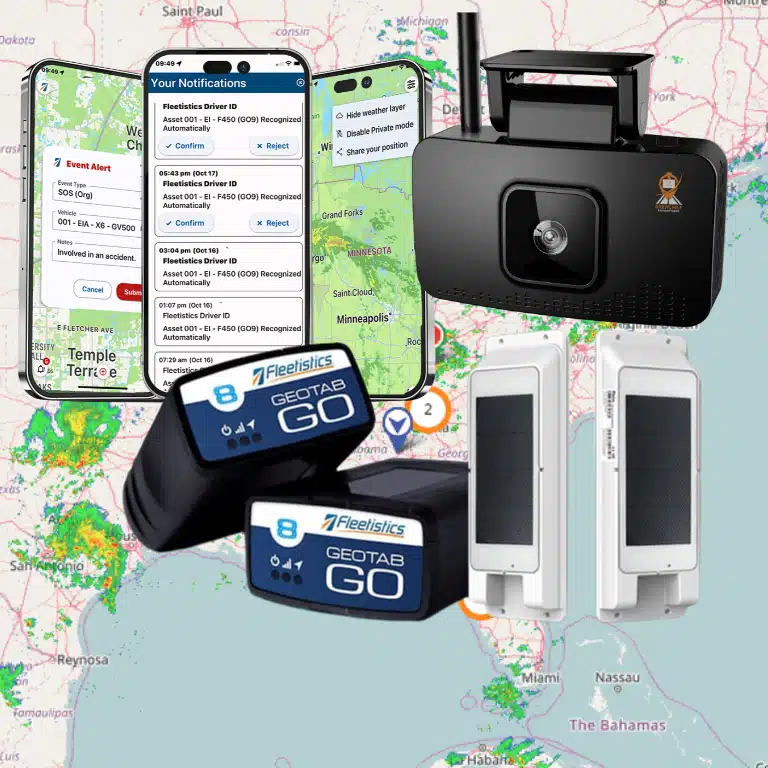
Hardware is a fit test, not a beauty contest. The hardware buyer guide already compares plug-in, hardwired, and asset-tracker options. On the shortlist you only ask whether each finalist can cover the assets you actually run, with the install your shop can support.
Build one row per asset group, not one row labeled “hardware.” A plumbing fleet might need three setups at once. Plug-in units on the vans. Hardwired options on trucks that lose the port. A battery tracker on job-site generators. Score each group. A system that nails the vans and shrugs at the generators is a partial, even if the van demo looked perfect.
| Asset group. | What you confirm in the demo. | Score it down when. |
|---|---|---|
| Light vehicles with an open port. | Plug-in power, engine data, and a remove-alert you can test. | The unit sleeps, or the data stops when the driver uses a splitter. |
| Trucks that need a fixed install. | Hardwired options, a clean power path, and who does the install. | The vendor calls it an upgrade but shows you less data than the plug-in. |
| Trailers and unpowered gear. | Battery life at your ping rate, and a tamper or low-battery alert. | The quoted life assumes a ping rate you cannot live with. |
| Mixed power and model years. | One login shows every group without a second portal. | Older units need a different site, export, or user account. |
Ask who owns the swap when a device fails in month two. A score of 4 means your lead tech can name the replacement steps without opening a ticket for every unit. A score of 2 means the vendor has the hardware somewhere in a price book, but not in the configuration you would actually deploy.
For plug-in units specifically, read the real-time OBD tracker guide before you let a demo redefine “real time.” The scorecard should use your refresh need, not the vendor’s default.
How Should Alerts and Reports Earn Their Rows?
Alerts and reports fail in opposite ways. Alerts fail by shouting. Reports fail by staying pretty and unread. Score them as separate jobs.
For alerts, pick three events you already care about. A late arrival, an after-hours departure, and an idle stretch past your own threshold are enough. Watch the vendor build each one live. Then ask:
- Who can receive it, by role, without getting every other driver’s noise?
- Can a dispatcher snooze or close it, and does that action stay on the record?
- What happens when fifty vehicles trip the same rule during a storm?
Location-based alerts are the right depth if you are still deciding which geofence events matter. Do not rebuild that primer here. Score the alert row a 3 only when the person who acts on it can pick the right rule out of a noisy morning. They should not need a support call to do it.
For reports, sit with the person who already builds Monday’s recap. Have them pull last week’s trips, idle, and after-hours moves, then export the file your office would actually send. A dashboard that cannot leave the screen is a 2. The fleet reporting dashboards guide lists the views an operations lead tends to need. Use it as a checklist, then score whether this finalist can produce those views from your own history, not from sample data.
The U.S. Department of Energy’s Alternative Fuels Data Center says telematics gives managers location, miles, idle time, fuel economy, driver behavior, and maintenance signals together. The same page records a utility fleet that raised average fuel economy by 15 percent after it used telematics to watch performance and coach drivers. Treat that as a reason to score the report row, not as a promise your fleet will see the same number. Fleetistics documents savings of up to 14 percent on fuel. That is not a 14 to 20 percent range, and it is not a productivity claim.
What Does an Integration Test Look Like on a Shortlist?
An integration row is not “we have an API” checked yes. It is one record moving from the vehicle into a system you already pay for.
Pick a single handoff before the demo. Miles and hours into payroll, fuel events into the card program, or job timestamps into the work-order tool are the usual three. Ask the vendor to show the field names, the refresh, and what a failed sync looks like. If they can only show a marketplace logo, the score is a 1.
Fleetistics publishes free fleet telematics APIs and an open set of connections so the tracking record does not sit in a silo. Read that page for the access model. Use the scorecard only to test the handoff you named. The fleet data integration API page is the right next click when you want the integration shape, and portal features covers what dispatch sees day to day. Do not rescore portal layout as if it were the API.
Fuel-card handoffs have their own destination. When the test is the card program, open the Geotab Fleet Card page rather than a general fuel article. Keep fuel-management solutions for idle, routing, and consumption questions that are not about the card.
A 4 means someone on your team can name the field that should show up tomorrow and the step they will take if it does not. A 3 means the export works, but someone still pastes it. Both can be acceptable. The point is to know which one you are buying.
How Do You Score Privacy, Notice, and Support Before You Sign?
Privacy is a governance row, not a slogan. Drivers accept tracking more readily when the reason, the data, and the contact path are written down before the first unit ships. Score the vendor on whether they help you do that, and score yourself on whether you will actually send it.
Use three questions:
- Can you limit who sees live location versus who sees a completed trip?
- Can you export an audit of who opened a trip, if a dispute lands in HR?
- Does the vendor’s sample notice match a policy your company can issue this month?
Point managers to the employee introduction guide, the written driver policy, and the sample company driving policy. Those pages carry the notice language. The scorecard only checks that the system you are about to buy can support the limits those pages describe. A tool that shows every employee every vehicle, with no role split, should not get a 3.
Support is the last row because it decides whether the other scores survive the first month. Ask for the real hours, the channel your dispatcher will use at 6 a.m., and who owns hardware swaps versus software questions. Fleetistics pairs 24/7 support with a consultative setup, and the ordinary evaluation window is 30 days so a working fleet can test the scorecard on its own routes. A 60-day window belongs only to a verified government fleet or an extremely large one. Do not let a finalist stretch the trial on a 40-van operation and call that standard.
When the fleet is public-sector, confirm Sourcewell purchasing on the Sourcewell fleet GPS tracking contract page. Do not treat that page as a GSA claim. Fleetistics does not advertise a GSA schedule here.
Speak with a fleet consultant at 855-300-0527 if you want the scorecard run against your asset list before you book the vendor demos.
Frequently Asked Questions
How many GPS tracking systems should I put on the shortlist?
Keep two to four. Score each one on the same seven jobs while the demo is open. More names make the numbers mushy, and you will not remember which gap belonged to which vendor.
Should location accuracy be a single number?
No. Replay a yard, a downtown stop, and a highway segment on your own routes. Score the weakest asset in the fleet, and ask which antenna and fix type produced any accuracy figure the vendor quotes.
Do local fleets need an ELD to justify a GPS tracking system?
No. ELD rules apply to long-haul and interstate hours-of-service work, not to every local service fleet. You can still want a reliable map, alerts, and reports without taking on an ELD.
What is a passing score for integrations?
A pass means one real handoff works: miles into payroll, fuel events into the card file, or job times into the work-order tool. A marketplace logo with no field-level test is not a pass.
How long should the evaluation run?
Plan on 30 days for an ordinary fleet. Use 60 days only when the fleet is a verified government account or an extremely large operation. The extra month is not the default.
Where Should You Take the Winning Score?
Add the seven rows. Do not average them into a single vanity number and then ignore a 1. A system that fails privacy, or that cannot see your trailers, is out even if reporting looked excellent. Drop any finalist with a 1. Between the rest, prefer the higher support score when the totals are close, because the first month is when the install and the alert noise show up.
Then stop comparing systems and start deploying the winner. The GPS tracking deployment guide picks up install, employee notice, and the first operating week. For a side-by-side of platform scope, use the fleet management platform overview.
Bring the filled scorecard to the conversation. A fleet consultant can check the hardware rows against the vehicles you run and tell you which gaps are configuration and which ones are a real miss.