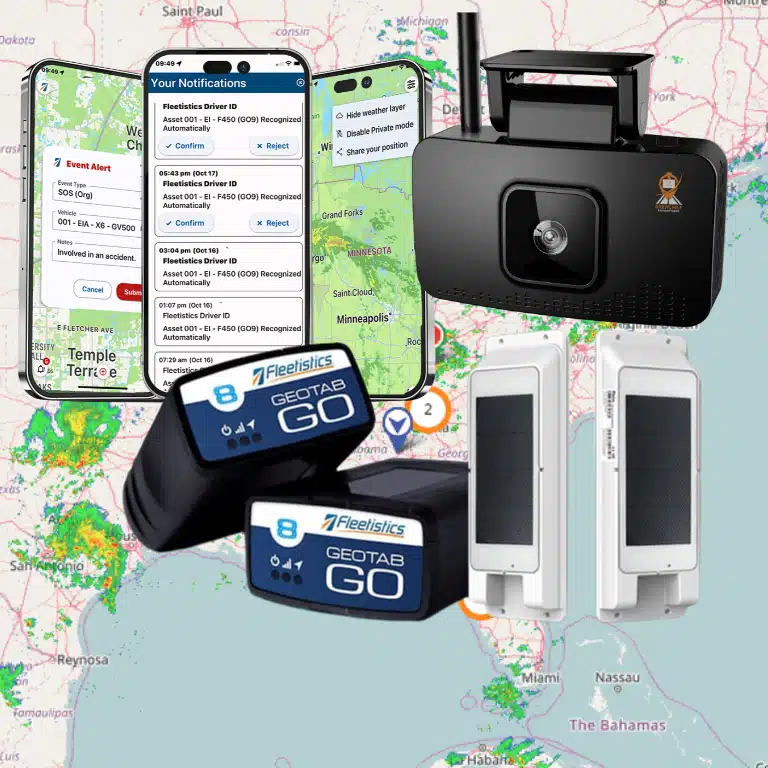

A vehicle that cannot be located, a route that cannot be verified, or an idling issue discovered only after the fuel bill arrives all create the same problem: management is reacting too late. This fleet tracking FAQ addresses the questions fleet operators ask when they need real-time control without adding unnecessary complexity, hardware expense, or administrative work.
Fleet Tracking FAQ: Core Questions for Fleet Operators
What is fleet tracking?
Fleet tracking uses GPS hardware, cellular connectivity, and fleet-management software to report the location and operating activity of vehicles, equipment, trailers, and mobile assets. Depending on the device and platform, it can show live location, trip history, speed, stops, idle time, engine diagnostics, driver behavior, and more.
Basic GPS tracking answers, “Where is the vehicle?” Telematics goes further by connecting location to vehicle data and operational outcomes. For example, a service manager can see not only that a truck is stopped, but whether it has been idling for 22 minutes, has a diagnostic fault, or is approaching a scheduled maintenance threshold.
The right level depends on the job. A small local service fleet may begin with location, geofences, and trip history. A regulated carrier or public-sector fleet may need AI video, ELD workflows, maintenance controls, fuel-card data, and custom reporting in the same operating environment.
How accurate is GPS fleet tracking?
Under normal conditions, modern fleet GPS data is generally accurate enough to identify a vehicle’s position, route, stop location, and arrival time. Accuracy can vary based on satellite visibility, weather, urban canyons, covered parking, device placement, and the reporting frequency selected.
For operations, the more useful question is often not the exact number of feet. It is whether the system reliably supports the decision at hand. Can dispatch confirm a technician arrived at the customer site? Can a supervisor verify a vehicle entered an unauthorized area? Can the team distinguish a true stop from a slow-moving vehicle in traffic? With quality hardware, proper installation, and sensible alert settings, the answer is usually yes.
Does fleet tracking work when a vehicle is not moving?
Yes. A tracking device can report a parked vehicle’s last known location and, depending on its configuration, send updates on a scheduled basis or when an event occurs. Geofence entry and exit alerts are especially useful for confirming when vehicles leave a yard, arrive at a job site, or move after hours.
Reporting behavior differs by device and plan. A hardwired vehicle tracker has access to vehicle power and can support frequent updates and engine-related data. A battery-powered asset tracker is designed differently, balancing reporting frequency against battery life. That makes it a practical option for trailers, generators, containers, and equipment that do not have a consistent power source.
What is the difference between fleet tracking and an ELD?
A fleet tracker focuses on location and vehicle activity. An electronic logging device, or ELD, records a commercial driver’s hours-of-service data to support FMCSA compliance for fleets subject to the ELD mandate.
Many fleets need both capabilities, and combining them reduces duplicate hardware and manual processes. A connected platform can bring GPS location, HOS status, DVIRs, IFTA mileage, driver messaging, and dispatch visibility together. However, an ELD is not automatically required just because a business uses GPS tracking. Applicability depends on the operation, vehicle use, driver activity, and federal or state exemptions.
Can fleet tracking reduce fuel costs?
It can, but the savings come from how the data is used. GPS data exposes avoidable idle time, unauthorized vehicle use, excessive speeding, inefficient routing, unnecessary detours, and extended stops. Telematics can also identify engine conditions that contribute to poor fuel economy.
A fleet should avoid treating fuel savings as a generic promise. A technician fleet that runs mostly short urban routes may find its strongest savings opportunity in idle reduction and better dispatching. A regional delivery fleet may see more value from route planning, speed management, and fuel-card controls. Measure a baseline first, then set a specific policy and monitor progress by vehicle, driver group, route, or branch.
Will drivers see fleet tracking as intrusive?
They may if the program is introduced as surveillance rather than an operational and safety tool. The rollout matters. Drivers should know what is being tracked, when data is reviewed, who can access it, and how the information will be used.
The strongest programs apply clear rules consistently. Tracking can protect drivers by documenting arrival times, confirming time on site, supporting accurate payroll records, locating a vehicle after theft, and providing context after a customer complaint or collision. AI dashcams can add useful video evidence, but fleets need written coaching and video-access policies before deployment.
Privacy expectations also change when vehicles are taken home or used for approved personal travel. Some organizations use after-hours policies, privacy modes where appropriate, or reporting rules that separate work activity from permitted personal use. Legal requirements vary by state and employment arrangement, so fleets should align their program with counsel and documented policy.
How is a fleet tracking device installed?
Installation depends on the device type. Plug-in GPS devices can often be installed quickly through a vehicle diagnostic port. Hardwired devices require a connection to vehicle power and ground, and may include inputs for specialized equipment or driver identification. Camera systems require careful placement, wiring, calibration, and road testing. Asset trackers may be mounted or concealed based on the asset and theft risk.
Fast installation is useful only if the deployment is accurate. Device serial numbers must be assigned to the correct vehicle or asset, driver workflows need to be configured, and teams should verify that trips, diagnostics, and alerts are reporting as expected. For larger rollouts, phased installation can minimize downtime while allowing the fleet to resolve exceptions before every vehicle is deployed.
Which alerts should a fleet turn on first?
Start with exceptions that require action. For many fleets, that means unauthorized after-hours movement, geofence arrival and departure, excessive idling, harsh driving events, maintenance faults, and speeding based on a defined company policy.
Do not activate every available alert on day one. Alert fatigue causes managers to ignore the events that matter. Assign an owner for each alert, define the expected response, and review whether the alert produces a decision. If no one acts on repeated notifications, change the threshold, revise the workflow, or remove the alert.
Can fleet tracking help with maintenance?
Yes. Mileage, engine hours, diagnostic trouble codes, and utilization data can move maintenance from calendar-based guesswork toward condition-based planning. A maintenance manager can schedule service based on actual vehicle use, identify assets that are underutilized, and respond to fault codes before they become roadside failures.
Tracking data is most valuable when it connects to a maintenance process. A warning light alone does not reduce downtime. The fleet needs a defined workflow for assigning repairs, tracking work orders, documenting inspections, controlling vendor costs, and returning vehicles to service. This is where a broader fleet platform can outperform a standalone GPS map.
How long does it take to see a return on investment?
Some results appear quickly. A dispatcher can reduce unnecessary calls to drivers on the first day because vehicle status is visible. Unauthorized use, missed appointments, and excessive idle time may be identified within the first billing cycle.
A durable return on investment takes longer because it depends on operating habits. Fuel, safety, route efficiency, maintenance, compliance, and utilization improvements should be measured against a baseline over several months. The best implementation starts with two or three business outcomes, assigns accountability, and expands from there. Trying to fix every fleet problem at once usually dilutes the result.
What should a fleet look for in a tracking provider?
Look beyond the map and the monthly device price. Confirm that the provider can support your current need and the next operational problem you expect to solve. Ask about hardware options, installation support, reporting, data retention, mobile access, integrations, customer service, training, and the ability to add modules without replacing the entire system.
A small fleet may need an affordable entry point with core location visibility. A growing operation may need maintenance, route optimization, driver safety, and compliance tools as it adds vehicles and locations. Enterprise and government fleets may require open APIs, tailored workflows, procurement support, and integration with existing systems. Fleetistics approaches this as a modular fleet-management decision, so operators can start with practical control and add connected technology as requirements grow.
The useful next step is not to buy the most features. Review one recent problem that cost the fleet time, money, or customer trust, then ask what data and workflow would have prevented it. That answer will point to the tracking capabilities worth implementing first.