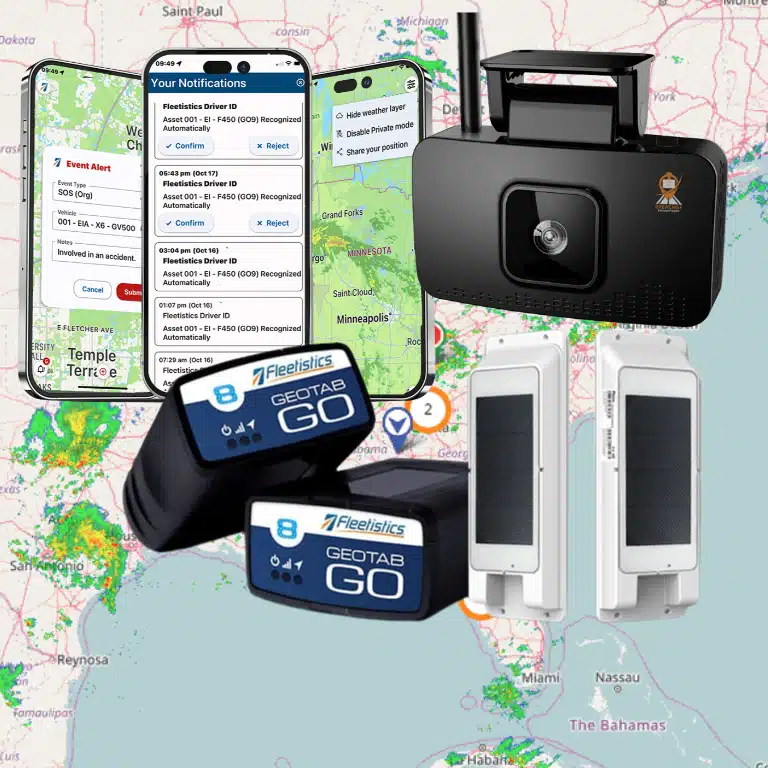

Vehicle data loses value when it remains trapped inside a telematics dashboard. Open APIs put that data to work across the systems operations and IT teams already use.
Book a Fleetistics demo to see how free fleet telematics APIs can connect vehicle data with your existing business systems: contact Fleetistics today.
Fleet telematics APIs are secure software connections that let approved systems request or receive vehicle, asset, and driver data without manual exports. They connect telematics feeds with ERP, CRM, dispatch, maintenance, compliance, and analytics tools so teams can automate work while IT controls approved data exchange.
The practical question is not simply whether data can move, but which records should move, where they should go, and what each team gains. That starts with “What are fleet telematics APIs?” before we map the records each connected system can use. Here is how.
What are fleet telematics APIs?
Fleet telematics APIs are secure links that let business software request and share data from connected vehicles, assets, and fleet systems. They give operations and IT teams a clear way to move useful fleet data into the tools they already use.
An API is not a new dashboard or another device for drivers. Think of it as a defined set of doors through which approved systems can exchange data in a consistent format.
Data available through an API
Telematics devices collect information from vehicles, onboard sensors, and connected equipment. An API makes selected parts of that information available to an ERP, dispatch tool, fuel system, maintenance platform, or custom app.
The available data depends on the platform and installed hardware. Common data groups include the following fields.
- Current and past vehicle location.
- Engine status, fault codes, odometer readings, and fuel use.
- Speed, harsh driving, idling, and other driver events.
- Trip, route, stop, and geofence activity.
- Maintenance alerts and asset health details.
- ELD, DVIR, and other compliance records.
This access gives teams more ways to use the same source data. For context, accessing data through telematics APIs starts with information gathered from connected vehicle hardware.
How the data moves
Most fleet telematics APIs follow a request-and-response process. An approved business system asks for a specific record, and the telematics platform returns it in a format the system can read.
Some APIs also send events as they happen. For example, a webhook can alert a dispatch system when a vehicle enters a job site. Real-time streams can support broader monitoring needs without repeated requests.
Standard formats make these connections easier to plan and maintain. Federal research also highlights the role of standardized protocols for real-time APIs in reliable data exchange.
An open connection for operations and IT
For operations buyers, an API helps place fleet facts inside daily workflows. Dispatchers can see arrival events, while maintenance teams can receive engine alerts in the systems they already check.
For IT buyers, fleet telematics APIs provide controlled access without forcing every team into one closed platform. Teams can choose which records to share, where they go, and how each system responds.
Fleetistics supports this approach through an open ecosystem, free API access, and more than 300 marketplace integrations. Its Marketplace and API details show how fleet data can connect with ERP, CRM, dispatch, field service, and fuel card tools.
What data can you share through an open telematics API?
An open telematics API can share vehicle location, trip history, engine diagnostics, odometer readings, driver events, fuel activity, maintenance alerts, asset health, and compliance records. The best data set depends on the business workflow, system permissions, hardware, and how quickly each connected application needs updates.
Vehicle and trip data
Open fleet telematics APIs can share GPS position, trip history, routes, speed, odometer readings, and ignition status. Dispatch teams can use this feed to locate vehicles, confirm stops, and compare planned routes with completed work. The same records can support mileage reports and customer service updates.
Vehicle feeds can also include engine fault codes, battery voltage, fuel use, idle time, and other sensor readings. Teams can share telematics data with dashboards, fuel card tools, or maintenance systems. This gives each team access to useful records without another manual export.
Data types and business uses
The exact fields depend on the device, vehicle, platform, and permissions. Before building an integration, confirm each field’s format, update rate, and history. The table below groups common data by the job it can support.
| Data type. | Examples. | Common business use. |
|---|---|---|
| Location and trips. | GPS, routes, stops, geofences. | Dispatch, proof of service, route review. |
| Vehicle health. | Fault codes, odometer, engine hours. | Maintenance scheduling and repair triage. |
| Fuel and use. | Fuel level, consumption, idle time. | Cost review and waste control. |
| Driver and safety. | Speed, braking, seat belt, alerts. | Coaching and incident review. |
| Compliance. | ELD logs, DVIR records, IFTA mileage. | Reports, inspections, and tax support. |
| Assets and events. | Asset location, status, webhooks. | Theft response and workflow automation. |
Open data does not mean every system needs every field. A dispatch app may need current location and arrival alerts. An ERP may only need completed trips, mileage, and job status. Limiting each connection to its business purpose makes the data easier to manage.
Compliance feeds can pass ELD logs, DVIR results, and IFTA mileage into approved reporting tools. Asset records can show a trailer’s location, status, and last contact. Available fields still depend on the connected hardware and account setup.
Live events and automated workflows
Some records work best as scheduled API requests, while urgent events work better as webhooks. A webhook can notify another system when a vehicle enters a geofence or reports a fault. This event-driven approach can start a ticket, send an alert, or update a job without constant polling.
Standard API protocols also help different systems exchange real-time data. Federal research describes a standardized protocol for real-time APIs as a requirement for data sharing. Clear field definitions and stable event rules reduce custom work when systems must communicate.
Access controls still matter because location, driver behavior, and compliance records can be sensitive. Give each integration only the fields and actions it needs. When reviewing open telematics integrations, also check authentication, retention, error handling, and webhook retry rules.

Why open data access matters for fleet operations
Open data access lets a fleet use vehicle information beyond one telematics dashboard. Fleet telematics APIs send useful data into the systems that operations, finance, and service teams already use. This flow breaks down silos and keeps fleet data connected to daily work.
One data flow across business systems
Without an open API, staff may copy mileage, job status, fuel use, or service details between tools. That duplicate entry takes time and creates more chances for errors. An open connection can move the same data into ERP, CRM, dispatch, field service, and fuel card systems.
Shared data also gives each team a more consistent view of fleet activity. Dispatch can see vehicle status while finance reviews fuel records and service teams plan maintenance. Fleetistics supports this approach through free API access and more than 300 integrations.
- ERP systems can receive mileage and asset data.
- CRM and field service tools can connect jobs with vehicle activity.
- Dispatch systems can use current location and status data.
- Fuel card systems can pair transactions with fleet records.
Faster decisions for operations leaders
Connected data helps leaders act without waiting for separate reports from several departments. They can compare job progress, vehicle use, fuel activity, and maintenance needs in one workflow. This makes patterns easier to spot and gives teams time to address issues sooner.
Standard data exchange also matters when many systems must work together. Federal research highlights the role of a standardized protocol for real-time APIs in moving data between systems. For fleets, a common connection method reduces custom work and supports a steady flow of current information.
Open access also makes fleet metrics useful outside the telematics platform. Operations leaders can share telematics data with reporting tools and compare results against wider business goals. That context supports quicker choices about routes, asset use, service timing, and staffing.
Control and flexibility for IT teams
Open APIs give IT teams a clear way to manage how fleet data enters the business technology stack. They can set access rules, document connections, and decide which systems receive each data type. This supports governance without forcing every department into the same tool.
An open ecosystem also lowers dependence on one fixed set of features. IT can add a new workflow, replace a business system, or build a custom application as needs change. Existing fleet data can keep moving through defined connections instead of becoming trapped in a closed platform.
Fleetistics pairs its integration marketplace with RESTful API access, JSON responses, real-time streaming, and event-driven webhooks. These options let technical teams choose the right method for each workflow. Operations gains connected information, while IT keeps oversight of how that information is used.
How should IT teams plan a telematics API integration?
IT teams should start with one business use case, map each source and destination system, confirm field permissions, choose request or event-based data movement, then test with limited users. This approach keeps security, data quality, operations ownership, and integration value visible before a full rollout.
Scope before code
Start with one clear business result, not a long list of available data. Fleet telematics APIs can support urgent fault alerts, dispatch updates, or a maintenance queue. This focus helps IT teams set owners, limits, and success checks before writing code.
Next, name each source system, target system, and team that owns the data. Standard protocols can make different systems easier to connect, as shown by federal research on real-time APIs. Still, every field needs a clear purpose and destination.
A practical integration sequence
Use the following plan to turn a defined use case into a controlled rollout. It keeps decisions visible to IT, fleet operations, security, and the software owners involved.
- Define the use case. State the action the integration should support and the person responsible for acting on its output.
- Choose the data fields. Request only the vehicle, trip, location, fault, or driver fields needed for that use case. Note field formats, units, update frequency, and retention needs.
- Select the delivery method. Use webhooks or streaming when another system must react soon after an event. Use scheduled syncs when teams need routine reports or batch updates.
- Map the systems. Document how each source field enters the ERP, CRM, dispatch tool, fuel platform, or data warehouse. Define rules for missing, late, and duplicate records.
- Check access and security. Confirm API permissions, token storage, user roles, encryption, audit logs, and vendor access. Give each service only the permissions it needs.
- Test with a small fleet. Run the workflow with a limited group of vehicles and known users. Compare API records with source records, then test errors and lost connections.
- Expand in stages. Add vehicles, fields, and workflows only after the first group meets agreed checks. Monitor failures, API limits, delays, and data quality during each stage.
Testing and rollout controls
A small pilot should cover normal events and failure cases. Teams should test expired tokens, invalid fields, repeated messages, network gaps, and target-system downtime. They should also decide when to retry a request, hold a record, or alert an owner.
Before expansion, compare the pilot against the original result. Check whether the receiving system gets complete, timely data and whether users can act on it. The Fleetistics guide to open telematics integrations can help teams assess platform fit before a broader rollout.
After launch, treat the integration as an owned service. Track API errors, processing delays, permission changes, and field changes. To share telematics data with more tools, repeat the same scope, security, and pilot checks.
Which business systems can telematics APIs connect to?
Fleet telematics APIs can connect with ERP, CRM, dispatch, field service, maintenance, fuel card, compliance, payroll, BI, and custom applications. These connections let each department use fleet data inside its normal workflow instead of logging into a separate dashboard or relying on manual exports.
Fleet telematics APIs can connect vehicle data with the software that office and field teams already use. Common connections include CRM, field service, dispatch, ERP, maintenance, fuel card, analytics, and compliance systems. The right mix depends on which decisions need faster, more accurate data.
Customer, field service, and dispatch workflows
A CRM connection can add vehicle activity to customer records. A field service platform can use location and status data to help assign jobs. Dispatch software can show which driver is close, available, or delayed without asking for a manual update.
These connections reduce repeated data entry between the road and the office. Fleetistics offers an open integration ecosystem for linking fleet data with existing business tools. Teams can choose the data and event rules that fit each workflow.
- CRM systems can record arrivals, departures, and service activity.
- Field service tools can support job assignment and progress updates.
- Dispatch systems can use current location and vehicle status.
Finance, maintenance, and compliance records
ERP and fuel card connections place fleet activity beside cost and purchasing records. This helps teams review fuel transactions, vehicle use, and job costs in one workflow. Maintenance systems can use mileage, engine data, or fault events to start service tasks.
Compliance systems can also receive the records needed for routine reports and reviews. Before mapping those records, teams should understand how telematics APIs provide data and decide which system owns each field. Clear ownership helps prevent duplicate or conflicting records.
- ERP systems can connect fleet costs with jobs, assets, and budgets.
- Maintenance platforms can create service alerts from vehicle data.
- Compliance tools can collect selected driver and vehicle records.
Dashboards and custom applications
Business intelligence dashboards bring data from several systems into one view. Operations teams can compare vehicle use, fuel activity, service needs, and other fleet analytics metrics. The API supplies the data, while the dashboard presents it for each role.
Technical teams can also build custom apps when standard software does not match a workflow. Research has shown how connected data can support a dynamic fleet monitoring dashboard. A custom app might route alerts, update a mobile tool, or feed a private reporting system.
How does free API access change the buying decision?
Free API access changes the buying decision by reducing integration cost, testing friction, and long-term vendor lock-in risk. Buyers can evaluate whether fleet data will work with existing systems before expanding, which makes total cost of ownership clearer than a platform with paid or restricted data access.
Free API access changes a telematics purchase from a software choice into a broader business systems decision. Operations can assess daily value, while IT can test how fleet data fits existing tools. Both teams can judge the full cost before making a long-term commitment.
A clearer view of total cost
A platform price can look competitive until API access, data exports, or connector fees appear later. Free fleet telematics APIs remove one common source of hidden integration cost. Procurement teams can then compare service plans using the same cost assumptions.
The review should still cover development time, support, data storage, and any paid third-party apps. It should also confirm which endpoints and data fields are included. Fleetistics provides free API access and an open marketplace of integrations for connecting fleet data with business systems.
Procurement should request a written list of included API features before comparing bids. The list should cover request limits, data history, webhooks, user roles, and help for developers. This step separates free access from a limited trial that cannot support a live workflow.
Proof during the evaluation period
An API should be tested with a real workflow, not judged only from a feature list. During the 60-day Solution Evaluation Process, IT can build a small connection to an ERP, dispatch tool, or fuel card system. Operations can then check whether the output helps staff act faster.
A useful test starts with one clear question. Can the team send the right vehicle event to the right system without manual re-entry? The process for assessing open telematics integrations should include data quality, setup effort, and support response.
- Confirm access to the needed data fields and event types.
- Test updates under normal operating conditions.
- Measure staff time saved or errors avoided.
- Review documentation, security controls, and support paths.
Open ecosystem versus proprietary limits
An open ecosystem gives the buyer more ways to use fleet data after launch. A closed system may restrict exports, require paid connectors, or limit custom workflows. Those limits can raise switching costs when business needs change.
IT should also ask whether the API uses common formats and supports stable data exchange. Federal research on a standardized protocol for real-time APIs shows why shared rules matter for systems that exchange live data. Standards make it easier to compare options and plan future connections.
For operations, the key issue is control. The platform should support current workflows without blocking new ones later. Free API access lets both teams test that flexibility before procurement signs the agreement.
What should you look for in an API-ready telematics platform?
An API-ready telematics platform should provide clear developer access, useful documentation, permission controls, reliable data formats, webhook or real-time options, broad integration support, and knowledgeable onboarding help. The platform should make data portable without forcing teams to abandon tools that already work.
An API-ready platform should give IT teams clear control without forcing operations teams into rigid workflows. Start with the business systems that need fleet data, then test whether the platform can serve each one. The right fleet telematics APIs should fit today’s workflow and leave room for new vehicles, users, and tools.
Developer access and data controls
Review the API documentation before discussing a rollout. It should explain endpoints, request limits, error codes, sample calls, data fields, and version changes. A test environment also helps developers confirm how the API behaves before live fleet data is involved.
Ask how the platform handles authentication, user roles, and permissions. Teams should be able to limit access by user, group, vehicle, or data type. Clear audit records are also useful when a business must trace who accessed or changed a setting.
Confirm that the architecture supports common formats and workflows. REST endpoints and JSON responses make data easier to use across many business systems. For time-sensitive events, webhooks should send updates as they occur instead of making your systems poll for changes.
Integration fit and room to grow
List every system that should receive or send fleet data, including ERP, dispatch, CRM, fuel card, and maintenance tools. Then compare that list with the platform’s marketplace and API options. Fleetistics offers several tiered platform options, which can help teams match access and features to their use case.
Marketplace connectors can shorten setup for common tools, while an open API supports custom workflows. Check whether each connector is maintained, how often it syncs, and who owns support. Also ask whether data can move both ways when the workflow requires it.
Scalability is more than a device count. Test how the service handles added requests, larger data volumes, new asset types, and more user roles. Standard protocols can also reduce integration friction; federal research highlights the role of standardized protocols for real-time APIs.
Support and a practical evaluation
Strong documentation does not replace skilled implementation support. Ask who will map data fields, test webhooks, solve errors, and train users during launch. Clarify response times and escalation paths before the platform becomes part of daily operations.
Use a pilot to test real workflows with a small, useful group of vehicles and users. Include IT, operations, safety, and finance in the review. Each team should confirm that the data is accurate, timely, and useful inside the systems they already use.
A consultative review can expose gaps before a full rollout. Fleetistics uses a 60-day telematics solution evaluation process to assess fit in working conditions. During the review, document requirements, test results, ownership, and the next steps for a wider launch.
Ready to compare integration options before you commit? Talk with a Fleetistics consultant about free API access, marketplace integrations, and the 60-day Solution Evaluation Process.
Frequently Asked Questions
Can I integrate telematics data with my existing CRM?
Yes. A telematics API can send vehicle locations, status, mileage, and events into a CRM, field service platform, or scheduling system. This lets teams update customer records, assign work, and track jobs without manual re-entry. Fleetistics integrations also support connections with ERP, dispatch, and fuel card systems. Before deployment, IT should map fields, permissions, update frequency, and error handling.
Are telematics APIs compatible with different vehicle hardware?
Compatibility depends on the API provider, vehicle make, installed device, and available data fields. Modern telematics APIs can collect location, performance, and driver behavior data from native or added vehicle hardware. IT teams should confirm supported models, field definitions, refresh rates, and data gaps before rollout. A pilot with representative vehicles can reveal differences before a fleet-wide integration.
How do telematics APIs help with compliance?
Telematics APIs can send driver, vehicle, inspection, and maintenance records into compliance workflows. This supports automated alerts, reporting, and follow-up for tasks such as ELD and DVIR management. According to Fleetistics, API integrations can support automated maintenance, dispatch, and compliance tracking. Operations teams should still verify record accuracy, retention rules, and user access before relying on automated reports.
Why are telematics APIs better than traditional polling methods?
Streaming APIs and webhooks send new events as they occur, while polling repeatedly asks a system whether data changed. For large fleets, direct streaming can reduce unnecessary requests and deliver updates faster than frequent endpoint polling. The right method depends on the use case, system limits, and required response time. IT teams may combine streaming for urgent events with scheduled requests for routine summaries.
Ready to Connect Your Fleet Data Without Delay?
Waiting to connect fleet data keeps operations and IT teams in separate systems, slowing decisions and adding manual work that grows over time. Starting now gives both teams time to agree on priorities, map useful data flows, and address technical questions before disconnected workflows become harder to manage. An early conversation can clarify API access, responsibilities, and an evaluation timeline, helping your team move from planning toward a practical integration.
Ready to give your teams a clear path forward? Call 855.300.0527 to book a demo and discuss open telematics API access. Talk to a Fleetistics consultant about your systems, intended data flows, and next steps that match current operations and IT priorities.