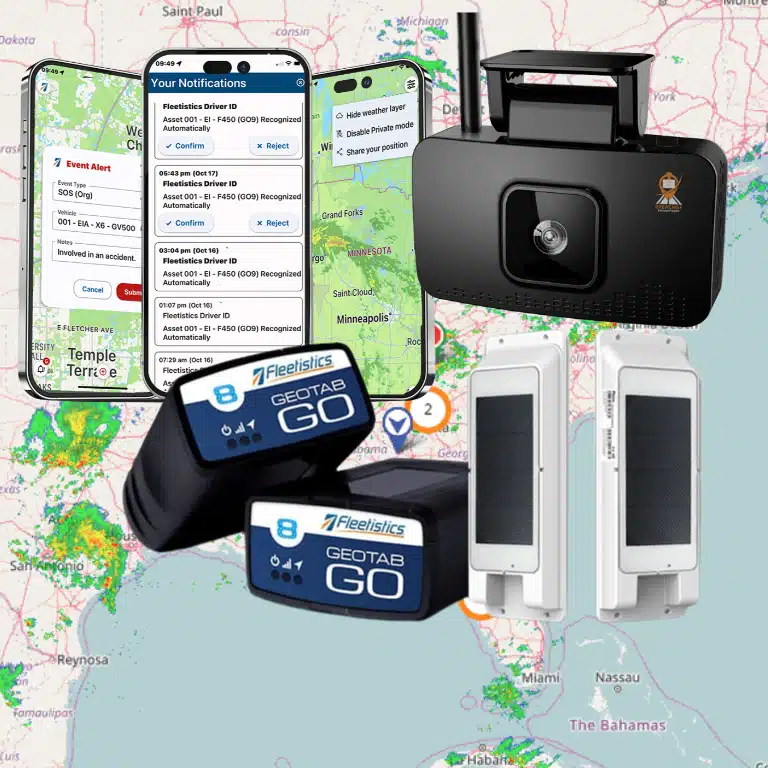
A GPS unit can show where a vehicle is. Optimization depends on what you can learn and what your team does with that information. The right combination of trackers, diagnostics, cameras, and sensors connects daily operating decisions to outcomes such as fuel use, maintenance workload, safety, and asset utilization.
Request a fleet hardware consultation from Fleetistics.
The best fleet hardware devices for optimization are selected by operational objective, vehicle or equipment type, installation needs, and the decisions you want better data to support. A modular deployment can start with visibility and expand into safety, diagnostics, or asset security as your needs become clearer.
That framework matters whether you manage service vehicles, heavy equipment, watercraft, or a mixed North American fleet. Fleetistics supports organizations across the USA, Canada, and Mexico, with implementation guidance designed around the way each fleet actually operates.
Start by separating the data your telematics system can collect from the actions that data should improve. Then review the core hardware choices below. See how your operation fits into fleet tracking by industry, or contact Fleetistics to discuss a right-sized approach.
Request a fleet hardware consultation from Fleetistics.
How Do Fleet Hardware Devices for Optimization Support Your Telematics System?
Fleet hardware is the physical layer that turns vehicle and asset activity into usable management information. The right setup is not simply a GPS tracker on every unit. It should collect the data you need to make better decisions about where assets are, how work is being performed, what condition vehicles are in, and how equipment is protected.
A practical way to evaluate fleet hardware devices for optimization is to map each device or connection to one primary operating outcome. That keeps the deployment focused and makes it easier to explain why each component belongs in the system.
In practice, the core choice is usually a location and vehicle-data device, followed by add-ons that close a specific information gap. Diagnostics can support maintenance decisions, cameras can add incident context, and sensors can monitor equipment conditions. The best setup is the smallest reliable combination that changes a measurable process.
Visibility: Where are vehicles and assets, and how are they being used?
GPS and automatic vehicle location hardware provide the baseline view of fleet activity. Location data can support dispatch awareness, asset accountability, and more informed decisions about vehicle utilization. For larger fleets, that visibility becomes more useful when it is connected to additional vehicle data rather than treated as an isolated map point.
Safety: What information helps managers support safer operations?
Safety-related telematics should help you identify the operating information that deserves attention, such as vehicle activity and events that may require coaching or review. The hardware choice should follow your safety process. A basic location device may be appropriate for one use case, while a deployment that needs richer operational evidence may require additional equipment. Avoid buying features before defining the decision the data must support.
Vehicle health: What can the vehicle tell you beyond its location?
Modern GPS and AVL systems can collect vehicle data beyond location through the vehicle’s OBD-II port. That additional information can give managers a more informed basis for monitoring vehicle performance and planning operational follow-up. The California Department of Transportation describes OBD-II data collection as a way for GPS and AVL systems to support better management of large vehicle fleets. Explore telematics equipment for fleet optimization when comparing the data layer your vehicles can provide.
Asset security: Which equipment needs a different level of protection?
Not every tracked item is a vehicle with a convenient diagnostic connection. Equipment and other valuable assets may need a hardware approach selected around their operating environment, power access, and exposure to unauthorized movement. Treat asset security as a distinct outcome rather than assuming that a vehicle-focused device will fit every item.
The business case for this approach is practical. The U.S. Department of Energy notes that telematics can help federal fleets optimize operations, reduce costs, support reporting requirements, and enhance driver safety and vehicle performance. Those outcomes depend on matching the hardware and data collected to a real management need. Start with the decision you want to improve, then select the simplest reliable hardware that can supply the necessary evidence.
OBD Plug-In vs Hardwired Trackers: Which Is Right for Each Vehicle Type?
OBD plug-in trackers suit flexible assignments and pilots, while hardwired trackers suit stable, long-term vehicle deployments. Both can provide location visibility, but the best choice depends on how each vehicle is used, accessed, powered, and managed. Match the installation method to the vehicle role instead of forcing one device type across the fleet.
OBD-II connectivity can provide vehicle data beyond location, giving managers additional information for fleet decisions when the vehicle and device support the required data points. The California Department of Transportation describes the increasing availability of OBD-II ports as enabling newer GPS/AVL systems to collect vehicle data beyond location.
| Consideration | OBD plug-in tracker | Hardwired tracker |
|---|---|---|
| Best fit | Pool vehicles, leased units, short-term deployments, and vehicles that may change assignments. | Long-term assigned vehicles, service fleets, trucks, and units requiring a more permanent setup. |
| Access and tamper exposure | Easy to reach for inspection or reassignment, but also easier for an unauthorized person to unplug. | Less obvious and harder to remove during ordinary use, provided the installation is performed correctly. |
| Power and upkeep | Uses the diagnostic port, so port access and continued connection must be part of your operating checks. | Uses the vehicle’s electrical system and requires wiring compatibility, installation documentation, and future service planning. |
| Fleet flexibility | Useful when devices need to move between compatible vehicles or when you are validating a deployment. | Better suited to a stable asset assignment where the hardware will remain with the vehicle. |
How should you handle a mixed fleet?
Do not force one installation method across every unit. Use OBD plug-in hardware where fast reassignment, accessible diagnostics, or a low-commitment rollout is important. Consider hardwired equipment for vehicles that remain under your control, face greater tamper exposure, or need a discreet, durable installation.
Before deployment, document the vehicle’s available power, diagnostic-port location, operating environment, maintenance process, and who can access the cab. Then define how unplugged devices, reassigned vehicles, and service events will be detected and resolved. Reviewing different types of GPS fleet hardware can help you compare device choices without separating hardware from the way your team operates.
Which Sensors and Add-Ons Improve Fleet Optimization?
The most useful add-ons close a defined information gap. Start with the operating decision you want to improve, then choose the sensor or device that can produce reliable evidence for that decision. A refrigerated delivery fleet may need temperature history, while a construction company may care more about equipment use, unauthorized movement, or maintenance conditions. Buying every available sensor creates more data, not necessarily better fleet management.
Match sensors to the operating environment
Temperature and environmental sensors help monitor conditions that can affect cargo, materials, or equipment. They are useful when a manager must identify a temperature excursion, confirm that a storage environment remained within a required range, or investigate where a loss occurred. Select the measurement range, reporting frequency, mounting method, and alert workflow together. A sensor that records information without directing someone to a timely response has limited operational value.
PTO and use-state inputs connect equipment activity to the vehicle or asset record. They can help distinguish engine-on time from the use of a connected function, such as a pump, lift, or auxiliary system. That distinction supports utilization reviews, service planning, and investigations into excessive idle or unexpected operating time. Confirm that the input is compatible with the equipment and that the resulting event has a clear owner.
Driver ID adds accountability to vehicle events. It can associate trips, inspections, or driving behavior with the person operating the vehicle, which makes coaching and exception review more precise. Engine diagnostics add maintenance context by exposing fault information and vehicle health data beyond location alone. Together, these inputs help maintenance teams prioritize actionable issues instead of relying only on calendar-based checks or driver reports.
Choose safety, security, and compliance devices selectively
Dashcams provide video context for safety coaching, incident review, and disputed events. Define retention, access, privacy, and escalation policies before deployment. For equipment and trailers, ruggedized asset trackers can extend visibility beyond powered vehicles. Review the options for asset tracking for equipment and trailers when an asset spends time detached, stored, or outside a normal vehicle route.
ELDs are not a default add-on for every fleet. They are relevant when a fleet and its drivers are subject to applicable interstate or long-haul hours-of-service requirements. Where an ELD is required, it must meet the applicable technical specifications for data accuracy and compliance, as outlined by the FMCSA. Keep that compliance decision separate from general GPS tracking. A modular deployment lets you add the device that supports a real operating requirement without forcing every vehicle into the same configuration.
How Do You Choose Hardware for Mixed Fleets?
Mixed fleets need a hardware plan organized by asset role, power, environment, connectivity, and business question. A work truck, an off-road machine, a trailer, and a watercraft may need different devices. Use a structured evaluation so your fleet hardware devices for optimization produce data you can act on, rather than a collection of disconnected readings.
- Inventory every asset and its role. Group vehicles and equipment by type, age, power availability, location, usage pattern, and operating environment. Note which units move on public roads, which remain at job sites, and which are frequently transferred between crews. This inventory reveals where a vehicle tracker, ruggedized asset sensor, diagnostic connection, or another hardware category fits best.
- Define the decisions you need to improve. Start with an operational problem, not a device catalog. Are you trying to verify utilization, reduce unauthorized use, improve maintenance planning, protect high-value equipment, or understand driver and vehicle safety? Write down the action that should follow each data point. If no one will use a reading to change a process, it may not justify adding hardware.
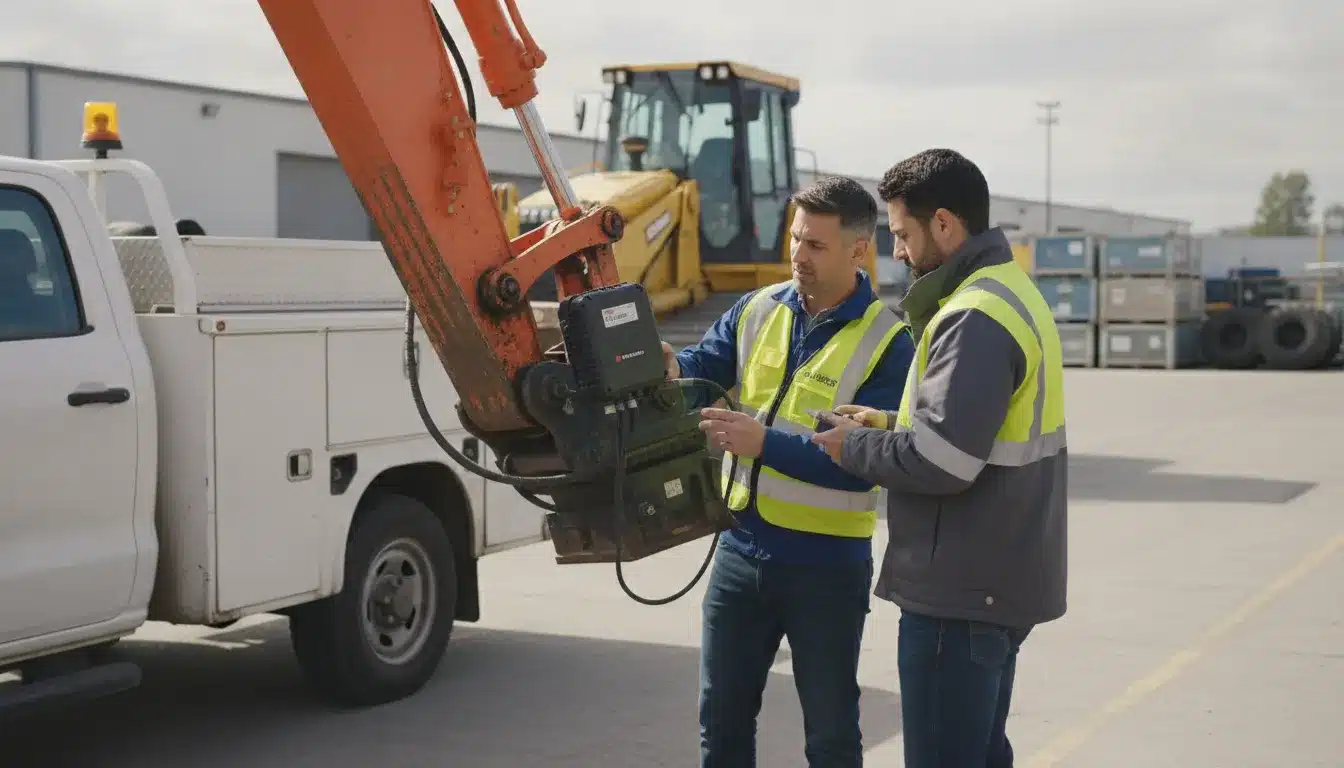
- Confirm power and environmental requirements. Check whether each asset has a dependable vehicle power connection, a battery that must be preserved, or no practical wired source. Consider exposure to vibration, dust, water, heat, cold, and tampering. Installation should match the asset’s role and service conditions. A permanent connection may suit a dedicated fleet vehicle, while equipment that changes locations may require a different approach.
- Plan for connectivity across the operating area. Review where each asset travels or works, including rural routes, underground areas, remote job sites, and cross-border operations. Ask how the device behaves when coverage is limited and how data returns when service is restored. Your plan should account for the countries and regions you serve, rather than assuming every unit has the same network experience.
- Map integrations before you purchase. Identify the systems that need fleet data, such as maintenance workflows, dispatch, fuel management, payroll, safety, or customer reporting. Favor an open ecosystem that can connect to the tools your team already uses. Fleetistics supports modular deployments, 300+ integrations, and free API access, helping you build a data workflow without locking every asset into an identical configuration. Review scalable fleet hardware and integration as you plan for future additions.
- Pilot the design, then measure it. Test the proposed hardware mix on representative assets, including the units with the most difficult power, environmental, or connectivity conditions. Measure the outcomes tied to your original decisions, such as utilization visibility, maintenance follow-through, unauthorized-use detection, or fewer manual checks. Use those results to refine the deployment before expanding. A modular strategy lets you scale what proves useful while avoiding a one-size-fits-all rollout.
The right design is the one that connects each asset’s conditions to a clear operational decision. That approach keeps mixed-fleet technology practical today and expandable as your vehicles, equipment, and data needs change.
Fleet Hardware Bundles: How Should You Build a Right-Sized Deployment?
A right-sized bundle starts with your operating decisions, then expands from baseline visibility into maintenance, safety, or asset monitoring as evidence supports it. The goal is not to buy the most devices. It is to build a dependable data foundation that can grow without requiring a complete redesign.
Start with baseline visibility
For a developing fleet, the baseline bundle is usually built around location and vehicle activity. GPS visibility gives managers a dependable starting point for understanding where vehicles and equipment are, how they are being used, and which operational questions need better data. Keep the initial scope focused on decisions you will act on, such as dispatch coordination, unauthorized use, or service-area coverage.
Add vehicle health when maintenance becomes a priority
As mileage, service volume, or downtime becomes harder to manage, add hardware and data sources that support vehicle health and diagnostics. The objective is not to collect every available signal. It is to help your team identify maintenance needs earlier, organize preventive work, and reduce the disruption caused by avoidable failures. Confirm that the selected hardware fits the vehicle types and data access available across your fleet.
Build a safety layer around your operating risk
Safety-focused fleets may need a bundle that includes dashcam capability or other tools aligned with their incident-review and driver-coaching process. Define the workflow before selecting the hardware: who reviews events, what evidence is useful, and how the information will improve training or accountability. This keeps a safety deployment operational instead of turning into an unused stream of alerts.
Use specialized monitoring for equipment and nonstandard assets
Construction, field-service, public-safety, and mixed operations often need more than vehicle tracking. Ruggedized asset sensors can support monitoring for equipment, trailers, and other assets that have different power, environmental, or placement requirements. When that is the need, consider asset tracking for equipment and trailers as part of the design rather than forcing every asset into a vehicle-centric configuration.
Plan the next stage before you install the first one
A right-sized bundle should be expandable without requiring a complete redesign. Fleetistics supports businesses operating from 5 to 5,000+ vehicles, with a particular sweet spot in the 50-500 vehicle range. Its modular hardware approach, open ecosystem, 300+ integrations, and free API access can help your deployment connect with the systems you already use and the workflows you may add later. Review scalable fleet hardware and integration when documenting that expansion path.
Fleetistics is a Geotab Gold Reseller and serves as your advocate and implementation partner. The team helps match hardware and configuration to your objectives, rather than suggesting that every fleet needs the same package.
Talk with Fleetistics about a right-sized fleet hardware deployment.
Frequently Asked Questions
What fleet hardware devices are essential for optimization?
Start with a GPS or telematics device that gives you dependable location and vehicle data. Add hardware based on a defined operating objective, such as dashcams for safety. Diagnostic connections for maintenance, environmental sensors for specialized equipment, or ruggedized trackers for trailers and other assets.
How do fleet management hardware devices improve ROI?
They turn vehicle and equipment activity into information your team can act on. Comparing routes, utilization, diagnostic events, maintenance activity, and safety events against operating costs helps you identify waste and measure whether a deployment is producing a worthwhile business result.
What is the role of telematics in fleet optimization?
Telematics connects field activity with management decisions. GPS provides visibility, while vehicle data can add insight beyond location, helping teams evaluate performance, maintenance needs, safety, reporting, and operating efficiency. The U.S. Department of Energy describes these optimization and reporting benefits for federal fleets.
Which sensors are most important for heavy equipment optimization?
Choose sensors according to how the equipment is used and what can create loss. Asset location and use-state data can improve utilization and security, diagnostic data can support maintenance decisions, and temperature or other environmental sensing can help protect specialized equipment. Confirm power, weather exposure, cellular coverage, and mounting requirements before selecting a device.
How do I choose the right fleet hardware for my business type?
Inventory your vehicles and equipment, define the decisions you want to improve, then check power, installation access, operating environment, connectivity, and software integrations. Pilot the proposed configuration on representative assets and compare results against baseline measures before expanding the deployment. If your operation is subject to applicable interstate or long-haul hours-of-service rules, confirm that any ELD meets FMCSA technical specifications: FMCSA ELD requirements.
Ready to Match Hardware to Your Fleet?
The right hardware package depends on your vehicles, equipment, operating environment, and the decisions you need to make from your data. A practical review can help you avoid unnecessary devices while building a deployment that supports measurable optimization goals.
Contact Fleetistics to speak with a consultant about matching fleet hardware to your operation.