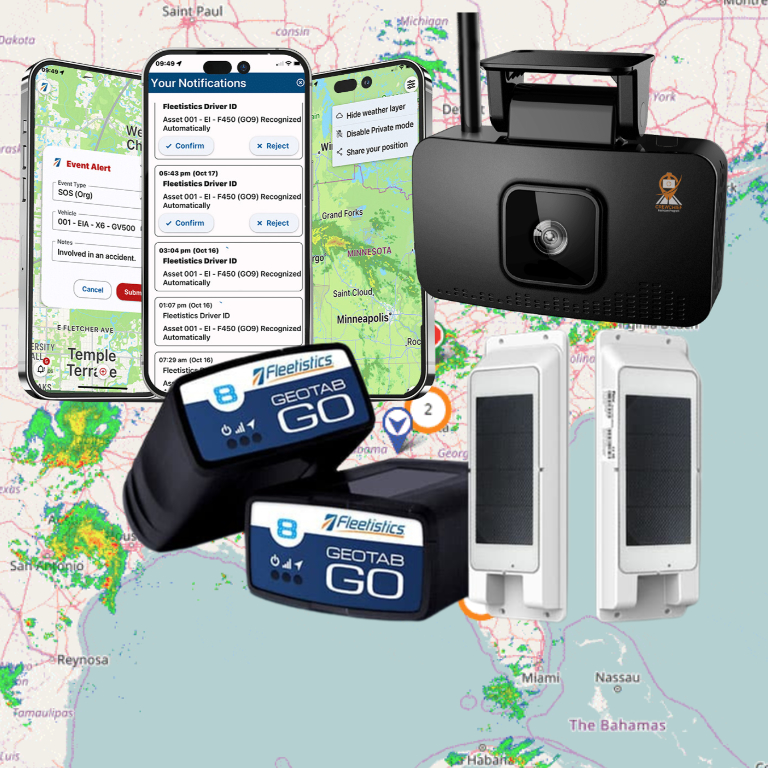


What are location-based alerts? They are notifications triggered by a vehicle or asset reaching, leaving, or moving within a defined geographic area. For fleets, a well-designed alert can help dispatch confirm an arrival, flag movement outside an authorized window, or follow up on a missed service stop—without asking someone to watch a map all day.

How do location-based alerts work?
A location-based alert connects a place to a rule and a response. A fleet manager draws or selects a geographic boundary, chooses the relevant event—such as entry, exit, or movement—and determines who should be notified and what they should do next. The boundary is often called a geofence. Some alerts can also use schedules or other conditions, so a departure during a defined work period can be treated differently from movement outside that period.
The system uses location data from a vehicle or asset tracking device to determine whether the event meets the rule. When it does, the platform creates an alert for a designated person or workflow. The alert is not itself proof of what a driver did or why a vehicle moved. It is a signal to check the context and, when appropriate, follow up.
That distinction matters. GPS accuracy can vary with the device, environment, and conditions around a location. Before building a strict response around a boundary, review how location accuracy works and test the area in normal operating conditions. Fleetistics explains related considerations in its guide to GPS accuracy for trackers and telematics.
Which fleet events are worth alerting on?
Start with a decision your team needs to make, not with every event the platform can detect. An alert earns its place when it prompts a clear, timely action that would otherwise be missed or require manual checking.
Can arrival alerts help coordinate a job?
An arrival notice can tell dispatch that a vehicle has reached a customer site, depot, loading area, or service location. The team can then update a job status, coordinate access, or answer a customer’s question with better information. Set the boundary around the usable arrival area, not merely an address point. A large campus or multi-entrance facility may need a different boundary from a small storefront.
Agree on what “arrived” means before enabling the alert. A vehicle passing a site on an adjacent road is not the same as a completed visit. For service verification, combine the location event with the normal job record or driver process. Treat it as supporting evidence, not a substitute for work documentation.
When should a departure alert be used?
A departure alert can help a dispatcher know when a vehicle leaves a depot, customer site, or other operational zone. It can support handoffs, help identify a delayed departure, or mark the start of a route review. It may be useful when timing matters, but constant notifications for routine departures can quickly become noise.
Choose the locations and recipients carefully. If dispatch already sees every departure in a daily workflow, an additional alert may not add value. If only a small set of departures need attention, make a rule for those circumstances and test it with the people who receive it.
How can an alert flag unexpected movement?
Movement outside an approved location or schedule can prompt a check when a vehicle is expected to remain at a site, return to a yard, or stay within an assigned operating area. The alert may help a manager investigate a possible dispatch error, an unplanned change, or a security concern. It should not automatically be treated as misconduct or theft. Confirm the assignment, the location data, and the relevant circumstances before drawing conclusions.
For higher-consequence use cases, define the escalation path in advance. Decide who checks the alert first, who has authority to contact a driver, and what to do if the vehicle’s location is uncertain. Fleet geofencing can be configured around operational boundaries; Fleetistics’ fleet geofencing guide covers practical uses for alerts and security.
Can location events help verify a service visit?
They can help answer a narrow question: did the tracked vehicle reach the area associated with a scheduled stop, and when? That can help a supervisor prioritize a follow-up when a job is disputed or a route needs review. It cannot establish the quality or completeness of the work by itself. Pair the event with a work order, customer confirmation, or existing closeout procedure where appropriate.
For a repeatable workflow, define the expected visit window and the evidence your operation requires. A location event can support the record, while a driver or technician documents the service in the tool your team already uses.
How should you choose which alerts to configure?
Write each proposed alert as a short operating rule: “When this vehicle or group crosses this boundary during this time or condition, notify this role so they can take this action.” If the action is unclear, the alert is probably not ready. If no one owns the response, it may create notifications without improving the work.
Use this comparison to decide where to begin:
| Alert type | Useful trigger | Who may need it | First response |
|---|---|---|---|
| Arrival | Vehicle enters a defined job or facility area | Dispatcher or service coordinator | Update the job status or coordinate access |
| Departure | Vehicle leaves a site where timing matters | Dispatcher or yard lead | Confirm the next assignment or handoff |
| Unexpected movement | Vehicle moves from a restricted or expected zone under a defined rule | Fleet manager or designated on-call role | Check schedule and location context before escalation |
| Service verification | Vehicle reaches the area for a scheduled stop | Supervisor or customer-service team | Compare the event with the work record |
Start with one or two high-value cases and a limited group of vehicles. Review whether the alert arrived at the right time, went to the right person, and led to the intended action. Then adjust boundary size, schedule, recipients, and wording. Fleet tools that combine maps with rules can help teams interpret an event within the broader operation; see tracking maps for fleet management for an example of how map views support fleet oversight.
How can you keep alert volume manageable?
Too many notifications make it harder to spot the exceptional event. Reduce noise by building alerts around exceptions and decisions, rather than notifying a broad group about every routine movement.
- Limit the scope. Apply a rule only to the vehicles, locations, and hours where someone needs to respond.
- Set sensible boundaries. A boundary that is too small may produce events from nearby roads or entrances; one that is too large may not distinguish a meaningful arrival.
- Assign an owner. Name a role responsible for triage, with a backup for times when that person is unavailable.
- Use an action-oriented message. Include enough context to identify the vehicle, location, event, and next step without exposing unnecessary personal details.
- Review repeat alerts. If the same notification is routinely ignored or requires no action, revise or remove the rule.
Measure usefulness, not just volume. During a pilot, track how many alerts were actionable, how often the recipient could respond promptly, and which rules created false or irrelevant notifications. Include driver and dispatcher feedback. Keep the definitions consistent so that a high alert count is not mistaken for better oversight.
How should you troubleshoot an alert that seems wrong?
Start by checking the rule and the event details rather than assuming the device or driver failed. Confirm that the correct vehicle and location were selected, the schedule was active, and the boundary still matches the site entrance or work area. Then compare the alert time with the vehicle’s route, the map view, and any dispatch or job record available to your team.
Common causes of an unexpected alert include a boundary drawn too tightly around a site, a road or parking area close to the boundary, a changed entrance, or an operating schedule that no longer fits the shift. Location data can also vary in precision. Record what happened and revise one part of the rule at a time; changing the geofence, schedule, and recipient together makes it harder to identify the cause.
Use a simple review log for the pilot: note the alert, whether it was actionable, what information helped resolve it, and whether a configuration change followed. If the same type of exception repeats, adjust the rule or process. If the evidence remains unclear, treat the event as inconclusive and follow the organization’s normal procedure rather than escalating based on a single location signal.
Who should receive and review each alert?
Match the recipient to the decision. Dispatch may need to know about an arrival that affects a live job; a fleet manager may own an after-hours exception; a service supervisor may compare a location event with a work order. Sending every alert to everyone can blur accountability and increase exposure of location details beyond what the workflow requires.
Document the primary owner, backup, and escalation point. Specify what counts as a response, how quickly it is expected, and where the follow-up should be recorded. A notification that is acknowledged but not resolved can still leave the operational issue open. For example, the recipient might confirm that a vehicle arrived, update the dispatch record, and route any discrepancy to the appropriate supervisor.
Review access when roles change and periodically confirm that recipients still need the information. Keep alert history only as long as the organization’s applicable retention policy requires. These simple controls help keep an operational tool focused on its stated purpose and make it easier to explain how an event was handled.
What should employees know about location alerts?
Location-based alerts are part of a monitoring process, so explain the process to the employees whose work vehicles or assets are tracked. Tell them what is collected, which events may trigger an alert, who can see or receive it, how the information will be used, and whom to contact with a question. Share the policy before launch, not after someone is surprised by an alert.
Be specific about scope. Explain whether tracking applies during work assignments, which vehicles are included, and how the organization handles off-duty or personal use if that situation applies. Do not imply that a location alert proves intent or performance. Set an escalation approach that allows a manager to verify information and hear the employee’s explanation before making a decision.
Clear notice and governance also make the system more useful. Employees who understand the purpose can help identify a boundary that does not match the actual worksite or a notification that disrupts a normal workflow. Fleetistics’ resources on fleet privacy mode and protecting privacy when cameras are used discuss related considerations for responsible fleet monitoring.
For general location-service guidance, the CTIA’s Best Practices and Guidelines for Location-Based Services emphasizes the user whose location information is used or disclosed. Apply that principle in practice: make the purpose and access rules understandable, and keep use aligned with the policy communicated to employees.
How do you put a location-alert workflow into operation?
A short pilot helps expose operational issues before an alert becomes part of a standard process. Use the following sequence:
- Choose a concrete problem. Identify a recurring missed handoff, a location that needs an arrival confirmation, or an after-hours movement that warrants a check.
- Map the rule. Define the vehicles, geographic boundary, trigger, schedule, recipient, and expected action. Make exceptions explicit.
- Explain the plan. Tell affected employees and dispatchers what is monitored and how alerts will be used. Invite practical feedback about routes and worksite boundaries.
- Test in real conditions. Run the alert with a small group. Check actual routes, nearby roads, entrances, shift transitions, and the time it takes to receive and act on the notice.
- Review and refine. Remove unnecessary rules, tune the boundary, and update ownership or escalation steps based on what the pilot reveals.
- Scale with governance. Document the rule and its purpose, review who has access, and revisit the configuration when routes, sites, or responsibilities change.
Use a baseline to judge whether the workflow improves operations. For example, compare the time needed to confirm arrivals before and during the pilot, or count follow-ups avoided because dispatch had timely information. Keep the comparison tied to the defined process; do not assume that every alert creates a saving or proves a completed task.
A broader fleet safety process may also use coaching, vehicle data, and clear driver expectations. Fleetistics’ fleet safety solutions explain how different tools can support safety workflows. If the purpose is location visibility rather than coaching, keep the alert rule focused on that purpose instead of adding unrelated monitoring.
How do location-based alerts fit into fleet tracking?
Location alerts are one part of a fleet tracking workflow. A map helps a manager see where vehicles are; an alert helps the manager notice a defined event without continuously watching that map. GPS tracking information can support dispatch, asset oversight, and operational review, but the value comes from matching the data to a clear process. Fleetistics offers an overview of how GPS fleet tracking works and its key benefits, as well as a page on what GPS tracking is and how it can support operations.
Consider how a location alert will connect with the tools already used by dispatch, service, or safety teams. Determine whether a recipient needs a notification, a map view, a report, or a documented follow-up. A modular platform can be configured around the fleet’s use case instead of making every team follow the same alert pattern. Fleetistics works with Geotab technology and fleet management solutions; the right configuration depends on the vehicles, locations, and operating process being addressed.
Frequently Asked Questions
Are location-based alerts the same as geofencing?
Not exactly. A geofence is a virtual boundary around a place. A location-based alert is a notification or workflow that can be triggered when a tracked vehicle or asset crosses or meets a location rule. Geofences are one common way to define the place behind an alert.
Can an arrival alert confirm that a job was completed?
No. It can show that location data indicated a vehicle reached a defined area. It does not establish the work performed, the quality of service, or why the vehicle was there. Use the event alongside the job record or other appropriate verification.
Should every vehicle movement create an alert?
No. Alert only when a person needs timely information to take a specific action. Routine notifications without a response owner add noise and can make important exceptions easier to miss.
How precise should a geofence be?
There is no single boundary size for every site. Consider the actual entrance, nearby roads, GPS accuracy, and the decision the alert supports. Test it in normal conditions and adjust it if ordinary movement causes irrelevant triggers or the alert misses meaningful events.
How can a fleet introduce alerts transparently?
Explain the purpose, data use, alert recipients, and escalation process before rollout. Clarify which vehicles and work periods are covered, provide a way to ask questions, and review the policy when the workflow changes.
Book a demo to review your alert workflow
Ready to make location alerts useful?
Begin with one operational decision, define the boundary and response, and involve the people who will use or be affected by the alert. A focused pilot can show whether the rule improves coordination without creating unnecessary monitoring or notification noise. With clear rules, measured use, and employee understanding, location-based alerts can help your team respond to the right events while keeping fleet operations transparent and practical.
Speak with a fleet consultant about your needs
Explore more: Previous posts | Next: Fleet geofencing guide