
A driver finds a worn brake hose during a pre-trip inspection, writes it on a paper form, and drops the form in a cab folder. By the time the maintenance team sees it, that vehicle may already be dispatched again. A mobile DVIR inspection app closes that gap by turning an inspection into an immediate, documented maintenance and safety event.
For fleet operators, the value is not simply replacing paper with a screen. It is creating a controlled process for finding defects, assigning repairs, verifying corrections, and preserving the records needed to support compliance. The right system gives drivers a fast routine, maintenance teams clear priorities, and managers real-time visibility into vehicle condition across the fleet.
What a Mobile DVIR Inspection App Should Solve
A Driver Vehicle Inspection Report is only useful when the information reaches the person who can act on it. Paper reports routinely create delays, incomplete records, unreadable notes, and uncertainty about whether a reported issue was repaired. Spreadsheets improve storage, but they still require someone to enter, route, and reconcile information manually.
A mobile app puts the inspection where it belongs: in the driver’s normal workflow at the vehicle. Drivers can complete a pre-trip or post-trip form from a phone or tablet, identify the vehicle, answer required inspection questions, add comments, capture photos, and submit the report before leaving the yard or job site.
That submission should trigger action. A defect marked as safety-critical may need to alert maintenance immediately, hold the vehicle from dispatch, or create a work order based on fleet policy. A minor issue may be documented for scheduled service. The app does not replace maintenance judgment, but it gives maintenance personnel the information needed to make the right decision sooner.
Why Paper DVIRs Create Operational Risk
Paper processes fail most often in the handoff between the driver, dispatcher, safety team, and shop. A form can be lost, completed late, filed without review, or separated from the repair record. When an audit, roadside inspection, or incident investigation occurs, the fleet may have records somewhere, but not a reliable chain showing what was reported and how it was resolved.
The operational cost is just as significant. If a vehicle is dispatched with an unresolved defect, the result can be a roadside failure, missed customer appointment, tow expense, replacement vehicle cost, or preventable safety exposure. For field-service fleets, a down vehicle can leave a technician without the equipment needed to complete a revenue-producing job.
Digital DVIR workflows create accountability at each step. The driver reports the condition. The system timestamps the report. The maintenance team receives the issue. The repair is documented. An authorized person can verify the vehicle is ready to return to service. That is a far stronger operating process than relying on a stack of paperwork at the end of a shift.
Features That Matter in a Mobile DVIR Inspection App
Not every inspection tool supports real fleet operations. A basic digital checklist may be enough for a small fleet with a few vehicles and one repair contact. Larger operations need a workflow that connects drivers, assets, maintenance teams, safety personnel, and dispatch without adding unnecessary administrative work.
Look for these practical capabilities when evaluating a mobile DVIR inspection app:
- Vehicle-specific inspection forms that reflect the equipment in use, including trucks, vans, trailers, specialized service bodies, forklifts, and other mobile assets.
- Defect severity and repair workflows that separate minor items from out-of-service conditions and provide a documented path to correction.
- Photo, comment, and signature capture so a shop can see the reported problem instead of interpreting a vague handwritten note.
- Real-time alerts and notifications that route serious exceptions to the people responsible for acting on them.
- Maintenance integration that converts defects into service tasks, work orders, or maintenance history without duplicate data entry.
- Reporting and record retention that make it easier to locate inspection history, repair details, and recurring vehicle issues.
The best choice depends on your fleet. A small contractor may prioritize a low-cost app that makes daily inspections consistent. A government fleet may need configurable forms, approval controls, asset classes, and long-term reporting. A carrier operating under FMCSA rules may place more weight on compliance workflows and integration with ELD data. Start with the process failures you need to fix, then evaluate features against those requirements.
Build the Workflow Around the Driver
Driver adoption determines whether an inspection program produces useful data or becomes another ignored compliance task. If the app takes too long, requires excessive typing, or has forms that do not match the vehicle, drivers will rush through it. That creates false confidence and weak records.
Keep the inspection experience direct. Present only the questions relevant to that vehicle type. Use clear pass, fail, and not-applicable options. Require a description and photo only when a defect is found. Make vehicle selection simple with a unit list, barcode, QR code, or assigned-vehicle workflow. If drivers operate in remote areas, offline capability and later synchronization can be decisive.
Training also needs to explain the purpose of the process. Drivers should understand that reporting a defect is not an admission of fault. It is a way to prevent a breakdown, protect their safety, and keep the vehicle available for work. Supervisors need to reinforce that a detailed defect report is preferable to a surprise failure on the road.
Connect Inspections to Maintenance Decisions
An inspection app becomes more valuable when it is part of a connected fleet-management system. A reported tire issue, fluid leak, lighting problem, or brake concern should not remain isolated in a compliance folder. It should become visible alongside vehicle mileage, engine hours, fault codes, preventive maintenance schedules, and prior repair history.
That connection helps maintenance managers make better calls. A single low-tire report may be a simple service item. Repeated tire-related reports on the same vehicle could point to a slow leak, alignment problem, loading issue, or driver behavior concern. Several reports across a group of vehicles may indicate a vendor, specification, or maintenance-process problem.
Integration also reduces duplicate work. Instead of manually re-entering a driver report into a maintenance system, the issue can be routed automatically with the unit number, time, location, description, and images attached. Dispatch can see whether a vehicle has been cleared, while management can measure how quickly defects move from report to resolution.
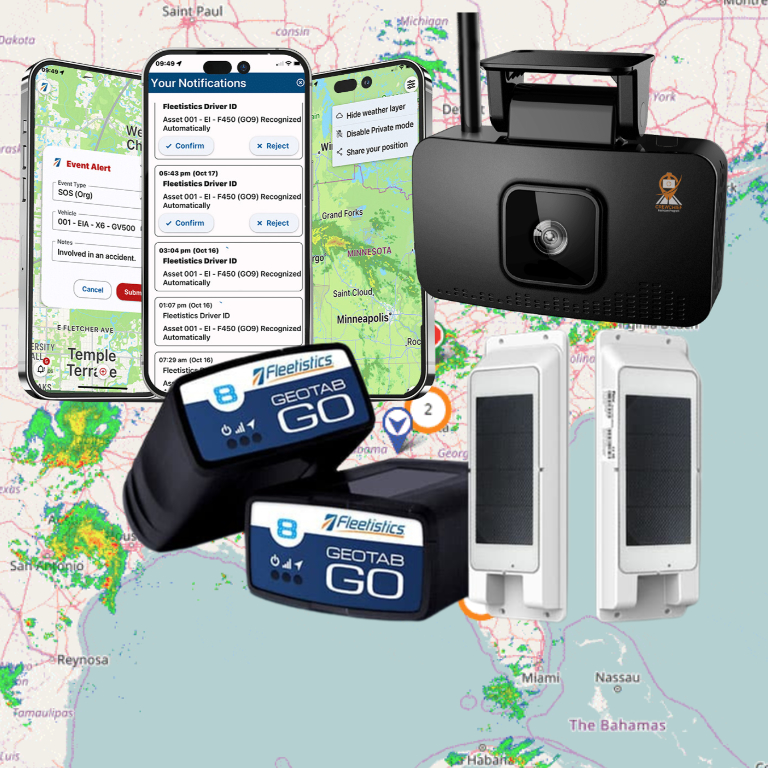
Fleetistics supports this connected approach by bringing DVIR, maintenance, GPS tracking, telematics, and compliance tools into a modular fleet platform. A fleet can begin with the inspection controls it needs now and add deeper maintenance, analytics, or integration capabilities as operational demands grow.
Measure the Results Beyond Form Completion
A 100% inspection completion rate looks good, but it does not prove the program is working. Review whether drivers are finding real issues, how long serious defects remain open, and whether the same problems recur. These measures show whether inspections are improving equipment reliability or merely generating records.
Useful operating metrics include defect reports per vehicle, open defects by severity, average time to repair, repeat defects, vehicles placed out of service, and preventive maintenance compliance. Compare these trends with unscheduled downtime, roadside events, maintenance overtime, and missed-service calls. The strongest ROI often comes from avoiding one major breakdown or safety event, but lower administrative effort and faster repair decisions also add up quickly.
Be realistic about trade-offs. More required fields can improve documentation, but they can also slow drivers and reduce completion quality. Aggressive alerting can speed response, but too many notifications cause alert fatigue. Configure the workflow around real risk levels, and review it after the first 30 to 60 days of use.
A Practical Rollout Approach
Start with a pilot group that includes drivers, a dispatcher, and a maintenance representative. Test the inspection forms against actual vehicles and common defects. Run enough inspections to identify confusing questions, unnecessary steps, and gaps in notification routing.
Before full deployment, define who owns each stage of the process. Decide which defects require immediate escalation, who can remove a vehicle from service, who documents the repair, and who confirms the vehicle can return to operation. Those decisions matter more than the app interface.
Then use the early data to coach, not punish. If drivers report incomplete information, simplify the form or improve training. If maintenance delays are increasing, review staffing, parts availability, and work-order priorities. A mobile DVIR process works best when it becomes part of daily operations rather than a task completed only because a rule requires it.
The most useful inspection technology gives your fleet a faster path from “something is wrong” to “the vehicle is safe, repaired, and ready to work.” That control protects drivers, keeps equipment productive, and gives every team a clearer view of what needs attention next.