
Boat maintenance software should make it easier to know what work is due, what has been completed, and which vessel needs attention next. For a fleet, compare systems by how well they organize vessel-specific records, recurring work, defects, parts and labor information, reporting, and integrations, not by feature count alone.
Contact Fleetistics about your requirements
What should boat maintenance software help you manage?
A useful system gives your team a dependable operating record for each vessel. It should connect planned work and reported problems to the right boat, component, date, and person responsible. That makes it easier to answer practical questions: What is coming due? What is waiting on parts? What can return to service? What documentation is missing?
Start with the work your team already performs. List recurring inspections, seasonal preparation, repairs, engine or equipment servicing, and any required documentation. Then decide whether your main problem is missed due dates, scattered records, poor visibility across vessels, or the time it takes to assemble maintenance history.
Do not assume a system designed for road vehicles will automatically fit boats. Vessel identifiers, operating patterns, onboard equipment, connectivity, and service routines can differ. Ask vendors to show how the actual boats and work processes you have would be represented. A fleet platform may support tracking and operational data, while a dedicated maintenance workflow may be needed for work orders and service histories. For broader boating safety and vessel-operation resources, consult the U.S. Coast Guard’s official website.
Which vessel and equipment records should you be able to keep?
Check whether the software can represent your fleet at the level your maintenance team uses. At minimum, a record should identify the vessel clearly and let staff associate relevant equipment, service events, documents, and responsibility with it. If a boat has engines, generators, pumps, navigation equipment, or other maintainable components, ask whether those can be tracked separately instead of buried in one general vessel note.
- Vessel identity: Use consistent names or identifiers, home base, vessel type, and any fields your team needs to distinguish similar boats.
- Component structure: Confirm how the system connects equipment to its vessel and whether component replacements preserve useful history.
- Service history: Keep completed work, date, description, technician or vendor, and supporting files in a record staff can retrieve.
- Documents: Ask about attaching checklists, service reports, manuals, and other records, plus who can view or update them.
- Ownership and status: Make it clear who is responsible for follow-up and whether an item is open, scheduled, in progress, or complete.
Ask for a live example using a representative vessel and its real component list. If the vendor can only demonstrate a generic vehicle record, you may not yet know whether the system handles your vessel hierarchy or simply stores notes. A clear structure matters when a manager needs to review service history across the whole fleet.
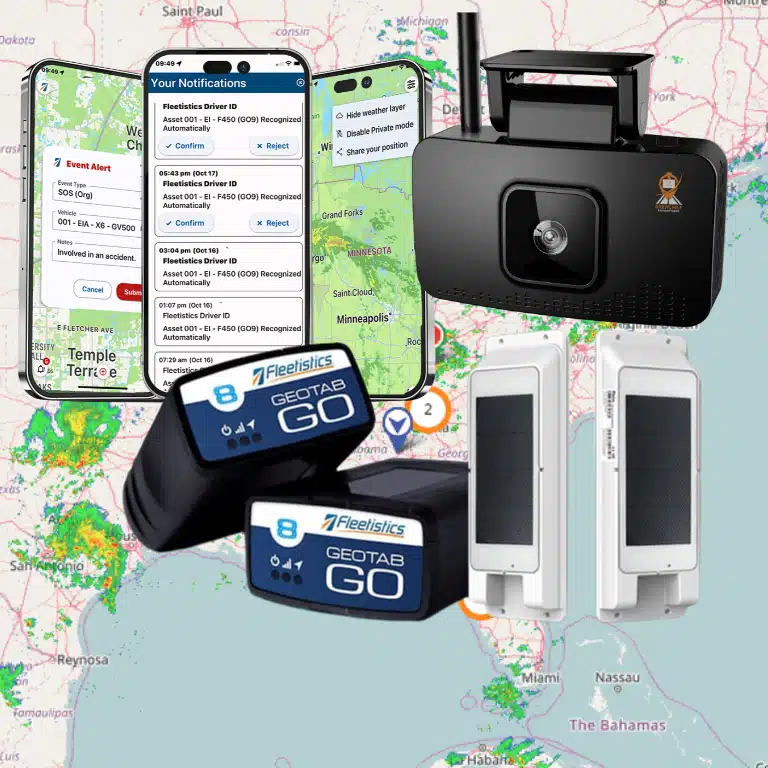
If location visibility is also part of your requirement, treat it as a related but separate capability. Fleetistics explains how GPS fleet tracking works, and its GPS tracking hardware page describes tracking equipment. Ask specifically whether a proposed device and service are suitable for your vessel, installation, coverage, and operating conditions; do not infer marine suitability from a general vehicle product description.
How should recurring maintenance and defects move through the workflow?
Good maintenance software turns a reminder into an owned task and a closed record. Map the process from the first trigger to return-to-service confirmation. For each step, identify who receives the work, what information they need, and how a supervisor sees that the task is finished.
- Define the trigger. Decide whether work is scheduled by calendar date, recorded operating hours, distance where relevant, inspection interval, or a combination. Verify that the software supports the basis your team actually uses.
- Create and assign the task. The record should identify the vessel or component, describe the work, set a due date or threshold, and name an owner.
- Capture the finding. Give crew and technicians a straightforward way to report a defect or incomplete item, including enough detail for someone else to understand it.
- Prioritize and plan. Show open work, urgency, dependencies, and parts or vendor needs so managers can coordinate repairs without losing the request.
- Record completion. Capture what was done, when, by whom, and any relevant documentation. Make the resulting history available to authorized users.
- Review and close. Confirm that the defect is resolved and that the vessel’s operational status is accurate before the task is considered complete.
During a demonstration, test exceptions. What happens when a due item is missed, a repair takes longer than expected, a part is unavailable, or an inspection finds a new defect? Ask whether staff can update the task without erasing its history. A workflow that handles only the happy path can leave supervisors with side spreadsheets and informal messages.
Decide how work is entered when a vessel is offline or staff are away from a desktop. Ask about mobile access, offline behavior if needed, notifications, and the steps required to sync or submit a report. Do not assume those capabilities are included; have the provider show them in the relevant configuration.
Which maintenance software approach fits your fleet?
Products described as maintenance software can solve different parts of the problem. Compare the operational fit, not just the product label. A focused maintenance application may be strong in work orders and service history, while a broader fleet platform may connect maintenance planning with location or utilization data. Some teams combine systems, but then data ownership and synchronization become important.
On a phone, swipe horizontally to review all comparison columns.
| Approach | Can be a fit when | Questions to verify | Potential tradeoff |
|---|---|---|---|
| Dedicated maintenance management system | Your main need is scheduled work, defect handling, service records, and maintenance reporting. | Can it model boats and components? How are mobile reports, documents, permissions, and exports handled? | Location or utilization information may sit elsewhere and need a separate workflow. |
| Broader fleet platform with maintenance functions | You want operational visibility alongside selected maintenance processes. | Which maintenance functions are included in the exact plan? Can a boat’s equipment hierarchy and service history be demonstrated? | Some specialized maintenance steps may require configuration or another application. |
| Connected combination of systems | Different teams need specialist tools and you can define which system owns each record. | Which fields sync, how quickly, and what happens when records conflict or an integration fails? | Integration setup and data governance add work; duplicate entry can persist if the connection is limited. |
| Spreadsheet or shared log | A very small operation has simple needs and can maintain a controlled process. | Who updates it, how is it backed up, and how will managers see overdue work and history? | Ownership, reminders, access control, and fleet-wide reporting may rely heavily on manual discipline. |
There is no single right choice for every operator. A small number of vessels with simple work may need a lighter process than a multi-site operation with several teams, complex equipment, and a large service backlog. Fleetistics’ fleet maintenance resource can help you consider how maintenance workflows relate to broader fleet operations; confirm the current capabilities and fit of any specific software directly with its provider.
How can location and operating data support maintenance decisions?
Location and telematics data can provide context, but they do not replace maintenance records. Depending on the equipment and system, operational data may help a manager understand where an asset is, when it was in use, or how a maintenance event relates to operations. The key question is whether those signals are available for the specific boats and devices you operate, and whether they can be used reliably in your process.
Ask a vendor to demonstrate the exact data flow rather than promising that a dashboard will solve maintenance. What device collects the information? Is there coverage where boats operate? Which data fields are available? Can the information be associated with a maintenance task or exported? Fleetistics’ overview of IoT asset tracking explains asset visibility as a distinct operational consideration. Its GPS accuracy guide is also useful context when setting expectations for location data.
Environmental and route conditions may affect planning, but do not assume an alert or data layer is available for every vessel or location. Ask how the proposed service handles connectivity, reporting delays, and areas with limited reception. Fleet operators who are assessing weather information can review how weather data can inform fleet decisions, then verify whether the specific information is appropriate for their marine operation.
What should you compare for reporting, access, and integrations?
Reports should help you act, not just display activity. Ask whether managers can see overdue tasks, open defects, work by vessel or component, repeat repairs, and completed work over a chosen period. Check whether a report can be filtered by location, team, or vessel type where that is useful. Fleetistics’ guide to fleet analytics metrics offers broader context for turning operational data into reviewable measures.
Define which maintenance measures matter before you evaluate a dashboard. Possible measures include the count and age of overdue tasks, time from defect report to assignment, work completed by due date, repeat findings, and time out of service if your team records it consistently. These are process measures, not promises of a specific cost saving. Agree on a shared definition for each measure so a report means the same thing to crew, technicians, and managers.
For system connections, document where vessel identity, meter readings, work orders, vendor details, and financial records originate. Ask whether the product offers a supported integration or export for each needed handoff, what permissions it requires, and who will troubleshoot it. Fleetistics describes its broader fleet management solutions and open ecosystem; confirm which integrations apply to your intended configuration rather than assuming every connection is available for marine use.
Also check access controls and record retention. Who can create a defect, approve work, change a schedule, or view cost details? Can you export your records in a usable format if your process changes? Ask how updates are logged and how the provider handles account access when staff change roles.
How do you estimate the real cost and effort?
Compare the cost of the complete workflow, not only the subscription line. Request a written breakdown for licensing, setup, training, devices or connectivity if applicable, integrations, data migration, and ongoing support. Costs and packaging vary by provider, so do not use a generic per-vessel estimate as a substitute for a quote based on your requirements.
Estimate internal effort as well. Someone must clean existing records, decide naming conventions, map components, set maintenance intervals, train staff, and keep the process current. Ask whether the provider will help with implementation and what your team must prepare. A low-cost tool can still be a poor fit if it requires repeated manual entry or cannot produce the records your managers need.
- List the vessels, maintainable components, users, and locations in scope.
- Separate essential workflow needs from optional reporting or integration requests.
- Ask for a quote against the same user count, data history, support, and connectivity assumptions.
- Include the time and ownership needed to migrate and maintain records.
- Clarify data export, contract terms, renewal, and cancellation conditions before a decision.
How should you run a practical software evaluation?
Use a representative group of vessels and actual maintenance tasks. A short, structured evaluation reveals more than a tour of feature screens. Select varied examples: a routine task, a defect that needs follow-up, an overdue item, and a repair that depends on a vendor or part. Keep the scope manageable and define what success means before the test begins.
- Write down current pain points. Identify where tasks are missed, records are hard to find, or status reporting takes too long.
- Prepare sample data. Use representative vessel and component records, due items, service history, and documents.
- Run the workflow with end users. Include the people who report defects, do the work, schedule repairs, and review the results.
- Test exceptions and access. Try overdue tasks, changed assignments, missing parts, attachments, and the permissions each role needs.
- Review outputs. Confirm reports, exports, and maintenance history are understandable to the people who rely on them.
- Record gaps and ownership. Identify configuration work, integrations, training, and unresolved questions before a purchase decision.
Use a scorecard with criteria your team can verify. For example, score vessel and component records, work-order flow, mobile usability, reporting, integrations, data access, implementation effort, support, and total cost. Give the most important requirements more weight, and record a demonstration or test result rather than a salesperson’s general assurance.
For teams that also want connected tracking or related operational tools, Fleetistics offers training resources and information about its fleet management solutions. Ask how the proposed setup would serve your specific vessels and workflows, and keep the maintenance system evaluation focused on requirements that can be demonstrated.
Talk with a fleet consultant about your requirements
Frequently asked questions about boat maintenance software
Can general fleet management software manage boat maintenance?
It depends on the functions and configuration. Ask the provider to demonstrate vessel and component records, scheduled work, defects, completed service history, and reporting for your use case. Tracking a boat’s location alone is not the same as managing its maintenance workflow.
Does boat maintenance software need internet access?
That depends on where staff work and how the product handles connectivity. Ask whether tasks can be viewed or entered when offline, what data remains available, and how updates sync later. Test the behavior under conditions similar to your operating environment.
Should maintenance be scheduled by date or operating hours?
Use the schedule basis specified by your maintenance procedures and equipment requirements. Some tasks may be calendar-based, while others may use recorded operation or inspection intervals. Verify that the software supports the method your team needs and can show how a due item is calculated.
How do we move from spreadsheets to a maintenance system?
Start by cleaning vessel names, component lists, open tasks, and service history. Choose which historical records are useful to migrate, assign an owner for data quality, and test a sample import before moving everything. Preserve a way to retrieve original records during the transition.
What should a boat maintenance software demo include?
Ask the provider to show a real vessel record, component-level service history, a recurring task, a newly reported defect, assignment and completion, a report, and an export. Include the people who will use each step, then list every capability that still needs confirmation.
Ready to evaluate maintenance and fleet data together?
When you compare boat maintenance software, prioritize a clear vessel record, an accountable workflow from defect to completion, usable reporting, and a realistic plan for implementation. A consistent maintenance process helps your team make timely decisions and keep reliable records for every vessel in scope.
Fleetistics has served fleets since 2001 and works with Geotab technology; talk through your requirements and verify which tools fit your marine operation.
Previous: Fuel saving tips for efficient fleet management | Next: Fleet fuel economy and the factors that shape results