
Fleet compliance solutions can help you coordinate related work without treating ELD records, driver vehicle inspection reports, and IFTA reporting as one obligation. Each process has different triggers, evidence, deadlines, and owners. Start by identifying what applies to your operation, then build a clear handoff from data capture to review, correction, and retention.

Discuss your fleet compliance needs
How should you separate ELD, DVIR, and IFTA workflows?
Begin with the rule or reporting need and your operating context, not with a software menu. ELD processes concern electronic records for applicable hours-of-service operations. DVIR processes manage inspection reports and any reported defects that require attention under applicable rules and company procedures. IFTA processes organize distance and fuel information for qualified carriers’ jurisdictional tax reporting.
These workflows may involve the same vehicle, driver, trip, or platform. That overlap does not make the information interchangeable. Give each workflow its own trigger, accountable role, evidence, review cadence, and escalation path. A manager can then see the overall status while still tracing an exception to the record and person responsible for resolving it.
| Workflow | Core information and trigger | Typical owner and review | Useful exception to test |
|---|---|---|---|
| ELD / hours of service | Applicable driver duty-status records and supporting information | Driver completes required actions; safety or compliance staff review records and exceptions | Missing information or an unassigned driving event |
| DVIR / inspections | Inspection findings, reported defects, and follow-up | Driver reports; maintenance or fleet staff assess and track the response | Defect is open near dispatch or lacks an owner |
| IFTA / fuel tax | Jurisdictional distance and fuel information for the applicable period | Tax or fleet administrator reconciles records and prepares filings | Fuel transaction or distance record is missing or inconsistent |
This is a workflow-planning comparison, not a determination that every vehicle or carrier has the same legal duties. Confirm the rules and record requirements that apply to your vehicles, routes, operating status, and jurisdictions before setting procedures.
Which operations may need ELD processes?
An ELD is not a default requirement for every commercial vehicle. ELD obligations are tied to applicable hours-of-service recordkeeping requirements, and exemptions or special circumstances may affect whether a driver or operation must use one. Determine applicability using current authoritative guidance before you select equipment or set a policy.
For relevant operations, consult the FMCSA hours-of-service guidance as a starting point, then confirm how the rules apply to the specific operation. Keep the decision documented. A list of covered drivers and vehicles, its owner, and a review date can make it easier to reassess when routes, vehicle assignments, or business activities change.
For operations that are in scope, write down the routine and exception paths. Ask:
- Which drivers and vehicles are included, and who verifies additions, removals, or changes?
- What does the driver complete during a shift, and what should happen if a record or device is unavailable?
- Who reviews records, handles edits or discrepancies, and follows up on exceptions?
- Where are supporting documents kept, and who can retrieve them when requested?
- How will a supervisor check that each person understands the procedure, rather than assuming that a device installation is sufficient?
A practical review can use a sample shift: follow the record from the driver’s action through the manager’s review and the storage location. If the chain breaks at any point, assign an owner to close the gap. Fleet managers evaluating that workflow can review Fleetistics’ ELD compliance resources, while verifying that any selected configuration matches the operation’s actual scope.
How can you make DVIR follow-up reliable?
An inspection process is only useful when a reported issue leads to a clear decision and documented follow-up. Define when reports are submitted, how information reaches the appropriate reviewer, who decides what happens next, and how the status stays visible until it is resolved. A digital form alone does not assess a defect or establish that a vehicle is ready for dispatch.
Map the path from report to closure. For example, a driver records an observation; a designated reviewer assesses the report; maintenance staff are assigned any necessary work; and an authorized person records the result and verifies that the item can be closed. The right steps depend on the issue and your applicable rules, so procedures should state when normal dispatch must stop and how urgent concerns are escalated.
Connect inspection reporting with your fleet maintenance workflow so open items do not disappear into separate inboxes. Use status categories that distinguish “awaiting review,” “work assigned,” “awaiting verification,” and “closed.” Those labels help a supervisor see the next action instead of merely counting submitted forms.
Test more than a routine, defect-free inspection. Use a sample with a missing field, an unclear description, a defect reported shortly before dispatch, and a repair that needs verification. Decide who contacts the driver, who updates the record, and how the issue remains visible across a shift change. Review unresolved items on a defined cadence and establish a way to raise urgent issues outside the normal queue.
How should you organize IFTA information?
IFTA reporting depends on distance and fuel information for the jurisdictions and reporting period that apply to a qualified carrier. Create a repeatable process for gathering source records, checking completeness, reconciling fuel and distance, and retaining supporting documentation. Confirm current filing requirements with the appropriate authority or a qualified tax professional; software should support that process, not replace the required review.
Separate data collection from reconciliation and filing. A system may collect trip or fuel data, while an administrator checks jurisdiction totals, missing transactions, unusual values, and inconsistencies before submitting a return. Record who completed the review, what was corrected, who approved the final information, and where supporting material is retained.
Walk through one reporting period as a dry run. Start with the source records your team actually receives. Identify which fields are automatically captured, which need manual entry, and who resolves gaps. Then compare the output to the underlying records and document the reason for any adjustment. A reliable process makes it possible to reproduce how a reported total was assembled.
When fuel purchases are part of the workflow, a fleet fuel card workflow may help organize purchase information. It does not remove the need to verify the data against reporting requirements. Your administrator should know how to handle transactions that are duplicated, assigned to the wrong vehicle, outside the reporting period, or missing documentation.
How can one platform support separate workflows?
A shared fleet platform may reduce duplicate entry and give managers a common view of vehicles, drivers, and operational information. Integration is useful when it preserves the distinctions between record types. Ask where each item originates, which information moves between systems, which actions remain manual, and whether a reviewer can trace a summary back to its source.
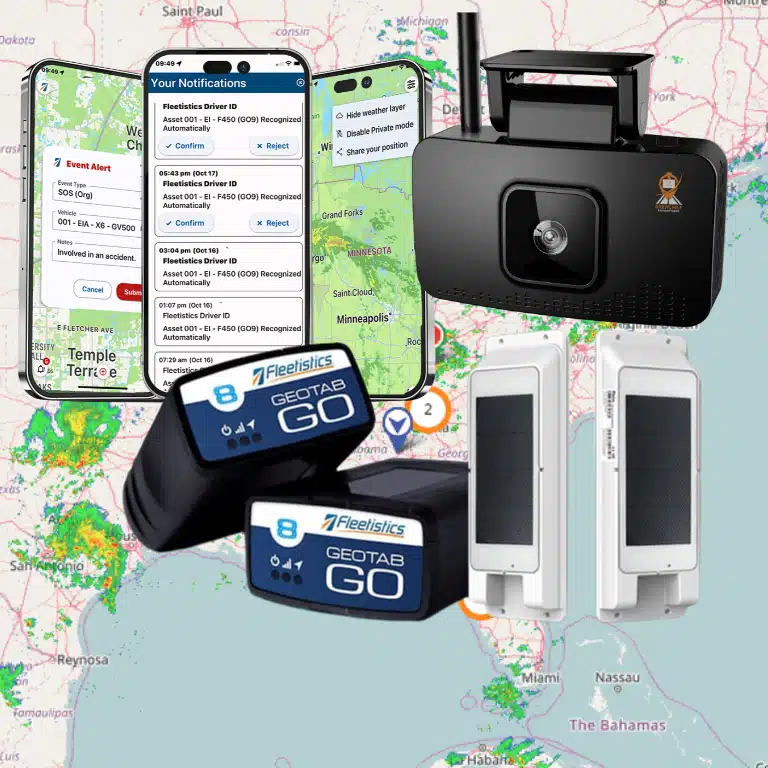
Fleetistics provides modular fleet management solutions using Geotab technology. The right mix depends on fleet type, scale, and operational needs; not every organization needs every feature. Review trucking fleet management tools when your operation has relevant trucking workflows, or consider fleet tracking and telematics for broader operational visibility.
When evaluating a shared system, ask a provider to demonstrate a single realistic scenario from capture through correction. For ELD, follow a record exception to its reviewer. For DVIR, follow a defect through assignment and documented resolution. For IFTA, follow source fuel and distance information through reconciliation. A demonstration that shows only a clean dashboard may leave ownership, evidence, and exception handling unclear.
If your team uses existing business systems, map the handoffs before implementation. Identify the system of record for each data type, who is responsible for maintaining a connection, and what happens if information fails to transfer. Fleetistics describes an open ecosystem with integrations and API access; ask how a proposed configuration fits your own systems and which tasks still require staff review.
What should you compare when evaluating compliance tools?
Compare how well a tool supports the work, not just the number of features on a product list. A system that gathers data but leaves exceptions unassigned can add a new queue without resolving the underlying problem. Build a short demonstration script around real situations, including routine work, corrections, staff changes, and technical interruptions.
- Applicability: Can you set up processes for obligations that apply to specific parts of your operation without assuming every vehicle has the same requirements?
- Driver usability: Can drivers complete their assigned steps in the field, understand what is expected, and get help when a process fails?
- Exception ownership: Does the system make missing records, reported defects, and mismatched data visible to a named role?
- Traceability: Can authorized staff locate the source information, corrections, review actions, and supporting records?
- Integration: Does information reach the systems your team uses, and are manual handoffs clearly assigned?
- Configuration fit: Can you select capabilities appropriate to the workflows you need now and adjust as the operation changes?
- Training and support: What preparation do drivers and administrators need, and how will they get help after rollout?
- Review controls: Can supervisors see overdue tasks and confirm that required approvals or checks have taken place?
Use a small set of operational measures to assess the current process and a pilot. Examples include staff time spent assembling records, the number of unresolved exceptions at a review date, time from defect report to assignment, and the frequency of missing documentation. Define each measure consistently. Compare similar periods and workloads so a change in routes, staffing, or vehicle count is not mistaken for a system effect.
Keep the evaluation grounded in observed work. A pilot can show whether a task is easier to complete or whether handoffs are clearer; it cannot by itself prove legal compliance or guarantee savings. Record what the team tested, which exceptions remained manual, and what procedures need to change before expanding use.
How can you deploy these workflows without overwhelming staff?
Use a staged rollout. First, inventory vehicles, routes, jurisdictions, records, and roles. Next, confirm applicability with qualified guidance and document the current process. Configure one workflow at a time, then test it with a representative group before extending it to more drivers or administrators.
- Map the operation. Group vehicles and drivers by relevant operating patterns, routes, and jurisdictions. Note where requirements differ instead of forcing one procedure on every group.
- Assign accountable owners. Name the roles responsible for capture, review, correction, approval, and retention for each workflow. Provide a backup owner for absences and shift changes.
- Document the baseline. Write down how information currently moves, where staff re-enter data, what is frequently delayed, and which exceptions lack a clear owner.
- Test realistic exceptions. Include a missing ELD record, an inspection defect, missing fuel information, a correction, and a device or connectivity problem. Confirm each has a next step.
- Train by role. Give drivers concise instructions for the actions they perform. Give reviewers practice handling exceptions, locating evidence, and escalating issues.
- Review before expansion. Check completion, unresolved items, staff feedback, and manual handoffs. Update the procedure and training before moving to a larger group.
For a worked example, imagine a fleet has several vehicle groups and only some operations require a particular records process. The manager first documents which drivers fall into each group and who confirms changes. The maintenance lead separately defines how inspection findings are reviewed. The administrator then builds an IFTA reconciliation checklist for the relevant reporting period. During a pilot, staff test one ordinary case and one exception in each workflow. They record which handoff failed, revise the responsibility map, and repeat the test before broader rollout. This avoids treating one successful task as proof that all three processes are ready.
Include employee communication when a workflow collects driver or vehicle information. Explain what is collected, why the operation needs it, who can access it, and how it will be used. A clear written driver policy can set expectations. Where location tracking is part of the implementation, use relevant employee introduction guidance to support transparent communication. Keep these explanations specific to your actual practices.
Teams can also plan role-based instruction with Fleetistics training resources. Training should include the “why” behind the steps and the person to contact when a record cannot be completed, not just a tour of screens.
How should you review exceptions across the three workflows?
Exception handling is where separate systems and responsibilities can become hard to manage. Build a short review routine that identifies the issue, confirms its source, assigns an owner, sets a due point, and records how it was resolved. Avoid a single catch-all queue if staff cannot tell whether an item concerns a driver record, vehicle condition, or tax data. A shared dashboard can summarize work, but the underlying category and record should remain clear.
For an ELD record exception, the reviewer should know which driver or record needs attention, what information is missing, and how the issue is routed for correction or explanation under the applicable process. For a DVIR concern, the owner should be able to see whether the report is awaiting assessment, whether work was assigned, and whether the closeout was documented. For an IFTA discrepancy, the administrator should trace the flagged value to its source transaction or distance record before deciding whether it needs correction.
Use a compact exception log or system view with consistent fields:
- Category and source: Identify the workflow and the record that triggered the review.
- Assigned role: Name the person or team accountable for the next step, including a backup route.
- Status and due point: Show whether review, correction, verification, or approval remains outstanding.
- Resolution evidence: Record what changed or why no change was made, and point to supporting material.
- Escalation: State who handles an item that remains unresolved or may affect an operational decision.
Set a cadence that reflects the work. Some driver-record exceptions may need timely attention during operating routines, while IFTA reconciliation follows a reporting cycle and maintenance follow-up depends on the finding and dispatch process. Do not apply one review interval to all three categories simply because they appear in one tool. Define the owner and timing for each class, and make aged items visible to a supervisor.
At a weekly or period-end review, look for patterns rather than only closing individual tasks. Repeated missing fields may point to unclear driver instructions; defects that wait for assignment may indicate a handoff gap; recurring fuel-data mismatches may signal a source-data or reconciliation issue. Choose one corrective action, assign an owner, and check whether the pattern changes over a later review period. This creates a management loop without assuming that a dashboard alone resolves compliance responsibilities.
What questions do fleet managers ask?
Does every fleet vehicle need an ELD?
No. ELD requirements depend on applicable hours-of-service rules and the operation’s circumstances. Confirm scope and any relevant exemptions using current authoritative guidance before deciding which devices and procedures are needed.
Are DVIR and maintenance management the same process?
No. Inspection reporting captures observations and reported defects; maintenance management addresses assessment, work, and follow-up. Connect the processes so reports lead to action, while preserving a clear owner and status for each step.
Can telematics data automatically complete IFTA reporting?
Telematics may support collection and organization of relevant information, but the carrier still needs to verify the reporting scope, data, and documentation requirements that apply. Test the proposed workflow against source records and confirm that the administrator can explain and review the output.
Should you select one combined compliance product?
Not automatically. Compare the separate tasks, systems already in use, and coordination your team needs. A modular configuration may fit better than adopting features that do not match your operation. The deciding test is whether the selected setup makes ownership, exceptions, and record retrieval clear.
Book a compliance workflow discussion
How can you choose a practical next step?
Write down the workflows that apply, the people who own them, and the exceptions that currently consume the most time. Then ask for a demonstration using those scenarios. Check that a proposed setup can distinguish ELD, DVIR, and IFTA records while making their connections and handoffs visible. Learn more about Fleetistics and contact the team to discuss a modular fit for your fleet.
Talk with Fleetistics about your compliance workflows
Next: Fleet Compliance Management Software for ELD, DVIR & IFTA | Previous: ELD Compliance for Fleet Operators: Complete Guide. These related guides cover adjacent topics and can help you continue planning the right process for your operation.