Speeding alerts are easy to generate. The harder part is deciding what each alert means, how drivers will receive feedback, and when a repeated event requires action. A useful fleet policy connects the technology to a fair, documented safety process rather than treating every notification as a disciplinary event.
GPS speed monitoring fleet policy should define how telematics captures vehicle speed, which thresholds trigger alerts, who reviews the data, and how coaching or escalation works. It should also explain the safety purpose clearly, because drivers need to understand why monitoring is in place and how it will be used. CDC/NIOSH guidance recommends using monitoring data to improve safety, not to pressure workers into unsafe quotas.
With those guardrails established, the next step is understanding what the vehicle and telematics system are actually reporting. From live speed and location to the historical events your team can review.
How Does GPS Speed Monitoring Work? (What Your Vehicles Are Reporting)
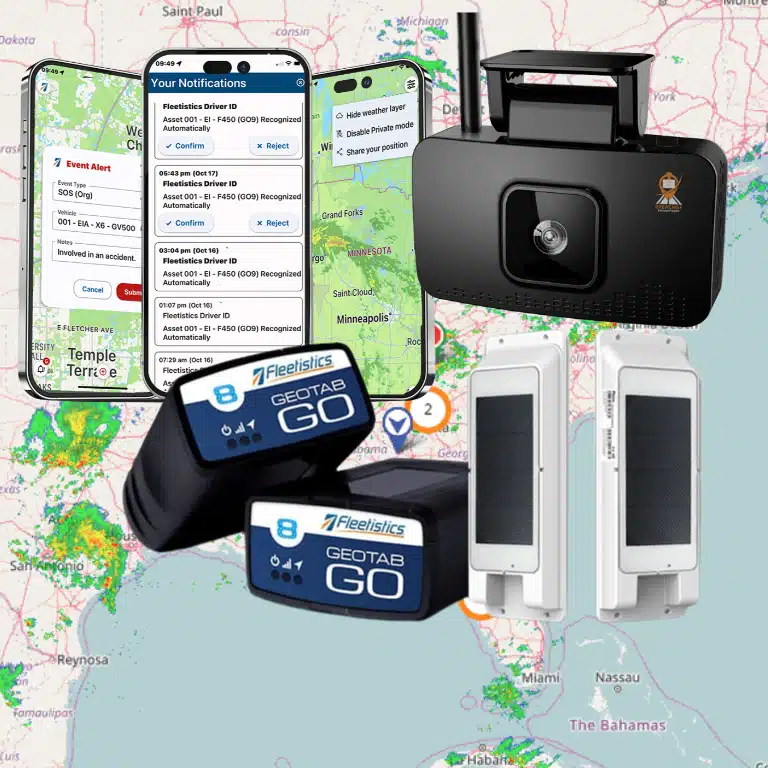
GPS speed monitoring combines satellite positioning, telematics hardware, and vehicle data to show how fast a vehicle is traveling and when its speed creates a safety concern. The device may connect through the vehicle’s OBD-II port or be hardwired into the vehicle. It then sends location and speed information to your fleet platform for review.
At the basic level, the telematics device compares consecutive GPS coordinate positions with the time between those positions. That calculation estimates the vehicle’s speed and supports real-time tracking. Many modern systems also cross-reference GPS data with information from the vehicle’s electronic control unit (ECU), which can improve the context around the event.
From a speed reading to a documented event
Your policy determines what happens after the system receives that data. For example, you might configure the platform to identify a vehicle traveling above a defined threshold for at least five seconds. A brief GPS fluctuation may not create an event, while sustained speeding can be logged with the vehicle, driver, location, time, duration, and severity of the violation.
This distinction matters when you build a gps speed monitoring fleet policy. A useful policy should define the threshold, minimum duration, road or site conditions, and review process instead of treating every isolated data point as proof of unsafe driving. Explain to workers why the system is being implemented and how it will be used. A recommendation supported by the CDC’s National Institute for Occupational Safety and Health (CDC NIOSH guidance).
How managers use the information
Once recorded, events flow into dashboards, alerts, and historical reports. Fleet managers can review real-time vehicle speed and location, filter events by driver or vehicle, and identify recurring patterns that warrant coaching. Learn more about how vehicle speed monitored by GPS works, or use this GPS speed monitoring software checklist when comparing platforms.
Speed data can also be evaluated alongside video, harsh braking, and other driving behaviors. Pairing telematics with AI dashcams and fleet driver safety tools gives managers additional context when an event needs investigation, coaching, or documentation.
What Fleet Speed Data Actually Shows Managers
A useful speed report does more than tell you that a vehicle exceeded the limit. It gives you enough context to decide whether the event reflects a coaching opportunity, a recurring route problem, or a driver who consistently follows policy.
Every speeding event has context
In the Fleetistics dashboard, managers can review event details such as the date, time, location, duration over the posted limit, and maximum speed reached. That context matters. A brief five-mile-per-hour variance on an unfamiliar road calls for a different conversation than repeated, extended events at substantially higher speeds.
Map views help you identify whether events cluster around a particular intersection, service area, or highway segment. Reporting can also reveal whether speeding happens during a specific shift or time of day. A pattern during rushed morning dispatches may point to scheduling or route pressure, while isolated events may be better handled through individual coaching.
Trends show where attention belongs
Historical reports let you compare speed behavior by driver, vehicle, route, and time period. Managers can see whether a driver’s event count is declining after coaching. Whether one vehicle is associated with unusual behavior, or whether a broader team trend deserves a policy review. Benchmark comparisons add another layer, showing how performance compares with fleet targets or established safety standards.
Use those comparisons to recognize strong performance as well as identify risk. A driver with few or no significant events should not receive the same intervention as someone with repeated severe violations. This is where a clear, data-driven policy supports fair accountability instead of creating distrust.
Speed data becomes even more useful when reviewed alongside video and other safety signals. Fleetistics combines telematics with AI-powered dashcam capabilities to support driver coaching and accident reconstruction. See the AI Dashcams and Fleet Driver Safety guide for how video evidence can add context to a speed event.
Setting GPS Speed Monitoring Thresholds and Alert Policies for Your Fleet
A useful alert policy turns raw speeding data into a consistent response. Start by defining what counts as a coaching event, a serious violation, and an urgent safety concern. For example, set a threshold of 5 mph over the posted limit for a warning, then trigger an immediate alert at 10 mph or more over the limit. Adjust those values to fit your vehicles, routes, and risk tolerance.
Match thresholds to the road and operating context
A single threshold may not fit every trip. Highway driving, surface streets, school zones, and construction areas present different risks. Configure policies around the posted limit and use geofenced areas where lower speeds or temporary hazards require closer attention. Road construction, closures, and changing conditions should also be communicated proactively so drivers can adjust before an alert becomes an event.
| Road Type | Suggested Threshold | Alert Priority |
|---|---|---|
| Highway (55-75 mph) | Posted speed + 5 mph | Moderate; coaching at repeat events |
| Surface streets (25-45 mph) | Posted speed + 3 mph | Higher; tighter tolerance for dense traffic |
| School / construction zones | Posted speed + 0 mph | Immediate alert; zero tolerance |
| Geofenced yard / depot | 10 mph or as signed | Immediate alert; low-speed area |
Send the right alert to the right person
Not every speeding event needs to interrupt a manager immediately. Route lower-level warnings to a dispatcher or fleet administrator for review. Send repeated events, extended speeding, or high-severity violations to the safety manager. Use real-time alerts for situations that require intervention, and reserve daily or weekly reports for trends, recurring locations, and driver coaching.
Use a tiered response, not automatic punishment
Define the response before the first alert occurs:
- Warning: Log a minor event and review the context with the driver.
- Coaching: Provide timely feedback when events repeat or show a pattern.
- Escalation: Assign a documented safety review for severe or continuing violations.
Be transparent about the policy. Explain what the system measures, who receives alerts, how long data is retained, and how drivers can challenge an inaccurate event. The purpose should be clear: speed monitoring is a safety and coaching tool, not a mechanism for punishment. The CDC also recommends using monitoring data to improve safety rather than pressure workers to meet quotas. A clear fleet speed monitoring policy gives managers and drivers the same expectations, while leaving room for facts and context in every review.
How Speed Policy Compliance Reduces Accident Risk and Insurance Premiums
A well-enforced speed policy does more than create a record of speeding events. It gives managers a repeatable way to identify risk, coach drivers, and address the operational pressures that often lead to unsafe driving. Over time, that can mean fewer preventable accidents, lower insurance exposure, and more predictable fleet costs.
Coaching is the mechanism that turns data into safer behavior. When a telematics report identifies repeated speeding, review the context with the driver and provide timely feedback. The CDC and NIOSH recommends using monitoring data to improve safety, not to pressure workers into driving too fast or too long to meet production quotas. A punishment-first approach can encourage drivers to hide problems rather than correct them. See how implementing GPS speed monitoring policy can support a consistent coaching process.
Schedules matter just as much as alerts. If dispatch plans leave no reasonable time to complete a route while obeying posted limits and hours-of-service requirements. Drivers are being asked to choose between policy compliance and productivity. Build realistic travel time into routes, then use speed data to identify coaching needs instead of treating every event as an isolated fault.
Measure outcomes beyond the dashboard
Regular on-the-road evaluations should supplement digital monitoring. A ride-along or field evaluation can reveal habits that a speeding event alone cannot explain, such as late braking, poor following distance, or difficulty adapting to road conditions. Pair those observations with speed policy monitoring to give drivers specific, fair feedback.
Consistent safe speeds can also reduce fuel consumption and vehicle wear and tear. Fleetistics cites documented fuel savings from the City of Seattle’s 4,100-vehicle fleet as a practical example of how disciplined fleet operations can produce measurable results. The goal is not to force every driver into an arbitrary pace. It is to make safe driving the easiest way to meet a schedule.
Track leading indicators such as repeat events, coaching completion, harsh-braking trends, preventable crashes, fuel use, and maintenance costs. Reviewing those measures together helps you determine whether your gps speed monitoring fleet policy is improving safety and operating costs, rather than simply generating more alerts.
Sample Fleet Speed Policy Template
Adapt the following template to your vehicles, routes, and local requirements. Before rollout, explain to every employee why GPS monitoring is being introduced, how alerts work, and how the information supports safer driving. Clear communication builds buy-in and makes the policy easier to apply consistently. The CDC and NIOSH recommends explaining why in-vehicle monitoring is used and how it works: read the guidance.
- Purpose. We use GPS speed monitoring to identify unsafe driving patterns, support timely coaching, reduce preventable risk, and improve fleet safety. Monitoring data is used for safety improvement, not punishment or pressure to meet delivery quotas. See our guidance on speed monitoring policies.
- Scope. This policy applies to every company-owned, leased, or assigned vehicle and to every employee, contractor, or temporary driver operating one on company business.
- Speed limits. Drivers must obey the posted limit and adjust for weather, traffic, visibility, road conditions, and vehicle load. As a default operating threshold, set alerts at approximately 3 to 5 mph above the posted limit, then configure lower limits where conditions require them. Apply extra caution in school zones, construction zones, work areas, and other signed reduced-speed areas. The company will not schedule work in a way that pressures drivers to exceed speed limits or hours-of-service requirements.
- Alert levels. Use a graduated response: Level 1, 5 mph over the applicable limit, creates a dashboard warning or logged event. Level 2, 10 or more mph over, sends a notification to the fleet manager for review. Level 3, 15 or more mph over, requires a documented coaching session and may require immediate route or driving-duty intervention when safety conditions warrant.
- Review and coaching. Follow this workflow for significant or repeated events: alert, review the location and circumstances. Discuss the event with the driver, provide specific coaching, and record the driver’s acknowledgment or sign-off. Give feedback promptly, allow the driver to explain unusual conditions, and use regular on-road evaluations alongside digital monitoring.
- Distracted driving. Drivers may not use hand-held phones, tablets, GPS devices, or other electronic equipment while driving. Set navigation before departure, pull over safely when an adjustment is necessary, and follow all applicable distracted-driving laws.
- Consistency and records. Apply the same thresholds and review standards across comparable routes and drivers. Retain alert reviews, coaching notes, and sign-offs according to your record-retention policy. Reassess the thresholds periodically as routes, vehicles, regulations, and safety data change.
Frequently Asked Questions
How does GPS detect vehicle speed?
A telematics device estimates speed through GPS position updates and may also use vehicle data, depending on the installation. The platform then compares reported speed with road limits or your configured thresholds, creating events that managers can review in real time or later reports. GPS monitoring can provide real-time speed and location visibility, as described in the Fleetistics GPS tracking guide.
What is a good speed threshold for a fleet?
Start with the posted limit and define a short tolerance for brief variations, then create a separate, more urgent threshold for sustained or severe speeding. The right settings depend on vehicle type, road conditions, jurisdiction, and your risk profile. Test the rules against real trips before using them for coaching, so alerts identify meaningful behavior instead of normal GPS or map-data variation.
Do drivers have privacy rights when GPS monitoring is used?
Privacy requirements vary by jurisdiction and employment relationship, so have qualified counsel review your policy. Regardless of local requirements, tell drivers what is collected, when monitoring operates, who can access it, and how long records are retained. The CDC and NIOSH recommend explaining why in-vehicle monitoring is being implemented and how it works to build employee buy-in: CDC/NIOSH guidance.
How often should fleet managers review speeding reports?
Review urgent events as they occur, then use a consistent weekly or monthly review for trends by driver, vehicle, route, and time of day. Coach promptly after a verified unsafe event rather than waiting for a quarterly review. CDC and NIOSH guidance recommends timely coaching to help drivers correct unsafe behavior: CDC/NIOSH guidance.
What if a driver contests a speeding alert?
Pause disciplinary action and review the event with the driver. Check the recorded location, duration, reported speed, posted limit, device health, map data, and any relevant dashcam or dispatch information. Correct inaccurate events, document the decision, and use confirmed patterns for coaching. Your policy should provide this review path so GPS speed monitoring supports safety, not automatic punishment.
Ready to Build a Clearer Fleet Speed Policy?
A practical GPS speed monitoring policy can help you turn speeding data into consistent coaching, clearer expectations, and safer daily decisions. Speak with a consultant about matching your monitoring rules, alerts, and review process to your fleet.