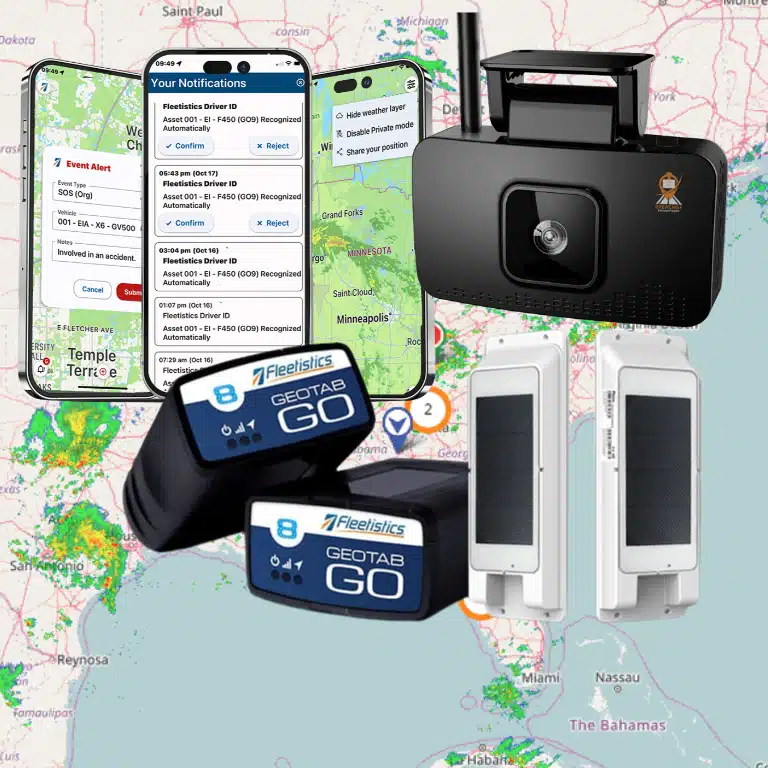
A camera choice should start with the incidents and blind spots you need to see, not with a hardware feature list. A forward-facing unit may be enough for a small delivery fleet, while a bus, refuse truck, or construction vehicle may need interior, side, or overhead coverage.
Fleet camera systems for commercial vehicles range from front-facing cameras that record the road ahead to dual-facing, 360-degree, and side cameras that expand visibility around the vehicle. The right configuration depends on vehicle type, risk exposure, driver-coaching goals, storage needs, and how closely video should connect with GPS and telematics data.
This guide compares those camera types and explains how to evaluate coverage, AI safety features, video storage, integrations, and scalability before you invest. If you are also evaluating driver monitoring and proactive alerts, review our AI Dashcams and Fleet Driver Safety guide for additional context. Start by matching each camera view to the situations your fleet must manage.
Types of Fleet Camera Systems: Front-Facing, Dual-Facing, 360, and Side Cams
The right camera layout depends on what you need to see, document, and improve. A front-facing unit may be enough for a small service fleet, while a combination of interior, Side, and rear views can make more sense for a bus, tractor-trailer, or construction vehicle. Review the options below, then compare them with the broader guidance in our AI dashcam for fleet vehicles guide.
| Camera type | What it captures | Best fit | Key consideration |
|---|---|---|---|
| Front-facing | The road directly ahead of the vehicle. | Fleets that primarily need road video evidence for incidents, claims, and driver coaching. | It provides a clear forward view, but does not show what happens inside the cab or alongside the vehicle. |
| Dual-facing | The road ahead and the driver’s interior at the same time. | Fleets focused on distracted driving, seat belt use, coaching, and incident context. | Confirm that privacy policies, driver communication, and access controls match your operating environment. |
| 360-degree | A bird’s-eye view around the vehicle, created by combining multiple camera views. | Large vehicles such as trucks, buses, and construction equipment that have significant blind-spot exposure. | By covering the vehicle’s perimeter, a 360-degree setup can help eliminate blind spots during turns, backing, loading, and maneuvering. |
| Side or auxiliary | Areas beside the vehicle, and potentially rear or cargo zones, depending on placement. | Vehicles that regularly change lanes, make tight turns, operate in crowded sites, or carry equipment. | Placement matters. The camera should cover the actual risk area without creating unnecessary footage or installation complexity. |
You do not have to deploy every view on every vehicle. A modular system lets you start with a primary dash cam and add auxiliary cameras later as routes, vehicle types, or safety priorities change. That approach gives you a practical way to match coverage to the job instead of forcing the same configuration across the fleet.
What to Look For in Fleet Camera Systems for Commercial Vehicles (2026 Spec Guide)
Choosing among fleet camera systems for commercial vehicles starts with the safety events you need to prevent, not the longest feature list. Rear-end crashes represent nearly half of all two-vehicle crashes involving heavy vehicles, according to the FMCSA ADAS return-on-investment guide. That makes forward visibility, reliable event recording, and useful alerts practical requirements.
Resolution and field of view
Look for at least clear HD video, with 1080p as a sensible baseline for identifying vehicles, road conditions, and driver actions. Higher-resolution or 4K options can help when you need more detail, but they may increase storage and data demands. Test sample footage in daylight, low light, rain, and glare rather than comparing resolution numbers alone.
Field of view matters just as much. A narrow lens can miss a merge, cyclist, or impact outside the frame. Consider wide-angle forward coverage, a driver-facing view when appropriate, and auxiliary side or rear cameras for vehicles with large blind zones. The right configuration depends on the vehicle and the incident risks you actually manage.
AI alerts that support action
AI should identify meaningful risk and help your team respond, not create an unmanageable stream of notifications. Prioritize machine vision that can detect forward collision risk, lane departure, distraction, harsh braking, speeding. And following distance, with adjustable thresholds and event clips that explain why an alert fired.
The potential impact is measurable. FMCSA cites estimates that automatic emergency braking could prevent more than 11,000 heavy-vehicle crashes, 7,700 injuries, and 170 deaths each year. Forward collision warnings have been associated with a 14% crash reduction, while lane departure warnings reduce crashes by 14%. Blind spot detection reduces crash risk by 5%. These are technology-level findings, not promises for every fleet, so use them to guide evaluation and pilot testing.
Durability, compatibility, and total cost
Commercial hardware must withstand vibration, temperature changes, dust, and frequent vehicle use. Confirm the camera’s operating range, mounting method, warranty, cellular connectivity, and replacement process. Also verify that video events connect with your GPS and telematics platform, driver coaching workflow, and existing compliance or safety reporting tools. A system that isolates footage in a separate dashboard can add work when an incident occurs.
As a planning range, commercial camera hardware commonly costs about $200 to $700 per camera, with platform subscriptions around $25 to $60 per vehicle per month, depending on resolution, AI, connectivity, storage, and integrations. Include installation, cellular data, retention, and support in your comparison. Objective video evidence can help protect drivers and support insurance cost reduction. But the strongest return comes when managers use alerts for coaching and prevention, not just after-the-fact claims. For a deeper look at the safety application, see AI Dashcams and Fleet Driver Safety.
Video Storage: Cloud vs Local SD Card for Fleet Cameras
-
Start with the retrieval question
Choose storage based on how quickly your team must find and share footage after a collision, complaint, or safety event. Cloud storage lets authorized managers search and retrieve video remotely through the camera platform, which is useful when vehicles are spread across locations. It also makes evidence accessibility easier for operations, safety, and claims teams that need the same event without handling a physical card.
-
Compare the recurring cost
Cloud video storage is commonly bundled into a platform fee of about $25 to $60 per vehicle per month, depending on the provider and included features. That recurring cost can cover storage, event retrieval, alerts, reporting, and telematics tools. A local SD card usually has a lower ongoing cost because footage is stored in the vehicle. But you may need compatible cards, replacement cards, readers, and staff time to manage downloads.
For a benchmark on commercial camera pricing, the comparison data reviewed for this guide lists cloud-enabled platform plans in this range: commercial dash cam pricing and storage features.
-
Account for installation and management
Self-installation may cost roughly $0 to $50 per vehicle, while professional installation commonly ranges from $75 to $150. Local SD systems can appear simpler at installation, but they require a repeatable process for removing cards. Transferring files, labeling incidents, and protecting evidence from loss or unauthorized access. Cloud systems reduce that manual workflow, although they require dependable connectivity and careful user-permission settings.
-
Match security to your evidence needs
Cloud storage supports centralized access controls and easier sharing, but you should confirm retention periods, account security, and who can export footage. Local storage keeps video inside the vehicle until someone retrieves it, which may appeal to fleets with limited connectivity or strict data-control preferences. The tradeoff is greater exposure to lost cards, damaged hardware, delayed retrieval, or inconsistent file handling.
-
Leave room to scale
A modular fleet camera system lets you start with the vehicles and storage approach that fit today, then add cameras or broader platform capabilities as your needs grow. For many fleets, a practical decision is not cloud versus SD in isolation, but which combination delivers timely evidence, manageable security, and predictable total cost.
How Fleet Camera Systems Integrate With GPS Telematics
A camera is most useful when its footage is connected to the rest of your fleet data. Video telematics integration combines video, vehicle location, speed, movement, and driver event data in one view, giving you context instead of isolated clips. You can see what happened, where it happened, and which vehicle or driver was involved without switching between disconnected systems.
Turn alerts into location-based events
In a unified dashboard, an AI camera can flag distracted driving, harsh braking, speeding, and other risky behaviors in real time. GPS telematics adds the map context. A harsh-braking alert near a busy intersection means something different from the same event on a private worksite. And location history helps you review the surrounding seconds with greater accuracy.
This workflow also makes follow-up more practical. Instead of searching through hours of recorded footage, a fleet manager can filter events by vehicle, driver, date, behavior, or route. The result is faster incident review, more consistent documentation, and better visibility into recurring risks. For a closer look at the technology, see our guide to distracted driving detection.
Connect detection with driver coaching
Detection alone does not change behavior. The value comes from connecting a verified event to a repeatable coaching process. When the system identifies a risky action, managers can review the video, discuss the specific situation with the driver, and track whether similar events decline over time. Real-time coaching helps reduce risky behavior before it becomes an accident or an ingrained habit.
That approach supports fairer conversations, too. A short video clip and mapped vehicle data give both the manager and driver a shared account of what occurred. Coaching can focus on the behavior and its circumstances rather than relying on a generalized complaint about driving performance.
Use an open ecosystem to extend the data
Fleetistics supports fleets across the USA, Canada, and Mexico and has partnered with Geotab since 2001. Geotab’s open ecosystem includes more than 300 integrations, which can help connect camera and telematics data with other systems used for operations, safety, maintenance, or compliance.
That flexibility matters when your fleet grows or your priorities change. You can begin with the camera views and alerts that address your highest-risk activities, then connect additional tools or auxiliary cameras as needed. Learn more about integrating dashcams with vehicle tracking before choosing a setup, especially if your operation manages vans, service vehicles, or mixed assets.
Which Camera Configuration Is Right for Your Vehicle Type?
Your ideal setup depends on vehicle size, operating environment, and how much safety data your team can act on. Safety monitoring is useful for owner-operators and small fleets alike, but the right starting point is different from the right long-term configuration for a 500-vehicle operation.
Small fleets: keep the setup simple
For a fleet of 1 to 50 vehicles, a front-facing camera is often the practical starting point. It records the road ahead and provides objective video when an incident occurs. A dual-facing configuration adds an interior view for driver coaching, distracted-driving alerts, and a clearer picture of what happened inside the cab.
Choose the simplest system that addresses your primary risk. A single camera may fit light-duty vans that spend most of the day on predictable routes. A dual camera is more useful when vehicles carry valuable cargo, drivers work in busy traffic, or managers need visibility into both road conditions and driver behavior.
Mid-size fleets: plan for reporting and growth
At 50 to 250 vehicles, management becomes the bigger challenge. You need scalable reporting that shows recurring risks across drivers, routes, vehicle classes, and locations, rather than reviewing footage one event at a time. A modular platform lets you standardize the core camera while adding interior, rear, or side coverage where the work demands it.
That approach avoids paying for complex hardware on every vehicle before you know where it creates value. It also gives your safety team a consistent process for reviewing events and coaching drivers as the fleet expands.
Large enterprises: combine coverage with predictive insight
Enterprises operating 250 or more vehicles typically need predictive analytics, centralized dashboards, and multi-camera configurations that support different vehicle classes. FTSGPS FleetCam supports up to five cameras per vehicle, which can accommodate complex coverage requirements across trucks, buses, and construction equipment.
For large commercial trucks, buses, and construction vehicles, 360-degree cameras can create a bird’s-eye view around the vehicle and help address blind spots. Light-duty vans often need only front-facing coverage, unless loading zones, rear access, or driver behavior create additional exposure. For more guidance on matching coverage to truck operations, review the best AI dashcam for commercial trucks.
Frequently Asked Questions
What are the main benefits of commercial fleet camera systems?
They give you objective video for accident review, liability protection, and driver coaching. When video is connected to telematics, your team can pair footage with vehicle location and event data instead of relying on incomplete reports or conflicting accounts.
What is the difference between front-facing and dual-facing cameras?
A front-facing camera records the road ahead and is a practical choice for incident evidence and forward visibility. A dual-facing camera records the road and the cab, giving you additional context about driver behavior, distractions, and what happened immediately before an event.
How do AI fleet cameras identify risky driving?
AI cameras use machine vision to recognize behaviors such as distracted driving, harsh braking, and speeding, then generate real-time alerts. That allows managers to coach the specific behavior while it is still correctable, rather than waiting for a collision or a trend in monthly reports.
Are commercial vehicle camera systems legal?
They can be used for business safety and security, but your program must follow the privacy and recording rules that apply where you operate. Set a clear purpose, notify drivers, limit access to footage, and review requirements across your operating jurisdictions before deployment. The FMCSA also identifies driver- and road-facing cameras as onboard safety monitoring technologies: FMCSA ADAS guidance.
What is a 360-degree fleet camera system?
It combines multiple cameras to create a bird’s-eye view around the vehicle. This configuration is especially useful for buses, construction trucks, and other large vehicles where side and rear blind spots create added risk during turns, backing, and maneuvering.
Ready to Choose the Right Fleet Camera System?
The right configuration depends on your vehicles, operating environment, and safety priorities. A practical review can help you match camera coverage with the way your fleet actually works, without adding unnecessary equipment. Book a demo or speak with a consultant about a fleet camera system that fits your operation.