
A technician clocks in from a customer site at 7:02 a.m. A supervisor sees the start time immediately, knows which work order the technician is assigned to, and can confirm the employee was at the correct location. That is the operating value of a mobile workforce time clock app. It replaces handwritten timesheets, delayed text messages, and payroll guesswork with verified labor data tied to the work your field team is performing.
For vehicle-intensive businesses, time tracking is not just an HR function. Labor hours affect job costing, customer billing, overtime exposure, route planning, service capacity, and payroll accuracy. The right mobile solution gives operations leaders real-time control without adding unnecessary steps for drivers and technicians.
Why fleet operations need better time verification
Office-based time clocks were built around a fixed location. Field service, construction, utilities, delivery, landscaping, government fleets, and mobile maintenance teams operate differently. Employees start shifts from a yard, a job site, a customer location, or sometimes from home under an approved dispatch model.
Paper timesheets and spreadsheet-based payroll processes create predictable problems. Employees may submit time days later. Supervisors spend hours matching handwritten records to schedules. Payroll teams investigate missed punches and unclear overtime. Managers have limited proof of whether paid time aligns with the location, vehicle activity, or assigned job.
A mobile workforce time clock app creates a more reliable record at the source. When time data is connected to GPS location, geofences, dispatch activity, and work orders, managers can answer practical questions quickly: Who is on the clock? Where did the shift begin? How much time was spent at a customer site? Which job absorbed the labor hours?
That visibility protects the business and creates accountability for the employee. The goal is not to watch every minute. The goal is to document working time accurately, resolve exceptions fairly, and remove avoidable administrative work.
What a mobile workforce time clock app should do
The best time clock application for a field fleet does more than record a start and end time. It should fit naturally into the daily workflow of drivers, technicians, and supervisors.
Capture verified clock-ins and clock-outs
Employees should be able to clock in, take a break, switch job codes, and clock out from a smartphone or approved in-cab device. Location verification can confirm that a punch occurred within an approved work area, such as a branch, depot, customer site, or service territory.
Geofencing is especially useful when teams report to repeat locations. A technician arriving at a scheduled customer site can be prompted to begin the assigned task. A driver leaving the yard can trigger a reminder if they have not started their shift. Automation reduces forgotten punches, but the system should still allow managers to review and approve exceptions.
Connect labor time to work performed
A time record is more valuable when it includes context. Assigning time to a work order, customer, cost center, vehicle, asset, or service type helps operations leaders measure labor profitability instead of simply processing payroll.
For example, a plumbing contractor may compare estimated labor hours with actual time at each job. A municipal fleet can document labor by department, vehicle class, or maintenance activity. A delivery operation can separate loading time, route time, and post-trip duties. These records make it easier to find recurring delays and price work accurately.
Work with real fleet data
Mobile time tracking is strongest when it is part of a connected fleet platform. Vehicle GPS data can support location verification. Route and dispatch information can explain whether an employee was delayed by traffic, an emergency call, or an unplanned stop. Maintenance records can show why a crew lost productive time to equipment downtime.
This does not mean every time punch must be controlled by vehicle movement. Employees may work outside the vehicle, and some crews share equipment. Instead, connected data gives managers the facts needed to review exceptions without relying on memory or conflicting paperwork.
Support offline and low-connectivity work
Rural service calls, utility sites, basements, and remote construction projects do not always have reliable cellular coverage. A field-ready app should allow employees to record activity offline and sync when service returns. Without that capability, teams often fall back to notes, calls, or end-of-day reconstruction – exactly the manual process the application is meant to eliminate.
Give supervisors an exception workflow
No time system eliminates every missed punch or schedule change. It should make exceptions visible and manageable. Supervisors need a clear approval process, an audit trail for edits, and notes that explain why a record changed.
This matters for payroll integrity. A manager should not have to search through emails to understand why an employee clocked in late, worked additional time, or moved from one job to another. Clear exception records reduce payroll disputes and help organizations apply policies consistently.
How to deploy mobile time tracking without creating resistance
Technology adoption usually fails when a new process feels like extra work with no clear purpose. Field employees are more likely to use a time clock app consistently when the workflow is quick, the policy is clear, and leaders explain how accurate records protect everyone.
Start by defining the operating rules. Establish when employees are expected to clock in, how breaks are recorded, which locations require geofence verification, and who can approve corrections. Address edge cases before launch, including emergency dispatches, travel between jobs, split shifts, shared vehicles, and employees who start from home.
Keep the employee experience simple. A technician should not need multiple screens to start time on an assigned job. If job codes are required, limit them to meaningful options. If location permissions are used, explain when the app collects location data and why. Transparency is critical. Employees should understand that the objective is accurate work records, customer service, and fair payroll – not unnecessary surveillance.
Run a controlled pilot with a representative group of users. Include experienced drivers, newer technicians, supervisors, and payroll staff. Their feedback will expose workflow issues that may not appear in a software demonstration. Measure missed punches, approval time, payroll corrections, and time required to complete weekly review before and after the pilot.
Choose controls that match your operation
Not every fleet needs the same level of time-clock control. A small service business may need basic mobile punches, geofencing at the shop, and payroll-ready reports. A larger enterprise or government organization may require job-cost allocations, multi-level approvals, union rules, departmental coding, and integration with existing payroll or ERP systems.
This is where a modular approach matters. Start with the controls that solve the immediate problem, then expand as the operation needs more detail. Adding time tracking to GPS, dispatch, asset tracking, maintenance, and safety data can create a clearer operational picture, but only when the integrations support a defined process.
Also consider the legal and policy requirements that apply to your workforce. Wage-and-hour rules, meal-break policies, collective bargaining agreements, and state requirements can vary. Your timekeeping process should be reviewed with the appropriate payroll, HR, and legal stakeholders. Technology provides documentation and controls; it does not replace sound policy administration.
The operational return comes from cleaner decisions
The fastest return from mobile time tracking often comes from reduced payroll rework. Fewer missing punches and clearer approvals mean payroll staff spend less time chasing records. But the larger opportunity is operational: verified labor data can expose underpriced jobs, excessive drive time, uneven crew utilization, and recurring delays at specific locations.
For instance, if technicians consistently exceed estimated time on one type of repair, the issue may be training, parts availability, equipment condition, or pricing. If a crew loses time between jobs, route planning or dispatch sequencing may need attention. If overtime rises despite stable workload, managers can identify whether late starts, poor scheduling, or inaccurate time allocation is the cause.
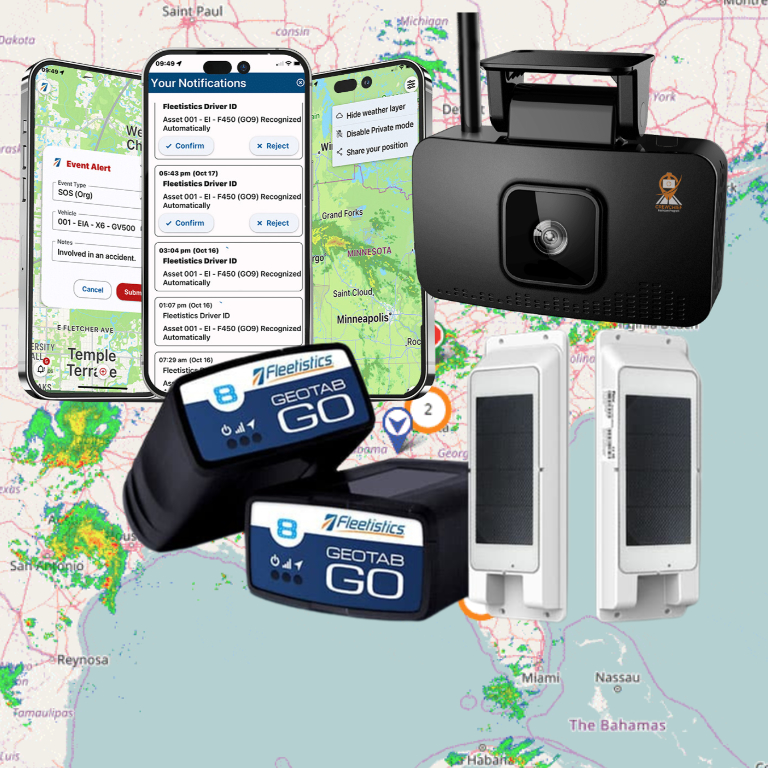
Fleetistics helps fleet operators connect mobile workforce data with the broader systems that manage vehicles, drivers, assets, and daily operations. The result is not simply a digital clock. It is a more defensible labor record and a better foundation for controlling cost.
The right next step is to map one real workday – from the first dispatch to final clock-out – and identify where time is currently lost, guessed, or corrected after the fact. That process will show exactly where mobile time tracking can produce measurable improvement.