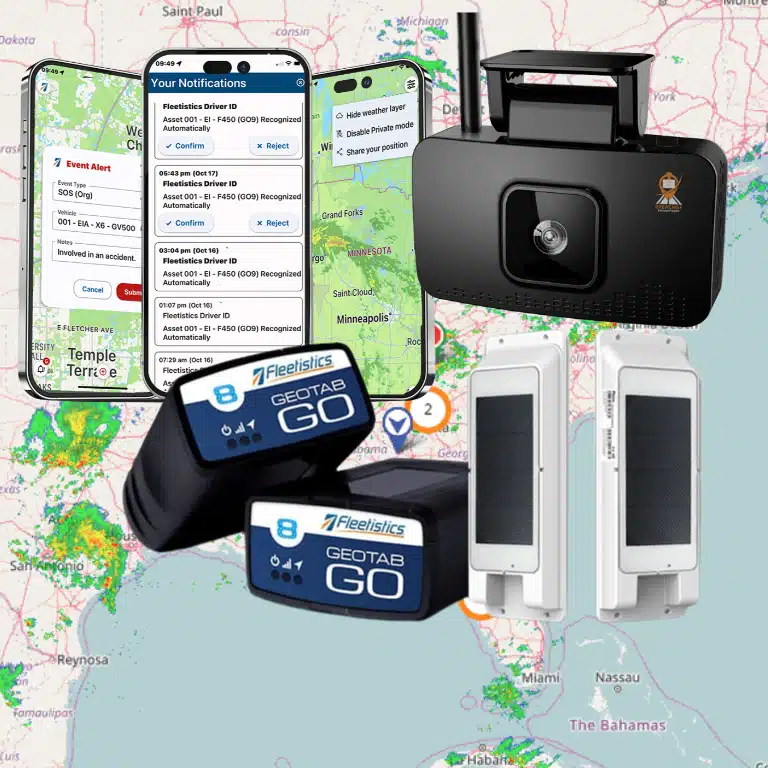
Marine fleet tracking software helps operators understand where vessels are, how they are moving, and when a change needs attention. The right choice depends on operating waters, communications coverage, vessel mix, and the decisions your shore team needs to make—not on a feature list alone.
Discuss your marine fleet requirements
What should marine fleet tracking software help you see?
Start with the decisions the tracking information should support. A dispatcher may need to confirm a vessel’s current position and estimated progress. A manager may want to review trip history, compare planned and actual movement, or know when a vessel enters or leaves a defined area. Safety and operations teams may need alerts that prompt a timely check-in.
Write each use case in plain language. Name who needs the information, when they need it, and what action follows. A concrete example is more testable than a vague promise of advanced tracking. For instance, notify dispatch when a service vessel reaches the work zone. Define success in observable terms. The correct vessel appears under a recognizable identifier, the timestamp is clear, and the intended user receives the alert.
- Live or recent location: Make clear how frequently the platform receives and displays position updates.
- Trip history: Check whether authorized users can review prior routes and timestamps to answer operational questions.
- Geographic alerts: Identify the zones and entry, exit, or dwell events that matter to your operation.
- Shared visibility: Decide which dispatchers, managers, and other approved users need access.
- Operational context: Determine whether location should be viewed alongside schedules, vessel identifiers, or other business records.
Tracking is most useful when a team has a defined response. Agree who owns an alert and what counts as an exception before configuring notifications. Too many low-value alerts can make important ones easier to miss. For example, a late report might first go to dispatch for a routine check; a missed check-in during an active work assignment may follow a separate escalation path. Keep both rules written down.
How do operating waters and coverage affect the choice?
Marine operations can move between harbor, coastal, inland, and more remote areas. A tracking approach that works near shore may not provide the same update frequency or connectivity farther away. Map routes and work areas the vessels actually use, including seasonal routes, anchorage locations, and known coverage gaps. Mark where a vessel needs frequent visibility and where periodic reporting may be enough.
Ask providers to explain the communications method for each proposed device and the conditions under which position reports are transmitted. Clarify whether the displayed location is current, delayed, or the last reported position. An old position should be visibly distinguished from a fresh update so a user does not assume the vessel is still there. Ask what users see when transmission stops, not only what happens during normal operation.
Global Fishing Watch’s guide discusses vessel tracking practices and the use of AIS and vessel monitoring systems. Its focus is fishing-vessel monitoring, so use it as context for those practices rather than as a universal specification for every commercial fleet: Vessel Tracking Best Practices Guide summary.
Before selecting equipment, document what happens when a vessel is outside a coverage area, loses power, or cannot transmit. Ask whether the device stores or forwards information, if applicable, and how the platform marks gaps. Do not assume every system supports the same communications options. A coverage map is a starting point; the pilot should test actual routes and show how delayed or missing reports appear to users.
How should you define coverage and reporting requirements?
Turn route information into measurable requirements before comparing providers. List the areas where the fleet must be visible, the longest acceptable interval between updates for each task, and the people who need an alert when a report is late. A harbor operator may value frequent updates during a maneuver, while a vessel traveling farther offshore may need a different communications plan and a clear indication that a position is delayed.
Separate three related questions: Can the device determine a position? Can it transmit that position from the operating area? And can users interpret the result correctly? A system can answer the first question but still leave a gap in the second or an unclear timestamp in the third. Ask for a demonstration using a realistic route, not a generic map view. Have the provider walk through both a normal update and a simulated interruption.
Build a route matrix. For each vessel group, record the usual operating area, expected reporting need, communication constraints to investigate, and the shore role that acts on a missed update. This avoids treating every vessel as identical. A harbor launch used for short assignments may call for a different reporting pattern than a workboat that spends extended periods farther from shore. The matrix also highlights where a single device or reporting approach may not be suitable for the whole fleet.
Document the shore team’s interruption procedure as well. It might include checking the last known position and its time, contacting the crew through an established channel, recording the event, and escalating it after a defined period. Tracking data does not replace communication or judgment. Make sure staff know which source of information is authoritative when the platform and a direct crew update differ.
Which workflows should you evaluate first?
Choose a few recurring workflows and trace them from start to finish. A tracking system should fit the work crews and the shore team already perform, while making relevant information easier to use. Sketch the present workflow before a demo so you can tell whether a proposed system removes friction or simply adds another screen.
- Dispatch and assignment: Can dispatch identify an available vessel and communicate an assignment without relying on a separate, disconnected view? Test how the operator distinguishes similarly named vessels.
- Arrival and departure: Can the team confirm that a vessel reached a work area or left a location, and review the event later? Check how the system handles a boundary that sits close to a neighboring berth or work zone.
- Exception response: If a vessel is delayed or a location report stops, who investigates and how do they contact the crew? Set a clear owner and a next step for each alert type.
- Trip review: Can a manager answer routine questions about movement without manually assembling records from multiple sources? Try retrieving a specific date and vessel, then explain the result to someone unfamiliar with the interface.
- Reporting: Can supervisors see useful measures for their work, such as trips, time at locations, or exceptions, without unnecessary detail? Identify who reviews the report and what decision it supports.
Keep the initial scope narrow. If your first objective is reliable vessel visibility, validate that before adding unrelated capabilities. Fleetistics’ overview of GPS fleet tracking provides background on location data, while its satellite tracking add-on can provide remote-asset coverage. Confirm that any proposed device is suitable for marine installation and use; do not assume a land-vehicle product is vessel-ready.
Also check the handoff between shore and vessel. If dispatch changes an assignment, determine how crew members receive the update and how the team knows it was acknowledged. If the platform does not handle that exchange, document the separate communication method. This distinction prevents a location display from being mistaken for a complete dispatch or safety process.
How should you compare tracking approaches?
Use a requirements table to separate essential needs from preferences. Ask each provider to demonstrate the same scenario with your routes, user roles, and alert conditions. Treat connectivity, installation, and support as part of the solution rather than afterthoughts.
| Evaluation area | Questions to ask | What to verify in a pilot |
|---|---|---|
| Position updates | How often does the device report, and how does the interface show a delayed report? | Compare reported positions with known vessel movements and confirm timestamps are clear. |
| Coverage | Which communications method applies on each route, and where are likely gaps? | Test representative operating areas, including locations with weaker connectivity. |
| Alerts and zones | Can the team configure useful arrival, departure, or exception alerts? | Confirm alerts reach the right people and do not create avoidable noise. |
| Installation and durability | What mounting, power, environmental, and service requirements apply aboard each vessel? | Have qualified personnel verify installation fit and operational reliability. |
| Access and reporting | Can users see information relevant to their roles and export or share appropriate reports? | Test dispatcher, manager, and administrator workflows with approved accounts. |
| Integration | Can location data connect to systems your team already uses, and what setup is required? | Validate data fields, update behavior, ownership, and maintenance responsibilities. |
| Total effort | What hardware, connectivity, installation, training, and ongoing administration are involved? | Record internal workload as well as subscription and equipment costs. |
Compare the full operating effort, not only the device or subscription price. Include installation labor, connectivity, user training, ongoing administration, and the cost of managing separate systems. A lower-cost option may be appropriate if it meets essential requirements with acceptable reporting and support. Conversely, a broader platform may add little value if users cannot get dependable reports in the areas where vessels work.
Weight the requirements before scoring options. Mark each item as required, preferred, or out of scope, then give the most operationally important requirements greater weight. For example, if delayed positions could disrupt a time-sensitive assignment, freshness and interruption handling may matter more than a customizable dashboard. Use the same weights for each demonstration and record evidence, not impressions. A brief note such as “dispatcher found the last update timestamp in two steps” is more useful later than “easy to use.”
What should you check about vessel devices and data?
Marine installations have practical constraints that differ from ordinary vehicle installations. For each vessel, record the power source, mounting options, exposure to water and vibration, maintenance access, and any onboard equipment that could affect installation. Ask for written device specifications and have a qualified installer confirm suitability. Do not rely on a sales demonstration to establish environmental fitness.
Make an installation checklist for each vessel class. Confirm where a device can be mounted, how it will receive power, whether cables or antennas need protected routing, and how technicians will reach the equipment for service. Ask who is responsible for installation approval and what inspection is needed after fitting. These questions are particularly useful when vessels differ in age, layout, or onboard systems; a single installation assumption may not fit all.
Decide what data is necessary. Position and timestamps may be enough for a visibility project. Other operating information can add context, but it should have a defined use and a responsible owner. Confirm who can view location history, how long records are retained, and how access changes when roles change. Avoid collecting additional information simply because a platform can display it.
Provide clear notice to personnel who may be affected by tracking. Explain what is collected, why it is used, who can view it, and how questions are handled. Establish a written policy and a process for correcting access or data issues. Fleetistics offers resources on introducing GPS tracking and building employee buy-in and on creating a written driver policy; adapt the principles to the roles and rules in your marine operation.
How can a pilot show whether the system fits?
A practical pilot should test representative vessels and real operating conditions, not just a successful demonstration at the dock. Define acceptance criteria before the pilot begins. For instance, require users to distinguish current from delayed locations, receive a high-priority zone alert, and retrieve a trip record without assistance. Write down which routes and work periods count as representative.
- Select vessels that represent different routes, equipment, and connectivity conditions.
- Assign a dispatcher, manager, and crew contact to test their respective workflows.
- Record update freshness, missed or delayed reports, alert usefulness, and time spent resolving exceptions.
- Test system behavior during connectivity interruptions and document what users see.
- Review data access, training needs, support process, and internal work required to maintain the setup.
Use a simple log for each test: date and route, vessel identifier, expected event, system result, user action, and follow-up. If an arrival alert did not fire, for example, note whether the geofence boundary was poorly placed, the report was delayed, or a user setting was incorrect. That diagnosis is more actionable than labeling the whole test a failure.
At the end, compare observed results with the requirements table. Separate a product limitation from a setup issue, a connectivity constraint, or a training gap. Decide what must change before expansion, and identify the person responsible for each action. Do not expand simply because the map looks clear in a meeting; expand when users can complete the defined tasks under conditions similar to their day-to-day work.
How should you plan rollout and adoption?
A good pilot produces a rollout plan, not just a yes-or-no decision. Identify the vessel groups to add first, the installation sequence, the accounts and permissions each role needs, and the training format. Include a named owner for device records, user access, alert changes, and routine review. These small responsibilities can otherwise become invisible work that falls between departments.
Prepare a short operating guide with the essentials. Cover how to identify a vessel, how to interpret the freshness indicator, and where to find trip history. Also name who receives each alert and what to do during a reporting gap. Use realistic examples rather than a long feature catalog. Ask a dispatcher to follow the guide during a normal shift and note any step that remains unclear.
Set a review date after launch. Examine whether alerts are useful, whether users can retrieve the information they need, and whether route or user changes require an adjustment. When a vessel is renamed, reassigned, or removed from service, update its platform record and permissions promptly. A modest governance routine helps keep the displayed fleet aligned with the real operation.
What questions should you ask a provider?
- What equipment is designed and approved for the vessel environment we operate in?
- How are position updates transmitted on each route, and what does a coverage gap look like?
- What is the difference between a live position and the last known position in the interface?
- Which alerts can we configure, and how are alert delivery and escalation managed?
- What installation, connectivity, user training, and ongoing administration are required?
- What data can be integrated with our current systems, and what implementation work is needed?
- How are user permissions, location history, and data retention managed?
- Can we evaluate the solution using our vessels and operating scenarios before committing to a broader rollout?
Fleetistics provides modular GPS tracking and telematics solutions and is a long-running Geotab distributor. Vessel operators should confirm the specific hardware, connectivity, and configuration fit for their use case rather than assume a standard vehicle setup applies. Review GPS tracking hardware options and data integration considerations as part of your evaluation. Fleetistics has served fleets since 2001; the Geotab relationship is relevant context, but the right equipment and configuration still depend on the vessel and operating conditions.
Before you choose, ask the provider to show how a dispatcher would answer three ordinary questions. Where is the vessel now? When was that position reported? What should you do if the report is no longer current? Then test one exception and one routine trip review. That brief exercise exposes gaps in timestamps, alert ownership, and user experience that a feature checklist can miss.
Book a consultation about your tracking needs
Frequently asked questions
Is AIS the same as marine fleet tracking software?
No. AIS is a vessel identification and broadcast system, while a fleet tracking platform is a management tool that may use different sources of location data and present them in operational workflows. Confirm which data source a proposed system uses and whether it fits your fleet and operating area.
Can vehicle GPS hardware be installed on a boat?
Do not assume so. Check the device’s documented environmental and installation requirements, vessel power needs, and communications coverage, and have a qualified installer confirm suitability.
How often should vessel locations update?
There is no single update interval for every operation. Define the response time your use case requires, then compare it with actual reporting frequency and connectivity conditions across your routes.
What is the best first step before buying?
Map the vessels, routes, users, and decisions the system needs to support. Use that information to build a short requirements table and run a pilot against real operating scenarios.
Ready to evaluate your marine fleet needs?
Start with the visibility and response questions that matter most to your operation, then validate coverage, installation fit, and user workflows with a representative pilot. A focused evaluation helps you choose a solution that supports the work without adding unnecessary complexity.
Contact Fleetistics to discuss your fleet requirements
Next steps
Use your pilot findings to document the required changes, owners, and decision criteria before expanding to additional vessels.