


The best fleet vehicle diagnostics solutions help you turn engine and vehicle data into clear maintenance decisions. The right choice depends on what you need to detect, how quickly you need to act, and whether the information fits your existing shop and dispatch workflows. A useful comparison looks beyond the dashboard to the full path from a vehicle alert to a documented repair.
Discuss your fleet diagnostics needs
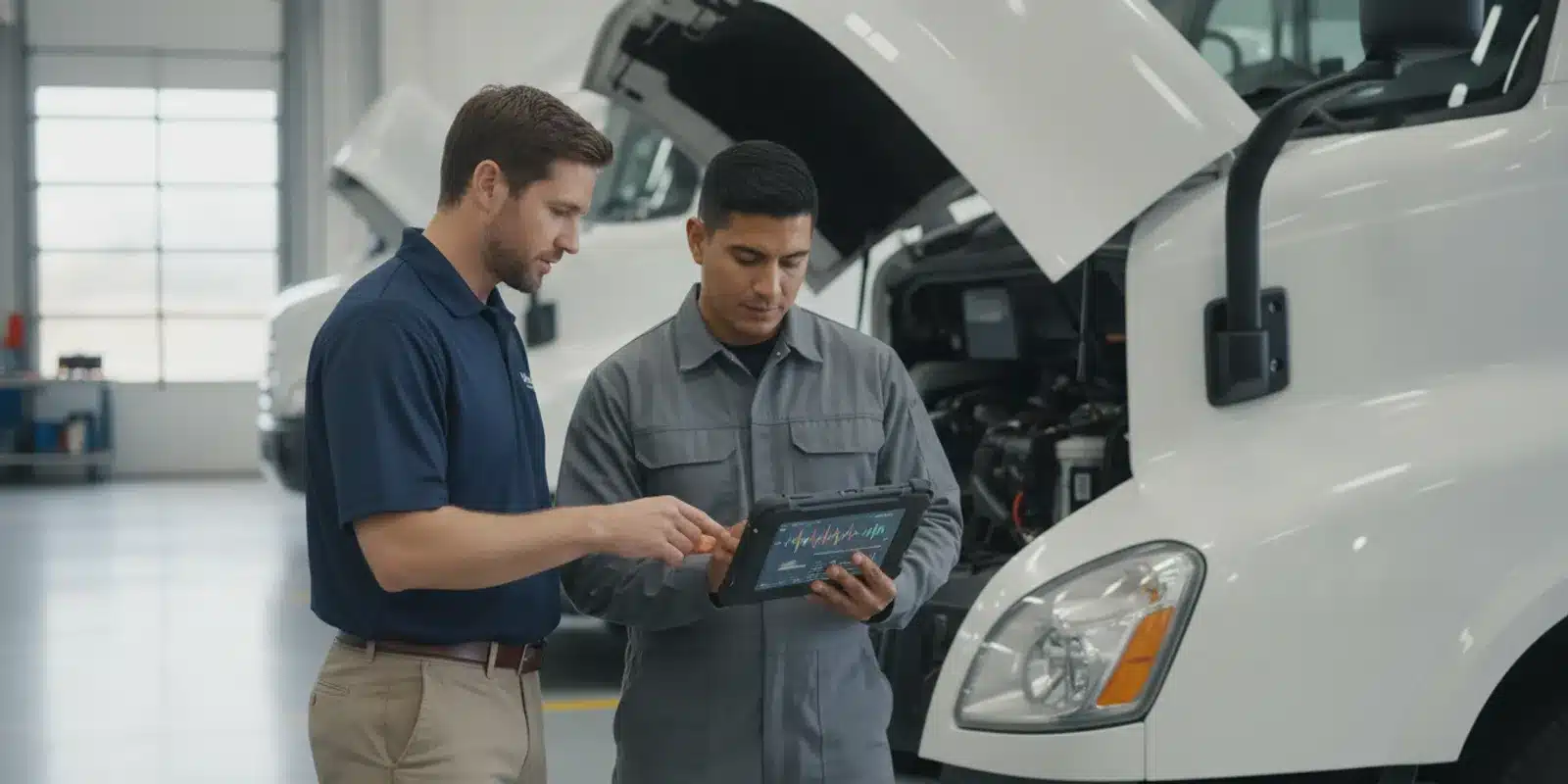
What should fleet vehicle diagnostics tell you?
Diagnostics can include fault codes, engine and vehicle data, and alerts that help a team investigate a symptom. But an alert is not the same as a confirmed mechanical diagnosis. Treat the data as a starting point for timely review, not as proof that a particular part has failed or a repair is required.
Before comparing systems, write down the decisions you want the information to support. For example, do you need to identify a vehicle that requires prompt inspection, prioritize shop appointments, understand repeated faults, or keep a more complete maintenance record? Clear questions prevent a feature list from driving the purchase.
- Earlier review: Identify a vehicle signal that should be checked before the next planned service.
- Consistent triage: Help managers distinguish an urgent alert from one that can be reviewed during routine maintenance.
- Better work records: Connect the initial alert, inspection, repair decision, and closeout information.
- Fleet-level insight: See whether patterns repeat by vehicle, asset type, operating conditions, or time period.
Those outcomes require more than device connectivity. They depend on usable data, sensible alert rules, people who know what to do next, and a process for recording what was found.
A practical way to define the need is to follow one recent maintenance case from beginning to end. Note when the driver first noticed a symptom, how the shop learned about it, what information was available before inspection, and where the final decision was recorded. Then identify delays or missing details. This simple exercise gives vendors a concrete scenario to demonstrate and gives your team a baseline for judging whether a new process is genuinely easier.
Which capabilities matter most when you compare options?
Use a consistent scorecard for every option. Ask vendors to demonstrate the same real-world scenarios with the same types of vehicles and users. The objective is not to collect the longest feature list; it is to establish whether each solution can support your operating process.
Diagnostic depth and vehicle coverage
Start by confirming what data the system can collect for your actual vehicles, model years, and equipment. Ask which diagnostic codes and live or historical data points are available, how often information updates, and whether coverage varies by vehicle. Avoid assuming that a device offers identical data across every make and model.
Ask for a demonstration using a representative vehicle in your fleet. Review what a manager sees when a fault appears, what details are available to a technician, and what happens when the vehicle is offline or the data point is unavailable. If you operate mixed vehicle and non-vehicle assets, evaluate those separately rather than assuming one device or data path fits all.
Prepare an inventory before the meeting: vehicle make, model, year, relevant equipment, and any unusual operating or connectivity conditions. Select examples from the largest and smallest groups in your fleet, along with vehicles that use different powertrains or configurations where applicable. Ask the provider to mark each requested data point as supported, limited, or unconfirmed. That record helps prevent a successful demonstration on one vehicle from being mistaken for universal coverage.
Alerts that support action
A diagnostic platform should make it possible to understand what triggered an alert, when it occurred, and which vehicle is involved. Evaluate how alerts are prioritized and delivered. Can the team route important notices to the people responsible for review? Can you control noise from repeated or low-priority signals without hiding meaningful issues?
Ask whether alert rules can be adjusted to fit your maintenance process. During a pilot, track alerts that prompted an inspection, alerts that proved irrelevant to your workflow, and alerts that were missed or reviewed too late. That evidence is more useful than a general promise that a system offers real-time notifications.
Walk through a sample alert lifecycle. The system identifies an event; a designated manager checks the vehicle and context; the manager assigns a review or documents why no immediate action is needed; maintenance staff record findings; and the alert is closed or monitored according to your policy. Check whether users can see ownership and status at each handoff. If the platform cannot manage one of these steps, decide how your existing tools will fill the gap.
Reports that answer operational questions
Reports should help you see more than a list of codes. Look for ways to filter and compare vehicles, dates, fault categories, and maintenance outcomes. Check whether managers can identify repeat occurrences and share a clear record with the shop or service provider.
Test a report with the people who will use it. A useful report should make it easy to answer: Which vehicles need attention? What has happened before? What action was taken? Is the same condition appearing again? If answering these questions requires exporting several files and rebuilding the information by hand, include that effort in your evaluation.
Ask for a report that covers a defined period and includes a handful of actual fleet scenarios, with identifying information removed if necessary. See whether the report distinguishes a new event from a repeat event, displays dates clearly, and lets an authorized user move from a summary to vehicle-level detail. Managers may need a concise exception list for weekly review, while maintenance staff may need a fuller history. Check that each audience can get the appropriate view without manually rebuilding the same report.
Maintenance workflow and records
Diagnostic information creates value when it reaches a responsible person and leads to a recorded decision. Determine whether the solution can connect an alert to inspection notes, a work order, a service date, or an existing maintenance process. Clarify which steps happen in the system and which remain manual.
Ask how a manager can close the loop. Can the team record that an alert was inspected, explain why no repair was needed, and note the completed work? Is there a way to review unresolved alerts so they do not disappear in an inbox? A good workflow supports accountability without requiring duplicate entry in multiple places.
Agree on a small set of fields that make a record useful, such as vehicle identifier, event date, assigned owner, inspection result, work performed or deferred, and next review date. The purpose is not to create extra paperwork. It is to make the next person able to understand what happened without chasing a driver, technician, or manager for missing context. Confirm which fields are required and whether users can add notes from the place where they do the work.
Integrations, access, and support
Map the systems that need diagnostic information: fleet management, maintenance, dispatch, or reporting tools. Ask what integrations are available, whether data can be accessed through an API, what setup is required, and who maintains the connection. Confirm that the information can be exported in a usable format if your process changes.
Also evaluate practical support. Who helps with configuration, user onboarding, and troubleshooting? What is the escalation path when vehicle data does not match expectations? The company profile and support model matter because a sophisticated tool still needs a workable implementation.
Do not stop at asking whether an integration exists. Ask which specific information moves in each direction, how often it updates, how duplicates or errors are handled, and who investigates a failed transfer. If integration is not part of the initial rollout, document the manual handoff and the person responsible for it. This makes the operational cost visible and avoids treating a future possibility as a current capability.
How do common fleet diagnostics approaches compare?
There is no single best approach for every fleet. Compare options against the needs you identified, including total workflow effort, the vehicles involved, and how your team will respond to information.
| Approach | Useful for | Questions to ask | Tradeoffs to evaluate |
|---|---|---|---|
| Basic onboard-code reader or local scan | One-time checks or a small number of vehicles already at a shop | Who performs the scan? Where are results recorded? Can you compare history? | May require a person to be physically with the vehicle; fleet-wide visibility may be limited. |
| Telematics-based vehicle diagnostics | Teams that want vehicle data and alerts connected to broader fleet operations | What data is supported by each vehicle? How are alerts routed and reviewed? | Coverage and data detail can vary; alerts need a defined follow-up process. |
| Maintenance platform with diagnostic inputs | Organizations focused on turning findings into work orders and service records | Can diagnostic information be linked to inspections, work, and closeout notes? | Confirm data availability and whether integrations or manual steps are needed. |
| Combined fleet platform and maintenance workflow | Fleets seeking connected visibility across vehicles, users, and service actions | Can users see the right information without duplicating work across tools? | Configuration, training, and fit with existing processes need careful review. |
Use the table as a screening aid, not a ranking. A compact operation with an established repair shop may need a simple way to capture scan results. A distributed fleet may place more value on remote visibility, alert routing, and shared history. A larger or more varied operation may need integration and reporting controls to keep teams aligned.
Consider the difference between data collection and action management. A scan tool can provide useful information at the point of service, but someone still needs to make the result available to the right people and preserve the history. A telematics approach may surface information while vehicles are in operation, but teams need to determine who reviews it and how it becomes a maintenance task. A maintenance-first platform may organize work well while depending on another source for vehicle signals. The best fit is the combination that closes the gaps in your current process without adding unnecessary complexity.
How should you evaluate Fleetistics as an option?
Fleetistics provides fleet management solutions built around GPS tracking and telematics, including Geotab technology. For a diagnostics evaluation, focus the discussion on the particular vehicles, data needs, alert process, and maintenance tools your team uses. Ask how the proposed configuration fits those requirements rather than assuming any platform provides the same data for every vehicle.
Fleetistics has served fleets since 2001 and combines technology with implementation and support. Its platform approach is modular, so ask which capabilities match your operation and what can be added as needs change. A guide to interpreting engine data can help your team frame questions about turning vehicle information into useful follow-up.
During a consultation or demonstration, bring a short list of representative vehicles and a recent maintenance scenario. Ask to see the path from available vehicle data to an alert, review, shop action, and record. You can also explore Fleetistics’ Geotab GO10 device information and its overview of how GPS fleet tracking works as context for the broader telematics setup.
Keep the conversation grounded in your requirements. A useful proposal should identify the proposed devices or configuration, supported information for the vehicles you have listed, how your users would access alerts, and what implementation steps are expected. Ask which assumptions still need to be verified during evaluation. This makes it easier to compare the proposal with another option on equivalent terms rather than comparing polished feature descriptions.
What should you ask in a product demonstration?
Prepare the same questions for each provider. Ask for concrete answers and, where possible, ask the presenter to show each step on screen.
- Vehicle fit: Which of our vehicles can provide the data we need, and where are the known differences?
- Alert example: Show what a manager and a technician see when a diagnostic event occurs. How is its priority explained?
- Escalation: How can the alert reach the correct person, and how do we see that someone reviewed it?
- Maintenance connection: Can we associate the event with a work order or service record? What must be entered manually?
- History and reporting: Can we find prior events for one vehicle and compare patterns across the fleet?
- Integration: What data can be shared with our current systems, and what setup or ongoing work does that require?
- Implementation: What information, installation steps, and user training are needed before launch?
- Support: Who helps us diagnose data gaps, adjust workflows, and onboard new users?
- Evaluation: What can we measure during an initial evaluation to decide whether the system is useful?
Consider testing a defined sample rather than trying to evaluate every vehicle at once. Include a mix of representative vehicles, drivers or operators, dispatch or fleet staff, and maintenance users. Agree in advance on what success looks like: usable data on the selected vehicles, timely review, clear ownership of follow-up, and records that are easier to find.
Turn the demonstration questions into a simple evaluation sheet. Use one row per requirement and record whether the provider demonstrated it, answered it verbally, or left it unresolved. Add a place for evidence, such as a screen shown, a document supplied, or a follow-up question. Score only the requirements that matter to your operation; a long list of optional features can otherwise obscure a serious gap in vehicle coverage or follow-through.
For a pilot, decide who participates and how long the team needs to observe normal work. Include at least one manager who reviews alerts, one maintenance user who records findings, and a driver or operator who can describe the reporting process. Set a check-in date before launch so the group can discuss alert volume, confusing screens, missing vehicle data, and handoff delays while there is still time to adjust the configuration.
How can you compare cost and operational value?
Compare the complete cost of operating the workflow, not only the device or subscription line. Depending on the proposed solution, ask about hardware, installation, recurring platform charges, configuration, integrations, training, and the internal time needed to review alerts. Confirm what is included and what may require additional work or services.
Then estimate value using your own fleet data. For example, record how many diagnostic alerts were reviewed, how many led to an inspection, whether a recurring issue was identified, and how much staff time was spent assembling information. If you have reliable maintenance records, compare the before-and-after process for time to triage, overdue follow-ups, repeat repairs, and vehicle downtime. Do not assign savings to the platform unless you can connect the change to a measured operational result.
Build a comparison that separates recurring expenses from one-time effort. For each option, note equipment and installation, ongoing access, integration work, onboarding time, and the expected hours spent reviewing alerts and maintaining records. Include the cost of steps that remain manual, such as copying event details into a separate work-order system. The aim is not to force every item into a precise forecast; it is to make assumptions visible and compare alternatives consistently.
Choose a few measures that reflect the problem you set out to solve. A fleet with delayed triage might track elapsed time between alert and review, plus the share of assigned alerts with a documented outcome. A team struggling with repeat issues might review recurring events by vehicle and compare the quality of service notes. If the main burden is compiling history, track how long it takes staff to prepare a usable vehicle record. Set the baseline first and compare equivalent periods, while noting changes in fleet size, season, or operating conditions that could affect results.
Diagnostic systems do not replace technician judgment, scheduled inspections, or applicable emissions and safety requirements. For federal emissions information, consult the U.S. Environmental Protection Agency; use the requirements that apply to your vehicles and jurisdiction. A fleet data platform can inform your maintenance process, but it is not itself a compliance determination.
How do you launch a diagnostics workflow that people will use?
Start with ownership and a simple response policy. Decide who reviews alerts, what makes an alert urgent for your operation, how drivers report symptoms, and who can clear or close an item. Write down the difference between an alert that needs immediate attention and one that should be reviewed at the next planned service. Have qualified maintenance personnel define technical escalation decisions.
Next, configure a manageable set of notifications. Begin with the signals that matter to your team, test recipients and timing, and review whether alerts are actionable. Too many messages can cause alert fatigue; too few can leave meaningful information unnoticed. Adjust rules based on real use, while preserving a record of what changed and why.
Train each role on its part of the process. Drivers need to know how to report symptoms and whom to contact. Fleet managers need to triage and assign follow-up. Maintenance staff need access to relevant vehicle history and a way to record findings. Keep employee communication clear about what vehicle information is collected and how it is used.
Finally, review results at a regular interval. Look for open alerts that lack an owner, recurring conditions, data gaps, and steps that users are bypassing. If the tool is difficult to use, simplify the workflow before adding more alerts or reports. Fleetistics’ training resources may help teams plan user adoption, while its fleet analytics metrics guide offers ideas for measuring operational information.
A phased launch can make the first review more manageable. Begin with a representative group of vehicles and a limited set of useful alerts. Confirm that each alert has a recipient, a response expectation, and a place to document the outcome. After the first review period, ask users what was unclear and check whether records are complete. Expand to additional vehicles or alert types only after the basic handoffs work reliably.
Write down what will happen when data is missing or conflicts with a driver-reported symptom. A manager can verify the vehicle identity and event time, ask the operator for context, and route the concern to maintenance for assessment. Make clear that the platform signal does not override a safety concern or a qualified inspection. A documented exception process helps staff respond consistently without treating every alert as identical.
What mistakes should you avoid?
- Choosing on code count alone: More available data does not guarantee better decisions. Prioritize vehicle fit, interpretability, and follow-up.
- Treating a code as a diagnosis: A code or alert signals that a condition needs review; it does not establish a failed component by itself.
- Ignoring vehicle variation: Verify data availability against the fleet’s makes, models, years, and equipment.
- Sending alerts without ownership: Define who receives, reviews, and documents the next step.
- Skipping the workflow test: Demonstrate how information reaches the person doing the work, not just how a dashboard looks.
- Measuring activity instead of outcomes: Track useful measures such as review time, follow-up completion, recurring events, and record quality—not simply the number of alerts.
Another common mistake is treating a successful short demonstration as proof that the system will fit daily operations. A presenter may show an ideal path using a well-supported vehicle and a prepared example. Ask what changes when the vehicle is in a low-connectivity area, the intended reviewer is unavailable, or the shop uses a separate work-order tool. Those edge cases reveal where your team needs a policy, integration, or fallback procedure.
For a broader look at vehicle information and fleet operations, review Fleetistics’ resources on GPS accuracy, fleet safety solutions, and VMRS and maintenance reporting. The right mix depends on which problems your team is trying to solve.
Talk with Fleetistics about your diagnostics needs
Frequently asked questions
Can fleet diagnostics identify exactly which part has failed?
Not by itself. Diagnostic information can point to a condition or system that needs attention, but a qualified technician may need to inspect the vehicle and verify the cause before a repair decision.
Will every vehicle provide the same diagnostic data?
No. Available data can vary by vehicle and configuration. Confirm support for the specific makes, models, and years in your fleet, and test representative vehicles before relying on a fleet-wide assumption.
Do diagnostic alerts replace preventive maintenance?
No. Alerts can supplement a maintenance program, but they do not replace scheduled service, inspections, manufacturer guidance, or applicable regulations. Keep preventive maintenance and alert follow-up connected in your records.
What should a small fleet prioritize?
Start with reliable coverage for your vehicles, clear alerts, a simple way to document follow-up, and support users can reach. Choose only the reporting and integration complexity your team can put to work.
How should we know whether the solution is working?
Set a baseline and review a small number of practical measures: time to review alerts, completion of assigned follow-up, recurring events, data availability, and staff effort to assemble vehicle history. Compare results over an agreed evaluation period.
Ready to compare diagnostics options?
A consistent evaluation process helps you choose a solution that fits your fleet and turns useful vehicle information into accountable maintenance follow-through. Compare solutions against your own vehicles, maintenance process, and team capacity so the diagnostic data you collect leads to clear, documented action.
Contact Fleetistics to discuss your fleet requirements
Previous: Interpreting Engine Data to Empower Actionable Fleet Data | Next: Fleet Analytics Metrics Every Director Should Track



