A missed oil change, an unexplained fuel spike, and a driver calling for directions can look like separate daily problems. For a fleet manager, they are usually signs of the same issue: limited operational visibility. Fleet telematics software turns vehicle and driver activity into usable information, so teams can act before small exceptions become missed service, customer delays, safety events, or unnecessary cost.
The value is not a dot moving across a map. It is the ability to connect location, vehicle data, driver behavior, work orders, compliance records, and business rules to the decisions your operation makes every day. When the system is configured around real fleet workflows, it can help reduce fuel waste, improve accountability, protect drivers, and keep more vehicles available for work.
What Fleet Telematics Software Should Do
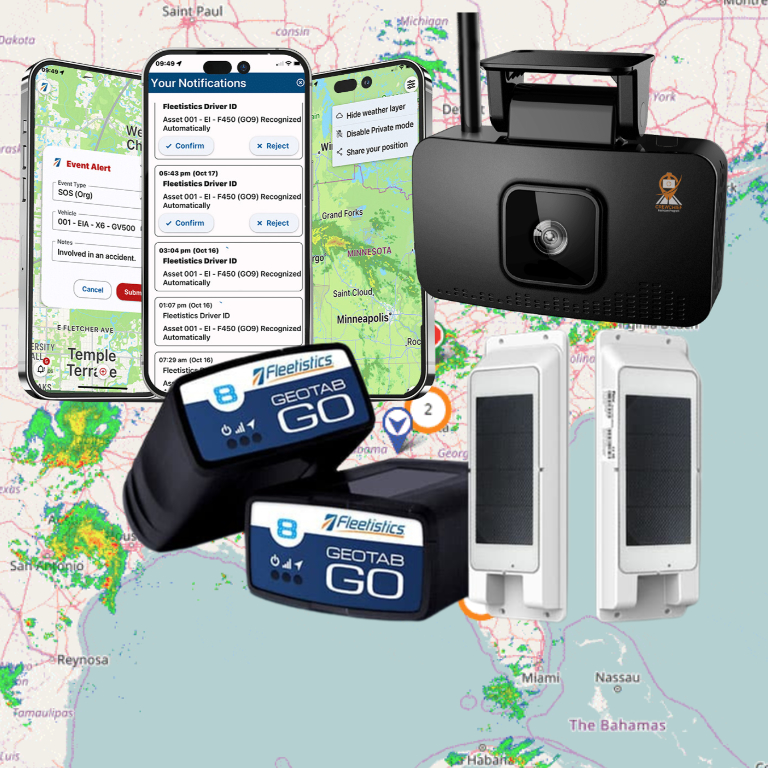
At its core, telematics combines GPS location data with information from a vehicle, mobile device, camera, or asset tracker. That data can include speed, idle time, harsh braking, engine fault codes, mileage, ignition status, hours of service activity, and more. The software organizes those inputs into alerts, reports, maps, dashboards, and automated workflows.
For a field-service operation, the immediate priority may be dispatch visibility and accurate arrival times. For a regulated carrier, it may be ELD records, DVIR completion, and HOS rule management. A public works fleet may need better control of equipment, utilization, and maintenance schedules across departments. The technology is similar, but the operating goals are not.
That distinction matters. A basic tracking deployment can be the right first step for a small fleet that needs location history, geofences, and theft recovery. Larger fleets often need a connected platform that brings together GPS tracking, dashcams, maintenance, fuel controls, routing, mobile workforce tools, and existing business systems. Buying more technology than your team can use creates friction. Buying too little often leaves the same manual processes and blind spots in place.
Where Telematics Produces Measurable Results
The strongest telematics programs are built around a defined operational problem, not a generic goal to “get more data.” Start with the cost or risk that is already affecting the business, then determine which data and workflow can improve it.
Fuel and route control
Fuel costs rise for several reasons: excess idling, unauthorized vehicle use, inefficient routing, speeding, poor dispatch coordination, and maintenance issues. GPS data can expose where these patterns happen and whether they are isolated or systemic. Managers can use idle alerts, geofence reports, route history, and fuel transaction data to investigate exceptions without reviewing every trip.
The trade-off is that alerts need practical thresholds. An idle policy for a service van in Florida may differ from one for a utility truck operating in winter conditions. A useful program accounts for equipment needs, jobsite requirements, and local operating conditions rather than treating every engine-on event as waste.
Safer driving and fewer preventable incidents
Speeding, hard braking, rapid acceleration, sharp turns, and seat belt exceptions can indicate elevated risk. AI-enabled dashcams add context by showing what occurred before and during a safety event. That helps safety teams distinguish a true coaching opportunity from a necessary evasive maneuver.
Driver-facing safety programs work best when expectations are clear and coaching is consistent. Telematics should not become a tool for surprise discipline based on a single event. Use trends, verified video, and documented policies to recognize good performance and address repeat behavior fairly. That approach improves adoption while giving the organization a stronger record of active risk management.
Maintenance planning and uptime
A vehicle that fails on the road creates costs far beyond the repair invoice. There is towing, lost labor, disrupted customer schedules, replacement equipment, and pressure on the rest of the fleet. Odometer readings, engine hours, diagnostic trouble codes, inspection results, and maintenance history can give maintenance teams earlier warning.
Software is most useful when it supports a repeatable process: receive the alert, confirm the issue, create a work order, assign responsibility, document repairs, and return the vehicle to service. If fault codes remain in a dashboard with no maintenance workflow behind them, the fleet has visibility but not control.
Compliance and paperwork reduction
Commercial fleets face ongoing demands around HOS, ELD logs, DVIRs, IFTA reporting, driver documentation, and vehicle records. Paper forms and disconnected spreadsheets make compliance harder to verify and more expensive to manage. Digital workflows can prompt required actions, identify missing inspections, preserve records, and reduce the time spent chasing paperwork.
Automation does not remove management responsibility. Teams still need policies, training, exception review, and a process for correcting errors. It does reduce avoidable administrative work and gives supervisors faster access to the records they need during an audit, roadside inspection, or internal review.
How to Choose Fleet Telematics Software
The right system should fit your operation now and provide a realistic path for growth. During evaluation, focus less on the longest feature list and more on whether the platform can support the work your team needs to complete.
Consider these five questions:
- Can the platform scale from essential GPS tracking to safety, compliance, maintenance, and workforce tools without forcing a full replacement?
- Does it support the vehicles, trailers, equipment, and mobile assets you need to manage, including mixed fleets?
- Can it integrate with dispatch, payroll, fuel, maintenance, ERP, or customer systems through proven connections or APIs?
- Are reporting, alert rules, permissions, and dashboards configurable for different roles and operating groups?
- Does the provider offer deployment guidance, hardware options, training, and support after installation?
Hardware choices also affect results. Plug-in devices can make sense for lighter-duty fleets that need a quick, low-investment rollout. Hardwired devices may be better for long-term vehicle deployments or when tamper resistance matters. Cameras require careful installation planning, driver communication, and a clear video retention policy. Asset trackers should match the power source, environment, reporting frequency, and expected movement of the equipment.
Ask vendors to show how a real exception moves through the system. For example, if a vehicle records a severe fault code, can a manager receive an alert, see the vehicle location, create a maintenance task, notify the driver, and document the repair? A polished dashboard matters less than the speed and clarity of that operating process.
Build the Program Before You Install Devices
Telematics deployments gain traction when leaders define success before the first device is installed. Establish a baseline for the issue you want to improve. That might be monthly idle hours, preventable incidents, out-of-service events, unauthorized mileage, late arrivals, or maintenance compliance. Without a baseline, it is difficult to prove return on investment or identify where the program needs adjustment.
Next, assign ownership. Operations may own routing and utilization. Safety may own event review and coaching. Maintenance may own diagnostic alerts and preventive service compliance. Finance may monitor fuel exceptions and utilization costs. Everyone can use the same data, but each workflow needs a person accountable for acting on it.
Driver communication deserves the same attention as hardware installation. Explain what is being deployed, what data is collected, how events are reviewed, and how the program supports safer operations. Drivers are more likely to accept telematics when it helps resolve false customer claims, documents job arrival, reduces unnecessary check-in calls, and recognizes consistent safe driving.
A phased rollout is often smarter than trying to activate every module on day one. Begin with the metrics that have the clearest business case, train the users who will manage them, and refine alert settings after actual field use. Once the team has a working routine, add capabilities such as AI video, electronic inspections, fuel controls, or deeper integrations.
Turn Data Into Daily Control
The difference between a tracking system and a fleet management program is what happens after an alert appears. Daily review should focus on exceptions that require action, not on watching every vehicle. Weekly reviews should identify trends by driver, vehicle class, location, route, or department. Monthly reviews should connect those trends to operating costs, safety performance, maintenance availability, and service levels.
Fleetistics approaches telematics as part of a modular fleet technology strategy, allowing organizations to start with the control they need and add connected capabilities as operations change. That flexibility matters when a fleet is growing, acquiring new vehicle types, adding regulated work, or replacing disconnected systems.
The practical next step is to identify one recurring operating problem that is expensive, risky, or time-consuming, then define the data, alert, owner, and response process needed to improve it. That is where fleet telematics becomes less about collecting information and more about running a more accountable fleet.