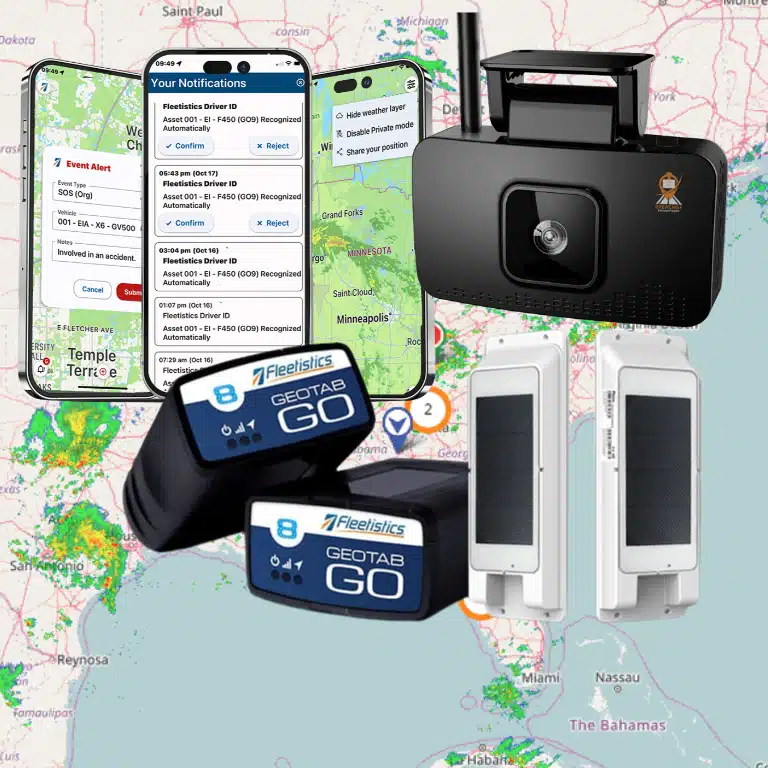
To choose video telematics for a mixed vehicle fleet, start with the work each vehicle does, the risks you need to address, and the decisions your team will make with the resulting data. Then compare camera coverage, installation, event review, coaching, storage, and integrations against those needs. A thoughtful fit matters more than giving every vehicle the same hardware.
Contact Fleetistics about your fleet
Why does a mixed fleet need a different evaluation?
A mixed fleet can include pickups, vans, heavy trucks, buses, or specialized vehicles. They may share a dispatch team, but their sight lines, daily routes, driver tasks, vehicle electrical systems, and exposure to risk can differ substantially. A camera view that is useful in a delivery van may not show the relevant area around a larger vehicle.
Video telematics combines recorded video with vehicle and operational data. When the system connects a clip to information such as vehicle location, speed, or an event timestamp, a reviewer can examine more context than video alone provides. The Federal Motor Carrier Safety Administration’s guidance for commercial motor vehicle carriers discusses video-based onboard safety monitoring alongside telematics-based monitoring. Use that as a reference for considering how video and vehicle data can complement one another, not as a substitute for evaluating your own operating requirements.
Start by writing down the decisions you want to improve. Are you reviewing reported collisions, coaching around repeatable driving behaviors, resolving customer concerns, or understanding how a vehicle was used? Those are different workflows. Your answers determine which cameras, data, permissions, and retention settings you need.
Which vehicles, tasks, and risks should you map first?
Build a simple inventory before comparing devices or platforms. Group vehicles by body type and use, not just by department name. Note who drives each group, whether routes are local or long-distance, whether vehicles operate at night, and which incidents or claims are most important to investigate.
- Vehicle profile: Record vehicle class, cab layout, windshield shape, existing telematics hardware, and any unusual electrical or mounting constraints.
- Work profile: Describe typical routes, stops, loading activity, passenger or customer interaction, and whether a vehicle is shared among drivers.
- Risk profile: Identify the situations you need to understand, such as close following, hard braking, backing, intersection events, or disputed damage.
- Decision owner: Name the role that reviews an event and the people who can take action, such as a supervisor, safety lead, or maintenance team.
- Data boundary: Decide what is appropriate to record, who may view it, and how long a clip should remain available for a legitimate business purpose.
Turn the inventory into a few vehicle groups. For example, a local service fleet may have light vans used for frequent customer stops, pickups that tow equipment, and larger trucks with more complex blind spots. The point is not to create a unique design for every unit. It is to identify where one configuration works and where a meaningful difference requires another.
Consider a fleet safety solution as part of a wider program, rather than treating a camera as a complete safety policy. If your key question is what video plus vehicle data can reveal, review the dashcam and tracker combination in the context of those specific use cases.
How should you compare camera coverage?
Camera count alone does not tell you whether a system fits. Make a view-by-view coverage plan. List the perspective required, the vehicle groups that need it, the event it supports, and any privacy or operational limits that apply. Typical options include a road-facing view, a driver-facing view, or additional views of a vehicle’s sides or working area, where the system supports them.
- Road-facing: Can help add visual context to events occurring ahead of the vehicle, such as a sudden stop or a reported collision.
- Driver-facing: May support review of behaviors or conditions in the cab, but requires clear governance, notice, and a defined reason for access.
- Additional exterior views: Can be relevant for larger vehicles, backing, or areas where the driver’s direct view is limited. Confirm that the view captures the operating area you actually need.
- Optional interior 360-degree cargo-area views: Where a system supports them, an interior view can help monitor cargo handling and provide context when investigating potential theft. Confirm the coverage, privacy expectations, and fit for the vehicle and cargo layout.
- Vehicle-specific combinations: A small van, a pickup with a trailer, and a heavy truck may call for different views and mounting positions.
Ask for a demonstration using vehicle types like yours. Check the actual field of view from the proposed mounting location, how the image looks in low light, whether glare or vibration affects it, and what happens when the windshield or vehicle configuration changes. Confirm how the system signals that a camera is obstructed or unavailable, if that capability is offered.
Do not assume that the most cameras are automatically the best choice. Each added view can affect installation effort, review volume, privacy expectations, and storage. Select coverage based on a documented question that the footage is meant to answer. Fleetistics’ in-cab video overview can help frame the discussion about what recorded views may contribute to fleet operations.
What installation questions matter across vehicle types?
A configuration that works in one vehicle may be awkward or unreliable in another. Ask the provider to identify the proposed mounting location, power connection, cable routing, and any vehicle-specific exceptions. Include vehicles with aftermarket equipment, unusual dashboards, trailers, or frequent changes in windshield and cab configuration.
Clarify what installation involves and who is responsible for each step. For a pilot, record the configuration installed in each vehicle group, the date, the installer, and any issue that required a different approach. A consistent record makes it easier to distinguish a platform problem from a vehicle-specific installation issue.
- Confirm the camera view from the driver’s normal seating position and check that equipment does not block safe visibility.
- Review cable routing and mounting for durability in the vehicle’s working conditions.
- Determine whether installation can be completed during a scheduled service window or requires the vehicle to be unavailable for longer.
- Ask how replacement vehicles, newly added vehicle groups, and device swaps will be handled.
- Define who verifies that the camera is recording and the data is reaching the platform after installation.
Distinguish a standard installation from a hardwired option. They can involve different tradeoffs in power, data, and installation requirements; do not assume one is inherently better for every vehicle. Compare each option against the vehicle’s use, the information you need, and the maintenance process you can support.
How should video events move from alert to action?
A clip has limited value if no one knows when to review it or what to do next. Map the event workflow before rollout: what triggers a clip, how it reaches a reviewer, how the reviewer checks the context, who follows up, and how the outcome is recorded. Also decide how drivers can provide relevant context, such as a road hazard or a delivery condition.
- Set event rules. Select a manageable set of events tied to your stated priorities. Learn which are generated by vehicle data, which are reported by a driver or manager, and which can be configured.
- Route events to an owner. Assign a reviewer and backup. Decide whether an event goes to a vehicle supervisor, a safety lead, or a central team.
- Review the full context. Check the video alongside available vehicle and location details. A trigger is a prompt for review, not proof of the cause or intent.
- Choose a proportionate response. Document whether the event calls for coaching, a maintenance check, a policy reminder, or no further action.
- Close the loop. Record the review, any driver response, and follow-up. Use repeat patterns to adjust training or workflow rather than treating every clip as an isolated incident.
Decide how quickly your team needs to see events. Some fleets may review queued clips on a regular schedule; others may need prompt notification for defined situations. Be precise about what the platform provides, whether review is automatic or human-led, and whether a notification means a clip is ready, an event has been classified, or a person has assessed it.
The New York City Taxi and Limousine Commission’s Vehicle Safety Technology report describes access to video clips together with telematics information in a fleet safety technology context. It is one example of why teams should evaluate both the data available and how it is presented to reviewers. It does not establish that a particular system or workflow will fit every fleet.
How can you make coaching useful and fair?
Coaching needs a consistent standard. Explain what behaviors the organization is trying to improve, how an event is reviewed, who can access footage, and how drivers can share context or challenge an incomplete interpretation. Apply the same process across vehicle groups where the underlying work is comparable, while accounting for differences in routes, vehicle size, and job duties.
Use short, specific conversations. Point to the observed behavior and the relevant operating expectation. Ask the driver what was happening, agree on a practical next step, and record follow-up when appropriate. Avoid drawing conclusions from a short clip without checking available context. A camera event should not replace a fair investigation or a conversation about changing road conditions.
Give drivers advance notice and explain the business purpose for recording. Establish who has access, when footage may be reviewed, how it is protected, and when it is deleted. A clear, consistently applied policy can help set expectations and support buy-in. Fleet teams can also use materials about privacy when cameras are part of fleet operations to inform those discussions.
What should you check about storage, access, and integrations?
Ask how video is uploaded, what happens when connectivity is unavailable, how long clips are retained, and whether retention can differ by event or vehicle group. Confirm any limits on clip access, export, and sharing. Include legal, privacy, information technology, and safety stakeholders in decisions about retention and access, especially if footage may relate to an incident or a formal review.
Then map the information flow into existing operations. Identify whether event records need to connect with driver coaching, incident reporting, dispatch, maintenance, or a fleet management platform. Ask what data can be exported or integrated, whether an integration is available for your systems, and what setup or ongoing work it requires. Fleetistics offers an open ecosystem with APIs and integrations; confirm the specific connection and data fields you need rather than assuming every workflow is automatic.
Use this table to structure vendor discussions. It is a comparison framework, not a promise that every product supports every capability.
| Evaluation area | Questions to ask | Evidence to request |
|---|---|---|
| Vehicle fit | Can the system support each vehicle group and its installation constraints? | Vehicle-by-vehicle configuration plan and pilot results |
| Camera coverage | Which views are available, and how do they address your documented risks? | Demonstration from comparable vehicles and sample footage |
| Event workflow | How are clips triggered, reviewed, assigned, and closed out? | Walk-through of an event from trigger to recorded action |
| Coaching and governance | Who can view footage, and how are drivers informed and treated consistently? | Access controls, policy options, and sample review process |
| Storage and retrieval | What is retained, for how long, and how can an authorized user retrieve it? | Retention settings, export process, and connectivity behavior |
| Integration | Can required information flow to current fleet or safety workflows? | Documented integration scope, data fields, and implementation steps |
| Program fit | Can the solution be configured by vehicle group without unnecessary complexity? | Phased proposal, training plan, and defined success measures |
How should you run a practical pilot?
Choose a pilot that represents more than your easiest vehicles. Include at least one example of each priority vehicle group and enough drivers and supervisors to test the review workflow. Keep the scope small enough to manage, but broad enough to reveal differences in installation, camera view, connectivity, and daily use.
- Set a baseline. Document current event-review steps, known incident-reporting gaps, and the time spent gathering information. Use measures your team can collect consistently.
- Define success before installation. Possible measures include successful installation rate, usable clip availability for selected events, time to find a relevant clip, completion of assigned reviews, and driver or supervisor feedback.
- Train all roles. Drivers need to understand the system and policies. Reviewers need to know how to interpret events, protect footage, document decisions, and escalate issues.
- Test real workflows. Verify events from more than one vehicle type and check how the system handles a vehicle swap, poor connectivity, or an unavailable camera.
- Review and adjust. Identify false or low-value alerts, unclear ownership, missing views, and unnecessary review effort. Change configuration or process where the evidence supports it.
- Plan the next phase. Expand by vehicle group, using the pilot’s installation and training lessons to make the next deployment more predictable.
Track outcomes that reflect your goal. For a coaching program, measure whether reviews are completed and whether repeat patterns change over time. For incident response, evaluate how quickly authorized staff can locate and share relevant information. Avoid promising savings or safety results before you have a baseline and a way to measure change.
For more on connecting camera information to a broader operating process, see this video telematics guide. A fleet safety analytics framework can also help teams choose practical measures, while fleet training resources can support a consistent rollout. If driver attention is one of your stated risks, review the operational context in guidance on reducing driver distractions.
Talk with a fleet consultant about your vehicle groups
Frequently asked questions
Should every vehicle have the same camera setup?
Not necessarily. Start with a consistent baseline where vehicle use and risk are similar, then add or change views only when a vehicle group’s needs justify it. This keeps the system understandable without ignoring meaningful differences between vehicles.
Is a driver-facing camera right for every fleet?
No single camera view is right for every operation. Determine whether an in-cab view supports a defined safety or incident-review purpose, and weigh that against privacy expectations, workforce communication, access rules, and applicable requirements. Explain the policy before deployment.
Does an event alert prove a driver caused an incident?
No. An alert identifies an event for review; it does not establish cause or intent by itself. Review available video and vehicle context, consider the driver’s account, and follow a consistent investigation process before deciding what action is appropriate.
How long should a fleet keep video?
Set retention according to the purpose of the recording, operational needs, and applicable legal and organizational requirements. Ask how routine footage differs from a clip placed on hold for an incident, who can authorize that hold, and how access and deletion are documented.
What is the best way to compare systems?
Use the same vehicle groups, event scenarios, and review tasks in each demonstration or pilot. Compare usable evidence and workflow fit, not only device specifications. Include installation, governance, support, training, storage, and integration requirements in the decision.
Ready to match video telematics to your fleet?
A good selection process begins with the vehicles and decisions your team needs to support. Map your fleet, document camera and workflow requirements, and test the configuration with representative vehicles before planning a wider rollout. Use the pilot to confirm what works across your vehicle types, then refine the program as your fleet and operating needs change.
Previous: Dashcam and Tracker for Fleets | Next: Video Telematics Guide