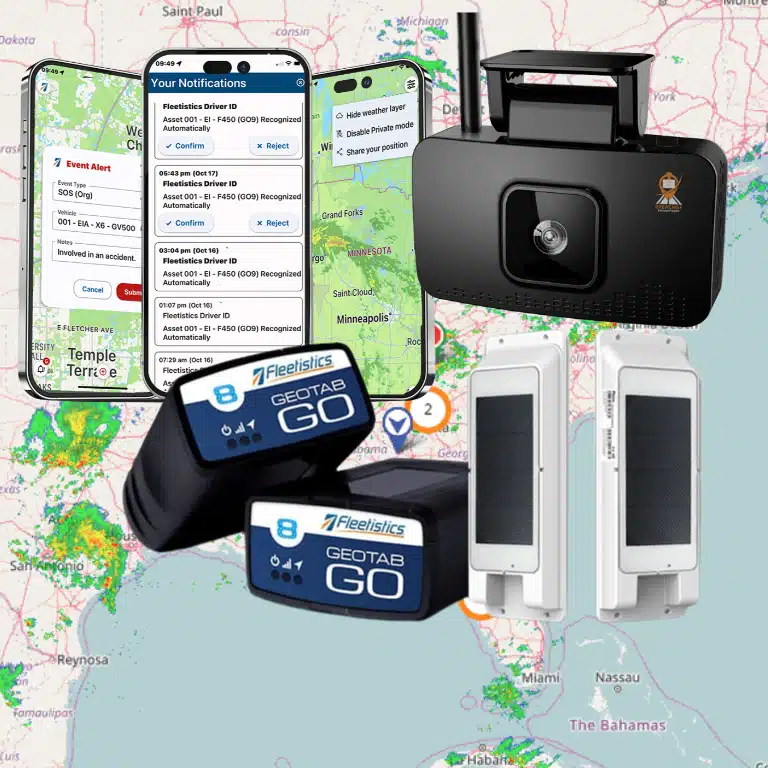
A TMS fleet management system connects transportation software, which plans and coordinates work, with telematics, which reports what vehicles and assets are doing in the field. The connection gives dispatchers, managers, and analysts one operating picture without asking drivers or office staff to re-enter the same information in multiple systems. Fleetistics’ fleet management software is one example of the telematics and integration layer a fleet can evaluate alongside its existing TMS.
What is a TMS fleet management system?
A TMS fleet management system is a connected software setup that combines transportation management workflows with live fleet data. The TMS typically manages orders, loads, stops, appointments, dispatch work, and transportation records. The telematics platform contributes location, status, mileage, diagnostics, and other field signals that help teams act on the plan.
The phrase can describe an integrated technology stack rather than one product. A company may keep its existing transportation management system as the system of record for loads and delivery work while adding a fleet telematics platform for vehicle visibility. That distinction matters when comparing vendors because a strong vehicle-tracking platform is not automatically a full TMS.
For fleet leaders, the goal is not to collect more dashboards. The goal is to connect a planned job to the vehicle, driver, asset, and event that complete it. When those records share consistent IDs and timestamps, teams can see what was scheduled, what happened, and where the process needs attention. The broader fleet management integration services category can help teams assess that connection without treating every data source as a replacement for the TMS.
How do TMS software and fleet telematics differ?
TMS software organizes transportation demand and work execution. Fleet telematics collects operational signals from connected vehicles, equipment, and other assets. A TMS answers questions about what needs to move, where it should go, and how the work is assigned. Telematics answers questions about where the vehicle is, what it is doing, and whether field events match the plan.
| Capability | Transportation management system | Fleet telematics platform |
|---|---|---|
| Primary job | Plan, assign, and manage transportation work. | Collect and share vehicle, asset, and driver activity. |
| Typical records | Orders, loads, stops, appointments, rates, and delivery status. | Location, trips, mileage, engine data, alerts, and asset status. |
| Main users | Transportation planners, dispatchers, customer service, and finance. | Fleet managers, safety teams, maintenance teams, dispatchers, and operations leaders. |
| Best decision support | Which work should be assigned, sequenced, or reported? | What is happening in the field, and what requires action? |
The systems overlap in dispatch and status reporting, but they are not interchangeable. Some TMS products include dispatch tools, maps, or tracking integrations. Some telematics platforms include routing, work orders, or mobile workflows. Evaluate the actual data model and operating scope rather than relying on the product label.
How does connecting a TMS with telematics improve fleet operations?
Connecting a TMS with telematics closes the loop between planned transportation work and real-world vehicle activity. The TMS supplies the work context, while telematics supplies current field conditions. Together, they can help a dispatcher identify exceptions earlier, give customer service better status information, and produce reports based on completed events instead of manual updates.
Dispatch and exception handling
A dispatcher can compare the planned stop sequence with vehicle location, movement, and availability. If a vehicle is delayed, off route, stopped too long, or showing a maintenance alert, the team can review the assignment before the delay affects the next stop. The right response may be a new sequence, a customer update, a driver call, or a maintenance action.
Routing and arrival visibility
Routing works better when the plan is informed by actual vehicle movement. Telematics data can help identify the last known location, trip progress, and exceptions that affect an estimated arrival. When an integration sends useful status changes back into the TMS, customer-facing teams can work from a more current record.
Proof of work and service reporting
Many fleets need to show when a vehicle arrived, how long it remained at a location, and when it left. Location history and geofence events can support that review when the event definitions and site boundaries are configured carefully. They do not replace every proof-of-delivery requirement, but they can reduce reliance on memory, phone calls, and spreadsheets.

What data should flow between a TMS and telematics platform?
The best integrations move only the data each workflow needs, with clear ownership for every field. A TMS may own the order, load, stop, appointment, and assignment. The telematics platform may own vehicle position, trip activity, mileage, diagnostics, and event timestamps. The integration then connects those records through stable IDs and documented rules.
Data a TMS may send
- Work identifiers: order, load, route, stop, or job IDs that let other systems associate events with the right work.
- Assignment details: vehicle, asset, driver, route, or service assignment when the receiving platform supports that workflow.
- Stop context: planned locations, service windows, geofences, and sequence information for relevant dispatch use cases.
- Status rules: the conditions that should change a job from planned to active, delayed, arrived, completed, or requiring review.
Data telematics may send
- Current and historical location: location points or summarized trips at a cadence that supports the use case without creating unnecessary volume.
- Vehicle and asset status: movement, ignition, utilization, mileage, and selected equipment signals.
- Operational events: geofence arrival or departure, excessive idling, route exceptions, and other configured alerts.
- Maintenance signals: diagnostic or service-related events that need a process in the TMS or a connected maintenance system.
Do not assume that every field should be synchronized in both directions. Start with one measurable workflow, such as arrival visibility or exception alerts. Define the source of truth, update timing, conflict rule, and owner for each field before expanding the integration.
Which API questions should you ask before integrating?
API documentation is only one part of integration readiness. A fleet should also understand the data contract, security model, operating cadence, and support process. Ask these questions before selecting an integration path so the project can be tested against real workflows rather than a list of marketing features.
- Which system owns each record? Decide whether the TMS, telematics platform, maintenance system, or another application controls each field. This prevents two systems from overwriting one another.
- What identifiers connect the records? Confirm whether both systems can use stable vehicle, driver, asset, job, stop, and customer identifiers. Avoid matching records by a name that can change.
- What is the right update method? Scheduled API requests may fit periodic reporting. Webhooks or event notifications may fit time-sensitive exceptions. Use the least frequent method that still meets the operational need.
- What are the limits and failure rules? Document authentication, rate limits, pagination, timeouts, retries, duplicate events, and error responses. A process that works in a test account can fail when a full fleet produces more records.
- How is historical data handled? Establish whether the integration starts with new events only or includes a backfill. Define the date range, expected volume, and method for reconciling missing records.
- Who can access the data? Use role-based permissions and limit each connection to the records and actions it needs. Review API keys, service accounts, logs, and credential rotation with the IT owner.
- How will the team monitor the connection? Set an owner, alert on failed deliveries, compare record counts, and create a process for schema changes. Integration health needs an operating routine after launch.
Fleetistics supports an open ecosystem with free API access and more than 300 integrations. Review the available fleet telematics API options and the API and SDK resource for deeper questions about data access, webhooks, and connected applications.
Should you connect telematics to an existing TMS?
Most fleets should connect the systems when the TMS remains useful for transportation planning but lacks reliable real-time vehicle data. The case is strongest when teams manually copy status updates, cannot identify delays until after a customer complaint, or spend hours reconciling planned work with vehicle history. Integration may not be worthwhile when the workflow is small, the data cannot be governed, or the systems cannot share stable identifiers.
Use this decision framework
- Start with the operational problem. Name the decision that needs better data, such as late-stop intervention, customer status, route review, asset utilization, or maintenance coordination.
- Map the current process. Record where data begins, who re-enters it, where delays occur, and which reports teams do not trust. This shows whether the project solves a real cost or service issue.
- Test system fit. Compare the TMS objects and telematics objects, supported APIs, event timing, permissions, and available integration support. Fleetistics’ fleet management platform comparison can help organize that evaluation. A connector that cannot preserve the needed IDs will create more work.
- Choose a narrow first release. Pick one workflow with a baseline and a named owner. Prove data quality before adding every vehicle, asset, event, and dashboard.
- Set a review point. Compare the baseline with post-launch results, then decide whether to expand, revise, or stop. A measured pilot is more useful than a broad connection with no success criteria.
Fleetistics can be part of the telematics and data-access layer while a customer keeps its existing TMS. That distinction lets a fleet evaluate connected vehicle data without assuming it must replace the transportation software that already manages orders and loads.
How should fleets measure the results?
Measure the integration against decisions and operating time, not the number of records transferred. A useful scorecard combines service, productivity, data quality, and adoption measures. Baseline each metric before the connection goes live and compare the same fleet, workflow, and time period afterward.
- Exception response time: how quickly dispatch identifies and acts on a delay or off-route event.
- On-time performance: whether arrival visibility helps the team meet service windows.
- Manual touches: how many calls, spreadsheets, exports, or re-keyed status updates the workflow requires.
- Data completeness: the share of planned jobs with a matching vehicle, event, and final status.
- Record accuracy: the number of mismatched IDs, duplicate events, stale locations, or unresolved exceptions.
- User adoption: whether dispatchers, managers, customer service, and analysts use the connected view in daily work.
A successful integration does not mean every team sees every telematics event. It means the right people receive trustworthy information in the workflow where they make decisions.
Frequently Asked Questions
Is a TMS the same as fleet management software?
No. A transportation management system usually centers on transportation planning, loads, orders, stops, and delivery workflows. Fleet management software usually centers on vehicles, drivers, assets, maintenance, safety, and operational visibility. Some products cover parts of both categories, so compare the actual workflows and data each system owns.
Can telematics work with a TMS that a fleet already uses?
Yes, when the systems have compatible integration methods and a shared data model. The project should map vehicle, asset, driver, job, stop, and event IDs before launch. Start with one workflow, such as arrival visibility or exception alerts, then verify record quality before expanding.
What does a TMS and telematics integration usually share?
A connected setup may share work identifiers, assignments, stop context, vehicle locations, trip activity, mileage, geofence events, diagnostics, and selected status changes. The exact fields depend on the TMS, telematics platform, hardware, APIs, permissions, and business process. Every field should have an owner and update rule.
Does adding telematics replace a TMS?
Usually, no. Telematics adds connected vehicle and asset data, while a TMS may remain the system that manages loads, orders, appointments, and transportation planning. A fleet should replace a system only after comparing the required workflows, integrations, historical data, user roles, and reporting needs.
How do I choose a TMS fleet management system?
Begin with the operational decision you need to improve, then evaluate workflow fit, data ownership, API access, security, support, scalability, and measurable outcomes. A modular platform can be useful when a fleet wants to add telematics data to an existing TMS instead of replacing every tool at once.
Build a connected fleet data plan
A TMS fleet management system works when transportation plans and field data support the same operating decisions. Define the boundary between the TMS and telematics platform, choose a focused workflow, document the data contract, and measure results before expanding the connection. Fleetistics helps fleets evaluate fleet management software, GPS tracking, telematics, integrations, and open API options around their existing systems.