Losing a $50,000 backhoe to job site theft ruins a project’s timeline and budget. Construction fleet GPS tracking stops these losses by giving you live location data for every machine. This view protects your assets while helping you manage many job sites.
Schedule a fleet tracking consultation with Fleetistics.
Construction fleet GPS tracking is a tool that tracks the location and use of trucks, trailers, and heavy equipment. This system gives owners the view they need to stop theft and improve how machines work on job sites. By tracking engine hours, businesses can schedule service early and reduce fuel waste from idling. According to the California Highway Patrol, construction equipment makes up 6.4 percent of stolen vehicles, making asset recovery a top goal. These systems send real time alerts if a machine leaves a zone or starts after hours. Using these tools helps companies lower costs, stay on schedule, and protect their assets.
Managing a mixed fleet needs a system that connects every asset to one dashboard. You must see where everything is without checking many apps or calling drivers. Learning how construction fleet GPS tracking creates one operational view is the best way to start. Here is how.
How construction fleet GPS tracking creates one operational view
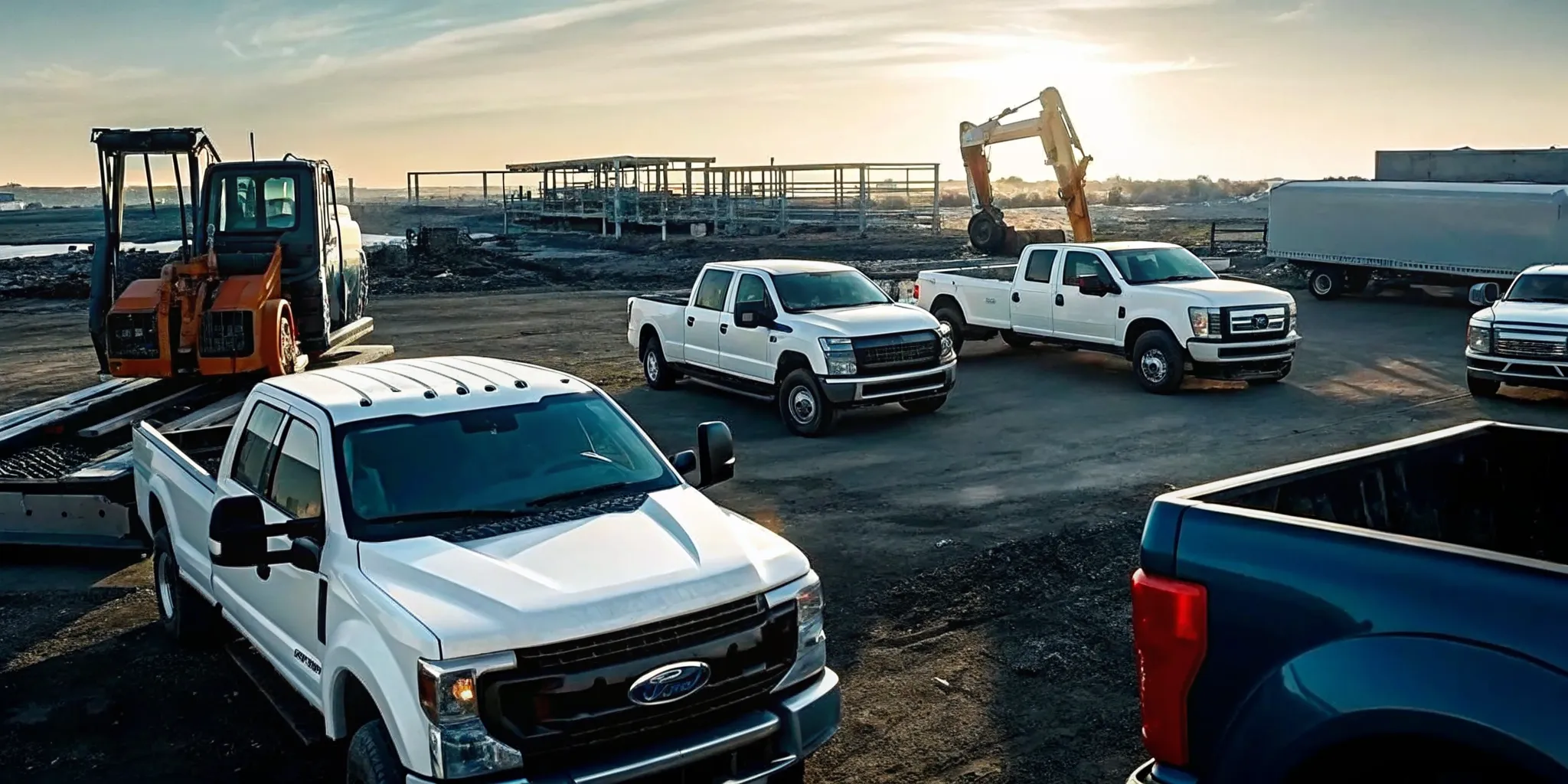
Managing a building site is a hard task. You must watch over road trucks, big machines, trailers, and small tools. Without a clear view, you lose time and money. Modern construction fleet GPS tracking fixes this by putting all your assets on one map. This gives you a single view that helps you see where everything is at all times.
Watch all your assets in one place
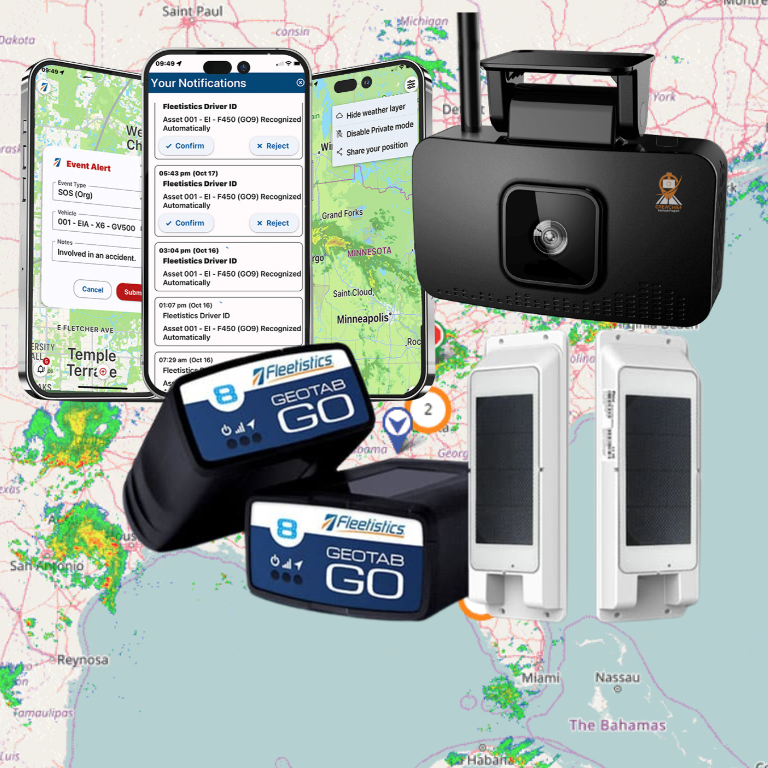
A unified system lets you track mixed fleets in one screen. You can see your work trucks and your heavy machines side by side. Most systems show real-time location and speed for every unit. This helps you find the nearest tool for a task or see which truck is heading to a job site. You no longer need to switch between different apps to find what you need.
These systems work for both small and large teams. They often support 12V and 24V electrical systems to fit most trucks. By using one tool for everything, you simplify your day. You can set up alerts for when a machine moves or when a truck leaves a work zone. This keeps your team safe and your gear where it should be.
Improve your daily job site workflow
Good tracking data helps you plan your work better. You can look at high-resolution time series data to see how your machines move. This helps you find slow spots in your day. For example, you might see that a loader sits idle for too long. You can then change your plan to use that machine more. This leads to better tracking construction equipment use across all sites.
When you have a full view, you can talk to your team with more clarity. You can give clients better arrival times for site visits or material drops. This builds trust and keeps the project on track. Managing your work from one screen saves time and cuts down on phone calls. You spend less time searching for items and more time finishing the job.
Connect your data for better results
Top platforms let you link your tracking data with other tools you use. This helps you bridge the gap between simple location data and full project success. Many solutions offer comprehensive GPS tracking solutions that feed into your billing or planning software. This keeps your data clean and easy to read.
By seeing all your work in one view, you make smarter choices. You can spot trends in fuel use or find which machines need service soon. This full view is key for any firm that wants to grow. It turns raw data into a clear plan for your next project.
Can GPS tracking help prevent construction equipment theft?
Use geofences for site security
Construction sites are often easy targets for thieves. Large gear like backhoes, loaders, and trailers are hard to hide but easy to move if the site is not secure. Many owners use lights and dashcams to try to stop theft. These tools are helpful, but they do not stop a thief from driving away with your assets. GPS tracking for large assets is one of the best ways to protect your site. It lets you set up online borders called geofences.
A geofence is a line on a map around your job site or yard. If a machine leaves that area, the system sends a ping to your phone or PC. This allows you to act fast. You can see the exact spot of your gear on a live map. This view helps you know if a crew member is moving the tool or if a thief is taking it. Quick pings are the best way to stop a crime before the gear is gone. Using a geofence makes your site much harder for thieves to rob.
Track movement after hours
Theft is a massive cost for the building trade every year. In 2024, vehicle theft caused over $1.56 billion in losses across the country. Construction and farm gear make up about 6.4 percent of these thefts. Most of these crimes happen at night or on weekends when your crew is not on site. Using construction fleet GPS tracking helps you watch your fleet at all times. You do not have to be there to keep an eye on your tools.
The system can send pings for any movement after your set work hours. If an engine starts at 2:00 AM, you will get a note right away. You can also use other security steps to help. For example, hidden ignition cut switches can stop a thief from starting the machine. But if they tow the gear away, the GPS will still show you where it goes. This mix of tools keeps your assets safe even when the job site is dark.
Speed up how you get assets back
Getting stolen gear back is very hard for most owners. Rates to find heavy tools are often low because it takes too long to find them. By the time you know a tool is gone, it may be many miles away or sold for parts. Tracking changes this by giving you a clear path to follow. You can share live spots with the police to help them get your gear back fast. This saves you from the high cost of buying new gear to replace what was lost.
It is also smart to mark all your gear in a clear way. You should use clear logos or marks on every tool and machine. This makes it easier for police to prove the gear is yours if they find it. When you combine marking with live tracking, you have a much better chance to save your business from a big loss. You can compare fleet tracking plans to find the best fit for your gear.
Fleetistics has helped firms with asset tracking since 2001. We know that every job site has its own risks. Our team can help you set up a system that fits your exact fleet. You can start a 60-day test to see how the tools work on your own machines. This lets you check the ROI and see the value of the data before you buy. Our experts are ready to help you build a safer and more secure fleet today.
Book a demo to see how Fleetistics can protect construction equipment.
Turn utilization data into better equipment decisions
Managing a busy job site is hard. You need to know if your gear is working or just sitting still. Data from construction fleet GPS tracking helps you see the truth about your machines. This info lets you make smart moves to save money and get more done. By watching how every asset moves, you can find ways to grow your profit on every project.
Track engine hours for better upkeep
Most heavy gear is tracked by engine hours instead of miles. Small sensors send this data to your screen in real time. You can see when a machine needs work before it breaks down. This prevents costly repairs and keeps your crew moving. Using data to plan upkeep also extends the life of your fleet. It means you stop guessing and start knowing when your tools need oil or new parts.
Asset loss is a big risk in this field. A report from the California Highway Patrol shows that construction and farm gear make up about 6.4 percent of stolen vehicles. Tracking usage helps you spot odd actions fast. If a machine runs at 2 a.m., you can check it right away. This layer of safety protects your machines from theft or use by the wrong people.
Right-size your mixed fleet
Do you have too many backhoes? Are you renting gear you already own? Usage data shows you which tools are idle. If a loader only runs two hours a day, you might not need it. You can sell extra units or move them to a new site. This helps you cut down on rental costs and monthly payments. Many firms find they can do more work with fewer machines once they see the data.
You can also use this data to see which brands run best. If one bulldozer breaks down more than others, the logs will show it. This helps you choose better gear when you buy new tools. Most tracking platforms offer an open API to connect this data with your other software. This makes it easy to see all your costs in one place for better planning.
Improve job costing and dispatch
Knowing the exact hours spent on a site makes billing easier. You can show clients how much work was done with hard proof. Also, if a new job starts nearby, you can find the closest asset. This saves time and fuel for your team. Real-time data helps you dispatch resources faster than ever. You won’t have to call three foremen just to find one skip loader.
To see how these tools fit your needs, you can speak with a consultant at any time. Consider starting with Fleetistics’ verified 60-day Solution Evaluation Process to see the ROI for yourself. This structured evaluation lets you test the sensors on your own machines. You can see how the data changes your choices before you commit to a full plan.
| Signal | Meaning | Business Move |
|---|---|---|
| High Idling | Engine runs but machine is still | Train crew or change work flow |
| Low Run Time | Gear is used less than expected | Sell asset or end rental deal |
| Nearest Asset | Tool is close to a new job | Send gear to the nearby site |
| High Use | Asset runs at full power often | Buy more gear or plan upkeep |
Talk with a consultant about turning utilization data into measurable ROI.
Use tracking data to improve preventive maintenance
Construction fleet GPS tracking does more than show where machines are parked. It gives you the raw data you need to keep your equipment running at its best. Sudden downtime on a job site can cost thousands of dollars per hour.
Regular upkeep is the best way to stop big breaks before they start. By using live data from your fleet, you can move from guessing to a firm plan. This keeps your backhoes, trucks, and cranes on the job site and out of the repair shop.
Most fleet managers know that waiting for a machine to break is a bad plan. It leads to high costs and late projects. An active path uses data to find wear and tear early.
This helps you schedule repairs during off-hours. When you know which machines need work, you can manage your team better. You can shift assets between sites to make sure the work never stops. This clear view is a key part of tracking construction equipment across many sites.
Monitor engine hours and mileage
Heavy machines do not always travel long paths. For a crane, a loader, or a backhoe, engine hours matter more than miles. GPS tools track how long an engine runs each day.
You can see the difference between time spent working and time spent idling. Too much idling wastes fuel and adds wear to the engine. You can set alerts for when a machine hits a specific hour limit. This ensures you change oil and filters at the right time.
For trucks and vans, tracking mileage is still a top goal. It helps you stay on top of tire checks, brake checks, and oil changes.
When you track miles in real time, you do not have to wait for drivers to report their logs. The system does the work for you. Small, regular steps like these prevent big repair bills later. They also help your assets last longer, which saves you money in the long run.
Handle fault codes and checks
Modern tracking tools can read engine fault codes in real time. If a machine has an engine issue, the system sends an alert to your phone or computer. This lets you see the exact problem without needing to be on-site.
You can fix small issues like a loose gas cap or a bad sensor before they cause a total breakdown. This data also helps mechanics know what tools and parts to bring to the site. It saves time and gets the machine back to work faster.
Digital check forms are another great tool for your team. Drivers and workers can check fluid levels and tire pressure on their phones. They can take photos of any damage and upload them to the system right away.
During these daily checks, it is a good idea to look at safety parts as well. For example, workers should make sure oil and gas tank caps are locked to prevent fuel theft. Checking these items during routine upkeep keeps your fleet safe and ready to work.
Automate service records and reminders
Paper logs and sticky notes are easy to lose or forget. A digital system keeps all your service records in one secure place. You can see the full repair history of every asset in your fleet.
This helps you find machines that cost too much to keep in the fleet. When it is time to sell an old machine, having a full record of its care can help you get a better price. It shows the next owner that the machine was well-maintained.
You can also set up auto-reminders for yearly tests or license renewals. The system can email you weeks before a check is due. This gives you time to plan and avoid fines.
Good construction fleet GPS tracking gives you a full view of your fleet health. It helps you track usage patterns and plan for new asset buys. Having all your data in one spot makes it much easier to manage a busy construction team and keep your fleet in top shape.
How do you choose rugged GPS trackers for construction assets?
Construction fleets need more than one tracker type because a pickup truck, excavator, trailer, and portable generator do not share the same power supply or operating pattern. The right device starts with the asset, the decisions managers need to make, and the conditions the hardware must withstand.
Match power and reporting frequency to the asset
Hardwired telematics devices fit road vehicles and powered equipment because they report frequently. They can also capture operating data such as mileage or engine hours. Battery-powered trackers suit trailers, attachments, and other non-powered assets. Their reporting cadence should balance visibility with battery life. Solar-assisted options can support assets that spend substantial time outdoors, subject to the device specifications and installation environment.
Plan for the realities of a job site
Dust, vibration, rain, pressure washing, impacts, and extreme temperatures can quickly expose consumer-grade hardware. Review the device’s published environmental and ingress-protection specifications, mounting requirements, operating temperature range, and network coverage before deployment. The mounting location should protect the tracker while still allowing reliable communication. It should also make unauthorized removal more difficult without interfering with safe operation or maintenance.
Keep every tracker in one usable platform
A mixed fleet becomes harder to manage when each asset class lives in a different portal. Choose a flexible platform that can bring vehicles, heavy equipment, trailers, and smaller assets into one operational view. Open APIs and integrations also help connect location and utilization data with the systems used for dispatch, maintenance, reporting, or job costing.
- Inventory assets by type, power source, value, mobility, and operating environment.
- Define the reporting frequency and data needed for each asset group.
- Confirm device durability, connectivity, and mounting requirements.
- Pilot trackers on representative assets before a broad rollout.
- Review data quality and alert usefulness with the people responsible for acting on it.
This asset-by-asset approach avoids overspending on unnecessary capabilities while ensuring high-risk or frequently moved equipment gets the visibility it needs.
How should a field service fleet roll out GPS tracking?
A smooth rollout of commercial vehicle GPS tracking integration helps your team work better. It turns a big change into a clear path for growth. Field service leaders find that a phased plan builds trust with drivers and dispatchers. This method ensures your new tools fit your daily work without causing stress.
Set goals and build trust
Start by telling your team why you need the new system. Show them how it makes their jobs easier, like finding better routes or proving work was done. Clear rules for how you will use the data help stop fears about privacy. When drivers know the tech keeps them safe and helps with GPS tracking and field service productivity, they are more likely to support it. High-quality data from these systems also helps experts model logistics processes for better fleet planning.
Step-by-step rollout plan
- Define your outcomes. Decide which goals you want to hit, such as fuel use or arrival times.
- Pick your devices. Select hardware that fits your vehicles and links with your current software.
- Run a small pilot. Test the tracking on a few vehicles to find and fix any small tech issues.
- Train every person. Teach your drivers how the mobile tools work and show dispatchers the new maps.
- Set a baseline. Use the first few weeks of data to see where your fleet stands now.
- Review and adjust. Meet with your team to talk about the data and make changes to your plan.
Check your results
After the first month, look at your progress. Good real-time commercial vehicle GPS tracking maps show you where you can save time on the road. Compare your new data to the goals you set at the start. If some drivers still have trouble using the tools, give them extra help. This steady review makes sure your fleet keeps getting better over time.
How can you evaluate GPS tracking ROI?
Finding the true value of a fleet tool means looking at more than just a map. Most firms want to see a clear gain from their spend in a short time. To do this, you must check exact daily signs that show how your trucks and drivers work. Fleetistics helps with this through a 60-day Solution Evaluation Process. This path lets you test the tools in your own fleet to prove they work for you.
Track daily work signals
The first way to check your gain is to look at how much work your teams get done. You should track on-time stops and the number of jobs finished each day. High-quality commercial vehicle GPS tracking for HVAC and other field teams shows where time is lost. Large data sets from the Bureau of Transportation Statistics show how trucks move across the country, but you need data for your own local routes. For instance, some firms see a daily mileage drop of up to 38% after they start tracking.
You should also watch how long drivers stay at each job site. If stops take too long, it may mean you need to change your plan or talk to your team. Tracking idle time is another key sign. Trucks that sit with the engine on waste fuel and wear out parts. By cutting idle time, you can lower your costs and keep your trucks on the road longer.
Check fuel and upkeep costs
Fuel is often the biggest cost for any fleet owner. Good tracking tools help you find ways to save. Some firms report fuel cost drops of up to 29% when they use better routes. Even big city fleets see these wins. The City of Seattle saved $2 million in fuel costs by using these tools. You can also look at service alerts to save money. These alerts help you fix small issues before they turn into big repairs. Fixing a truck on a set plan often costs much less than a rush fix after a break down.
- Track total fuel use per truck each week.
- Watch for a drop in miles driven per job.
- Check the number of alerts for speed and hard braking.
- Monitor engine hours to plan for service.
Monitor customer happiness
A happy customer is more likely to stay with your firm. You can use GPS data to give customers a clear time for when a driver will stop. This openness builds trust and cuts down on phone calls asking for status. You should also track customer complaints or issues. If you have fewer calls about late drivers, your tracking tool is doing its job. A commercial vehicle GPS tracking link helps your office and field teams stay in sync. With the same data, you can solve problems before the customer knows they exist.
Safe driving is another part of the ROI story. When you track speed and hard braking, you can coach your drivers to be safe. Safe drivers have fewer crashes and lower insurance costs. This keeps your team safe and protects your brand image in the area.
Frequently asked questions about construction fleet GPS tracking
Can GPS trackers work on equipment without a power source?
Yes. Battery-powered or solar-assisted asset trackers can monitor trailers, attachments, generators, and other non-powered equipment. Reporting frequency, battery life, mounting, network coverage, and job-site conditions should guide device selection.
How can GPS tracking support construction equipment theft prevention?
Managers can use geofences, after-hours movement alerts, location history, and current location data to identify suspicious activity and support a response. Tracking does not replace physical security, access controls, or law-enforcement procedures, but it can add timely visibility.
What utilization data should construction fleets monitor?
Useful measures include operating hours, idle time, days used, time at job sites, movement between sites, and maintenance-related downtime. The most valuable measures are tied to decisions such as redeployment, rental avoidance, preventive service, or asset replacement.
Can one platform track trucks and heavy equipment?
Yes. A flexible mixed-fleet platform can combine road vehicles, powered equipment, trailers, and smaller assets in a single view using device types suited to each asset. Integrations and open APIs can also connect tracking data with other operating systems.
How should a construction company begin a tracking rollout?
Start with an asset inventory and a small set of measurable goals. Pilot representative assets, confirm the data is reliable, assign responsibility for alerts, train users, and review results before expanding across the fleet.
Ready to protect your construction fleet assets?
Every day your heavy machines and trucks sit idle, your costs go up and your profits drop fast. Leaving your gear without a plan leads to theft that stops your work and hurts your bottom line. By starting a plan now, you can stop theft and find lost time on every job site right away. You will gain a clear view of where your tools are and how your crew uses them each day. Delaying this move means more lost tools and higher fuel costs for your firm as you wait to act.
Ready to speak with a consultant about a construction fleet tracking solution? Call 855.300.0527 to get a free consultation and protect your fleet today.