
The commercial vehicle safety alliance (CVSA) helps promote consistent commercial motor vehicle inspection and enforcement practices across North America. For a fleet manager, understanding its role is useful, but readiness is not a one-day exercise: it depends on knowing applicable rules, maintaining vehicles, preparing drivers, and being able to locate accurate records. CVSA is an association, not a substitute for the laws that govern your operation.
Talk through your fleet compliance needs
What does the Commercial Vehicle Safety Alliance do?
CVSA is a nonprofit association of commercial motor vehicle safety officials and industry representatives. It promotes uniformity in inspection, enforcement, and safety programs among participating jurisdictions in the United States, Canada, and Mexico. Its work can help make inspection practices more consistent across borders, but the applicable government authorities establish the legal requirements.
This distinction matters when you translate a roadside inspection experience into policy. A CVSA inspection procedure does not automatically mean every fleet, vehicle, or trip has identical obligations. Requirements can vary with jurisdiction, vehicle type, operation, and other circumstances. Treat an inspection program as a reason to check your operational readiness, not as a complete legal checklist for every business.
For a fleet, the practical question is how to connect three things: the rules that apply, the condition and use of vehicles, and the records that show what the organization did. A written process should make clear who identifies a concern, who decides what happens next, and how the fleet confirms resolution.
How can CVSA inspections affect your fleet?
Roadside inspections may examine a driver, a vehicle, and supporting documents. The scope and outcome depend on the inspection and applicable rules. A fleet that prepares only for the vehicle portion can overlook documents, communication, or follow-up responsibilities; one that focuses only on paperwork can miss physical defects.
Start by mapping where vehicles operate, what they do, and which regulations apply. For operations covered by U.S. interstate hours-of-service requirements, review the FMCSA hours-of-service guidance and confirm which provisions apply to your operation. Do not assume ELD requirements apply to every local service, short-haul, or maintenance fleet. Determine applicability and any exceptions using the actual operating facts.
If drivers are subject to electronic logging requirements, connect the regulatory review to training and daily procedures. Fleet managers can review ELD compliance resources as one part of that assessment. A device or software system may help organize information, but it does not determine whether a rule applies, make a driver compliant by itself, or replace company oversight.
Which readiness areas should you assign owners to?
Readiness improves when a task has an owner and a clear handoff. Drivers may identify and report issues; maintenance staff assess and repair them; compliance or operations staff maintain applicable records; and managers review whether corrective action is complete. Adjust these roles to your operation and applicable requirements.
| Readiness area | Questions to check | Suggested owner | Evidence to retain |
|---|---|---|---|
| Vehicle condition | How are defects reported, prioritized, repaired, and checked before return to service? | Driver and maintenance lead | Inspection reports and repair records |
| Driver readiness | Do drivers know the relevant procedures and escalation contact? | Safety or operations lead | Training and communication records |
| Required documents | Can staff identify and retrieve applicable documents promptly? | Compliance coordinator | Current, organized records |
| Corrective action | Who owns each finding, and how is closure verified? | Fleet manager | Assigned action and verification |
| Review and learning | Are repeat findings examined for a process or maintenance pattern? | Operations leadership | Trend review and decisions |
The owner column is a starting point, not a rule assigning legal responsibility. One person may fill several roles in a small operation; larger teams may divide them. The important control is an explicit handoff. A defect report that reaches no decision-maker is not a reliable process, even if a form was completed.
How do you build a practical pre-trip and reporting workflow?
Make the routine usable during a real workday. A checklist that is too long, unclear, or disconnected from repair decisions can become a box-ticking exercise. Define what the driver observes, how the report is submitted, how urgent concerns are escalated, and who confirms that follow-up occurred.
- Define the applicable procedure. Identify the vehicle and operating contexts covered by your policy. Check governing requirements and avoid copying a checklist from a different fleet without verifying its fit.
- Explain what to observe. Use plain language and train drivers on the checks they are expected to perform. Make it clear how to report a condition they cannot assess or are unsure about.
- Provide a reliable reporting route. Specify the form, application, phone contact, or other channel. Provide a fallback if the normal system is unavailable.
- Set triage responsibility. Name the person or role that reviews reports, assesses urgency, and coordinates maintenance or other action.
- Record the decision. Capture what was reported, what was decided, who owns the next step, and when it is due. Follow applicable rules for vehicle use and repair.
- Verify completion. Require evidence that the action was completed and that the vehicle is appropriately cleared for use under company procedure and applicable requirements.
Consider a recurring report of a tire concern. The useful workflow does not stop at entering “tire” in a system. It records the vehicle, date, location, observed condition, urgency assessment, assigned maintenance owner, action taken, and verification. If the same vehicle or issue appears repeatedly, the fleet can ask whether inspection, repair, replacement, or follow-up practices need attention.
Technology can make this workflow easier to see and coordinate. Mobile fleet apps may help staff access work information in the field, while fleet maintenance tools can support service history and scheduling. The value comes from aligning the tools with an actual process, not from digitizing an unclear handoff.
How should you prepare records for an inspection?
First identify which documents your particular operation must maintain or present. Requirements differ, so do not use a generic list as a legal determination. Assign a records owner, define where the current versions are stored, and establish how authorized staff can retrieve them when needed.
Then test retrieval. Ask a colleague who is not the records owner to locate a selected record using the normal process. Note whether the record is current, readable, associated with the right vehicle or driver, and available to the people who need it. A file that exists but cannot be found during operations is not serving its purpose.
- Use consistent identifiers. Vehicle numbers, dates, and other identifiers should be used consistently across reports and maintenance records.
- Control versions. Make it clear which policy or form is current and remove confusing duplicates from everyday use.
- Set access carefully. Staff need appropriate access to do their jobs, while sensitive information should not be broadly exposed without a business reason.
- Document corrections. If information is corrected, preserve a clear record of what changed and who made the change, in line with your recordkeeping practices.
- Review retention rules. Follow applicable requirements and company policy for retention and disposal rather than keeping everything indefinitely or discarding records prematurely.
A short tabletop exercise can expose gaps without waiting for a roadside event. Give a manager a realistic scenario: a driver has reported a vehicle issue, an inspection has produced a finding, or a required document is requested. Ask the team to show where information lives and who owns the next decision. Record where time is lost and revise the process.
What should you do when an inspection identifies a concern?
Use applicable laws, official instructions, and company procedures to guide the response. Record the finding accurately, clarify the immediate operational decision, and identify who is responsible for any repair, documentation, or follow-up. Do not infer from a technology status alone that a vehicle is safe or authorized to continue.
Separate immediate containment from later analysis. The immediate response addresses the specific vehicle, driver, and situation. After that, review whether the concern was previously reported, whether a scheduled maintenance task was missed, whether the right person received the information, and whether a procedure needs improvement. That review can find preventable process gaps without jumping to conclusions about blame.
Use a corrective-action log with fields suited to your operation: date, vehicle, finding, source, immediate decision, assigned owner, due date, action, and verification. Keep the record concise enough that people will maintain it. Review open items at a defined interval and escalate overdue actions according to risk and policy.
When multiple findings appear, avoid treating all of them as a single undifferentiated count. Categorize them in a way useful to your fleet: vehicle system, route or location, equipment type, shift, or repeat status. A pattern can suggest where to investigate, but it is not proof of a cause. Check the underlying reports and maintenance records before changing intervals or training.
How can inspection results improve maintenance planning?
Inspection findings are one source of operational information. Combine them, where appropriate, with scheduled service records, driver reports, repair history, and diagnostic information. Look for repeated issues on the same unit or across similar vehicles. Ask whether the pattern reflects vehicle age, duty cycle, operating environment, parts, reporting behavior, or another factor that should be investigated.
Do not change preventive maintenance intervals solely because a dashboard shows a spike. Validate data quality first: Are duplicate reports being counted? Are vehicle identifiers consistent? Did the fleet change routes or equipment? Did a new reporting process make previously invisible issues easier to capture? Context prevents a misleading metric from driving an unhelpful decision.
A practical review cadence might include a brief weekly look at open corrective actions and a more considered monthly review of recurring categories. Choose a cadence your team can sustain. The useful questions are concrete: Which actions are overdue? Which findings recur? What changed since the last review? Who will test the proposed process adjustment, and when will the team assess its effect?
Where applicable, fleet tracking and telematics can add operational context, while maintenance systems can help organize service activity. These systems support decision-making; a manager still needs to interpret the information, confirm records, and coordinate physical inspections and repairs.
What role can telematics play in inspection readiness?
Telematics may provide information such as vehicle use, diagnostic alerts, or location context. The specific data available depends on the equipment and configuration. For inspection readiness, the key question is not whether a platform can collect data; it is whether the information helps someone make a timely, appropriate decision.
Start with a problem statement. For example: “We need a clearer view of overdue maintenance actions,” or “Drivers and dispatch need a consistent way to report a concern.” Then identify the required information and the person responsible for monitoring it. Also set the threshold for action and the escalation path. If no one owns the response, more alerts can add noise rather than readiness.
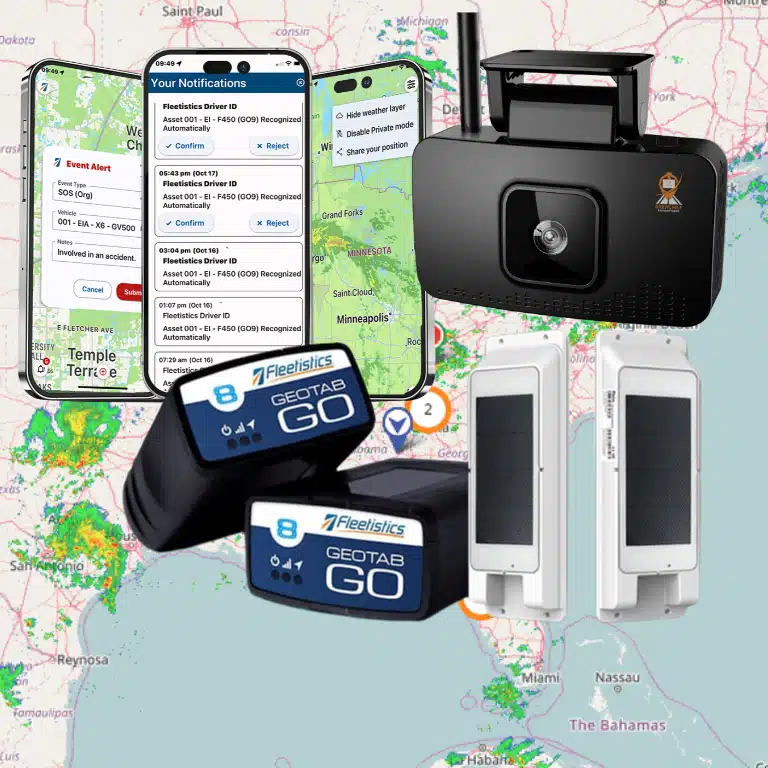
Fleetistics works with Geotab technology and offers modular fleet-management options. A fleet tracking solution may be evaluated alongside your current safety and maintenance workflow. Compare vehicle compatibility, the information collected, integration needs, training, support, and how the team will use the resulting data. The right configuration depends on the fleet’s operating model rather than a one-size-fits-all assumption.
Technology should complement, not replace, driver observations, maintenance expertise, required records, or regulatory review. It cannot guarantee an inspection outcome. Set expectations with drivers and managers about what the system does and does not tell them, and establish a way to correct inaccurate or incomplete data.
How do you evaluate a readiness or compliance workflow?
Evaluate the whole workflow—from a concern being noticed through the final verification—not just the feature list of a product. Include drivers, maintenance personnel, operations, and whoever manages compliance records. Ask participants to walk through a real example using their ordinary tools.
- Can a driver report an issue quickly, with enough detail for the next person to act?
- Can the responsible manager see open concerns and identify the next owner?
- Can the team distinguish an alert or report from a confirmed defect and a completed repair?
- Can staff retrieve the necessary records without creating duplicate entry or relying on one person’s memory?
- Does the workflow fit the fleet’s vehicle mix, routes, connectivity, and working conditions?
- What training is needed for drivers, supervisors, and maintenance staff?
- How will the team measure completion, record accessibility, response time, or repeat findings?
- What happens when the device, connection, or application is unavailable?
Define a baseline before making changes. For instance, count open corrective actions at the start of a pilot and record how many have a named owner, due date, and documented verification. At the end of the test, compare the same fields and review examples of records. This does not prove a product caused every change, but it helps the team decide whether the workflow is clearer and what still needs adjustment.
Include privacy and employee understanding when a system collects location or driving data. Explain what is collected, why it is collected, who can access it, and how it informs operations or coaching. Set appropriate governance and make a channel available for questions. Transparency helps employees understand the purpose and supports consistent use of the process.
How can you run a useful readiness exercise?
A simple exercise can reveal whether your written process works in practice. Choose a common scenario, such as a driver reporting a defect before departure or a manager receiving an inspection finding. Include only the people and tools that would normally be involved. The aim is to test handoffs, not to stage a perfect demonstration.
- Choose a representative scenario. Select one that reflects the fleet’s vehicles and operations, without assuming all units face the same risks.
- Set the starting information. Provide a report, vehicle identifier, and relevant time or location details as staff would receive them.
- Observe the workflow. Note who acknowledges the report, makes the next decision, communicates with the driver, and records the action.
- Test an interruption. Ask what happens if the primary contact is unavailable or the normal system cannot be accessed.
- Debrief with evidence. Record delays, missing information, duplicate steps, and unclear ownership. Avoid judging a process based only on a participant’s recollection.
- Assign improvements. Name an owner and review date for each change, then repeat the exercise if a major workflow has changed.
Keep the exercise proportionate. A small fleet may need a short discussion and a single sample record; a larger operation may test handoffs across locations or shifts. The goal is to know whether people can perform the process when ordinary conditions are less than ideal.
Frequently asked questions
Is the Commercial Vehicle Safety Alliance a government regulator?
No. CVSA is a nonprofit association that promotes consistent inspection and enforcement practices. Government authorities establish applicable laws and regulations.
Does CVSA create one set of rules for every fleet?
No. Requirements depend on the operation, vehicle, and jurisdiction, among other factors. Confirm the rules that apply to your own vehicles and routes rather than treating inspection practices as a universal rulebook.
Does every fleet need an ELD?
No. ELD obligations apply to operations covered by applicable requirements, and exceptions may apply. A local or short-haul fleet should not assume it needs an ELD by default; evaluate the specific operation and rules.
Can telematics prevent inspection findings?
Telematics may help organize information or surface potential issues, but it cannot guarantee an inspection result. It does not replace required inspections, repairs, training, or compliance procedures.
What is the first step to improve readiness?
Map the requirements that apply, then identify who owns reporting, records, repairs, and verification. Test that process with a realistic example before adding technology or expanding a checklist.
Discuss your fleet’s inspection-readiness workflow
Where should you begin?
Start with one clear view of your applicable requirements and the people responsible for putting them into practice. Make reporting, maintenance, record retrieval, and corrective action repeatable, then review real examples to find weak handoffs. If you evaluate technology, select tools that support those steps and fit your fleet’s actual needs. Speak with a fleet consultant to discuss a practical next step.
Next: ELD compliance resources | Previous: Fleet safety solutions. Use these related resources to continue reviewing the requirements and processes relevant to your operation.