


Waste management routing software should do more than draw a shorter line on a map. It should help your team build workable routes around collection rules, truck capacity, disposal locations, service windows, traffic, and the realities drivers report from the road. The right evaluation starts by documenting those constraints, then tests whether the proposed routes can be completed safely and consistently.
Discuss your routing requirements
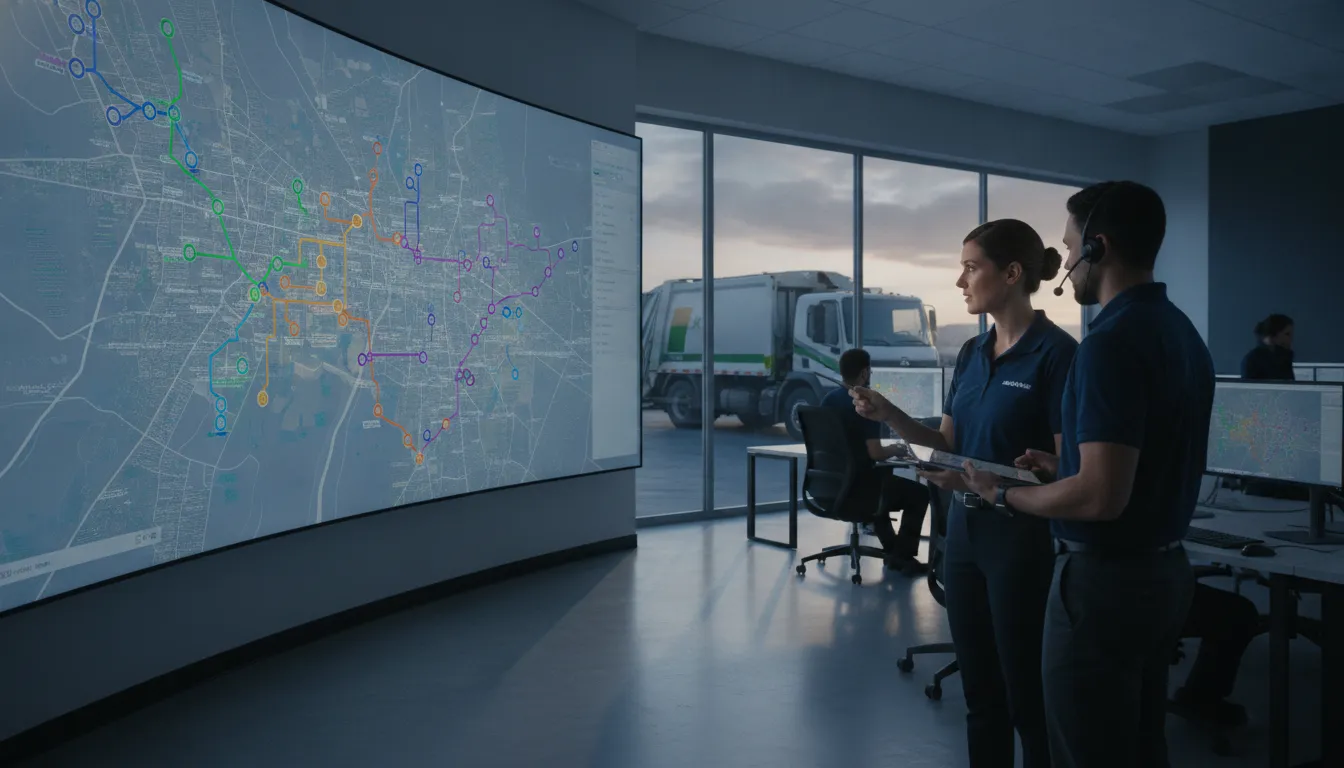
What should waste management routing software solve?
Waste and recycling routes have operating rules that a generic point-to-point itinerary may miss. A route can look efficient in a planning screen and still fail if a truck cannot enter a site, a stop must be serviced within a time window, the disposal facility is closed, or an exception is not communicated to dispatch.
Start with the operational problem rather than a feature checklist. Are planners spending too long building and revising daily routes? Are missed stops and repeat visits affecting service? Are drivers receiving changes late? Do route records make it hard to explain why a stop was skipped or completed out of sequence? Write down the current issue, who experiences it, and how you will recognize improvement.
Research on municipal waste collection routing describes a range of planning models, including vehicle routing and facility location. That is a useful reminder that collection plans involve more than distance alone: the review of municipal waste collection routing models discusses the different approaches used to represent these systems. For your own evaluation, translate local operating rules into requirements the software can actually represent and test.
If your team is still clarifying how vehicle location data fits into operations, review how GPS fleet tracking works alongside route-planning requirements. Location visibility can inform dispatch and post-route review, but it is not a substitute for accurate service instructions or a route plan drivers can follow.
Which route constraints should you document first?
Before comparing systems, assemble the rules that a planner uses today. Separate hard constraints, which cannot be broken, from preferences, which can be balanced against each other. This distinction helps you avoid a tool that produces theoretically efficient routes by ignoring the conditions that make a route serviceable.
- Stop and service rules: Record service frequency, pickup type, access instructions, estimated service time, and any days or conditions when a stop should not be visited.
- Time windows: Identify customer or facility hours, restricted collection periods, school or event-related limits, and other arrival windows that affect when a vehicle can work.
- Vehicle and crew fit: Document truck type, permitted road access, capacity, crew or shift limits, and any assignment rules. Confirm which of these can be represented in the planning process.
- Disposal and transfer points: List approved facilities, opening hours, likely travel time, and whether a vehicle may need to unload before continuing its route.
- Geography and access: Note one-way streets, height or weight restrictions, seasonal roads, gated sites, dead ends, and other details that a map may not capture reliably.
- Service priorities: Mark stops with contractual, public-service, or operational priority and define how exceptions should be handled if the planned sequence cannot be completed.
Check the information behind those rules, too. Duplicate addresses, incomplete access notes, outdated service days, and inconsistent stop names can undermine even a capable planner. Pick a sample of locations and ask dispatchers and drivers to verify them before a vendor demonstration. If you use GPS data for review, understand its limitations and the context needed to interpret it; Fleetistics explains some of the considerations in its guide to GPS accuracy.
Finally, make a short list of the tradeoffs you are willing to accept. A route plan might prioritize completing every required stop, reducing overtime, limiting backtracking, or balancing work among vehicles. Those goals can conflict. The software should make priorities visible so your team can make an informed choice instead of treating every result as equally good.
How should you evaluate route-planning approaches?
Different levels of planning support fit different operating conditions. A small, stable service area may work well with routes that change infrequently. A service with frequent exceptions, seasonal demand, or many facilities may need faster planning and clearer change communication. Compare approaches against your real workload, not a generic demonstration route.
| Approach | How it works | Where it may fit | What to verify |
|---|---|---|---|
| Manual maps and spreadsheets | Planners assign stops and revise routes using local knowledge and separate records. | Very stable routes or a limited planning workload. | How long updates take, how changes reach drivers, and whether exceptions and versions are recorded. |
| Fixed digital routes | Routes and stop sequences are stored digitally and reused, with people handling changes. | Recurring collections with predictable schedules and occasional adjustments. | How easily you can maintain service rules, update stop details, and distinguish the current route from an old version. |
| Constraint-based route optimization | A planning tool considers configured stops, vehicles, operating rules, and objectives when proposing sequences. | Operations with enough recurring complexity or route changes to justify structured planning support. | Which constraints are supported, how exceptions are handled, and whether planners can inspect and revise the result. |
| Connected fleet workflow | Route plans are combined with vehicle visibility and driver or dispatch communication. | Teams that need a consistent connection between planned work and what happens during a shift. | How assignments reach drivers, how completion or exceptions return to dispatch, and how records are retained. |
These categories can overlap. A software label alone does not tell you whether a product will handle your rules or connect to your existing process. Ask the vendor to show your own representative route, including a difficult day, rather than presenting only a clean sample with no exceptions.
It also helps to distinguish planning from execution. A planner may create a sequence, while the daily operation still depends on a dispatcher assigning the right vehicle, a driver receiving accurate instructions, and a supervisor seeing what was completed. Ask which steps happen inside the product and which remain in another tool or manual process. Each handoff is a place where duplicate entry, delay, or conflicting versions can occur.
For each approach, estimate the effort your team must maintain after launch. Who updates service calendars when collection schedules change? Who corrects an address or access note? Who checks that a facility holiday is reflected in the route? A solution that produces an impressive plan but leaves ownership of these routine updates unclear can create more work rather than less. Include that ongoing responsibility in your comparison.
When assessing routing technology, be precise about the capabilities on display. Fleetistics’ resource on fleet routing and Geotab integration is one relevant starting point for understanding a routing workflow in a fleet context. Verify the current functionality, required integrations, data flow, and commercial terms directly during evaluation; do not assume a feature is included merely because it appears in a general product description.
How do service windows, missed stops, and exceptions fit?
Service windows should be represented as rules, not left as a note a driver may or may not see. Ask how a planner enters a start and end time, whether a service duration can be assigned to a stop, and what the system does when a route cannot meet all windows. It should be clear which constraints are mandatory and which can be relaxed only with approval.
Missed stops need a defined path from detection to resolution. First, decide how a stop is marked as incomplete and which reason codes matter in your operation. Examples might include inaccessible location, blocked access, vehicle issue, customer request, or a schedule conflict. Configure categories that fit your actual process instead of creating a long list drivers will not use consistently.
Then decide who reviews an exception, how quickly the team must respond, and whether the stop should be reassigned, scheduled for a return visit, or carried to a later service day. A useful system makes the original assignment and the resolution traceable. It should not make an incomplete stop look completed simply because the vehicle passed nearby.
Test common edge cases during a demo or pilot. What happens if a facility closes early? Can dispatch move a stop without sending an unclear sequence of messages? Can a driver report access trouble from the field? Does the revised instruction show the right location and service detail? Can the planner see which version is active? Answers to these questions tell you more than a simulated average-day route.
Route exceptions can also reveal a data or policy problem rather than a planning problem. Repeated access failures may require updated location notes. Frequent capacity issues may point to a mismatch between assignments and vehicle capabilities. Create a review loop so the team uses exception patterns to improve the source data and operating rules, not just to patch the same route every week.
What should the driver and dispatch workflow look like?
A practical route plan must travel from the planner to the person doing the work, then return useful information to dispatch. Map each handoff before choosing a system: who publishes the route, where the driver sees it, how changes are acknowledged, and how service completion is recorded.
- Before the shift: Drivers should be able to identify their assigned vehicle, route, stop sequence, service notes, and any special access or safety instructions. Confirm that the information is available in the device or app your team expects to use.
- During the route: Define how dispatch sends urgent changes and how drivers report delays, unsafe access, breakdowns, or service exceptions. Do not rely on a route screen alone to communicate a change that needs confirmation.
- At each stop: Decide what counts as a completed service record and what evidence or reason code is appropriate for an incomplete stop. Keep the workflow simple enough for consistent use.
- After the shift: Give supervisors a way to compare planned work with reported completion, review exceptions, and correct inaccurate location or service details.
Involve drivers and dispatchers while requirements are being written. They can identify conditions a desk-based review misses, such as a safe approach direction, a recurring gate issue, or a route sequence that is difficult to follow in a particular vehicle. Explain what information is collected and how it will be used. Clear notice, sensible governance, and employee input help build understanding and buy-in when fleet data is part of the workflow.
Check that your wider tools fit the process. If route events need to connect with dispatch, service records, or management reporting, list the system and data requirements before a purchase. Fleetistics describes its open integration approach in its overview of fleet apps for logistics efficiency. Treat integration as something to validate with your actual systems and use cases, not as a promise inferred from the word “connected.”
Which results should you measure after a route change?
Choose a baseline before changing routes. Compare like with like where possible: similar service areas, collection days, vehicle classes, and seasonal conditions. If the operating mix changes, document that context rather than attributing every difference to the software.
Use a small set of measures that combines service quality and resource use:
- Required-stop completion: Share of assigned stops completed within the defined service period, with incomplete stops categorized by reason.
- Missed-stop resolution: Number and age of unresolved exceptions, plus the time taken to assign and complete a return visit when needed.
- Route completion and overtime: Actual finish time compared with the shift plan, recorded alongside route length and unusual events.
- Distance and vehicle use: Miles or hours used for comparable work, interpreted alongside service volume, traffic, disposal trips, and truck assignment.
- Planner effort: Time spent creating routes, revising them, and communicating changes.
- Data quality: Frequency of corrected addresses, service instructions, vehicle assignments, and stop records.
Do not treat a lower mileage figure as success by itself. A route can travel less and still miss a stop, create overtime, or increase repeat visits. Likewise, more time on a particular day may reflect a facility delay or exceptional service demand rather than a poor plan. Pair efficiency indicators with completion and exception measures, then investigate material changes before drawing conclusions.
Fleet teams can build a broader measurement framework from fleet analytics metrics to track. For route evaluation, define each measure carefully: the time period, included vehicles, event definitions, and owner responsible for reviewing it. A short scorecard that is applied consistently is more useful than a dashboard full of numbers nobody acts on.
Fuel use can be part of the review, but compare it in context with work completed, vehicle type, idle time, and operating conditions. Fleetistics’ guide to fleet fuel economy discusses factors that shape results, while its fleet fuel-saving tips provide related operating considerations. Do not assume a routing change alone explains a fuel result.
How can you run a useful pilot?
A focused pilot tests the route design, information quality, and daily workflow before you expand the approach. Choose a limited operating area or route group with representative complexity. Avoid selecting only the easiest route; include conditions that reveal whether the system can handle your real constraints.
- Set a specific objective. Choose the problem the pilot will test, such as improving on-time completion, reducing planner rework, or making missed-stop follow-up more reliable. Define a baseline and a review period.
- Prepare the data. Confirm stop addresses, service instructions, windows, facility details, vehicle assignments, and route ownership. Record items that cannot yet be verified.
- Configure the rules. Separate required conditions from preferences. Ask the vendor to explain how each key constraint is entered, prioritized, and reported when a route cannot satisfy it.
- Run a scenario review. Test an ordinary day and difficult cases, including a closed facility, an inaccessible stop, a late start, a vehicle substitution, and a mid-route change.
- Train and collect feedback. Show planners and drivers the parts of the workflow they will use. Gather feedback promptly, including where instructions, alerts, or exception options are unclear.
- Review results together. Compare the pilot with the baseline and ask both office and field teams what changed. Separate software limitations from data gaps, configuration choices, and external conditions.
Before expanding, document the configuration, exception process, and ownership of data updates. Decide who can change route rules, who approves material changes, and how teams will know they are using the current instructions. A pilot is not complete when a route has been generated; it is complete when the people responsible can run and review the process.
For operations affected by severe weather, determine whether alerts or other condition data belong in route decisions and who acts on them. Fleetistics’ resource on weather data for fleet operations can help frame that discussion. Confirm that any chosen process works for your service area and escalation responsibilities.
What should you ask a routing software provider?
Use direct questions that require a demonstration or a clear written answer. Ask the provider to show how the system behaves with your data and rules, not only to confirm that a feature exists.
- Which service windows, stop durations, vehicle restrictions, facility hours, and capacity rules can the planner represent?
- How does the system distinguish mandatory constraints from preferences, and what does it show when no feasible route is found?
- Can a planner inspect, edit, and explain a proposed sequence before it is shared with drivers?
- How are route changes delivered, acknowledged, and recorded during an active shift?
- How can drivers report missed or incomplete work, and can dispatch review the reason and resolution?
- Which data sources and existing tools can connect to the workflow, and what setup or ongoing work does that require?
- What training, implementation support, and continued assistance are included, and who owns each task?
- How can your team export or review route, completion, and exception history for operational reporting?
Request a clear account of limitations, dependencies, and assumptions. If a capability depends on an integration, particular device, or clean source data, identify that requirement before you compare alternatives. Fleetistics provides fleet management technology built around Geotab, with modular solutions and an open integration approach; match any platform and service plan to your operation rather than assuming one configuration suits every waste or recycling fleet. You can also review fleet technology considerations for public works when municipal workflows are part of your evaluation.
Discuss your route-planning requirements
Frequently Asked Questions
Is routing software the same as GPS tracking?
No. Routing software helps plan or manage a sequence of work. GPS tracking provides location information that can help teams understand vehicle activity and route progress. Some fleet workflows connect these functions, but a GPS location does not by itself confirm that a stop received the required service.
Can route optimization account for waste collection service windows?
It depends on the product and how it is configured. Ask the provider to demonstrate your actual window rules, service durations, vehicle restrictions, and facility hours. Also ask what happens when those rules conflict or no feasible route is available.
How do we know if a new route plan is working?
Compare a defined baseline with a comparable pilot period. Review service completion and missed-stop resolution alongside planner effort, route time, distance, and fuel context. Note differences in demand, weather, traffic, vehicle assignments, and disposal conditions before attributing a result to the software.
What is the first step if our stop data is incomplete?
Choose a manageable sample and validate addresses, service rules, access notes, and facility information with the people who know the routes. Track unresolved items and assign an owner to correct them. Testing a limited, verified set is more informative than asking software to compensate for unknown or conflicting instructions.
Discuss your route-planning requirements
Ready to evaluate your waste collection routes?
Talk through your routing requirements
Start with the service rules your team must meet, then test how a proposed workflow handles stops, exceptions, driver communication, and reporting. A route plan is useful when it supports dependable service and gives your team a clear way to learn from daily operations.
Keep the route rules, exception process, and outcome measures clear as your operation evolves.



