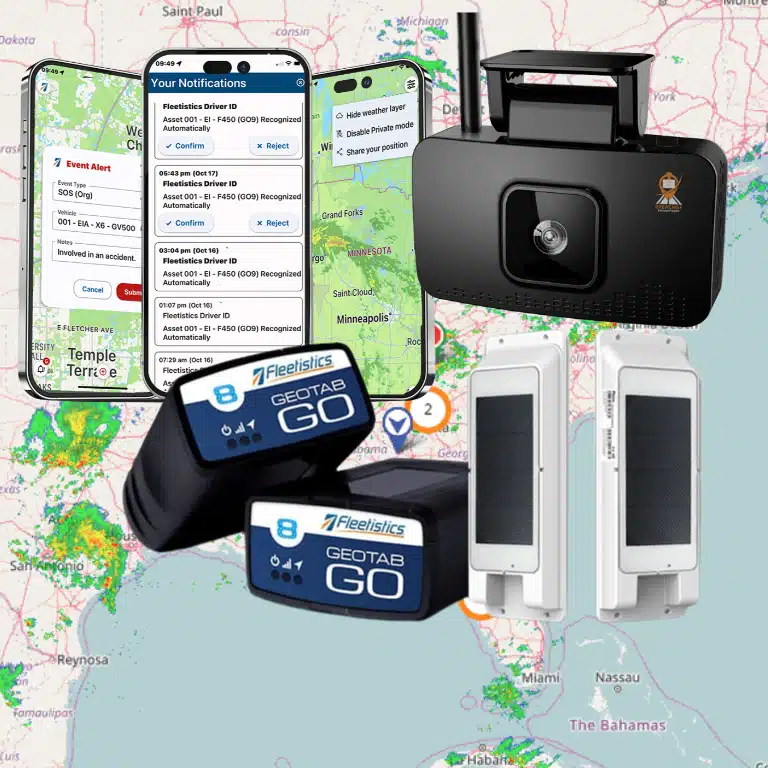
An OBD GPS tracker can turn a vehicle’s existing diagnostic port into a practical starting point for fleet visibility. A successful rollout requires more than plugging in a device. Confirm port access, vehicle compatibility, power behavior, connectivity, data expectations, and installation security before deployment.
For an obd gps tracker installation fleet rollout, inventory each vehicle and verify the correct OBD-II connection. Install and assign the device, then test location and available vehicle data before expanding beyond a pilot group. Plug-in hardware is often efficient for mixed light-duty fleets. Hardwired equipment may better suit vehicles that need concealed, permanent, or more secure installation.
Your Fleetistics Consultant can assist you in sourcing special harnesses approved by the device manufacturer. These harnesses may allow you to install the device in a less driver-accessible location while leaving an available OBD port where your mechanic expects to find it.
That decision becomes clearer when you understand what the tracker connects to, what the installation confirms, and where the OBD approach has limits. For broader deployment planning, review Fleetistics’ fleet tracking by industry guidance, then start with the installation fundamentals below.
Contact Fleetistics to discuss your fleet tracking setup
What Is an OBD GPS Tracker, and How Does Installation Work?
An OBD GPS tracker is a telematics device that connects to a vehicle’s on-board diagnostics port, commonly called the OBD-II port. The port gives compatible hardware access to selected vehicle data, while the tracker uses GPS and cellular connectivity to send information to a secure fleet platform. The U.S. Department of Energy explains that telematics can transmit GPS location and vehicle diagnostics through a cellular network to a cloud-based platform.
For a fleet manager, the practical advantage is a straightforward starting point for an obd gps tracker installation fleet rollout. A plug-in unit can reduce installation complexity, but the correct process still includes compatibility checks, device assignment, and a live data test. Treat each vehicle as an individual installation rather than assuming every port, power state, or data set behaves the same way.
What should you prepare before connecting the tracker?
Prepare the vehicle inventory, the approved device list, and the platform records before technicians begin. Note each vehicle’s identification number, make, model, year, operating group, and assigned driver or team. This makes it easier to match the physical device to the correct digital asset and prevents inaccurate location history after deployment.
Also decide whether the OBD port must remain available for diagnostic equipment or another installed system. If the port is needed for more than one purpose, confirm that any splitter or alternative arrangement is compatible before installation. Review GPS installation considerations for additional planning questions around access, power, and placement.
How do you install and validate an OBD tracker?
- Inventory the vehicle. Confirm the vehicle identity and compare it with the installation schedule. Record existing equipment that may share the diagnostic port or affect access.
- Locate and inspect the port. Find the OBD-II port, usually beneath the dashboard near the driver’s footwell. Check for damage, debris, loose pins, or an existing adapter. Do not force the connector into place.
- Connect the device. With the vehicle safely parked, seat the tracker firmly in the port. A plug-in device is designed to connect directly to the vehicle data link, which can reduce installation complexity and the opportunity for wiring errors.
- Confirm power and connectivity. Turn the vehicle on as directed for the selected hardware. Check the device status and confirm that it has power, a GPS position, and cellular connectivity. If the port remains powered after ignition is off, account for possible battery draw during extended parking.
- Assign the vehicle. In the fleet platform, associate the device identifier with the correct vehicle record. Verify the label, asset number, and any group or permission settings before moving to the next unit.
- Test the first data. Take a short, controlled drive or follow the platform’s test procedure. Confirm that the expected location and available vehicle data appear under the correct asset. Investigate missing, delayed, or mismatched data before approving the installation.
Keep the installation record with the vehicle’s service documentation. If the port is inaccessible, damaged, continuously powered in a way that creates concern. Or unable to provide the required data, pause the rollout and evaluate another installation mode rather than forcing a plug-in solution.
How Can Fleet Managers Plan an OBD GPS Tracker Installation Fleet Rollout?
A successful rollout starts before any device is plugged in. Treat the fleet as a set of vehicle groups with different electrical systems, operating environments, drivers, and service routines. An aftermarket OBD approach can be practical across mixed makes and models, but compatibility still needs to be confirmed for each year, make, and model. OEM systems may be limited to particular vehicle platforms, while aftermarket telematics can offer more flexibility across a diverse fleet. The U.S. Department of Energy describes aftermarket plug-in and hardwired devices as distinct telematics deployment options.
Build a vehicle and port inventory first
Create a rollout sheet that records every vehicle’s year, make, model, class, location, assigned team, and typical duty cycle. Add the OBD port location, whether it is easy to reach, and whether another device already uses it. Do not assume that a port’s presence means every tracker feature will work identically. Record vehicles with unusual dashboards, protective covers, restricted access, or ports positioned where a connected device could be kicked, snagged, or removed during normal use.
For each group, confirm the device’s approved compatibility and identify the exception path before installation day. A vehicle that cannot accept the selected hardware should be routed to a different device or installation method, not forced into the standard batch. This simple inventory prevents technicians from discovering the highest-risk exceptions at the end of the rollout.
Check power, battery behavior, and network coverage
Test whether the OBD port remains powered when the ignition is off. Constant power can keep a device communicating while a vehicle is parked, but it can also increase battery demand, especially for vehicles that sit unused for extended periods. Include parked time, seasonal use, battery age, and maintenance practices in the decision. Define what your team will monitor after installation, such as unexpected battery complaints or vehicles that stop reporting after long idle periods.
Map the fleet’s actual operating areas before selecting a network configuration. Coverage should be checked against routes, yards, rural work zones, border regions, and other locations where vehicles regularly travel. A device that performs well at the depot may not provide the same reporting experience throughout the service territory. Flag coverage-sensitive vehicles for pilot testing instead of assuming that fleet-wide results will be uniform.
Protect the port and validate the pilot
If a diagnostic tool or another telematics device also needs the OBD port, verify that it remains accessible and that any splitter is compatible. Simultaneous access can create connection problems when devices interact with the vehicle data bus, so test the actual combination on representative vehicles before scaling it. Keep the compatibility caveat visible in the installation policy, particularly for vehicles used in regulated operations. An OBD tracker does not automatically replace every other vehicle device or compliance system.
Run a pilot across different vehicle groups, operating areas, and usage patterns. Assign each tracker to the correct vehicle and user, confirm power and location reporting, check expected diagnostic visibility, and document exceptions. Use the findings to refine installation instructions, port-protection steps, permissions, and support ownership. The vehicle tracking implementation checklist can help organize these assignments, tests, and rollout decisions before the remaining vehicles are scheduled.
Write the policy before the full deployment
Your policy should state who may unplug or move a device, how vehicles are reassigned. How failed or incompatible ports are escalated, and who reviews offline or battery-related alerts. Include a recheck whenever a vehicle receives electrical work, a dashboard modification, or a replacement device. With clear exception handling, an OBD rollout remains a controlled fleet process rather than a one-time plug-in exercise.
Which Vehicles and Fleets Are a Good Fit for OBD Tracking?
OBD tracking is usually a strong starting point when you manage light-duty vehicles and need a practical way to deploy location and vehicle data across different makes and model years. A plug-in unit connects to the vehicle’s diagnostic port, which can simplify a phased rollout and reduce the installation work required for each vehicle. That convenience makes it useful for service vans, sales vehicles, pool cars, and mixed fleets where vehicles regularly enter and leave the program.
It is not a universal fit, however. The right choice depends on the vehicle’s available port, electrical behavior, operating environment, data requirements, and security needs. Treat every compatibility decision as a vehicle-specific check, not a broad assumption based only on body type or fuel system. Year, make, model, port accessibility, and the way the vehicle operates should all be verified before you standardize an installation.
| Use case | OBD tracking fit | What to verify |
|---|---|---|
| Light-duty and mixed vehicle fleets. | Often a good fit for straightforward deployment. | Verify year, make, model, working port, cellular coverage, and required data. |
| Vehicles needing diagnostic access for other equipment. | Possible, but requires planning. | Verify continued port access and compatibility of any splitter or shared connection. |
| Heavy equipment or severe operating environments. | Evaluate carefully before using a standard plug-in approach. | Verify vibration, temperature, moisture, mounting durability, and available data link. |
| Electric vehicles or vehicles requiring specialized diagnostics. | May require purpose-matched telematics hardware. | Verify powertrain data, battery state of charge, battery performance, and system compatibility. |
| High-security or tamper-sensitive vehicles. | Usually a poor fit for an exposed plug-in device. | Verify whether a hidden, hardwired installation is more appropriate for permanence. |
| Assets without a usable OBD port. | Not a direct plug-in use case. | Evaluate alternative hardware, power source, mounting location, and communications coverage. |
Where OBD tracking becomes less practical
Heavy equipment, off-road assets, and vehicles exposed to sustained vibration, moisture, or temperature extremes need more than a convenient connection. The hardware and mounting method must withstand the environment, and the vehicle may expose proprietary data through a different data link. A standard OBD installation can also be unsuitable when the port is difficult to reach, already occupied, or needed for another diagnostic or compliance device. If a shared connection is being considered, confirm that the splitter and connected equipment can coexist without disrupting vehicle-bus communications.
Electric vehicles deserve the same caution. In addition to location and basic vehicle information, an appropriate system may need access to electric powertrain diagnostics, such as state-of-charge and battery performance metrics. That is a different evaluation from simply asking whether a physical port is present.
Match the installation to the risk
An exposed plug-in device can be efficient for a low-risk fleet where rapid deployment and easy service access matter most. It is a weaker choice when drivers or unauthorized people could unplug it, or when continuous tracking is essential. In those situations, hidden hardwired hardware can provide a more permanent and tamper-resistant installation. Review your vehicle list and operating conditions before choosing a single standard for every unit.
For a mixed deployment, compare the available fleet hardware options and document exceptions by vehicle. Fleetistics can help verify the year, make, model, operating environment, and data requirements. Your obd gps tracker installation fleet plan can then use plug-in hardware where it fits and another method where it does not.
What Data Does an OBD Tracker Send to Your Fleet Platform?
An OBD tracker can turn vehicle activity into information your fleet team can review from a centralized platform. In a typical obd gps tracker installation fleet deployment, the device connects to the vehicle’s diagnostic port and sends available data through a cellular connection. The platform then organizes that information into maps, alerts, records, and reports.
Location and vehicle activity
The most familiar data point is location. Depending on the device, service plan, signal conditions, and configuration, you may be able to view near real-time vehicle position, trip history, stops, and movement patterns. That can help you coordinate field work, review route activity, and understand how vehicles are being used during the workday.
Trip and activity data can also support utilization decisions. You might compare assigned vehicles with actual operating patterns, identify assets that sit unused, or spot recurring travel that deserves operational review. These are decision-support signals, not automatic conclusions. A location trail does not explain why a driver stopped, whether a trip was authorized, or whether an asset was available for a particular job.
Diagnostics and operational reporting
OBD-connected hardware may also read selected vehicle diagnostics, such as fault information or other values exposed through the vehicle data link. The exact fields depend on the vehicle, model year, data protocol, tracker, and software configuration. Do not assume that every OBD device will expose every diagnostic value, or that a code can be interpreted without checking the vehicle and service context.
The U.S. Department of Energy explains that telematics systems can transmit near real-time GPS location and diagnostics from vehicle OBD ports to a secure, cloud-based platform. Its guidance also identifies reporting, vehicle utilization, driver safety, and fleet management system integration as potential uses for telematics data. Read the DOE telematics guidance for the federal fleet management context.
Integrations and access controls
A useful platform should do more than display dots on a map. Ask how location, activity, and supported diagnostic data can flow into reports, maintenance workflows, dispatch tools, accounting processes, or other systems your team already uses. Fleetistics supports an open ecosystem with free APIs and more than 300 integrations. But the practical result still depends on the selected hardware, the vehicle data available, and the integration you need.
Data should be delivered through secure cloud access with appropriate user permissions. Before rollout, define who can view live locations, who can export reports, how long records should be retained, and how access is removed when responsibilities change. Review fleet hardware options with an implementation partner so the device and platform configuration match your vehicles, workflows, and reporting goals.
Think of the tracker as a data source, not a guarantee of a fixed data package. Confirm the fields available for each year, make, and model, then test representative vehicles before scaling the installation across a mixed fleet.
When Should You Choose Hardwired Installation Instead?
Plug-in OBD hardware is attractive because it can simplify deployment across vehicles with a compatible, accessible diagnostic port. It also makes it easier to move a device when a vehicle leaves the fleet or when you are testing a tracking approach. Hardwired installation becomes the stronger choice when the device needs to stay in place, stay out of sight, and remain connected as part of the vehicle’s long-term configuration.
Choose permanence when unplugging is a real risk
If drivers, contractors, or unauthorized users can easily reach the OBD port, accidental disconnection or deliberate tampering can interrupt visibility. A properly installed hardwired tracker can be positioned behind vehicle panels and connected in a way that is less obvious than a plug-in unit. That does not replace access controls or a clear equipment policy, but it reduces the chance that tracking ends because someone removes the device.
Hardwiring is especially worth considering when the vehicle is assigned to a high-value route, operates under a strict security policy, or needs consistent location reporting between service visits. The decision should account for the installation quality, not just the device type. Wiring must be secured away from pedals, steering mechanisms, moving parts, and high-heat areas so the installation does not create a vehicle-safety or maintenance problem.
Match power behavior to the way the vehicle works
Power management is another upgrade trigger. An OBD port may remain powered after the ignition is switched off. Which can allow continued reporting but may also create battery concerns when a vehicle sits for extended periods. Hardwired installation gives the installer more control over the power connection and how the tracker behaves during parked periods. Your installer should confirm the vehicle’s electrical behavior, expected parking duration, and battery condition before selecting the connection method. Do not assume that one power configuration is appropriate for every make, model, or duty cycle.
Consider the operating environment and the cable route
Construction vehicles, heavy equipment, utility vehicles, and other assets may experience more vibration, moisture, temperature variation, or physical exposure than a typical light-duty vehicle. In those conditions, a concealed and securely mounted installation can be more durable than leaving a device exposed at the diagnostic port. Heavy and electric vehicles may also require diagnostics beyond basic OBD tracking, so the hardware and data link should be matched to the vehicle’s actual requirements. The U.S. Department of Energy identifies hardwired devices, aftermarket plug-in devices, and OEM telematics as distinct deployment options. Reinforcing that installation mode should be selected as part of the fleet strategy, not as an afterthought.
Mixed fleets rarely have a single perfect answer. You may use OBD devices for straightforward light-duty deployments, while choosing hardwired hardware for vehicles with restricted port access. A higher tampering risk, demanding operating conditions, or specialized diagnostic needs. Verify compatibility by year, make, model, and operating environment before standardizing the approach. A Y-splitter is not automatically a solution when another device needs the data link, because simultaneous access requires compatibility checking.
Use an implementation partner to make the decision repeatable
Fleetistics helps you evaluate the tradeoff between convenience and permanence as your Geotab advocate and implementation partner. The team can help select and configure hardware for the vehicle mix rather than treating every unit as identical. Review the available fleet hardware options, then use a pilot or the 60-day Solution Evaluation Process to confirm power behavior, physical security, data needs, and serviceability before expanding the installation standard.
Talk with Fleetistics about the right installation approach for your fleet.
What Should You Verify After Fleet Installation?
A successful connection is only the beginning. Before releasing a vehicle into normal service, verify that the tracker is physically secure. Communicating with the platform, assigned to the correct vehicle, and operating within your fleet’s policies.
- Physical connection: Confirm the plug is fully seated and the device is not hanging where a driver, cargo, or a moving part can strike it. Check that the connector and surrounding trim are not under strain.
- Port access: If technicians or another approved device need the OBD-II port, make sure it remains usable. A Y-splitter is not automatically compatible. Test simultaneous access carefully, especially when an ELD or other equipment uses the same data link. The port should not be blocked by the installation.
- Power state: Check the device with the ignition on, then observe what happens after shutdown. Some OBD ports remain powered while the vehicle is off, which can affect reporting behavior and battery consumption. Continuous power deserves extra attention on vehicles that sit for extended periods.
- First location ping: Confirm that the platform receives a current location after the vehicle has a reasonable opportunity to establish GPS and cellular communication. If the ping is delayed or inaccurate, inspect placement, obstructions, and network coverage before assuming the device is defective.
- Vehicle assignment: Match the tracker’s serial number or identifier to the correct unit, VIN, asset number, and department. Verify the displayed year, make, model, and driver or equipment association. A working device assigned to the wrong vehicle still creates bad fleet data.
- Diagnostics: Review the data that this specific device and vehicle are expected to provide. Telematics can transmit location and vehicle diagnostics to a secure cloud platform, but available fields vary by hardware and vehicle. Treat missing data as a compatibility or configuration question, not proof that every OBD system should provide the same metrics. The Department of Energy’s telematics guidance provides useful context on vehicle data and fleet reporting.
- Cellular exceptions: Test vehicles in their actual operating areas. A tracker may communicate normally in the yard but experience delays in remote or poorly covered areas. Record expected exceptions and define when an alert or follow-up is warranted.
- Users and data policy: Give each person only the access needed for their role, remove temporary installation accounts, and confirm that reports are visible to the right teams. Document what data is collected, who may view it, how it is used, and how long records are retained. Use a secure cloud platform with authorized access controls, since telematics systems transmit operational data over cellular networks.
Keep the results in a repeatable checklist so future replacements and vehicle additions follow the same standard. For more planning guidance, review Fleetistics’ GPS installation considerations before the next rollout.
Contact Fleetistics to review your fleet installation and configuration.
Frequently Asked Questions
How do you install an OBD GPS tracker in a fleet?
Start by confirming the vehicle’s year, make, model, and available diagnostic port. Inspect the port, connect the device securely, confirm power and cellular connectivity. Assign it to the correct vehicle in the platform, and test a location update before releasing the vehicle.
Will one OBD tracker work with every vehicle in a mixed fleet?
Not necessarily. Compatibility can vary by vehicle year, make, model, port configuration, operating environment, and the data your fleet needs. Verify each vehicle class before rollout, especially when the fleet includes heavy vehicles, electric vehicles, or assets without a usable OBD-II port.
What information can an OBD tracker provide?
Depending on the device and vehicle, an OBD tracker may provide location, vehicle diagnostics, trip activity, utilization, and selected driver or vehicle event data. Telematics systems commonly transmit GPS location and diagnostics through a cellular network to a secure cloud platform, as described by the U.S. Department of Energy.
Can an OBD tracker drain a vehicle battery?
It can if the OBD port remains powered while the ignition is off, particularly when a vehicle sits unused for extended periods. Check the vehicle’s power behavior, monitor battery impact during a pilot, and confirm that the tracker will not interfere with other equipment using the diagnostic port.
When should a fleet use a hardwired tracker instead?
Choose hardwired installation when the device must remain hidden, tamper-resistant, permanently connected, or better suited to a vehicle’s operating conditions. It is also worth considering when an OBD port must remain available for other diagnostic equipment or when the vehicle requires specialized data and power management.
Get Started With the Right Fleet Tracking Setup
Choosing between plug-in OBD tracking and hardwired installation depends on your vehicles, operating conditions, security needs, and rollout goals. A practical review can help you confirm compatibility, define the data you need, and plan a deployment that fits your fleet. Contact Fleetistics to discuss the right OBD or hardwired tracking setup for your fleet.