A trailer is shown as available in the yard, but it left with a subcontractor two days ago. A generator is marked as serviced, while its engine hours say otherwise. A dispatcher calls three supervisors to locate a piece of equipment before a job can start. These are not tracking failures alone. They are data-flow failures.
Equipment tracking with API gives fleet and operations teams a practical way to move asset location, status, utilization, and maintenance data into the systems where work actually gets managed. Instead of asking staff to re-enter tracker data into dispatch software, an ERP, a maintenance platform, or a customer portal, an API allows those systems to exchange information automatically.
For fleets that manage vehicles, trailers, powered equipment, and mobile crews, that connection can reduce administrative work, improve asset accountability, and help prevent avoidable downtime. The value is not in having another dashboard. It is in making reliable equipment data available at the point of decision.
What Equipment Tracking With API Actually Does
An application programming interface, or API, is a controlled method for software systems to request, receive, and update data. In an equipment-tracking program, the tracking platform may collect GPS position, movement history, geofence events, battery condition, engine hours, fault information, and sensor activity. The API makes approved portions of that data available to other business applications.
A construction contractor, for example, can send equipment location and run-time data into its job-costing system. A rental operation can update a customer-facing availability screen when an asset enters or exits a defined location. A maintenance team can create a service task when engine hours cross a threshold. A public works department can feed asset activity into its existing operational reporting environment without forcing every user into a separate platform.
The connection can also run in the other direction. Dispatch or inventory software may send an assigned job, equipment owner, asset category, or expected return date back to the fleet platform. That context makes tracking data more useful because a map pin alone does not explain whether an asset is where it should be.
Start With the Operational Decision, Not the Integration
The most effective API projects begin with a specific operating problem. “We want all our data connected” is understandable, but it is too broad to define the work, the priority, or the expected return.
Start by identifying the decision that currently depends on phone calls, spreadsheets, or a manual export. A field-service manager may need to know whether the right equipment is on the correct truck before a technician departs. A fleet manager may need maintenance alerts based on actual utilization rather than calendar intervals. A finance team may need accurate utilization to determine whether underused assets should be reassigned, sold, or rented instead of purchased.
Then define the minimum data required to support that decision. For one workflow, that may be asset ID, current location, timestamp, and geofence status. For another, it may include engine hours, odometer data, diagnostic codes, and the assigned work order. More data is not always better. Pulling every available field into another system can create higher costs, slower reporting, and confusion over which application is the system of record.
A practical design identifies three things early: where data originates, where it needs to appear, and who is accountable for acting on it. If no one owns the resulting exception or alert, the integration may automate noise instead of improving control.
Build a Data Model That Matches the Field
Equipment records need consistent identifiers. This sounds basic, but it is one of the most common sources of failed integrations. A tracker may be labeled “Trailer 12,” maintenance may use a VIN or serial number, accounting may use a fixed-asset number, and dispatch may use a unit number. Unless those records are mapped correctly, the same asset can appear as four different items across the organization.
Create an asset master that connects the tracker ID to the unit number, serial number, equipment type, ownership status, and responsible business unit. Include whether the asset is company-owned, leased, rented, customer-owned, or assigned to a subcontractor. This supports accurate reporting and avoids sending sensitive location data to users who should not see it.
Asset categories matter as well. A GPS-equipped truck can generate frequent, detailed telematics events. A battery-powered trailer tracker may report less often to preserve battery life. A piece of seasonal equipment may only need daily location confirmation and unauthorized-movement alerts. The right reporting interval depends on risk, asset value, utilization, and power availability.
Choose the Right Method for Moving Data
Most API integrations use a combination of scheduled requests and event-based notifications. Scheduled requests, sometimes called polling, ask the tracking platform for current or historical data at set intervals. This can work well for daily utilization reports, maintenance reconciliation, or periodic inventory updates.
Event-based notifications send data when something happens, such as a geofence entry, unauthorized movement, low battery, ignition event, or maintenance threshold. This approach is often better for operational exceptions because it limits unnecessary data transfers and gets information to the right system faster.
The trade-off is complexity. Event-driven workflows require a receiving application that can process incoming data reliably, handle duplicate messages, and recover if a connection is interrupted. Scheduled imports are simpler to operate but may delay action. A trailer that leaves a secured yard at 2:00 a.m. should not wait for a morning data refresh.
For many fleets, the best approach is mixed. Use event notifications for theft prevention, jobsite arrivals, and critical maintenance conditions. Use scheduled data pulls for reporting, payroll support, utilization analysis, and asset reconciliation.
High-Value Use Cases for Connected Equipment Data
Connected equipment data earns its keep when it removes recurring friction from daily operations. Four use cases often produce value quickly:
- Jobsite verification: Confirm that trailers, generators, lifts, and specialty tools arrived at the intended location. Geofence activity can support billing, reduce disputes, and identify equipment that was sent to the wrong site.
- Maintenance automation: Use engine hours, mileage, fault events, and utilization to trigger work orders in the maintenance system. This helps teams schedule service based on actual use and catch developing problems before they become roadside or jobsite failures.
- Rental and utilization control: Compare owned-equipment usage against rental costs and availability. Teams can identify equipment sitting idle, assets used without authorization, and units that are consistently overworked.
- Customer and operational visibility: Provide approved users with current status through a dispatch screen, service portal, or internal dashboard. The goal is not to expose every map detail. It is to answer the questions customers and managers ask most often without adding calls to the operations team.
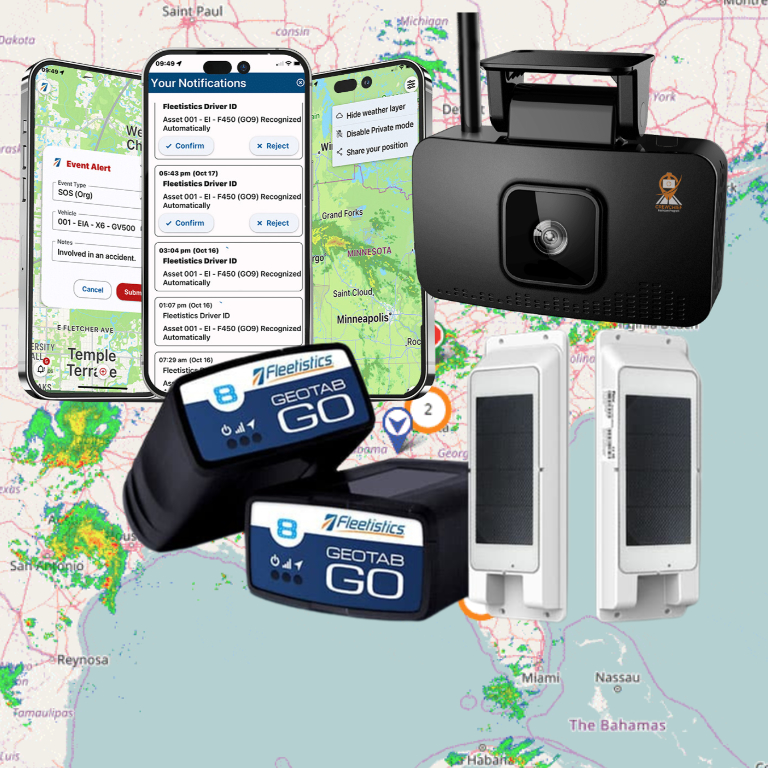
A fleet technology platform such as Fleetistics can support this model with asset tracking, telematics, maintenance tools, and open API capabilities that fit the level of integration a fleet actually needs. Small fleets may start with location and geofence exceptions. Larger organizations can connect multiple systems as their processes mature.
Protect Data Quality and Access
An API does not remove the need for operational discipline. It makes bad data move faster if asset records, device installations, and user permissions are poorly managed.
Set clear ownership for device assignment, asset naming, and retirement. When a tracker is moved from one trailer to another, update the record immediately. When equipment is sold or returned from a lease, remove it from active workflows. A monthly exception report for missing serial numbers, duplicate unit IDs, inactive trackers, and assets without recent activity can prevent small record errors from becoming major reporting problems.
Security should be designed into the integration. Use authenticated access, limit each application to the data it requires, and review access when vendors, departments, or employees change. Location history can reveal job patterns, customer sites, and operational capacity. Treat it as business-sensitive data, not just a map feed.
Also decide which system owns each field. The tracking platform may be the source of truth for GPS events and engine hours. The maintenance system may own work-order status. The ERP may own cost center and depreciation data. Clear ownership prevents two systems from overwriting each other and gives users confidence in the information they see.
Measure Results Before Expanding
A connected tracking program should be measured against the operational issue it was built to solve. If the goal is faster equipment recovery, track time from unauthorized-movement alert to investigation and recovery. If the goal is maintenance improvement, track overdue service events, emergency repairs, and downtime hours. If the goal is utilization control, track idle days, rental spend, and the percentage of equipment assigned to active work.
Do not expect every asset class to deliver the same return. High-value trailers and equipment operating across many jobsites may justify frequent updates, advanced sensors, and custom workflows. Low-value seasonal assets may only need a basic location signal and a movement alert. Matching the technology investment to the exposure keeps the program affordable and easier to manage.
The best first integration is usually the one that stops a daily operational headache. Once teams can trust the data and see fewer calls, fewer manual updates, or faster maintenance action, they have a stronger foundation for connecting the next workflow.