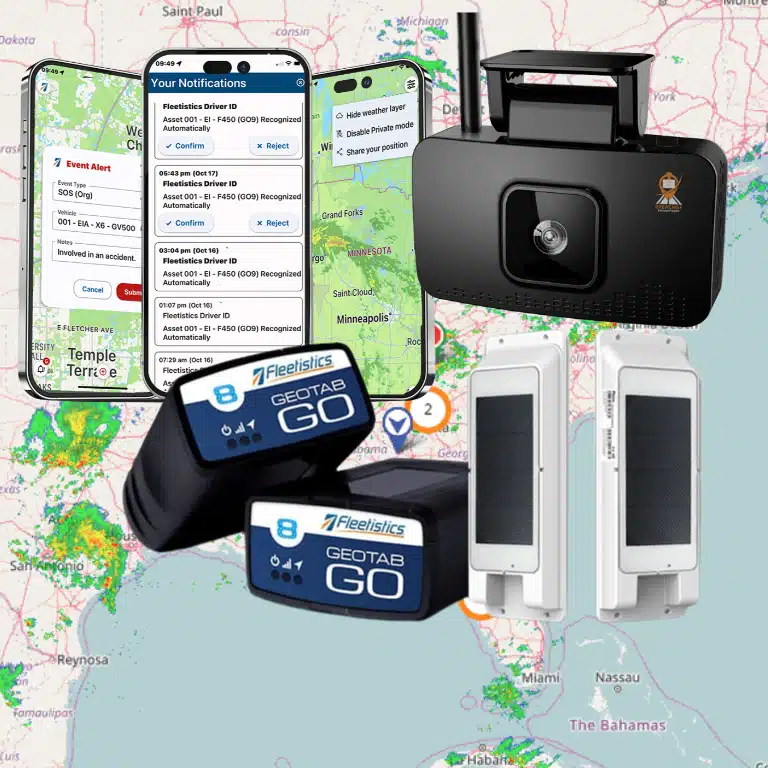
Fleet solutions help a growing operation turn scattered vehicle data into decisions managers can act on. Instead of checking one tool for locations, another for maintenance, and a separate process for compliance, a connected platform brings those workflows together. The right fleet solutions give you visibility today while leaving room to add vehicles, assets, drivers, integrations, and safety tools as the business changes.
What are fleet solutions?
Fleet solutions are connected hardware, software, services, and workflows that help an organization track, operate, protect, and maintain vehicles or other mobile assets. A complete solution may combine GPS location data, vehicle diagnostics, driver safety, maintenance, routing, analytics, and compliance tools. The goal is not to collect more data. It is to put reliable information in the hands of the people who need to make faster, safer, and more profitable decisions.
That definition matters because the phrase can describe very different buying options. A single location tracker may solve a narrow visibility problem. A fleet management platform can connect location with engine data, driver activity, work orders, inspections, and business systems. Growing fleets usually need an architecture that can start with one urgent problem and expand without forcing a complete technology replacement.
Why do growing fleets outgrow disconnected point tools?
Point tools can be useful when a fleet has one simple need, such as finding a trailer or confirming a vehicle’s last known location. The challenge appears when separate tools create separate logins, data definitions, alerts, reports, and ownership. Managers spend time reconciling records instead of improving the operation.
A connected fleet solution creates a common operating picture. For example, a late arrival can be evaluated alongside route history, vehicle health, weather, driver behavior, and the work order that affected dispatch. That context helps an operations team distinguish a one-time exception from a repeatable process problem.
| Evaluation area | Disconnected point tools | Connected fleet solution |
|---|---|---|
| Data | Information is split across systems and exports. | Location, vehicle, driver, and asset data can be reviewed together. |
| Alerts | Teams receive separate notifications with limited context. | Rules can connect an event to a person, vehicle, route, or work process. |
| Maintenance | Service records may depend on manual updates. | Diagnostics, schedules, inspections, and work orders can support one workflow. |
| Growth | Adding vehicles may add another tool or manual handoff. | Modules and permissions can expand as needs become more complex. |
| Reporting | Managers reconcile spreadsheets before reviewing performance. | Shared data supports repeatable scorecards and operational reviews. |
The best choice is not automatically the platform with the longest feature list. It is the architecture that gives your team usable information, clear ownership, and a practical path from the first deployment to the next stage of growth.
Which capabilities belong in a complete fleet solution?
A complete fleet solution should connect the capabilities that influence the same business outcomes. Review the following layers as a system, not as isolated checkboxes.
GPS tracking and asset visibility
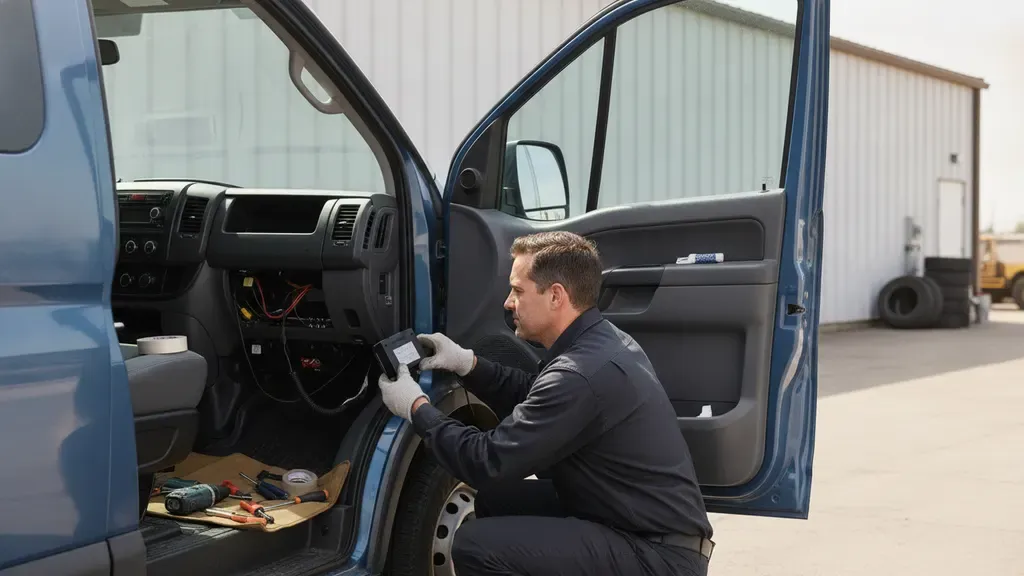
GPS tracking provides the location history and live visibility that many fleet workflows depend on. Managers can use it to confirm routes, investigate unauthorized use, support customer updates, and understand how vehicles or equipment are being utilized. Hardware selection matters: powered vehicles, trailers, heavy equipment, and unpowered assets may require different device and installation approaches.
Ask whether the platform supports the mix of assets you actually operate, not only standard vehicles. Fleetistics provides GPS tracking hardware and options that can be matched to the asset, environment, data needs, and installation plan.
Telematics and vehicle health
Telematics adds vehicle and equipment data to location information. Depending on the vehicle and hardware, that can include diagnostic trouble codes, engine status, mileage, fuel-related signals, idling, utilization, and other operational events. These data points help a manager move from “Where is the vehicle?” to “How is the vehicle being used, and what should happen next?”
Prioritize data you can turn into a decision. A dashboard that shows hundreds of signals is less valuable than a workflow that routes a critical diagnostic event to the right maintenance owner, records the action, and shows whether downtime improved.
Driver safety and video telematics
Safety tools can combine driver behavior events, coaching workflows, incident evidence, and, where appropriate, video. AI-powered dashcams may help identify behaviors such as distraction, following-distance risk, or seatbelt noncompliance. The useful question is how the organization will respond. Without a fair coaching process, more alerts can create noise rather than safer habits.
Review camera placement, event review, retention, manager permissions, and driver communication before choosing a system. Fleetistics offers fleet dashcam solutions that can be evaluated alongside tracking and telematics rather than treated as a separate data silo.
Maintenance and uptime
Maintenance becomes more proactive when vehicle data, inspection results, service intervals, and work orders can be reviewed in one operating process. A fleet team can prioritize an issue based on severity, vehicle availability, scheduled work, and the effect on customer commitments. This is more useful than simply storing a diagnostic code.
When comparing platforms, ask whether maintenance workflows support your real responsibilities: preventive schedules, defect follow-up, parts or vendor notes, approval rules, downtime reporting, and proof that a vehicle returned to service. The platform should help maintenance and operations share the same facts.
Compliance workflows that fit the fleet
Compliance needs depend on the vehicles, routes, jurisdictions, and work performed. A fleet solution may support electronic inspection workflows, DVIR processes, IFTA-related records, driver documentation, and hours-of-service tools. These capabilities should reduce duplicate entry and make records easier to review, but they do not remove the manager’s responsibility to understand which rules apply.
ELD capability is especially specific. It matters for fleets subject to applicable hours-of-service and electronic logging requirements, not every local-service or short-haul operation. The Federal Motor Carrier Safety Administration’s hours-of-service guidance is a useful starting point for determining which regulatory questions require further review.
Ask how the system handles exceptions, corrections, inspection records, permissions, and exports. A compliance module earns its place when it supports a repeatable process that drivers, supervisors, and administrators can follow.
Routing, analytics, and integrations
Route and analytics tools help teams convert historical data into operational changes. A manager might review excessive idle time, repeat stops, route variance, job-site dwell, asset utilization, or late arrivals. The platform should make it possible to move from a pattern to an action, then measure the result.
Integrations are equally important as a fleet grows. Look for documented APIs, webhooks, permissions, data ownership, and a realistic implementation path. Fleetistics’ open ecosystem includes free APIs and more than 300 integrations, which can help connect fleet data with dispatch, maintenance, fuel, accounting, or other business systems when the use case is defined clearly.
How should you evaluate a modular fleet platform?
Modular fleet solutions allow an operation to solve its highest-priority problem first and add capabilities as the business is ready. Modularity should not mean a pile of unrelated add-ons. It should mean the hardware, data model, user permissions, and workflows can work together as the deployment expands.
- Start with an operational outcome. Define whether the first goal is lower idle time, better route visibility, safer driving, more reliable inspections, reduced downtime, or stronger asset control.
- Map the people and decisions. Identify who needs live visibility, who reviews alerts, who coaches drivers, who manages maintenance, and who needs executive reporting.
- Check data continuity. Confirm that a future module can use the same vehicle, driver, asset, and account structure instead of creating another disconnected record.
- Test workflow ownership. Ask what happens after an alert. A useful solution should show the responsible person, the next action, and the record of resolution.
- Review integration requirements. Document which systems must exchange data now and which may be added later. Confirm API availability, access controls, and support expectations.
- Plan adoption. Include installation, configuration, driver communication, manager training, and a review cadence. A technically capable platform still underperforms when people do not use it consistently.
- Set measurable checkpoints. Choose a baseline and a small set of metrics before rollout. Compare results at defined intervals rather than relying on a general impression.
Use the fleet management platform comparison as a starting point for questions about capabilities and fit, then validate those questions against your routes, assets, workflows, and team capacity.
What does a practical fleet-solution rollout look like?
A rollout should be structured enough to produce evidence without becoming a technology project that loses sight of operations. A practical sequence is:
- Document the current state. List vehicles, assets, drivers, routes, systems, compliance obligations, recurring exceptions, and the reports managers use today.
- Choose a focused pilot. Select a representative group of vehicles or assets. Include the people who will use the data, not only the person approving the purchase.
- Configure the first workflows. Set meaningful alerts, permissions, maintenance rules, safety review steps, and reporting definitions. Avoid turning on every available notification.
- Train for decisions. Show managers how to investigate events and show drivers what information is collected, why it is collected, and how the organization will use it.
- Review the evidence. Compare baseline metrics with pilot results. Record what improved, what did not, and which process needs adjustment.
- Scale deliberately. Expand by location, vehicle class, or use case. Keep the same scorecard while adding only the modules that support a documented need.
Fleetistics uses a consultative Solution Evaluation Process so a fleet can validate fit before committing to a larger deployment. The standard evaluation is 30 days, giving teams time to configure workflows, train users, establish a baseline, and assess results. Larger fleets may need a longer evaluation, while smaller operations may use a shorter period when the scope and evidence support it.
How can fleet managers build employee trust around tracking?
Fleet tracking works best when employees understand the purpose and the boundaries. A transparent program explains what is collected, when it is collected, who can access it, how long records are retained, and how safety or performance decisions are made. This is a governance and communication issue, not just a device-installation step.
Give drivers a clear introduction before activation and invite questions about privacy, coaching, exceptions, and data use. Fleetistics’ guidance on introducing GPS tracking to employees can help managers frame the change around safety, service quality, accountability, and operational support. Written driver and company policies should match the actual configuration.
Why does the implementation partner matter?
Fleet software is only one part of the outcome. Hardware selection, vehicle compatibility, installation, permissions, configuration, integrations, training, and ongoing improvement all affect whether the system delivers value. A partner should be willing to say when a feature is unnecessary, identify a tradeoff, and align the rollout with the fleet’s people and processes.
Fleetistics has served fleets since 2001 and is the longest-running Geotab partner in the United States. The team helps customers select the right hardware and configure the platform, with support from Geotab’s technical and development staff when needed. Fleetistics remains the customer’s advocate and implementation partner.
That model is designed for organizations that want enterprise-grade technology without losing access to practical guidance. It can support businesses operating vehicles, equipment, or watercraft across the USA, Canada, and Mexico, with a modular approach matched to fleet type and size.
Fleetistics also brings proof points that help buyers evaluate an engagement. The company provides 24/7 support and participates in Sourcewell government purchasing. Those details do not replace a fleet-specific business case, but they provide useful context for a serious evaluation.
Frequently Asked Questions
What is the difference between fleet solutions and GPS tracking?
Fleet solutions include GPS tracking but extend beyond location visibility. They can connect vehicle data, safety, maintenance, compliance, routing, analytics, and integrations in one operating model. GPS tracking may be the first module a fleet adopts, while the broader solution supports more decisions as the operation grows.
What should a small fleet look for in a fleet solution?
A small fleet should prioritize useful visibility, simple workflows, appropriate hardware, clear support, and a path to add capabilities later. Start with the operational problem that has the clearest cost or safety impact. Avoid paying for complexity that the team cannot implement or use consistently.
Do all fleet solutions include ELD?
No. ELD is relevant to fleets that fall under applicable electronic logging and hours-of-service requirements. Local-service, short-haul, and other fleets may need different compliance workflows. Confirm the rules for your vehicles, drivers, routes, and operation before selecting or presenting ELD as a requirement.
How do fleet solutions improve maintenance?
Fleet solutions can connect vehicle diagnostics, inspection information, preventive schedules, and work orders so managers can identify issues earlier and coordinate the next action. The improvement depends on accurate configuration, timely inspections, maintenance follow-through, and a review process that tracks downtime and return to service.
How long should a fleet solution evaluation take?
The right evaluation length depends on fleet size, use cases, deployment scope, and the time needed to establish a baseline. Fleetistics’ standard Solution Evaluation Process is 30 days. Larger deployments may need longer, while smaller, focused evaluations can be shorter when results can be measured reliably.
How do you choose fleet solutions with confidence?
The strongest choice connects the data your team already needs to the decisions it must make next. Compare architecture, workflow ownership, scalability, integrations, support, employee communication, and measurable outcomes rather than selecting a feature list in isolation.