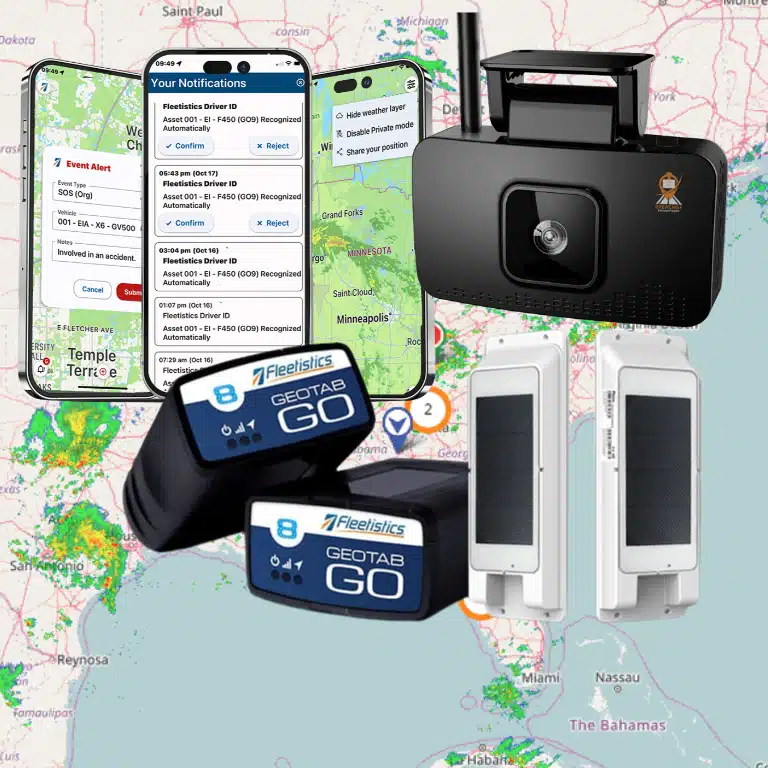
A dashcam should do more than record a road after an incident. For a truck fleet, it should help you understand what happened, support fair driver coaching, and fit the telematics workflow your team already uses. That makes the camera, cloud service, installation method, and data connection equally important during evaluation.
A Rosco dashcam for fleet trucks combines road and driver-facing video with event-based recording, optional auxiliary cameras, cloud access, and telematics integration. The right configuration can help you review incidents faster, identify risky behaviors, and build a practical coaching process without forcing your fleet into a disconnected video system. Compare the hardware, recurring service and data costs, installation requirements, and Fleetistics integration before you choose a package.
Rosco is best assessed as part of a broader AI dashcam for fleet vehicles strategy, not as an isolated camera purchase. Start by looking at what the system is designed to capture, how footage is stored, and how it fits the daily needs of fleet managers and drivers.
What Is the Rosco Vision Systems Dashcam? Overview for Fleet Managers
Rosco Vision Systems is not a consumer electronics brand that moved into fleet cameras. The company has operated since 1907, is based in New York City, and is recognized as the largest manufacturer of bus vision solutions in North America, including bus mirrors. That background matters when you are evaluating equipment that must withstand daily commercial use, varied vehicle types, and the demands of fleet operations. Learn more about Rosco Vision Systems.
The Rosco DV6 is the company’s dual-vision HD dashcam, introduced in 2022 as the successor to the DV4. It records a road view and a separate driver view, giving fleet managers more context than a forward-facing camera alone. The system is designed and manufactured for the fleet environment rather than adapted from a consumer dashcam, as described by Eagle Wireless.
What the DV6 includes
- Dual HD cameras: Capture roadway conditions and driver behavior in the same event record.
- Scalable storage: Available storage options start at 128GB and extend to 1TB, with capacity for up to approximately 2,000 hours of footage depending on configuration and recording conditions.
- Connected access: A built-in 4G modem connects the camera to the RoscoLive cloud platform. Fleet teams can review available footage remotely, with cloud retention configured for up to one year.
- Low-light visibility: Infrared night vision supports driver-facing recording when cabin lighting is limited.
- Fleet-ready mounting: Tamper-resistant mounting helps keep the device positioned and operational in demanding vehicle environments.
For fleet managers, the practical question is not simply whether the camera records video. It is whether the system gives your team usable evidence after a collision, visibility into driver behavior, and enough storage and connectivity for your operating model. The DV6 storage range also lets you match the configuration to fleet size, cellular coverage, investigation workflows, and how quickly your team reviews events.
Rosco is best evaluated as part of a broader safety and telematics strategy. Compare its camera coverage, cloud workflow, installation requirements, and data access with your existing platform before selecting hardware. Fleet managers can also review Fleetistics’ Rosco Vision Systems dashcam capabilities for a closer look at how the system fits into commercial fleet operations.
Key Features: AI Event Detection, Driver Coaching, and Geotab Integration
A capable fleet camera should do more than record collisions after they happen. The DV6 combines real-time alerts, expanded camera coverage, and telematics integration so your team can identify risk, review context, and coach drivers while the information is still useful.
Real-time detection with practical driver feedback
The AI Driver Management System monitors behaviors that can quickly become safety events, including phone use, drowsiness, distraction, and tailgating. When the system detects a configured event, in-cab alerts can prompt the driver to correct the behavior immediately. Managers can then use the event for a focused coaching conversation instead of relying on assumptions or incomplete reports.
That combination matters. Research from the National Institute for Occupational Safety and Health found that risky-driving behaviors declined most when in-vehicle feedback was paired with supervisory coaching, rather than lights-only feedback. The system is therefore most useful when alerts feed a consistent coaching process, not when they operate as an isolated warning device (NIOSH guidance on in-vehicle monitoring systems).
Perimeter visibility beyond the forward view
Forward-facing video cannot show everything happening around a work truck, service vehicle, or trailer. Through a multiplexer, the DV6 supports up to four auxiliary cameras, which can be positioned at the sides, rear, or cargo area. That modular setup helps you address blind spots, loading activity, backing incidents, and claims that would otherwise have little visual evidence. For a broader planning framework, review Fleetistics’ guide to AI dashcam for fleet vehicles.
Geotab-connected event clips
With wireless Geotab GO integration, a qualifying exception can trigger the DV6 to send a 20-second video clip into MyGeotab. The clip includes 10 seconds before and 10 seconds after the event, giving you the lead-up and immediate outcome rather than a single isolated frame. The event context can make it easier to prioritize coaching, investigate a complaint, or validate what happened on the road (DV6 event-recording details).
Cloud administration for a distributed fleet
RoscoLive extends the system beyond the vehicle. Fleet managers can view available video remotely, receive over-the-air firmware updates, and review fleet-wide camera health reports from the cloud platform. Those health checks help your team spot cameras that need attention before a coverage gap becomes a liability. The result is a camera program that supports daily operations, not just post-incident investigation.
Rosco Dashcam Pricing and Installation for Commercial Fleets
Budgeting for a Rosco system requires more than the camera price alone. A DV6 typically costs about $660 for the hardware, plus approximately $25 per month for RoscoLive service. A separate cellular data plan is also required, so your final monthly cost depends on the carrier, video usage, retention needs, and number of vehicles. These figures are market estimates, not a fixed Fleetistics package price. Review the published DV6 pricing reference before comparing quotes.
Fleet size changes the buying decision quickly. A small contractor may need only forward and driver-facing video, while a larger operation may need broader coverage, more storage, and a consistent installation plan across multiple vehicle types. Treat the hardware, connectivity, installation labor, software tier, and ongoing support as one operating cost rather than comparing camera prices in isolation.
Installation options for mixed truck fleets
The DV6 can use an OBD or J1939 connection, which supports a relatively quick installation when the vehicle’s wiring and telematics setup are compatible. Rosco’s Installer app, available for iOS and Android, helps technicians complete the setup and confirm that the device is connected correctly. Even with a straightforward connection, installation quality matters. Poor camera positioning, loose wiring, or an incomplete network configuration can undermine the footage and event data you expect from the system.
Fleetistics can coordinate professional installation through its network across the USA and Canada. That option is useful when you are deploying Rosco dashcam for fleet trucks across different regions, vehicle models, or maintenance schedules. Before work begins, confirm camera placement, power and data connections, privacy requirements, and the process for testing live video and event alerts. These dashcam installation tips can help your team prepare vehicles for a smoother rollout.
Match the system to your operating model
Fleetistics treats the dashcam as a modular part of a broader telematics program. Rosco integration can be evaluated within the Fleetistics PRO or ONE subscription tiers, allowing the configuration to reflect your fleet’s size, workflow, and reporting needs instead of forcing every customer into the same package. Fleetistics’ Geotab partnership and open integration approach also help connect camera data with the rest of your fleet operation.
Because the right configuration varies, Fleetistics provides personalized quotes rather than promising a universal price. Ask for a vehicle-by-vehicle estimate that includes equipment, service, data, installation, and subscription costs. You can also discuss a 60-day risk-free trial to validate driver workflows, event review, and operational value before committing to a larger deployment.
How Rosco Integrates With the Fleetistics Telematics Platform
The value of a Rosco DV6 is not limited to the camera itself. Connected to the Fleetistics telematics platform, it turns video into a practical part of your existing safety and operations workflow. Fleetistics has been the longest-running Geotab Gold Reseller for more than 20 years, giving fleet managers an experienced path to connect Rosco technology with the broader Geotab ecosystem.
Wireless connection to the Geotab GO device
The DV6 connects wirelessly to the Geotab GO device, so no physical connection between the camera and GO device is required. The GO device supplies the vehicle context, including GPS data, timestamps, and G-sensor events. When that information identifies an exception, the system can prompt RoscoLive to retrieve the related video.
For example, a harsh-braking or collision-related event can trigger a 20-second clip, with 10 seconds recorded before and 10 seconds after the event. The video is then pulled from RoscoLive into MyGeotab, where the exception and footage can be reviewed together. This makes it easier to understand what happened, rather than asking a manager to search through hours of video without the benefit of vehicle and event data. Learn more about Rosco Vision Systems dashcam capabilities.
One dashboard for safety and fleet operations
With the integration in place, fleet managers can review exceptions and associated video in a unified Fleetistics dashboard alongside the information they already use to run the fleet. That can include ELD, DVIR, IFTA, maintenance, and routing data. Keeping these workflows connected helps your team move from an isolated video review to a more complete view of driver behavior, vehicle condition, compliance, and route performance.
Fleetistics also supports an open ecosystem with more than 300 partner integrations and free API access. That flexibility matters when you need Rosco video to fit your current systems instead of creating another disconnected portal. Explore the Geotab fleet management software platform to see how a Rosco dashcam for fleet trucks can fit into a modular telematics strategy.
Why Fleetistics Recommends Rosco for Commercial Truck and Van Fleets
A camera is only useful when the people responsible for safety can find the right clip, understand the event, and act on it. That is why a Rosco dashcam for fleet trucks makes the most sense as part of a connected fleet program, not as a standalone recording device.
Fleetistics has helped fleets improve safety, productivity, and compliance since 2001. As a long-running Geotab Gold Reseller, we help you match the camera configuration, telematics data, installation approach, and driver-coaching workflow to the work your vehicles actually do.
Build the safety program around your operation
Commercial trucks, service vans, municipal vehicles, and mixed fleets do not all need the same camera layout or alert policy. A delivery fleet may prioritize driver-facing coaching and proof of delivery. A utility or construction fleet may need added rear or side views. We help you define the events worth reviewing, the people who need access, and the process that turns footage into fair, timely coaching.
That modular approach also gives your team room to connect video with the operational tools it already uses. Explore our guide to commercial truck dashcam technology when you are comparing camera approaches across a larger safety program.
Get help before, during, and after deployment
Fleetistics supports fleets across the United States, Canada, and Mexico with consultative implementation and 24/7 support. We can help you assess vehicle types, select hardware, coordinate installation, configure Geotab rules, and establish a driver communication plan before the first camera goes live.
The goal is not to create more alerts. It is to give your managers reliable evidence, give drivers useful feedback, and create a repeatable process for reducing preventable risk.
Frequently Asked Questions
What does a Rosco dashcam for fleet trucks typically cost?
Publicly listed DV6 pricing is approximately $660 for the hardware, plus about $25 per month for service, before any required data plan, installation, or auxiliary cameras. Treat that as a planning range, not a fixed quote, because your configuration and fleet size affect the final cost. See the published DV6 pricing reference.
Can Rosco cameras work with Geotab and Fleetistics?
Yes. Rosco event video can be connected to the Geotab ecosystem, allowing fleet teams to review relevant footage alongside telematics data instead of managing a separate workflow. Fleetistics is a Geotab Gold Reseller with more than 20 years of partnership experience, so the integration should be scoped around your existing devices, permissions, and reporting needs.
How does the Rosco DV6 capture a safety event?
When a connected event triggers the camera, the DV6 can capture a 20-second clip, including 10 seconds before and 10 seconds after the event. That context helps a supervisor assess what led to the incident rather than relying on a short clip after the fact. Review the DV6 event-recording description.
Can I add cameras for the sides, rear, or cargo area?
Yes. The DV6 can support up to four auxiliary cameras through a multiplexer, including side, rear, and cargo views. Confirm camera placement, cabling, power requirements, and recording priorities during installation planning, especially for trucks with trailers or specialized equipment. See the auxiliary-camera specifications.
What should I verify before installing Rosco on my trucks?
Confirm the truck’s available connection, cellular coverage, storage needs, camera angles, driver-notification settings, and how video events will map to your telematics workflow. A professional installation plan should also define who reviews alerts, how coaching is documented, and which footage your team needs for claims or incident investigations.
See Whether Rosco Is the Right Fit for Your Fleet
Choosing a dashcam program involves more than selecting hardware. Fleetistics can help you evaluate Rosco video, Geotab integration, installation, and the coaching workflow behind it.
Contact Fleetistics to book a consultative demo, or speak with a consultant at 855.300.0527.