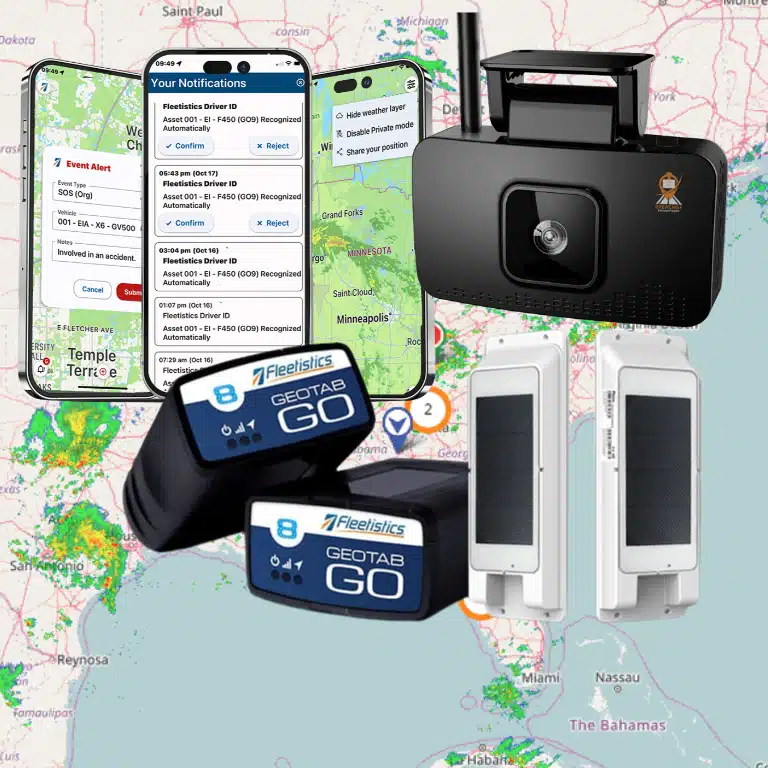

A tracker that is installed without rollout planning creates questions before it creates insight. Drivers need clear rules, managers need useful alerts, and every vehicle needs a verified setup.
Talk with a Fleetistics consultant before you launch your vehicle tracking rollout.
A vehicle tracking system implementation checklist turns a hardware install into an operational rollout. Start by defining the business goals, vehicles, users, and reports the system must support. Then confirm device assignment, installation timing, software configuration, data access, privacy expectations, driver communication, supervisor training, and a small pilot before fleetwide deployment. Build coaching steps around the data, because NIOSH reports that in-vehicle monitoring paired with supervisory coaching led to a significant decline in risky driving behaviors. Finally, test alerts, integrations, reporting accuracy, and support routes, then record baseline measures for safety, utilization, fuel use, or compliance. This checklist helps fleet managers launch with clear expectations, usable data, and a process for correcting issues early.
Preparing for rollout means answering the operational questions before installation day: what should improve, who uses the data, and how drivers will be supported. That is why your first step is “Vehicle tracking system implementation checklist: Start with rollout goals.” Here’s how.
Vehicle tracking system implementation checklist: Start with rollout goals
Fleetistics recommends starting implementation with clear goals, baseline measures, and ownership. Define the operational problem, the fleet segments involved, and the reports managers will review before devices are installed. This keeps the rollout focused on decisions, coaching, and measurable outcomes instead of hardware count alone.
A vehicle tracking system implementation checklist should begin before any device is installed. First, state the business problem in plain terms. Are dispatchers missing arrival updates, are managers unable to review safety events, or are service teams losing time locating assets? A clear problem gives the rollout a purpose.
Do not begin with every possible feature. Begin with the decisions your team needs to make each day. This keeps the rollout practical and helps avoid a setup that collects data without a plan for using it.
Business goals and baseline measures
Choose a small set of goals that match the pain points. A safety goal may be to review hard braking or speeding events and coach drivers. The CDC describes in-vehicle monitoring systems as tools that flag risky driving behavior for self-correction and supervisor coaching.
An operations goal may focus on route delays, idle time, asset use, or service response. For each goal, record the current baseline before rollout. Use the same measure during a pilot and after launch, so results can be checked against the starting point.
- Name one to three pain points that the system must address.
- Choose a metric for each goal, plus the data owner who will review it.
- Record the baseline period, reporting schedule, and target review date.
- Define what would count as an improvement, a concern, or no change.
People and fleet segments
List every group touched by the change. Fleet managers may need dashboards, dispatchers may need location status, and safety leaders may need event review rules. Drivers need a clear account of what is tracked, why it matters, and how information will be used.
Next, split the fleet into useful rollout groups. Light-duty vehicles, heavy trucks, trailers, powered assets, and shared vehicles may need different hardware or reporting rules. A pilot group should reflect real work without forcing the whole fleet to change at once. For planning pitfalls, review Fleetistics’ guide to vehicle tracking deployment mistakes to avoid.
- Identify the sponsor, project lead, installer, data reviewer, trainer, and driver contacts.
- List vehicle classes, equipment types, locations, shifts, and special operating needs.
- Select a pilot group with typical routes, users, and field conditions.
- Set a method for drivers and supervisors to report issues during rollout.
Success criteria before installation
Write down how the team will judge the pilot before mounting hardware. Include device reporting checks, dashboard access, training completion, issue response, and metric review. Success criteria should name an owner and a review date, not just an expected benefit.
This early agreement also keeps the next stage focused. Once leaders approve goals, groups, and measures, the installation plan can match the fleet’s work. The result is a rollout built around action, training, and review rather than device count alone.
What hardware and data should you prepare before installation?
Fleetistics implementation planning works best when the asset roster, device type, user roles, and data fields are ready before installation. Match each vehicle or asset to the correct tracker, confirm required accessories, and prepare driver, vehicle, maintenance, and fuel records so reports are accurate on day one.
Match each asset to the right device
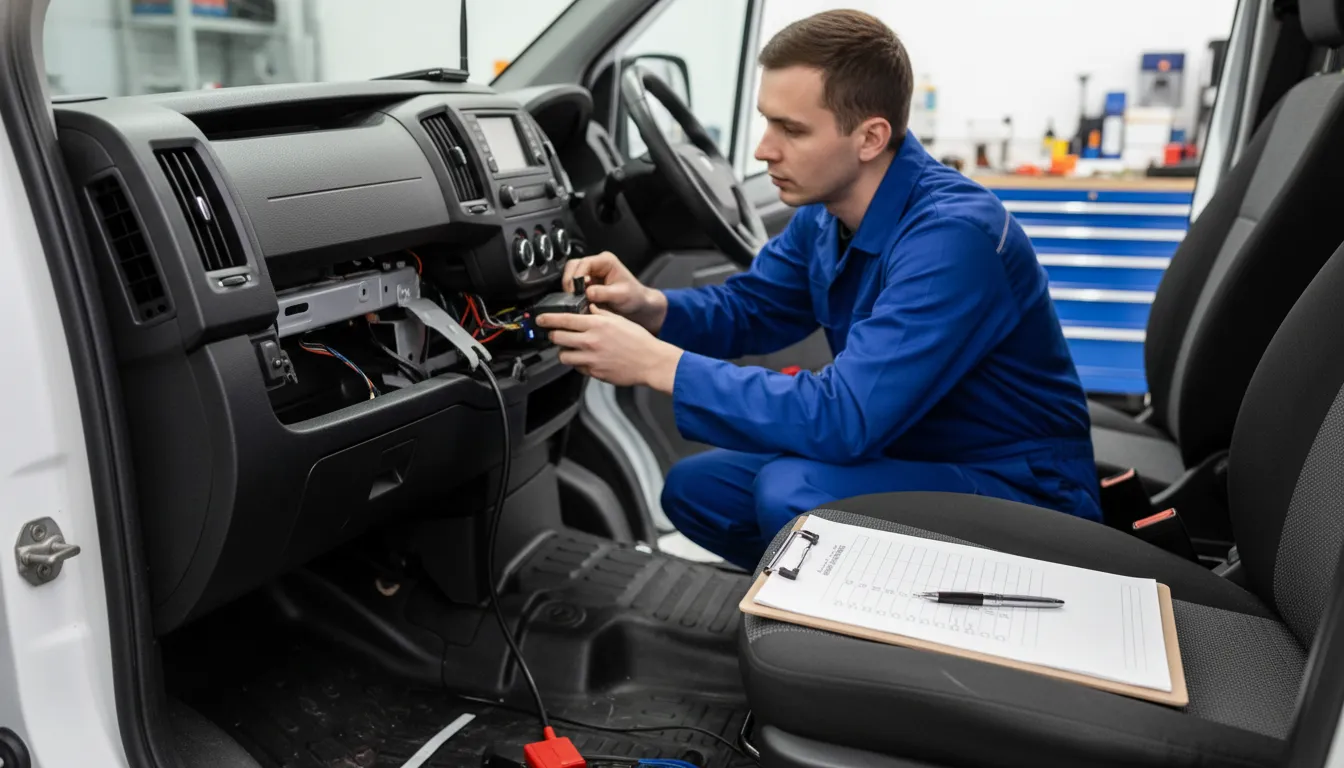
Start your vehicle tracking system implementation checklist with a clean asset roster. List each vehicle, trailer, powered asset, and non-powered asset that needs tracking. Record the unit number, VIN, make, model, year, location, and assigned work group. This prevents installers from arriving with devices that do not fit the fleet.
Confirm the hardware type for each asset before scheduling work. A light-duty vehicle may support an OBD plug-in device. A heavy-duty vehicle may require a different harness or hardwired power connection. Trailers and equipment may need battery-powered asset trackers instead of vehicle gateways. Fleetistics’ guide to selecting appropriate asset tracking hardware can help sort these cases.
Also note which units need extra hardware, such as a camera, driver identification reader, or temperature sensor. Some in-vehicle monitoring units can record hard braking or rapid acceleration after set thresholds are reached. The CDC overview of in-vehicle monitoring systems explains how this event data supports safety reviews.
Prepare the data that makes tracking useful
A device can report location, but useful reports depend on correct records. Prepare driver IDs, vehicle groups, branch names, cost centers, supervisors, and user permissions. Decide who can see live maps, trip history, driver events, maintenance records, or camera data. Build access around job needs before accounts are issued.
| Area | Have ready | Prevents |
|---|---|---|
| Vehicles. | Unit IDs and VINs. | Wrong device match. |
| Power. | OBD access and harness notes. | Delayed installs. |
| Assets. | Trailer and equipment list. | Coverage gaps. |
| Drivers. | Driver IDs and groups. | Unclear reports. |
| Systems. | Fuel and maintenance fields. | Disconnected data. |
| Security. | Roles and approved users. | Excess access. |
Bring current maintenance data, odometer records, fuel card accounts, and integration owners to the setup meeting. Agree on the fields that must match between systems, such as unit ID or driver ID. If fuel use is part of the rollout, review the available fuel management tools before imports begin.
Set privacy and security rules early
Tracking data may include driver identity, vehicle location, events, and video. Document which data will be collected, why it is needed, and who may access it. Set roles for dispatchers, safety staff, managers, and administrators. Limit broad access when a narrower role will do the job.
Share these rules with drivers before devices go live. Explain when tracking occurs, how alerts are reviewed, and how records support operations and safety. Confirm password controls, account approval, data retention, and a process for removing access when staff roles change. Clear rules make the technical installation easier to manage.
Plan installation without disrupting fleet operations
Fleetistics advises scheduling installations around real operating windows, vehicle availability, and site logistics. Group vehicles by location, duty cycle, and installation complexity, then use a pilot group to confirm device assignment, reporting accuracy, and exception handling before the full fleet changes over.
A useful vehicle tracking system implementation checklist begins with the work schedule, not the device box. Installation should fit around routes, shift changes, maintenance stops, and spare vehicle availability. The aim is simple: put each unit into service without leaving dispatch short of working vehicles.
Installation windows and vehicle groups
Start with an inventory that ties each device to a vehicle, home base, driver group, and expected installation method. Then mark practical downtime windows, such as planned service visits or hours between shifts. This prevents a route-ready truck from being pulled aside at the wrong time.
Group installs by yard, vehicle type, or duty cycle. A field service van and a heavy truck may need different mount locations and testing steps. Before work begins, share the vehicle list, access plan, and hardware installation checklist and technical requirements with each installer or site lead.
A phased schedule is safer than trying to change every vehicle at once. Select a small pilot group that reflects real operations, including a few common vehicles and one harder case. Keep reserve vehicles available during each window, and tell dispatch when each installed unit is cleared for use.
Pilot testing and unit checks
Use the pilot to check the physical install and the data flow before wider rollout. Confirm that the assigned device appears under the correct vehicle record. Check ignition status, location updates, and any alerts your team plans to use in daily work.
This test matters because an in-vehicle monitoring unit may record events after set thresholds are exceeded. Events can include speeding, hard braking, or rapid acceleration. The CDC description of in-vehicle monitoring systems also notes that data can support fleet tracking and timely coaching.
A wrong vehicle assignment can create poor follow-up. Set a simple release check for every installed vehicle. Record the device serial number, vehicle ID, installer, date, and test result. If a check fails, hold that unit from normal reporting until the issue is fixed and tested again.
Setup paths and exceptions
Choose the setup path before assigning installation windows. Vehicles that need hidden wiring, extra peripherals, or complex mounting may suit professional installation. Simpler units may fit remote setup when staff have clear steps and a defined support contact.
Fleetistics supports professional installation networks and remote setup options through its Geotab solutions. Whichever path fits the vehicle, use the same acceptance checks. A unit is not complete until it is installed and linked to the right asset. It must also send expected data and appear in the rollout record.
Plan for exceptions before the first appointment. Note vehicles that are out of service, on long routes, replaced, inaccessible, or missing needed parts. Assign an owner and a new date for each exception, instead of leaving it off the schedule. This keeps the pilot lessons tied to the full rollout plan.
How do you communicate vehicle tracking to drivers?
Fleetistics treats driver communication as a core implementation step. Explain what the system records, why the fleet is using it, who can see the data, and how alerts support coaching. Clear communication reduces resistance and helps managers use tracking data consistently.
Purpose, limits, and driver input
Treat driver communication as a rollout step, not an announcement after devices are installed. Add it to your vehicle tracking system implementation checklist before hardware setup or training starts. Drivers should hear what the system records, why the fleet needs it, and how data will be used.
Begin with operational support: dispatch can see vehicle location during work, review route issues, and respond when help is needed. Then state limits in plain terms, including whether tracking occurs outside assigned work or in personal-use vehicles. Use Fleetistics deployment planning guidance as a planning resource when setting rollout expectations with managers and drivers.
- The business purpose, such as routing support, vehicle recovery, or safety review.
- The data collected, who may review it, and how long it is kept under company policy.
- The limits on after-hours use, plus a contact for private questions or corrections.
Fair coaching and policy updates
Safety is easier to discuss when drivers know what happens after an alert. NIOSH says in-vehicle monitoring systems can identify risky driving behavior for driver correction and supervisor coaching. It also reports that feedback paired with coaching led to a decline in risky behavior in one study. Share this guidance on in-vehicle monitoring and coaching when managers explain the safety goal.
Explain that alerts start a conversation, not an automatic penalty. Train supervisors to review context, ask the driver what occurred, and record any correction before making a decision. Apply the same review process to every driver. Update the written policy when alert rules, cameras, retention, or reviewer roles change.
Suggested opening: “We use work-vehicle data to support safe routes, timely help, and clear coaching.”
Suggested process: “The system flags events for review. We check context before coaching.”
Suggested privacy statement: “We share the data rules, access roles, and concern process.”
Driver questions before launch
Invite questions in a group meeting, then offer a private way to ask about personal concerns. Publish a short FAQ with the policy, training materials, and acknowledgement form. A driver who finds an incorrect trip or alert should know whom to contact and what details to provide.
- When is location recorded? State the active hours, vehicle types, and rules for any personal use.
- Who sees alerts? Name the job roles that review them and the reason for access.
- How are alerts used? Explain coaching, review, correction steps, and escalation rules.
- Can I question a record? Give the contact, response process, and needed trip details.
Revisit the message after the first weeks of use. Collect driver questions, find unclear policy terms, and add useful answers to onboarding for new hires. This keeps communication tied to daily operations, where trust is built or lost.
Book a Fleetistics demo to review installation, training, and rollout support for your fleet.
Configure the platform before your launch date
Fleetistics recommends configuring accounts, groups, geofences, alerts, reports, and integrations before go-live. The platform should mirror how dispatchers, supervisors, maintenance teams, and safety managers work each day. Test each setting with a pilot group before opening access fleetwide.

Hardware may be installed, but the system is not ready until daily work is mapped inside the platform. Add this stage to your vehicle tracking system implementation checklist. Assign access, set useful rules, and test outputs before drivers go live.
Account structure and control
Start with the people who will act on the data. Create user accounts by job role, then limit each account to the vehicles, reports, and actions it needs. Set groups by branch, service area, vehicle type, or operating unit. This makes alerts and reports easier to manage.
Next, set geofences for yards, customer sites, restricted areas, or common service zones. Define alert rules for events the team can review and coach on, such as speeding or hard braking. The CDC notes that in-vehicle monitoring systems can record risky events using preset thresholds. Set thresholds with a clear response plan, not as background noise.
Seven launch setup steps
A sound setup process follows the workday from sign-in through management review. Complete each setup item in a test group first. Then use the same settings as a base for the wider rollout.
- Build roles and groups. Assign admins, dispatchers, supervisors, maintenance staff, and report viewers. Check that each user sees only the right fleet data.
- Map service zones. Add geofences for branches, job sites, and service areas. Name them in a way that makes alerts clear on a busy screen.
- Set alerts and response paths. Choose useful alerts, owners, and follow-up steps. Test email or app notices before the launch date.
- Load maintenance rules. Add mileage, engine-hour, or date-based reminders for preventive service. Route overdue items to the person who schedules shop work.
- Configure compliance workflows. For fleets that use ELD or IFTA tools, confirm driver assignments, vehicle records, permissions, and report access. Match settings to your operating needs and compliance process.
- Connect fleet tools. Test fuel card feeds, dashcam event access, reports, and any API connection. Use a small pilot set before adding the full fleet.
- Run a launch rehearsal. Generate reports, trigger test alerts, review exception queues, and confirm who responds. Document changes before drivers begin normal routes.
Reports and integrations that support action
Keep the first report set focused. A supervisor may need safety exceptions and coaching follow-up, while operations may need utilization, route, and idling views. Maintenance staff need upcoming and overdue service items. If your rollout still needs process checks, review guidance on common telematics rollout failures.
Dashcam and fuel data should answer a business question, not just add screens. Confirm that video events reach authorized reviewers and fuel records match assigned vehicles. When cameras are part of deployment, a hardware installation checklist and technical requirements review can catch setup gaps before launch.
Finally, test exports and API connections with sample records. Check names, time zones, vehicle IDs, and group labels across systems. Clean setup now keeps managers from fixing mismatched data after the fleet is already in motion.
What training should happen before go-live?
Fleetistics training should be role-based and practical. Managers need dashboard and coaching practice, dispatchers need live workflow training, and drivers need clear policy guidance. A short pilot lets teams find unclear steps before the vehicle tracking system becomes part of daily operations.
Training should happen in the system your team will use each day, with real roles, sample routes, and agreed rules. A vehicle tracking system implementation checklist is not complete until managers, dispatchers, and drivers know what to do with alerts and reports. Use a short pilot to find unclear steps before a full rollout.
Role-based practice before launch
Managers need practice with dashboards, user access, alert settings, trend views, and scheduled reports. Teach them which measures matter first, such as safety events, idle time, route exceptions, or missed service visits. Each manager should also know who can adjust settings and how to document a coaching action.
Dispatchers need a live workflow session, not a product tour. Let them practice locating a vehicle, checking route progress, handling late arrivals, and recording a service issue. Drivers may also need mobile app basics. Cover login, shift start, assigned work, stop confirmation, and reporting an app or device problem.
Make the purpose clear during each session. The CDC notes that in-vehicle monitoring data can support timely driver coaching and fleet performance tracking. Supervisors must use the data well. Its guidance on in-vehicle monitoring systems supports training managers to turn events into fair, timely coaching.
Reports, alerts, and escalation paths
Before launch, define what an alert means and what it does not mean. A harsh braking event may call for review, context, and a coaching talk; it should not trigger an automatic judgment. Show managers how to read event details, confirm patterns, and keep the process consistent across drivers.
Write a simple escalation map that every role can see. It should name the first contact for missing data, hardware trouble, driver questions, possible safety risk, and urgent dispatch issues. Include response times and an after-hours route, so people do not wait or build workarounds when a problem occurs.
- Managers: review trends, coach drivers, and approve rule changes.
- Dispatchers: act on route issues and report data gaps.
- Drivers: use the app correctly and flag device or task errors.
- Support lead: track issues, fixes, owners, and due dates.
Pilot feedback and adoption rhythm
Run the pilot with a small mix of vehicles, routes, and job types. Ask each role what slowed the work, which alert lacked context, and which report helped a decision. Record changes before expansion, using GPS tracking rollout lessons as a reference for rollout risks.
Set a 30-60-90 day rhythm after go-live. At 30 days, review logins, open issues, basic report use, and training gaps. At 60 days, compare alert quality, coaching follow-up, and dispatcher use of route data. At 90 days, confirm ownership, refine reports and rules, and plan refresher training for new staff or weak spots.
Measure results after implementation
Fleetistics recommends measuring results against the baseline goals set before installation. Review safety events, utilization, idle time, maintenance activity, fuel use, and support issues on a regular schedule. Use the data to adjust alerts, coaching, training, and reporting as operations mature.
Build a useful post-launch baseline
A vehicle tracking system implementation checklist is not complete when devices start reporting. Set a baseline before launch, then compare results after drivers and managers use the system in daily work. A fair review compares similar routes, vehicle types, work schedules, and seasonal conditions.
Start with utilization and idle time. Utilization shows whether assigned vehicles and assets are doing useful work. Idle time helps managers find avoidable engine hours, long waits, or dispatch gaps. Review fuel use beside those measures, since fuel trends need operating context.
Choose a small scorecard that managers can review each week. Keep definitions steady, so each branch reports the same activity in the same way:
- Vehicle and asset utilization by team, route, or job type.
- Idle time and fuel use trends for comparable vehicles.
- Route adherence, late arrivals, and unplanned stops.
- Safety events, coaching actions, and follow-up status.
- Maintenance alerts, response time, and completed service work.
- Required compliance reports and missing records.
Review operational and safety signals
Route adherence is more than a line on a map. It can show whether planned routes match field conditions, customer windows, and crew needs. If repeat exceptions appear, update dispatch rules or routes before judging driver results.
Safety events need a clear review process. In-vehicle monitoring can flag speeding, swerving, hard braking, or rapid acceleration when set limits are crossed. The CDC description of in-vehicle monitoring also notes that collected data can support timely coaching and fleet performance tracking.
Look at alerts with action records, not as isolated totals. A drop in harsh events means more when coaching is documented and repeated issues are addressed. Maintenance alerts work the same way: track when each alert appears, who owns it, and when service closes it.
Turn reports into ROI decisions
Compliance reporting should be part of the review, especially for fleets that manage driver records or cross-border operations. Confirm reports are complete, easy to retrieve, and usable during internal checks. Fleetistics provides fleet compliance management options for teams that need this reporting in their process.
At each review point, compare operating costs and staff time against the baseline. Include fuel use, idling, maintenance handling, safety follow-up, and time spent creating reports. Also record what has not improved, since weak results may point to training, settings, or workflow gaps.
Fleetistics offers a 60-day risk-free trial to help a fleet review return before a long-term commitment. Use that period to validate the scorecard with real routes and real users. If rollout issues affect results, revisit implementation risk checklist before expanding the program.
Frequently Asked Questions
How much does it cost to install a vehicle tracking system?
Installation cost depends on fleet size, device type, installation method, software plan, integrations, and training needs. Before rollout, request a line-item quote covering hardware, activation, installation, subscriptions, support, replacement units, and data integrations. A small pilot can confirm setup effort and reporting value before a wider deployment. Include staff time and vehicle downtime in the implementation budget.
How do you ensure employee buy-in when implementing vehicle tracking?
Start before installation by explaining which vehicles are tracked, what data is collected, who can view it, and how managers will use it. Connect the system to safety, dispatch clarity, and fair coaching, not surveillance. Create a written policy and invite driver questions. The NIOSH guidance notes that monitoring data can identify risky behaviors for driver self-correction and supervisory coaching.
How do you configure a new vehicle tracking system?
Build an accurate vehicle and driver list first, then assign each tracking device to the correct unit. Confirm device installation, cellular connection, user permissions, alert thresholds, geofences, reports, and any dispatch or maintenance integrations. Test location updates and alerts on a small pilot group. Document settings and responsibilities so the full rollout follows the same process.
What is the best way to monitor fleet performance after implementation?
Choose a small set of measures tied to rollout goals, such as route adherence, idle time, harsh events, maintenance alerts, or response time. Set a baseline before launch, then review results on a regular schedule with supervisors and drivers. The NIOSH guidance states that monitoring data is typically available in almost real time for timely coaching and fleet performance tracking.
Ready to plan a smoother vehicle tracking rollout?
Delaying a rollout plan can leave teams resolving installation questions, driver concerns, and workflow gaps after vehicles should already be reporting useful data. Starting now gives managers time to confirm responsibilities, communicate expectations, and prepare each phase before devices, vehicles, and schedules must align. A clear implementation path helps your team move from purchase decisions to an organized deployment with fewer preventable delays and clearer next steps.
Ready to schedule your rollout? Contact Fleetistics to schedule a customized vehicle tracking implementation consultation. Start planning with an expert who can align setup priorities, team preparation, and operational needs. Bring your rollout questions, team needs, and deployment timeline so the next conversation focuses on practical implementation decisions.