
Introduction
Most fleets already use tech to track vehicles, manage compliance, and coach drivers. The issue is not effort. It’s fragmentation.
One tool shows the location. Another handles maintenance. Another track compliance. And the team still spends hours stitching reports together to make decisions.
That’s where the Geotab integration of fleet management with a broad range of necessary tools changes the day-to-day. It brings vehicle data into a single environment, then lets you extend the system with integrations that match your operation. When you add the right integrations, you stop chasing information and start acting on it.
This article breaks down what Geotab is, what it does well, how integrations improve outcomes, and how platforms like CrewChief fit into a modern fleet management platform.
What Is Geotab Fleet Management?
At its core, Geotab is a telematics ecosystem. You connect a telematics device to each vehicle, collect real-time data, and use that information to manage safety, cost, and performance.
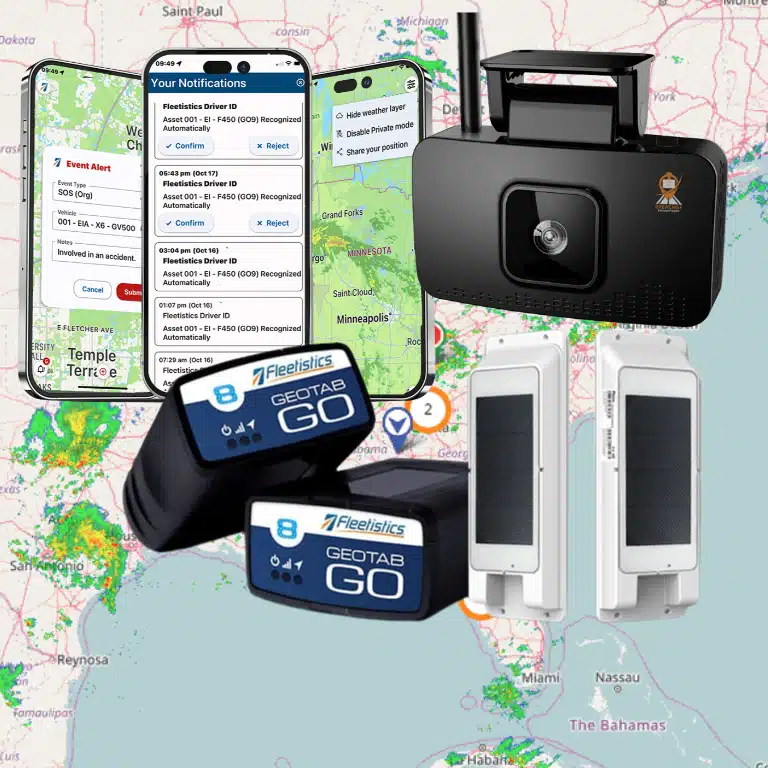
Many fleets start with the Go device because the installation is simple. Geotab’s GO device plugs into the vehicle’s vehicle’s obd ii port (OBD-II), which keeps deployment fast and consistent across vehicle classes. Geotab describes the GO9 as a device that plugs directly into the OBD-II port for straightforward installation.
Once the hardware is in, the value comes from what you track and what you do next:
- vehicle tracking and GPS vehicle tracking on a live map
- trip visibility with detailed trip history
- Safety coaching built around driver behavior and driving habits
- alerts tied to speed limits, idling, and policy thresholds
- Maintenance signals for engine health and scheduled service, like oil changes
- Compliance workflows, including ELD compliance and hours of service (HOS) support
That’s the foundation. The next level is connecting the platform to the tools your team already uses.
Key Benefits of Geotab for Fleet Management
Real-Time Fleet Visibility
When dispatch can see the fleet, decisions get cleaner.
With GPS tracking, you can confirm vehicle and driver location, spot route drift, and understand how traffic and stops affect service windows. You don’t need to guess. You use real-time data.
This is also where fleet tracking becomes useful beyond dots on a map. When your team can review trip replay and stop patterns, they can manage idle time, identify bottlenecks, and spot underused assets without relying on word-of-mouth.
Geotab also documents trip activity through its Trips History view, giving fleets location context and time breakdowns for driving, stopped time, and idling.
Responding to Driver Behavior
You can’t coach what you can’t see.
Geotab helps you track driver tracking, driver habits, speeding, harsh events, and patterns that predict claims. That supports a stronger fleet safety solution without turning operations into a constant discipline conversation.
It also supports consistency. Two supervisors can coach from the same facts instead of two different opinions.
When fleets coach around real events, they often see improvements in driver safety, fewer close calls, and less wear from hard driving. That shows up later as fewer repairs and fewer claims.
Automating Compliance Requirements
Compliance becomes expensive when it’s manual.
When your systems track status consistently, you reduce admin time and lower risk of missed documentation. Many fleets use Geotab tools to support hours of service hos, inspections, and reporting, which helps keep compliance from slowing down operations.
The win is not “more compliance.” The win is compliance that runs in the background while drivers focus on the job.
Improved Operational Efficiency
Efficiency often comes down to two things: wasted miles and wasted time.
Geotab data helps fleets:
- optimize routes based on real driving patterns
- reduce unnecessary stops and detours
- reduce fuel usage tied to idling and congestion
- improve dispatch decisions using location and trip data
That matters because routing and idling feed directly into fuel costs.
Data-Driven Decision Making
Geotab turns “we think” into “we know.”
That is how you move from reactive management to proactive operations:
- you review fleet performance trends
- you compare fuel consumption by route and vehicle type
- you identify which vehicles drive fuel consumption spikes
- you catch maintenance risk early through engine health signals
This is what enabling fleet managers looks like in practice. It’s also how you start providing fleet managers a consistent, repeatable process for decisions that affect cost.
Leveraging the Geotab Marketplace for Integrations
Marketplace and Integration Options
The real advantage of Geotab is not only what the base platform does. It’s how you extend it through the Geotab Marketplace.
Geotab describes the Marketplace as an ecosystem of fleet solutions that integrate with its platform, covering categories like video, asset tracking, routing, maintenance, and fuel tools.
That matters because no two fleets run the same way. A service fleet may need mobile workflows. A logistics fleet may need routing. A high-risk operation may need weather intelligence and driver support tools.
Marketplace integrations also help you keep one system of record. You reduce duplicate data entry and keep reporting aligned.
Enhancing Fleet Safety with CrewChief
CrewChief is a strong example of a Marketplace add-on that supports field operations.
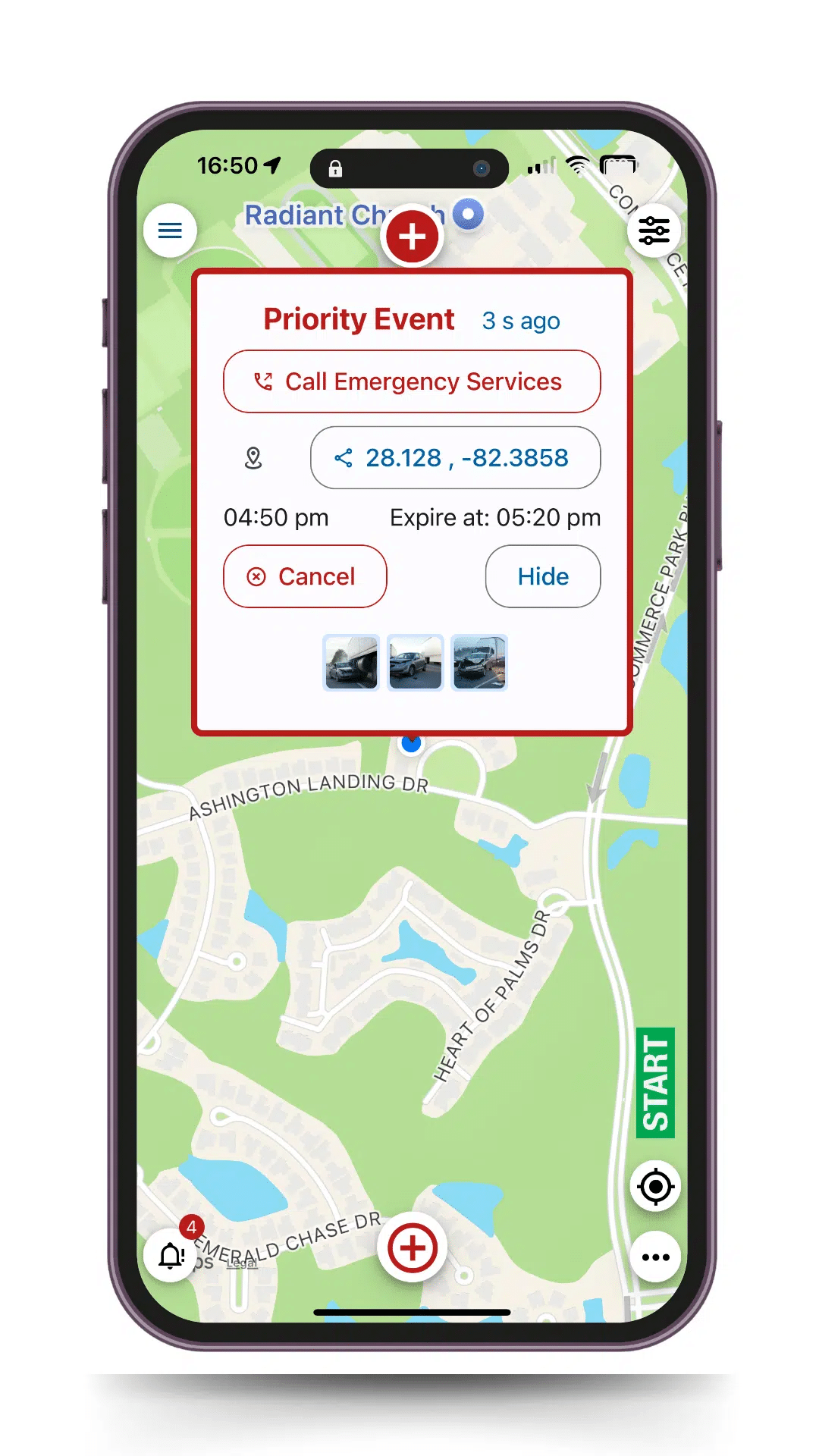
On the Geotab Marketplace, CrewChief is positioned as a mobile solution that consolidates tools such as GPS, time clock, accident reporting, inspections, and driver identification into a single platform that integrates with Geotab.
That mix matters because many fleets have field teams that operate outside the cab. When you connect mobile workflows to telematics, you reduce gaps between dispatch, drivers, and supervisors.
CrewChief also offers weather intelligence capabilities in the Marketplace that support real-time decisions during inclement conditions.
Real-World Use Cases of Geotab + CrewChief
A good way to understand the value of integration is to look at what changes on a normal Tuesday.
- Dispatch starts with visibility
Dispatch uses Geotab to see units on the live map, review trip patterns, and assign the nearest vehicle. This supports faster response times and less deadhead. - Drivers get clearer expectations
When workflows run through mobile tools like CrewChief, drivers see consistent processes for inspections, reporting, and incident response. That reduces “freehand” decisions that vary by person. - The operation documents what happened
If a weather event hits, crews can route around it, adjust schedules, and document decisions. That helps both safety and claims support. - Maintenance sees patterns earlier
Geotab data highlights outliers. Vehicles with rising idle time, repeated harsh events, or unusual trip profiles often correlate with rising wear. That helps maintenance teams plan service before breakdowns create roadside disruptions.
This is also where roadside assistance decisions get smarter. Instead of “where are you,” you already know the location and the trip context.
Industry Applications of Geotab
Geotab supports a wide range of fleets because the model is simple: connect vehicles, collect data, and act on it.
Common applications include:
- service and trades fleets that rely on tight routing and fast dispatch
- construction fleets with mixed equipment and unpredictable site logistics
- public agencies that need government fleet management software with strict compliance expectations
- logistics and delivery fleets where fuel and schedule reliability matter
- mixed fleets where vehicles vary in age, class, and duty cycle
The point is not that Geotab offers one perfect setup. The point is that the system supports flexible buildouts through hardware and integrations.
Why Geotab Is a Game Changer for Modern Fleets
Most fleets don’t struggle because they lack data. They struggle because data lives in silos.
When Geotab becomes the foundation of a single platform, fleets can:
- centralize performance reporting
- connect safety, compliance, and maintenance workflows
- reduce duplicate tools and manual reporting
- produce clearer actionable insights for leaders
It also makes change management easier. When the system becomes the daily workflow, you get adoption. When the system feels like extra work, people avoid it.
How to Leverage Geotab for a More Effective Fleet
If you want Geotab to improve outcomes, treat it like an operating system, not a tracking add-on.
Here’s a simple approach that works in most fleets:
- Define what you want to improve
Examples: fleet safety, reduced claims, reduced fuel costs, reduced downtime, improved compliance. - Pick the few metrics that drive the outcome
Idle time, speeding, harsh events, route deviation, and maintenance exception rates are common. - Build coaching and corrective actions into the workflow
If a driver exceeds thresholds, what happens next? Who owns the follow-up? How do you document improvement? - Add integrations only when they solve a specific gap
This is where the Geotab Marketplace wins. You add tools that fit your workflow instead of forcing a workflow to fit a tool.
Review trends monthly and adjust
A fleet that wins plays the long game. You track improvements, keep what works, and refine what doesn’t.
The Future of Fleet Management with Geotab

Fleet management continues to move toward deeper integration and higher expectations.
Fleets will continue to push for:
- better automation in compliance and reporting
- more accurate predictive maintenance signals
- tighter safety programs tied to measurable outcomes
- integrations that reduce tool sprawl and reporting friction
- better incident documentation for insurance, claims, and audits
Geotab’s Marketplace growth shows where the industry is headed: fleets want a foundation plus plug-in solutions that keep the system adaptable as operations change.
Why Choose Geotab for Fleet Management?
Fleets choose Geotab when they want:
- a proven foundation for fleet management software
- a scalable approach to fleet management systems
- strong visibility into vehicle management and driver performance
- a marketplace ecosystem that supports growth and specialization
- the ability to turn data into decisions without building custom systems from scratch
Geotab works best when you treat it as the center of the operation, then extend it with the right integrations.
Final Thoughts
If you want to transform performance, you need more than tracking. You need a workflow.
Geotab supports that by turning vehicles into a consistent data source and giving teams the tools to act on what the data reveals. When you pair that foundation with geotab marketplace integrations like CrewChief, you can close gaps in field workflows, safety response, and weather-driven decision-making.
That is how fleets turn visibility into control.
Frequently Asked Questions
What is the Geotab Marketplace?
The geotab marketplace is Geotab’s ecosystem of integrated solutions that extend the platform with software and hardware options across safety, routing, maintenance, fuel, and more.