

Best AI Dash Cam for Construction Trucks

AI Dash Cams for Construction Trucks

Best AI Dash Cam for Construction Trucks
AI Dash Cams for Construction Trucks
Construction trucks work around busy jobsites, changing traffic patterns, tight access roads, and expensive equipment. The right AI dash cam can help your team review risky events, coach drivers with useful evidence, and respond with more context when an incident occurs.
Fleetistics helps construction and commercial fleets compare camera views, video features, GPS context, and support requirements before they choose a setup. The goal is not a one-size-fits-all camera. It is a practical system that fits your trucks, drivers, routes, and safety process.
Why do construction trucks need AI dash cams?
Construction vehicles spend time in environments where a short video clip can clarify what happened. A camera can help a manager review a hard brake, close following event, distraction concern, or collision alongside the vehicle’s location and operating context. That evidence supports a more consistent conversation with drivers and a clearer response to claims.
AI features can help surface events for review instead of requiring a manager to search through every minute of footage. The best result comes when video is part of a defined safety process: explain the purpose to drivers, review events consistently, and use coaching to improve habits rather than treating the camera as a surprise disciplinary tool.
Complete the form below or call 855.300.0527
Hard braking
Collisions
Distracted driving
Close following
How can AI dash cams improve construction fleet safety?
Incident review
Use relevant video to understand the sequence of events and respond to claims with better evidence. Construction trucks work around busy jobsites and tight access roads, so a short clip can clarify what a report cannot.

View #1 Dash Cam for Insurance

Driver coaching
Turn recurring patterns into specific conversations instead of relying only on general reminders. Review the event, talk with the driver, document the coaching, and look for repeat patterns.
Risk visibility
Identify where routes, site access, or driving conditions create repeated concerns. Video is more useful when it can be considered with vehicle location, time, and fleet activity.


Accountability
Give managers and drivers a shared record of what happened and what will change next. Tell drivers what the system records, explain who can view footage, and give employees a way to ask questions.
Fleetistics’ driver introduction and buy-in guidance and written driver policy resource can help teams establish that foundation.
What should you look for in an AI dash cam for construction trucks?
Start with the view your operation needs, then confirm how events are reviewed and how the camera stays useful in the field.
Camera views that match the work
- Forward-facing video for the road and jobsite approach
- Dual-facing video when cab context matters
- More than one configuration for mixed trucks
- Event clips a supervisor can actually review
Context, support, and adoption
- GPS and telematics context with location and time
- Alerts and a clear review path
- Installation, connectivity, and replacement options
- Permissions, support, and a driver policy
Which camera setup fits your construction trucks?
An operation with dump trucks, pickups, trailers, and service vehicles may use a combination of views based on vehicle role. Fleetistics offers a range of fleet dash cam solutions rather than asking every customer to use one configuration.
Review the fleet dash cam comparison, then compare the fit of CrewChief, Rosco, and GO Focus options with a consultant.
Forward-facing cameras
Forward-facing cameras can be a focused choice when the main need is road and incident evidence.
- Document the road and jobsite approach
- Support incident review and claims context
- Pair video with GPS and telematics

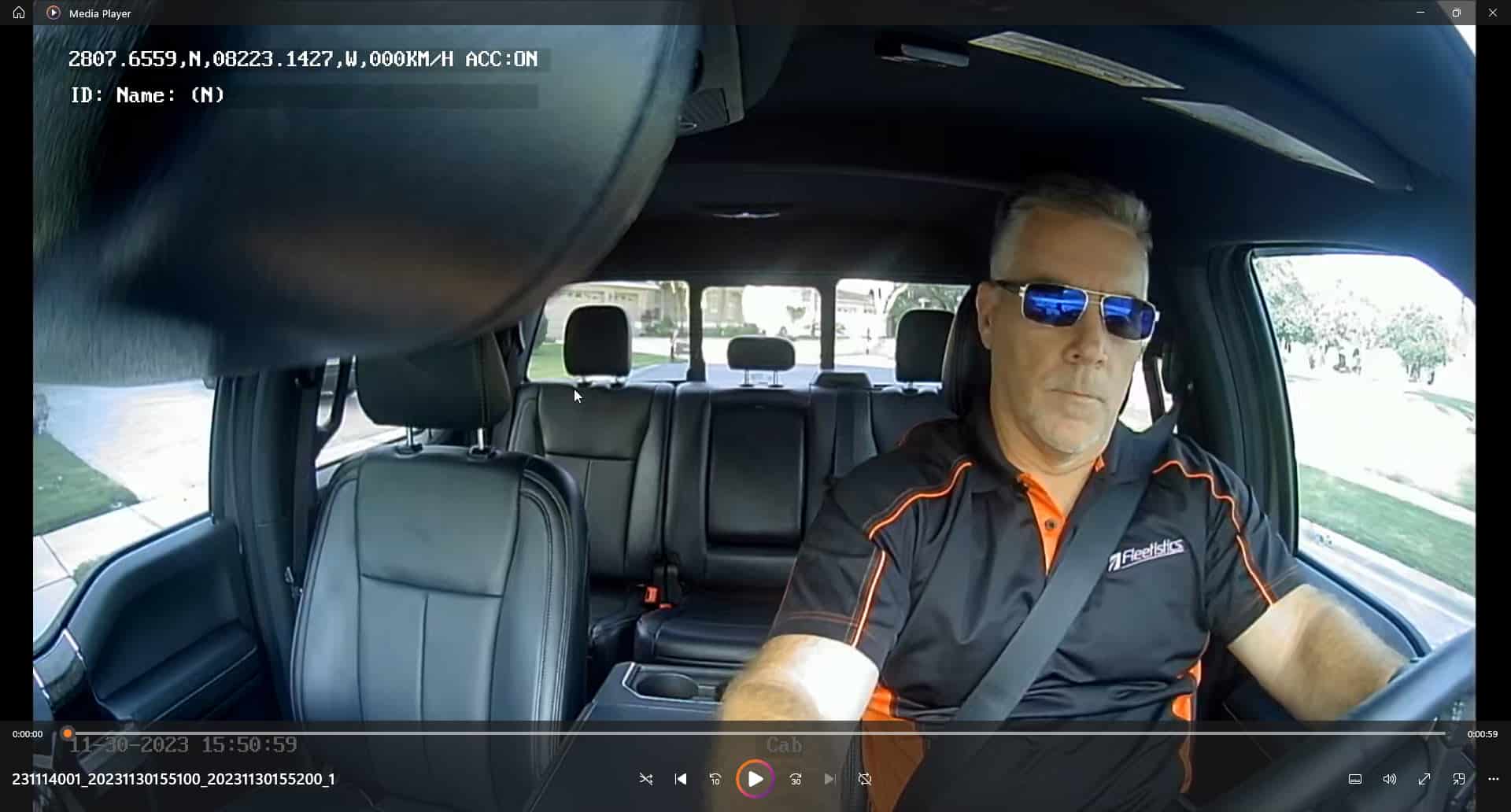
Dual-facing cameras
Dual-facing cameras add an interior view when driver coaching and cab context are priorities.
- Road view plus cab context
- Useful for distraction and coaching review
- Not required on every truck in a mixed fleet
AI event review
AI features can help surface events for review instead of requiring a manager to search through every minute of footage.
- Hard brake, close following, distraction, or collision context
- A clear next step: review, coach, and document
- Video as part of a defined safety process


How does Fleetistics help you choose an AI dash cam?
Fleetistics has served fleets since 2001 and helps customers evaluate modular fleet-management solutions matched to fleet type and size. As a long-running Geotab partner, Fleetistics can help connect the camera decision with GPS tracking, telematics, and the day-to-day workflow your team already uses.
The evaluation should start with your vehicles, routes, safety goals, and current process. From there, a consultant can help you compare camera views, platform fit, support, and rollout requirements.
How should you measure the return on an AI dash cam?
Before rollout, record a simple baseline: preventable incidents, claims activity, coaching frequency, response time, and the number of events that require manual investigation. After deployment, review the same measures on a regular schedule.
Also track whether drivers understand the policy and whether managers are acting on the events the system surfaces. The right system is the one that produces useful evidence and repeatable actions, not simply the one with the longest feature list.

A practical 30-day evaluation
A 30-day evaluation is a useful starting point for ordinary fleet contexts. It gives your team time to test connectivity, review footage, collect driver feedback, and compare the workflow with the baseline.
That approach leaves room for a practical pilot instead of forcing an oversized system on every vehicle.
Speak with a fleet consultant about your construction trucks
Ready to compare AI dash cams for your construction trucks?
Tell Fleetistics what you operate, where your trucks work, and which safety questions you need to answer. We will help you compare a practical camera and telematics setup for your team.

CrewChief PRO
- 1 camera, 3 plans
- Full integration with Fleetistics platform
- Record or live view
- Add a backup camera and monitor
- In & Out or just out camera
- Option to record audio
- Large storage capacity
- View on map with vehicles and assets
- Watch video from supervisor mobile app
CrewChief LITE
- 1 camera, 3 plans
- Full integration with Fleetistics platform
- Record or live view
- No backup camera and monitor
- In & Out or just out camera
- Large storage capacity
- View on map with vehicles and assets
- Watch video from supervisor mobile app
- Upgrade or downgrade OTA
- Basic reports and options
CrewChief Insurance
- Low monthly maintenance fee
- Pay per megabyte only when used.
- Save big. Pay per megabyte only as needed!
- Upgrade plan or platform if more access and features are needed using the same camera
- Live view and download video per MB
- Large storage capacity on camera

GEOTAB –
GO FOCUS PRO
- Full integration with Geotab platform
- Integrated coaching
- AI Powered
- Driver alerts
- Detecting yawning, phone use, seatbelt use, etc.
- Add side and rear camera
- Uses Geotab rules
- Live view
- Looped recording
- GPS & telematics option

GEOTAB –
GO FOCUS PLUS
- Full integration with Geotab platform
- Integrated coaching
- AI detecting yawning, phone use, seatbelt use, etc.
- Uses Geotab rules
- Live view
- Looped recording
- GPS & telematics option
GEOTAB
GO Focus
- Seamless integration with Geotab platform
- Lower investment & monthly fee
- Front video only
- Auto calibration
- Auto pairing to GO telematics device
- Event capture button
- ~60 hours of recording time
- Uploads to Geotab cloud by exception
1. Low base service fee + fee per megabyte when used.
Serving Fleets Nationwide — Based in Tampa, FL
Fleetistics supports fleets across the U.S. with fast shipping, expert onboarding, and responsive support. Whether you operate 5 vehicles or 5,000+, we have a dash cam solution that fits your needs.
📞 Get a Dash Cam Quote
Ready to improve fleet safety and reduce risk?
Call 855‑300‑0527 or visit Fleetistics.com to request pricing and a live demo.

Frequently asked questions
What is the best AI dash cam for construction trucks?
The best option depends on the truck types, camera views, safety events, connectivity, driver policy, and telematics workflow your operation needs. Compare those requirements before comparing brands or features. Fleetistics can help you evaluate the right configuration for your construction fleet.
Should construction trucks use forward-facing or dual-facing cameras?
Forward-facing cameras focus on the road and incident record. Dual-facing cameras add cab context for driver coaching and event review. Some construction fleets use both configurations across different vehicle roles.
Can an AI dash cam work with GPS tracking?
Yes. A dash cam and GPS tracking system can be evaluated together so managers can consider video with location, time, and vehicle context. The exact setup depends on the equipment and platform selected.
How should we introduce dash cams to construction drivers?
Explain what the cameras do, what events may be reviewed, who can access footage, and how the information will be used. Give drivers a written policy and a way to ask questions. Transparent notice and consistent coaching are important to long-term adoption.