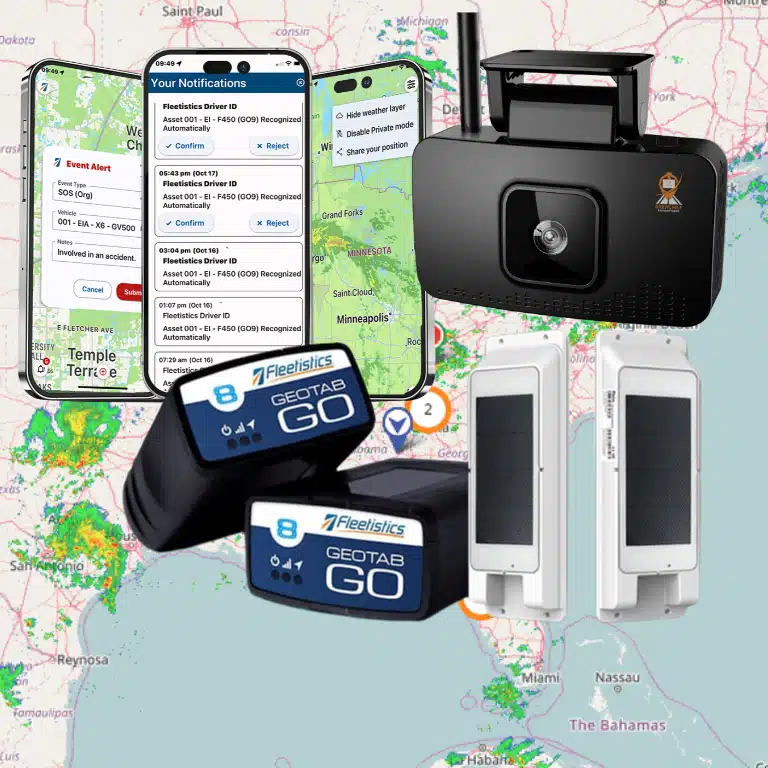

A paper DVIR can look complete at the end of a shift while a real brake, tire, or lighting issue sits unnoticed until the next dispatch. That gap creates avoidable downtime, compliance exposure, and risk for drivers and the public. Learning how to automate DVIR inspections gives fleet leaders a faster way to capture vehicle condition, route defects to the right people, and maintain records that stand up to review.
The goal is not simply to replace a clipboard with a phone. A productive DVIR process connects the driver, vehicle, maintenance team, dispatcher, and compliance record in one controlled workflow. When those pieces work together, inspections become a daily operating control rather than paperwork completed after the fact.
Why manual DVIR processes break down
Manual vehicle inspection reports put too much pressure on timing and follow-through. Drivers may complete forms at the end of a long day, paperwork may stay in a cab or office inbox, and maintenance personnel may not see a reported defect until the vehicle has already been assigned another job. Even when teams use spreadsheets or emailed PDFs, they still spend time sorting reports, clarifying handwritten notes, and proving that a repair was completed.
A digital process reduces those weak points by requiring inspections through a mobile device, connecting the report to a specific driver and vehicle, and creating a time-stamped record. More importantly, it can classify defects by severity and trigger action immediately. A burned-out marker light and a potential brake issue should not follow the same path.
Automation also improves accountability without creating unnecessary friction for drivers. The driver sees a guided inspection that is easier to complete correctly. Supervisors can see missed inspections or recurring issues. Maintenance receives clear defect details, photos, and vehicle identification instead of a vague note that says, “check truck.”
How to automate DVIR inspections step by step
Start with the inspection standard your fleet actually needs
Build your digital DVIR around the vehicles, equipment, and regulations that apply to your operation. Commercial motor carriers need to account for applicable FMCSA requirements, while local service fleets, municipalities, and mixed fleets may need additional items for specialized equipment, trailers, liftgates, PTOs, or safety gear.
Avoid copying a generic inspection form without review. A form that is too short can miss critical operating risks. A form that is too long encourages rushed, low-quality entries. Separate forms by vehicle class or use conditional questions so drivers only see items relevant to the asset they are inspecting.
Your inspection should capture the vehicle or asset ID, driver identity, date and time, and inspection status. It should also guide drivers through condition checks for items such as brakes, tires, lights, steering, mirrors, emergency equipment, coupling devices, and cargo-related equipment where applicable. Require an electronic certification or signature at completion.
Put the DVIR in the driver’s normal workflow
The best digital inspection is the one that gets completed before the vehicle moves. Configure the mobile workflow to prompt the driver at the beginning and end of a shift, after a vehicle change, or at another point that matches your operating model. A pre-trip prompt is often the strongest control because it catches out-of-service defects before a dispatch creates a service failure.
Use telematics data to reduce manual entry. When a driver logs into the fleet application or selects a vehicle, the system should associate the inspection with that driver and asset automatically whenever possible. GPS and ignition data can also help managers identify vehicles that moved without a completed required inspection.
For fleets with inconsistent cellular coverage, choose a mobile process that can store inspections offline and synchronize when connectivity returns. Field crews cannot wait for a signal to document a safety concern, especially in remote service areas or government operations.
Require useful defect details, not just a failed checkbox
A failed item must create information that maintenance can act on. Configure the DVIR so a driver who marks an item defective is prompted to add a description. For higher-risk categories, require photos and a severity selection. This reduces back-and-forth and makes it easier to determine whether the vehicle can operate safely.
A practical defect workflow commonly includes four outcomes:
- No defect found, which closes the inspection record.
- Minor defect, which creates a maintenance item that can be scheduled.
- Safety-sensitive defect, which alerts designated supervisors and maintenance personnel immediately.
- Out-of-service defect, which restricts dispatch until an authorized person clears the vehicle.
These categories should reflect your written maintenance policy. Do not rely on drivers to make technical repair decisions beyond their training. Their role is to report the condition accurately. Qualified maintenance staff and fleet leadership determine repair priority and return-to-service status.
Automate notifications and maintenance routing
This is where a digital DVIR starts producing operational value. A report should not wait for someone to open it the next morning. Configure alerts by defect type, vehicle group, location, or severity. A tire issue may notify the shop supervisor. A critical brake-related entry may notify maintenance, safety, and the dispatcher responsible for the next assignment.
If your fleet uses maintenance management software, connect the DVIR defect to a work order or service request. The system should preserve the original driver report, photos, and time stamp while giving technicians a place to document diagnosis, repair work, parts, labor, and return-to-service approval. That creates one record from discovery through correction.
The right integration depth depends on fleet size and existing systems. A small fleet may gain immediate control from mobile DVIRs, email alerts, and a maintenance queue. Larger fleets often benefit from API-based connections to enterprise maintenance, ERP, shop, or dispatch platforms. Fleetistics can support modular compliance and maintenance workflows as a fleet grows, rather than forcing every operation into the same process.
Create a clear defect resolution and certification process
Finding a defect is only half the job. Your workflow needs a controlled way to show what happened next. Assign an owner, set a due date based on severity, and maintain a status such as open, scheduled, repaired, deferred according to policy, or cleared. Limit who can mark safety-sensitive defects as resolved.
After repairs, document the corrective action and have the appropriate person certify the vehicle for service. Some fleets also require the driver to review the repair status before operating the vehicle again. That added step can be useful when a defect affects drivability, but it may not be necessary for every minor repair. Match the process to risk and keep it practical enough that people follow it consistently.
Managing adoption without slowing drivers down
Technology does not fix an unclear policy. Before rollout, explain what drivers need to inspect, when they must submit a DVIR, what counts as a defect, and what happens after they report one. Drivers need confidence that reporting a problem will lead to action, not blame for delaying a route.
Run a short pilot with a representative group of vehicles and drivers. Review completion rates, average inspection time, defect quality, false alerts, and maintenance response time. Use that feedback to remove duplicate questions, clarify inspection language, and adjust notification rules before deploying across the fleet.
Training should include the mobile workflow and the operational reason behind it. Show drivers how to add photos, explain what to do when a critical defect is found, and provide a backup procedure for device failure. Supervisors should be trained to monitor exceptions rather than chase every report manually.
Measure whether automation is improving fleet control
Once the workflow is live, track the metrics that show whether it is changing behavior and reducing risk. Completion rate tells you if inspections are happening. Late or missing DVIRs identify locations, shifts, or drivers that need support. Open-defect aging shows whether maintenance is keeping up with reported issues.
Also review repeat defects by vehicle, component, shop, and driver report. Repeated tire, lighting, brake, or trailer issues can expose a maintenance trend before it becomes a roadside failure or service interruption. Compare unplanned downtime, roadside events, and repair cycle time before and after implementation to quantify the return on the program.
The most effective automated DVIR program makes the safe choice the easy choice. Give drivers a fast reporting tool, give maintenance actionable defect information, and give leadership real-time visibility into the vehicles carrying the most risk. That is how inspection data starts protecting uptime, budgets, and people on every shift.