
A commercial vehicle tracking guide should start with an operational question, not a device question: What decisions would improve if your team had reliable vehicle data every day? For one fleet, the priority is cutting unauthorized mileage and fuel waste. For another, it is proving service arrival times, reducing speeding, protecting drivers after a crash, or keeping maintenance from becoming an expensive roadside event.
GPS tracking is often the entry point, but location alone rarely delivers the full return on investment. The strongest programs connect vehicle, driver, asset, maintenance, safety, and compliance data to the people responsible for acting on it. That is how tracking becomes real-time control instead of another dashboard nobody checks.
What Commercial Vehicle Tracking Should Deliver
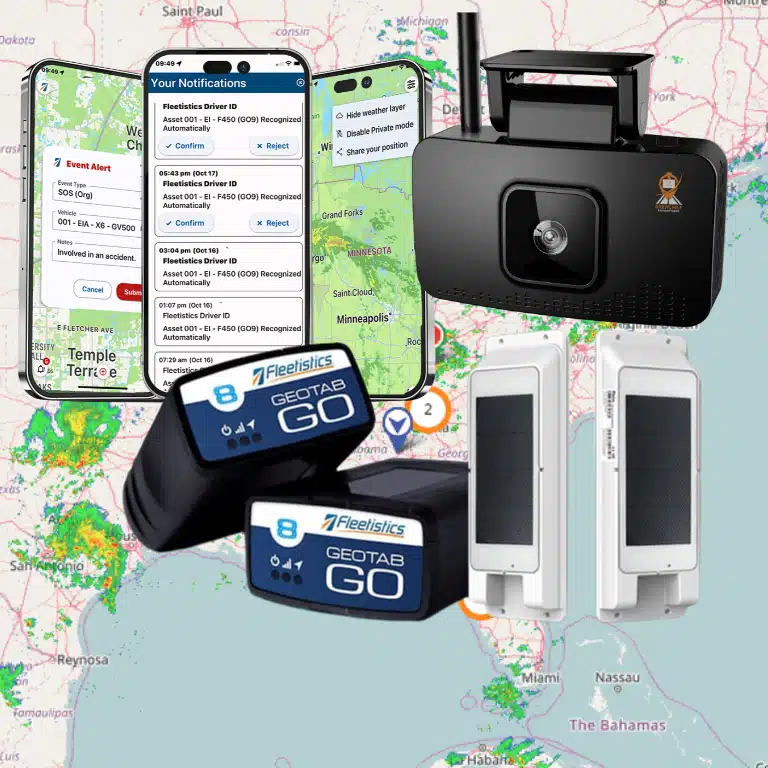
Commercial vehicle tracking uses GPS, cellular connectivity, and vehicle data to show where fleet assets are, how they are being operated, and what needs attention. Depending on the hardware and platform, it can capture ignition status, engine diagnostics, idle time, harsh driving events, fuel use, hours of service, and more.
The right level of visibility depends on fleet size, vehicle type, and operating model. A local contractor with 12 vans may need simple live maps, driver alerts, and maintenance reminders. A regional carrier may need ELD workflows, IFTA reporting, trailer tracking, AI video, and integrations with dispatch or payroll systems. Government and enterprise fleets may also require detailed permissions, custom reporting, and API access.
The common goal is accountability without unnecessary administrative work. Good fleet tracking gives managers evidence to coach drivers fairly, dispatch teams with confidence, and identify cost leaks before they become normal operating expenses.
Choose Tracking Features Based on the Problem
Avoid buying telematics based on a long feature checklist. Start with the business issue, define the measure that will show improvement, and select the technology needed to support that outcome.
Reduce fuel waste and unnecessary mileage
Fuel costs are affected by more than the price at the pump. Excessive idling, aggressive acceleration, speeding, out-of-route travel, poor route planning, and unauthorized use all add cost. GPS tracking can identify where these behaviors occur, while engine data and fuel-card controls can add the context needed to investigate them.
Set practical thresholds. A five-minute idle alert may make sense for a light-duty service fleet in mild weather, but it may not be appropriate for vehicles operating power equipment or working in extreme temperatures. The point is to identify avoidable idle time, not create alerts that ignore the realities of the job.
Improve driver safety with usable evidence
Speeding alerts, harsh braking, rapid acceleration, and cornering events help identify risky patterns. AI-enabled dashcams add visual context, which matters when a telematics alert alone cannot explain what happened. Video can support coaching, exonerate drivers after not-at-fault incidents, and surface habits that increase crash exposure.
A safety program should not treat every event as a disciplinary issue. Review trends, verify the circumstances, and coach to the specific behavior. Drivers are more likely to accept the program when they see that the same technology can protect them from false claims and recognize safe performance.
Keep vehicles in service longer
Vehicle tracking can support maintenance by recording mileage, engine hours, diagnostic trouble codes, and service intervals. This gives maintenance teams a way to schedule work before a missed oil change, brake concern, or recurring fault becomes downtime.
Automated maintenance data does not replace inspections. Drivers still need clear DVIR processes and managers need a defined workflow for resolving defects. The value comes from connecting reported problems, vehicle data, work orders, and repair history so nothing is lost in paper forms, texts, or memory.
Automate compliance where it counts
For regulated fleets, electronic logs, DVIRs, IFTA data, and driver workflows need to be accurate and easy to manage. Compliance tools should reduce duplicate entry and make records available when needed. They should also fit the fleet’s operating rulesets and vehicle classes.
Do not assume every GPS platform is a complete compliance system. If your operation is subject to FMCSA requirements, validate ELD capability, driver workflows, reporting requirements, support processes, and how the system handles exceptions before deployment.
How to Select the Right Platform
A practical commercial vehicle tracking guide must account for scale. The lowest-cost tracker may be sufficient for basic location and inventory visibility, but it can become a limitation if your fleet later needs driver behavior, maintenance, video, or workflow automation. On the other hand, an enterprise configuration can be unnecessary overhead for a small fleet that simply needs dependable location, geofences, and after-hours alerts.
Evaluate platforms against the way your fleet actually operates. Consider whether the system supports light-duty vehicles, trucks, trailers, generators, heavy equipment, or mixed assets. Ask how it handles driver identification, shared vehicles, remote installations, and poor cellular coverage. Confirm that reports can be scheduled and understood by the people who need them.
Integration deserves equal attention. Telematics data is more valuable when it can flow into dispatch, maintenance, fuel, payroll, ERP, or customer-service systems. A platform with open APIs and established integration options can prevent the fleet from recreating data manually. Still, integrations require ownership. Define which system is the source of truth and who will monitor failed data transfers.
Fleetistics supports this staged approach through platform options ranging from affordable tracking for smaller fleets to connected enterprise technology and custom API-based deployments. The better choice is the one that solves the immediate issue while leaving a sensible path to add capabilities as operational needs grow.
Plan Deployment Before Hardware Arrives
Most tracking failures are not hardware failures. They are rollout failures. Devices get installed, managers receive logins, and the program loses momentum because no one established policies, owners, or a review cadence.
Start by assigning responsibility for installation, asset records, driver communication, alert review, maintenance follow-up, and reporting. Make sure each device is matched to the correct vehicle identification number, unit number, and operating group. A tracker attached to the wrong asset creates bad reports and destroys trust quickly.
Driver communication should be direct. Explain what information will be collected, how it will be used, and what outcomes the company expects. Focus on safety, vehicle reliability, customer service, and fair accountability. Avoid presenting tracking as surveillance alone. A program built around clear standards is easier to manage and defend.
Run a pilot before a fleet-wide deployment when possible. Select a representative group of vehicles, drivers, routes, and managers. Test installation quality, geofence accuracy, alert volume, mobile workflows, reporting, and escalation procedures. A short pilot can reveal whether an alert threshold is useful or merely noisy.
Turn Data Into Action, Not More Work
The first 30 to 60 days should establish a baseline. Measure idle time, speeding events, after-hours movement, miles driven, missed inspections, maintenance exceptions, and route performance before setting aggressive targets. Baselines provide context and help leaders distinguish a real improvement from random variation.
Then build a management rhythm. Dispatch may need live location and arrival visibility throughout the day. Safety managers may review high-severity events weekly. Maintenance teams may work exception lists daily. Executives may only need a monthly view of utilization, cost trends, service reliability, and risk exposure.
Use alerts selectively. Too many notifications teach teams to ignore the system. Prioritize events with a defined response, such as unauthorized vehicle movement, severe speeding, crash detection, engine faults, missed inspections, or geofence arrivals tied to customer service. For each alert, document who responds, how quickly, and what action is expected.
Measure results in operational terms. Track gallons saved, idle reduction, accident frequency, vehicle availability, overtime changes, on-time arrival performance, recovered assets, or administrative hours eliminated. If a metric does not influence a decision or behavior, reconsider whether it belongs in the routine report.
Build a Tracking Program Drivers Can Trust
Commercial vehicle tracking works best when it supports the people doing the work. Drivers need equipment that functions reliably and policies that are consistently applied. Managers need concise information they can act on. Leadership needs proof that the investment is lowering risk, controlling costs, and improving service.
Start with the operational problem creating the most pressure, deploy only the capabilities needed to address it, and expand from a stable foundation. That approach gives your fleet a better chance to turn tracking data into safer drivers, more productive vehicles, and measurable return every month.