
Cameras do not create driver trust; a clear policy does. A safety rollout works better when drivers know what is recorded, reviewed, protected, and coached.
Schedule a dash cam consultation before you roll out cameras across your fleet.
A fleet dash cam policy template gives employers a clear starting point for explaining why cameras are used and how footage is handled before deployment. It should state which vehicles and cameras are covered, when recording occurs, who may access video, how long it is retained, and how to raise concerns. The policy should also define event review, coaching steps, and fair follow-up after crashes, complaints, or flagged behaviors. This matters because the NIOSH says in-vehicle monitoring can identify risky driving for self-correction and supervisor coaching. With written privacy expectations and a consistent incident process, dashcams can support safety decisions, driver protection, and stronger documentation for insurance discussions across the fleet.
So what should managers put in writing before cameras go live, and how should they explain it to drivers? Fleet dash cam policy template: what to include lays out the purpose, access rules, privacy limits, coaching process, and review steps before the first vehicle is activated.
Fleet dash cam policy template: what to include
A fleet dash cam policy template turns camera use into a clear safety process. It should state why the program exists, where it applies, and how video is handled. The aim is not hidden surveillance; it is fair treatment of drivers, managers, and incidents.
State the safety purpose at the start. In-vehicle monitoring can find risky driving for self-correction and supervisor coaching, as explained in NIOSH guidance on in-vehicle monitoring systems. A written policy tells drivers how that purpose guides daily use.
Purpose, scope, and equipment
Name the vehicles, drivers, and cameras covered by the policy. Include company vehicles, assigned vehicles, rentals, or leased units when they carry installed cameras. State whether cameras face the road, the cab, or both, and note any audio setting.
Define recording in plain terms. Explain whether the camera records continuously, records events, or supports live viewing. If event recording is used, list typical triggers, such as hard braking or swerving. This gives drivers a practical picture of when video may exist.
- Purpose cue: “The dash cam program supports safe driving, driver coaching, and fair incident review.”.
- Scope cue: “This policy applies to employees and approved drivers operating covered fleet vehicles.”.
- Equipment cue: “Covered equipment includes road-facing and driver-facing cameras installed in designated vehicles.”.
Access, review, and retention
Set access limits before video is requested. Name the roles allowed to view or export footage, such as safety managers or assigned investigators. State that video will be reviewed for defined purposes, not casual monitoring or sharing.
Spell out the review path after a crash, safety event, complaint, or citation. Federal safety guidance identifies risky behavior review and collision analysis as uses for video event recorders. See the FMCSA video event recorder notice for the agency’s stated uses. Your policy should also name who records findings and informs the driver.
Add a retention rule that staff can follow. Define standard storage, extended holds for an open incident, and deletion once the hold ends. The exact period should match company needs, applicable requirements, and system settings. Also give drivers a route to raise privacy or accuracy concerns.
- Access cue: “Authorized staff may review footage only for safety, claims, training, or approved investigations.”.
- Complaint cue: “Drivers may report a concern to the safety manager without changing the review process.”.
- Retention cue: “Footage subject to an active incident review will be held until the review closes.”.
Coaching, acknowledgement, and personal use
Separate coaching from discipline in the policy. Describe when an event leads to feedback, refresher training, investigation, or discipline under existing rules. Linking footage to driver coaching and incident review helps managers keep the focus on safer habits and consistent decisions.
Require an acknowledgement before covered driving begins. The form should confirm that the driver received the policy, understands camera functions, and knows how footage may be used. It should not ask a driver to waive rights or agree to rules that are not stated.
Finally, address non-business use of assigned vehicles. State whether recording continues during personal use, who may drive, and how passengers should be informed. Clear rules reduce surprises while keeping the same safety process in place when a covered vehicle is operating.
How do you introduce dash cams to drivers?
Introduce cameras before installation, not after drivers notice a new device on the windshield. A fleet dash cam policy template should open with a plain reason: cameras support safer driving and fair incident review. It should also state that the program is not a hidden surveillance effort.
The message before installation
Start with a team meeting and give drivers the policy to read afterward. Explain that event video can help show what occurred during a collision or safety concern. The FMCSA describes video event recorders as tools for addressing risky driving and improving collision review.
Connect that purpose to the driver’s day. Clear video may provide context when another road user causes a crash or makes a complaint. It can also make coaching more focused, since a manager can discuss an event instead of relying on guesswork.
Five rollout steps for managers
Managers should use one script, one policy, and one way to collect questions. That keeps the rollout consistent across shifts, terminals, and vehicle types. Use these steps before any camera goes live:
-
State the reason. Tell drivers that cameras are part of the safety program. Focus on protection, event review, and coaching, not punishment.
-
Describe the camera setup. Identify whether cameras face the road, the cab, or both. Explain when recording or event review may happen.
-
Set privacy limits. Name who may review footage and for what purpose. Cover off-duty or personal-use rules if those situations may apply.
-
Review the process. Explain how a flagged event is reviewed and when a driver can add context. Show how driver coaching and incident review fit into routine safety work.
-
Collect acknowledgement. Give each driver time to ask questions, then request a signed acknowledgement. A signature confirms receipt and discussion of the policy.
Questions, privacy, and trust
A driver introduction should answer the practical questions first. Tell the team what is monitored, what is not monitored, who sees footage, and how long the company keeps it. State how complaints, disputed events, and requests for review will be handled.
Invite questions in the meeting and through a private follow-up channel. Some drivers may want to ask about cab-facing views or personal vehicle use away from the group. Point them to the written dashcam privacy expectations and policy, then log open questions for a clear manager response.
Managers should avoid promising that video will always clear a driver or prevent a crash. The better promise is process: notice before installation, stated limits, consistent review, and a chance to be heard. That approach presents cameras as a safety tool while treating driver concerns with respect.
What privacy, access, and retention rules should you define?
A fleet dash cam policy template should state who may view recordings, why they may view them, and what happens after review. Set those rules before cameras go live. This makes the program easier to explain to drivers and easier for supervisors to apply the same way.

Video can support a safety program without becoming open-ended monitoring. The FMCSA describes video event recorders as tools for finding risky behavior and improving collision review. Tie each approved use to safety, incident handling, coaching, or a stated compliance need.
Data access boundaries
Name roles, not broad departments. A safety manager may review triggered events; an investigator may access footage after a crash or reported complaint. IT staff may maintain systems without using video for staff evaluation, unless the policy grants that task.
State whether audio, inward-facing video, live view, location data, or downloads are enabled. Also define how access is logged and who approves exports. Fleetistics’ dashcam privacy expectations and policy can help frame the driver discussion in plain terms.
| Policy item. | Routine safety review. | Incident or complaint review. |
|---|---|---|
| Trigger. | Flagged safety event. | Crash, complaint, or approved request. |
| Access. | Named safety staff. | Approved investigator or counsel. |
| Retention. | Defined routine window. | Documented hold period. |
| Export. | Restricted by default. | Logged approval required. |
| Closeout. | Delete on schedule. | Release hold, then delete. |
Retention and deletion rules
Choose a default retention period for routine clips and a separate hold rule for an incident. The exact window should match the camera system, insurance needs, contracts, and local requirements. Recordings linked to a crash, claim, complaint, legal hold, or safety review may need restricted retention under written approval.
Your policy should say when deletion pauses, who can place a hold, and how the hold ends. It should also bar casual downloads or sharing by email. Ask legal counsel to review retention, notice, audio recording, labor, and cross-border rules before launch.
Personal use and passengers
Spell out what happens in vehicles used after hours, assigned for personal use, or carrying family members and other non-employees. Include driver notice steps, passenger concerns, and rules for muting or disabling features, if permitted by your approved program.
For passenger service vehicles, document how passenger concerns are handled after a recorded event. Make these cases explicit in the acknowledgement form. Clear boundaries help a driver understand when safety review begins and when access must stop.
Talk to Fleetistics about dash cam options that support driver coaching, event review, and privacy expectations.
Use video for coaching before discipline
A fleet dash cam policy template should explain that video review starts with safety coaching, not automatic punishment. Drivers need to know why an event is reviewed, who sees it, and how a manager responds. When this process is clear, video supports a fair conversation about safe work practices.
Video as a coaching tool
Video can show what took place before a hard brake, swerve, or rapid acceleration event. An in-vehicle monitoring system can identify risky driving behavior for self-correction and supervisory coaching. That purpose belongs in the written policy.
Review the event with the driver soon after it is flagged, while details remain clear. Ask what the driver saw, explain the risk, and agree on one safer action. Fleetistics’ driver coaching and incident review approach connects camera context to practical feedback.
NIOSH found that in-vehicle feedback paired with supervisory coaching led to a decline in overall risky driving behaviors. Feedback without supervisory coaching did not show the same decline. For managers, the message is direct: a clip should begin a coaching conversation, not replace one.
Fair and consistent review
Coaching is fair only when the same review rules apply to each driver. Define triggering events, who reviews clips, how context is recorded, and when a driver can respond. Managers should judge the observed act and road context, not search routine footage for unrelated fault.
- Confirm the event type and relevant clip before meeting with the driver.
- Document the behavior discussed, driver context, and agreed safety action.
- Offer the same response path when a driver disputes an event.
A policy should also state that managers protect access to recordings and discuss events in private. Clear platform comparison details help drivers understand how safety footage is used and reviewed.
When discipline may apply
Use progressive discipline for patterns or serious conduct, not as the default response to every alert. Your policy can separate routine coaching from repeated unsafe actions, intentional camera tampering, or a severe event. List possible steps, such as written notice, retraining, suspension, or discipline under company rules.
Managers should keep a simple record of the clip reviewed, feedback given, driver response, and any next step. This record helps the fleet apply its policy in a steady way. It also makes later decisions easier to explain when a pattern continues.
Before launch, train supervisors on the coaching sequence and the discipline threshold in the policy. Drivers should hear the same standard in orientation and in later reviews. Consistent use makes the policy easier to follow.
How can dash cam footage support incident review and insurance documentation?
A documented review process
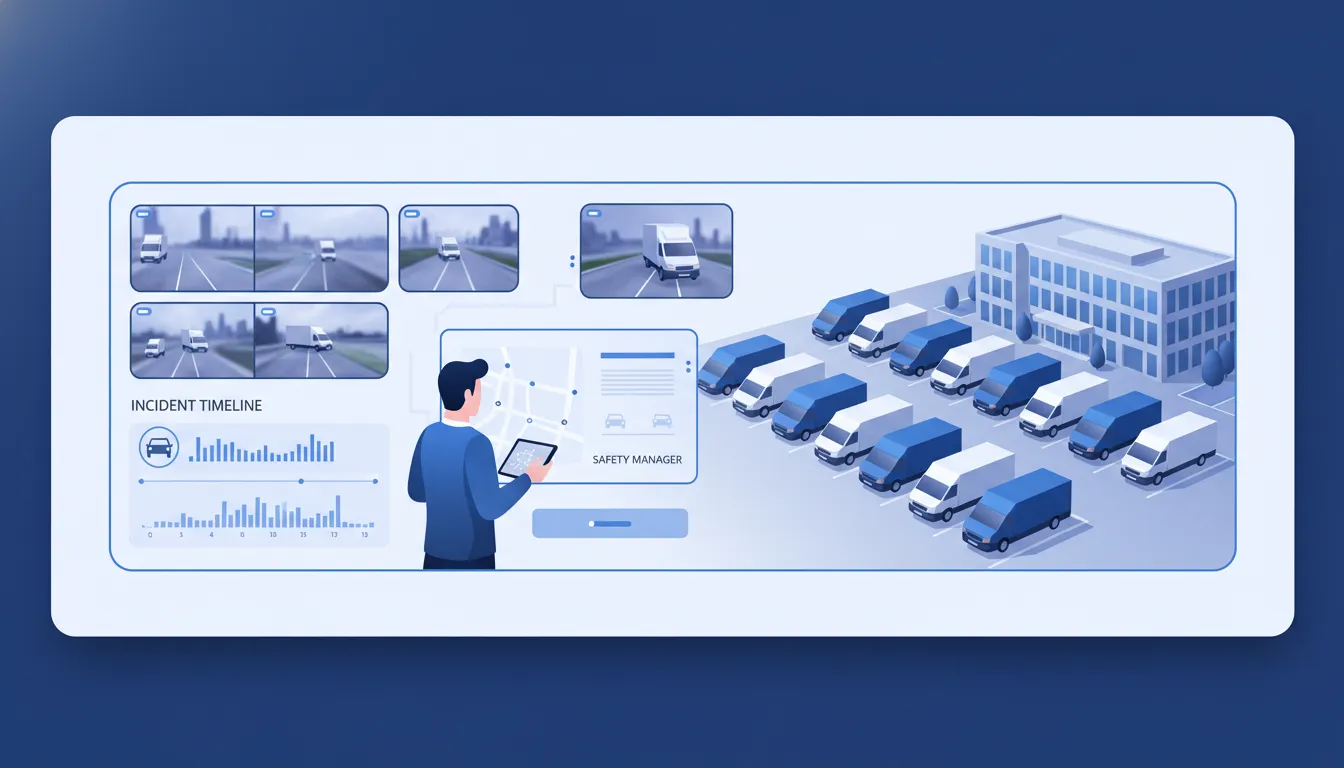
A policy should state how recorded events support a fair incident review. When a crash or complaint occurs, reviewers can compare video, location, and vehicle data with the driver’s report. That record helps the fleet address claims with consistent documentation, rather than memory or assumptions.
The Federal Motor Carrier Safety Administration names collision review and analysis as a safety use for video event recorders. A policy can set out that use. Review relevant footage, note what it shows, protect access, and retain material needed for an investigation.
Objective footage can support liability protection without treating each event as driver fault. It may confirm the driver’s account or show another party’s action. That outcome can help exonerate a driver when the recorded facts support the driver’s report. A fleet dash cam policy template should define who reviews evidence and how decisions are recorded.
Evidence for claims and reconstruction
Incident review is stronger when the reviewer can see driving context before and after an event. Fleetistics’ Geotab-integrated systems can capture 100 seconds of event data around an event. Reviewers can align that event record with video while building a clear incident file.
A useful claim file may include the event clip, telematics details, driver statement, review notes, and supporting records. The policy should explain retention and access based on company needs and rules that apply. This gives claims teams and insurers a clear, repeatable record to review.
For reconstruction, the goal is not to reach a quick conclusion. It is to preserve relevant context and assess it in a set order. FMCSA also notes that video may help identify distracted driving or drowsiness. Those findings can point to specific safety concerns.
Learning after the incident
An incident file should do more than support a single claim. It can help a safety team find patterns and choose focused coaching. The CDC and NIOSH guidance on in-vehicle monitoring systems explains that risky driving data can support self-correction and coaching. It can also support review of fleet-wide problems.
The policy should separate fair review from punishment based on assumptions. Managers can record findings, decide whether coaching is needed, and track follow-up steps. Trends in incidents can guide training topics, route discussions, or a review of policy wording.
Drivers should also know why footage is reviewed and who can access it. Clear steps help make the camera a safety and documentation tool. Fleetistics’ guidance on Sourcewell purchasing support adds context for using video within a practical safety program.
Sample rollout timeline and manager checklist
Policy draft and driver notice
A fleet dash cam policy template works best when it maps a safety goal to clear daily rules. In week one, draft the purpose, camera types, vehicle scope, event review rules, retention practices, and access limits. Name the manager responsible for questions and complaints. Also ask counsel to review local notice, consent, labor, and privacy duties before the policy is issued.
In week two, give drivers the policy before any cameras are active. Explain what each camera records, which events prompt review, who can see footage, and how drivers can raise concerns. Position the program as a safety and incident review tool, not hidden surveillance. Fleetistics’ guide to Geotab platform workflows can help managers frame that conversation.
Collect signed acknowledgements and log questions that show where the draft needs clearer wording. Then update the policy before installation. This step keeps the announcement specific: drivers know what starts, when it starts, and how footage will be used.
Installation and first review cycle
In week three, install cameras in the vehicles named in the policy. Confirm placement, recording settings, user access, and event alerts. Run a short test with managers and drivers, then fix missed alerts or confusing review steps before broader use.
During weeks four and five, review safety events using the same written process for every driver. Focus on facts: the event, the observed risk, and the next safe action. Do not treat a single clip as a final judgment without context. A fair process supports driver trust and gives managers a repeatable record.
The CDC notes that in-vehicle monitoring can flag risky driving for driver correction and supervisor coaching. It also reports improved results when feedback is paired with coaching. Build short coaching meetings into the first review cycle, rather than relying on alerts alone.
If Fleetistics is under consideration, its 60-day no-risk trial can provide time to assess fit in real operations. Use that period to test workflow, policy clarity, manager follow-up, and driver questions. It is an evaluation window, not a promise of savings or safety outcomes.
Coaching cadence and manager checklist
After the first cycle, set a coaching rhythm that managers can keep. Review trends at a regular safety meeting, coach drivers after defined events, and record follow-up steps. For more context on a constructive process, see Fleetistics’ approach to GPS tracking and telematics data.
Revisit the policy after the trial or when camera settings, routes, laws, or review roles change. Tell drivers what changed and collect new acknowledgements when needed. The checklist below helps make the rollout consistent without turning every review into discipline.
- Approve the written purpose, scope, access rules, and review process before activation.
- Brief drivers before installation and provide a route for privacy questions or complaints.
- Test camera events, manager permissions, and review steps in the named vehicles.
- Hold the first review cycle on schedule and coach from documented events.
- Track questions, coaching actions, access issues, and needed policy edits.
- Issue updated policy language when practices change, then share it with drivers.
Downloadable policy language to adapt for your fleet
Use this fleet dash cam policy template as a starting draft, not as a final policy. Replace bracketed terms with your roles, vehicles, systems, and time periods. Have legal, HR, safety, and labor leaders review it before rollout.
Purpose, scope, and driver notice
Purpose. “[Company] uses dash cameras to support safe driving, review incidents, and coach drivers. Cameras are safety tools, not a substitute for safe work practices or fair review.” The NIOSH guidance on in-vehicle monitoring systems states that these systems can flag risky behavior for driver self-correction and supervisor coaching.
Scope. “This policy applies to [company-owned, leased, rented, or assigned vehicles] equipped with road-facing or driver-facing cameras. It applies to employees, contractors, temporary drivers, and other approved operators while using a covered vehicle.” Define personal use, passengers, and local notice rules if they apply.
Driver notice. “Before operating a covered vehicle, each driver will receive notice of camera locations, recording functions, and event triggers. Notice will also explain review uses, retention rules, and contact information for questions.” Explain fleet management software context during onboarding and after policy updates.
Footage access, review, and coaching
Footage access. “Only approved roles, such as [Safety Manager], [HR Lead], or [Claims Manager], may view or export footage. Access must relate to safety, coaching, an incident, a claim, a complaint, or a lawful request.” Keep a record of exports and disclosures.
Incident review. “[Company] may review footage after a crash, complaint, citation, near miss, safety event, or reported vehicle damage. Reviews will consider available context, including driver input and other records, before a decision is made.” Set who receives incident reports and by when.
Coaching. “When video points to unsafe behavior, [Company] may use it for timely coaching, training, or safety follow-up. Corrective action, if needed, will follow existing employment and safety policies.” Link supervisors to a clear process for Fleetistics dashcam options.
Data retention. “Routine event footage will be stored for [retention period], unless it relates to an open claim, incident, complaint, legal hold, or investigation. Approved staff may preserve related footage until the matter closes.” State where footage is stored and how deletion occurs.
Misuse, acknowledgement, and review
Prohibited misuse. “No person may access, copy, share, alter, or post footage for entertainment, harassment, retaliation, or any purpose outside this policy. Suspected misuse should be reported to [role or contact] and may lead to action under company policy.”
Acknowledgement. “I acknowledge that I received and reviewed the [Company] Dash Camera Policy. I understand the covered equipment, approved uses, access limits, review process. And whom to contact with questions.” Add printed name, signature, date, vehicle or role, and policy version fields.
Internal review note. This sample is not legal advice. Camera, audio, privacy, labor, record retention, and notice duties can differ by location and workforce. Ask qualified counsel and internal stakeholders to approve the adapted policy before drivers sign it.
.
Frequently Asked Questions
What should be included in a fleet dash cam policy?
A fleet dash cam policy should define covered vehicles and camera views, why recordings are collected, who can access video, and how long files are kept. It should also describe incident review, coaching use, complaint handling, personal-use rules, prohibited tampering, and driver acknowledgement. Confirm applicable privacy and recording requirements before deployment.
How do you introduce a dash cam policy to drivers?
Introduce the policy before cameras are activated. Explain that the program supports safety, fair incident review, and coaching, then show exactly what is recorded and when. Give drivers the written policy, time for questions, and an acknowledgement form. Managers should use the same review process for every driver, so footage is not applied inconsistently.
How are dash cam events retained and reviewed?
Set retention rules around the purpose of each recording. The NIOSH describes in-vehicle systems that record triggered events, such as hard braking or swerving, to identify risky behavior for coaching. Authorized staff should review video only for documented safety, complaint, or collision needs. Your policy should state retention periods, access controls, and deletion procedures.
What are the legal considerations for fleet dash cam policies?
Before installation, confirm the recording, notice, consent, and employee monitoring rules that apply where each vehicle operates. Address audio recording, inward-facing cameras, personal use, access rights, retention, and how footage may support an investigation. The FMCSA identifies video event recorders as tools for risky behavior remediation and collision review. Have counsel review the final policy and acknowledgement language.
Ready to Introduce Dash Cams With Driver Trust?
Delaying clear camera rules can leave drivers uncertain about recordings, managers inconsistent in coaching, and leadership without a shared process for incident review. Starting now gives your team time to explain privacy expectations, answer practical questions, and establish a fair rollout plan before cameras are introduced. That preparation keeps the launch focused on driver understanding, consistent coaching conversations, and a safety program people can support from the first day.
Ready to schedule a clear dash cam rollout that your drivers, managers, and safety leaders can understand and use? Schedule a dash cam consultation to create a practical implementation path that addresses privacy, coaching, and incident review expectations with your drivers today.