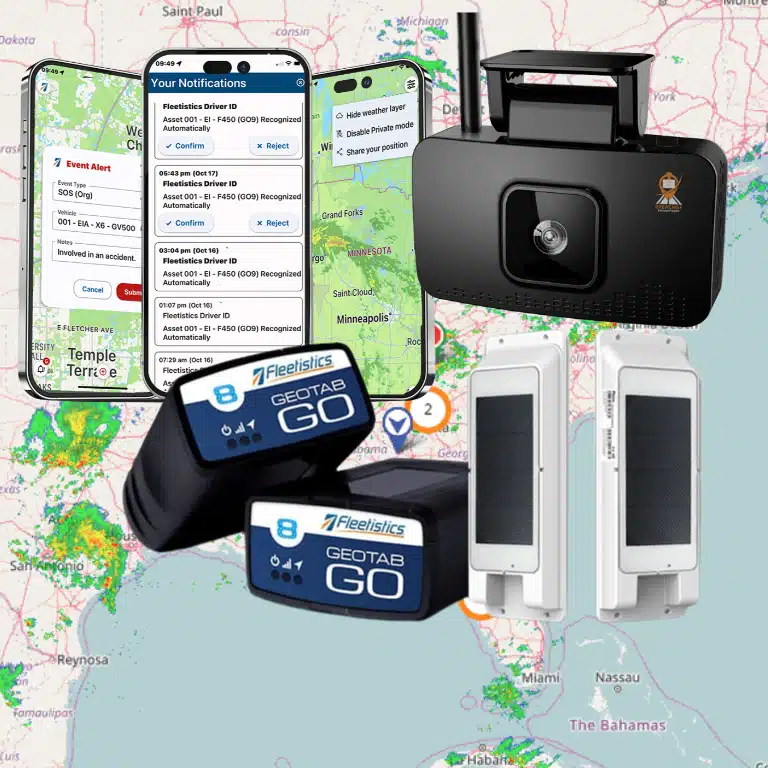


IFTA reporting software helps fleet managers turn route, mileage, and fuel records into a cleaner quarterly filing process. For fleets that cross state or provincial lines, the challenge is not only knowing how many miles were driven. The real work is proving where those miles happened, matching fuel purchases to the right jurisdiction, and keeping records organized before the filing deadline arrives.
Book a demo with Fleetistics to see how telematics can simplify IFTA reporting for your fleet.
Manual spreadsheets can work for a small operation, but they become fragile as vehicles, routes, jurisdictions, and fuel purchases multiply. A telematics-supported workflow gives managers a more reliable way to capture trip activity as it happens. Review exceptions before quarter end, and prepare supporting records if questions come up later.
This guide explains what fleet managers need to know about mileage tracking, fuel tax reporting, audit preparation, and the practical role of telematics in reducing repetitive administrative work.
What IFTA reporting software does for fleet managers
A clear record of miles and fuel
IFTA reporting software helps an interstate fleet turn daily trip activity into a usable fuel tax record. It collects mileage by jurisdiction, connects fuel purchase data, and keeps the details tied to the right vehicles. Fleet managers get a cleaner view of activity without rebuilding each trip from paper logs.
The core task is simple to describe, but hard to manage by hand. Vehicles cross state or provincial lines, drivers buy fuel in many places, and each quarter creates another filing cycle. A sound IFTA reporting software setup brings those records into one workflow.
Quarterly reporting with fewer manual gaps
An IFTA licensee must file a quarterly report with jurisdictional miles and fuel purchases, according to the Arizona Department of Transportation. Software helps fleet teams gather those inputs as work happens. That makes the quarter-end review more focused and less dependent on scattered records.
A useful workflow supports the steps behind the report:
- Capture distance traveled in each jurisdiction.
- Organize fuel purchases for the reporting period.
- Match trip and fuel records to the correct units.
- Review exceptions before preparing the quarterly filing.
Automation does not remove the fleet’s duty to review its records. It gives managers a better starting point. Instead of sorting through fuel receipts and mileage notes at the deadline, teams can focus on gaps, unusual entries, and items that need follow-up.
Lower compliance risk through better records
IFTA reporting software also helps build a more consistent audit trail. The goal is not only to calculate a result. The goal is to keep a clear record of where a vehicle traveled and where fuel was purchased.
This matters because mileage details can be easy to miss when routes change during the day. A telematics workflow captures trip activity as it occurs. Fleet managers can then use those records to spot missing fuel entries or distance gaps before filing.
Fleetistics takes a consultative approach to this process. The team can help a fleet assess its current workflow, choose the right modules, and scale as needs change. Its Geotab telematics options can connect mileage data with a wider fleet management plan.
The practical result is a repeatable process for each quarter. Managers gain clearer records, less manual cleanup, and more time to address exceptions before a report is due. For drivers who also manage HOS logs and vehicle inspections, use the Geotab Drive ELD and DVIR guide.
How mileage tracking works across jurisdictions
State and province mileage
IFTA reporting software uses GPS and telematics data to sort distance by state or province. This matters because an IFTA return must contain miles traveled and fuel use in all member jurisdictions. The International Fuel Tax Agreement covers the 48 contiguous US states and 10 Canadian provinces.
Instead of treating a route as one total, the software follows the vehicle as it crosses each border. It assigns each segment to the right jurisdiction and links the distance to the vehicle record. Fleet managers can then review exceptions before preparing a quarterly return.
The source data needs enough detail to support that breakdown. Iowa DOT guidance says electronic tracking systems must create a record at least every 10 minutes while the engine is on. Each reading must include latitude and longitude with at least four decimal places. Review the IFTA record-keeping requirements when setting up a mileage process.
Why border accuracy matters
A small route error can place miles in the wrong state or province. That can affect the fuel tax calculation for more than one jurisdiction. Accurate border data helps fleet teams review the same trip record that supports the filed return.
Each trip record needs a clear location trail. A fleet still needs clean source records before filing, even when its filing system calculates the tax due. Border-level data gives reviewers a way to check how the software sorted a route.
Useful mileage records connect each trip to a vehicle. They should make route review simple when a vehicle crosses several borders in one day. The same records can help a fleet investigate gaps before a quarter closes.
What manual logs often miss
Manual logs depend on drivers or office staff to capture each trip without gaps. Border crossings, short detours, and edits can be easy to miss. A single trip total also does not show where the vehicle traveled.
Tracking should cover the full route. IFTA has no 100-mile or 150-mile radius exemption, and all travel must be recorded. Strong records also include trip origin, destination, and a VIN or unit number. When the ECM odometer is unavailable, beginning and ending dashboard odometer readings may be used.
- Unrecorded border crossings that shift miles between jurisdictions.
- Missing vehicle IDs that make trip review harder.
- Route gaps that leave a trip total without clear support.
- Odometer entries that do not match the recorded route.
Automated mileage tracking for IFTA reduces repetitive entry and gives teams a clearer review path. It does not remove oversight. Fleet managers should still check exceptions, confirm fuel records, and resolve gaps before filing.
What data should be in a fuel tax report?
Quarterly report inputs
An IFTA report needs a clear quarter-by-quarter view of fleet activity. Each return should show miles traveled and motor fuel purchased in each jurisdiction. The Arizona Department of Transportation reporting guidance describes both items as core inputs for a quarterly filing.
Start with a complete list of vehicles in the IFTA fleet. Match each unit number or VIN to trip distance, jurisdiction crossings, and fuel purchases. Keep purchase details tied to the correct jurisdiction so the filing review does not depend on guesswork.
- Total fleet distance for the quarter.
- Distance traveled in each member jurisdiction.
- Motor fuel purchased in each jurisdiction.
- Vehicle unit numbers or VINs for supporting records.
- Trips or purchases that need review before filing.
Do not leave out local trips or short runs. IFTA requires all travel to be recorded, so a complete distance trail matters. Separate total fleet distance from the jurisdiction totals, then review both before filing.
Manual and telematics-supported collection
The required inputs stay the same when a fleet changes its collection method. The difference is how much work falls on staff. IFTA reporting software can help organize the compliance workflow and reduce repeated data entry.
A manual process can work, but it needs steady review. Staff must gather distance records, match fuel purchases, and flag gaps before the quarter closes. A telematics-supported process helps log and classify miles for fuel tax reporting.
| Report item | Manual collection | Telematics-supported collection |
|---|---|---|
| Mileage | Staff compile trip sheets and odometer records. | Vehicle data helps sort miles by jurisdiction. |
| Fuel purchases | Staff match purchase records to jurisdictions. | Imported purchase data can support matching and review. |
| Exceptions | Staff look for gaps during reconciliation. | Reports can surface missing or unmatched data for review. |
| Filing review | Staff check separate files before submission. | Staff review a more organized quarterly data set. |
Audit-ready supporting records
A quarterly return is only part of the record set. Keep the source details that support each total. For manual trip records, this includes origin, destination, trip distance, and vehicle identification. Odometer readings also help support the mileage trail.
Electronic tracking records need enough detail for review. Iowa DOT says vehicle tracking systems must maintain a record at least every 10 minutes while the engine is on. Its IFTA record-keeping requirements also call for date, time, location, and ECM odometer data for system readings.
Keep fuel and distance records after filing. Iowa DOT says carriers should generally retain these records for four years after the return was due or filed. That archive makes it easier to trace a quarterly total back to its source.
Build an exception check into the filing process. Review missing trips, unmatched fuel purchases, unusual mileage shifts, and units with incomplete records. Keep the reviewed source records with the filed return so the fleet can answer audit questions later.
How telematics reduces manual IFTA work
IFTA reporting starts with reliable trip data. Without it, teams may spend hours sorting driver notes, fuel receipts, and spreadsheet rows before each filing. Telematics reduces that work by logging vehicle movement as trips happen. It also creates a clearer record for review before totals move into a tax filing process.
Trip data instead of spreadsheet reconstruction
IFTA reporting software can log miles by vehicle and classify travel by jurisdiction. That gives fleet teams a structured starting point instead of a blank spreadsheet. It also helps staff spot missing data, unusual trips, or mileage that needs review while the details are still fresh.
The record matters because IFTA reports cover miles traveled and fuel purchased in each jurisdiction for the quarter. The Arizona Department of Transportation reporting guidance explains those filing details. A telematics report does not remove the need for review, but it reduces manual sorting before that review begins.
Records built for review
Useful mileage records are more than a total at quarter end. They should let staff trace a route, confirm the vehicle, and check the distance tied to a trip. Iowa DOT guidance says electronic tracking records must be created at least every 10 minutes while the engine is on. Its IFTA record-keeping requirements also list details such as date, time, location, and ECM odometer readings.
That audit trail makes review more focused. Staff can work from exceptions instead of rebuilding every trip. Fuel entries still need checks, and unclear trips still need follow-up. The difference is that the software gives the team a reportable record rather than scattered inputs.
A connected compliance workflow
IFTA work rarely stands alone. Fleet teams also manage driver logs, inspection records, fuel activity, and vehicle data. A connected setup can place mileage reporting near ELD and DVIR workflows, making compliance checks easier to manage from one process.
Fleetistics pairs modular service with Geotab technology and offers tools for ELD, DVIR, and fuel tax workflows. Its IFTA reporting software page gives fleet managers a broader view of those compliance tools. The goal is practical: reduce repeat data entry, keep reports reviewable, and give staff a cleaner path from trip records to quarterly filing.
How to prepare for IFTA audits with cleaner records
Audit preparation starts long before a notice arrives. The best time to clean up IFTA records is during the same quarter those trips and fuel purchases happen. When a fleet waits until filing week, staff often have to rebuild routes from memory, chase receipts, and explain gaps that could have been resolved earlier.
A software-supported process gives managers a repeatable review cycle. It does not replace internal controls, but it makes those controls easier to follow.
- Standardize source data. Decide which telematics reports, fuel purchase records, vehicle identifiers, and driver notes are the source of truth. Make sure each unit has a consistent vehicle ID or VIN.
- Reconcile fuel purchases. Match fuel records to the right date, vehicle, and jurisdiction. Flag missing receipts or purchases that do not align with route activity.
- Review jurisdictional miles. Compare total fleet distance against miles assigned to each state or province. Look for route gaps, border-crossing errors, or trips that were not classified.
- Investigate exceptions early. Resolve missing trips, unusual mileage changes, and unmatched fuel entries before the quarter closes. Early review gives drivers and dispatchers a better chance to answer questions accurately.
- Archive the filed report and supporting records. Keep the quarterly report with the trip and fuel data that supports it. Source records are what help a fleet explain the numbers later.
- Document corrections. If staff adjust a route, fuel entry, or vehicle assignment, record why the change was made and who reviewed it.
The goal is a record set that a manager can explain without searching through disconnected files. Fleetistics compliance program helps fleets build compliance workflows around telematics, ELD, DVIR, and reporting tools so IFTA preparation becomes part of normal operations instead of a separate quarterly scramble.
Common IFTA reporting mistakes to avoid
Waiting until the deadline
Quarterly filing deadlines can make IFTA feel like a once-every-three-months task. In practice, the data is created every day. Waiting until the deadline increases the chance that staff will miss a fuel purchase, misread a trip, or accept a mileage total without checking how it was built.
Use IFTA reporting software to review exceptions throughout the quarter. That habit turns filing into a final check instead of a full reconstruction project.
Relying on totals without source detail
A single mileage total is not enough if the fleet needs to explain where a vehicle traveled. Managers should be able to trace miles back to a vehicle, date, route, and jurisdiction. Fuel purchases need the same discipline. A receipt that is not connected to the right vehicle or jurisdiction can slow down review.
This is where telematics adds value. The system helps create a route trail, while staff confirm exceptions and supporting documents. The process works best when software and review procedures are aligned.
Ignoring small data gaps
Small gaps can create bigger filing problems. A missing border crossing, fuel purchase, vehicle ID, or odometer reading may not look urgent in isolation. Across a quarter, those gaps can affect multiple jurisdictions and make reconciliation harder.
Fleet managers should define exception rules before filing week. For example, review vehicles with missing trips, unusually low fuel activity, or mileage totals that do not match expected routes. A consistent checklist helps prevent the same issues from repeating every quarter.
Late or incomplete reporting can also carry penalties. Texas Comptroller guidance notes that failure to file, late filing, or underpayment can result in a penalty of $50 or 10 percent of delinquent taxes, whichever is greater. A cleaner workflow is not only easier for staff. It helps protect the fleet from preventable compliance problems.
How to choose IFTA reporting software
The right IFTA reporting software should fit the way your fleet already operates. While improving the parts of the process that are too manual, inconsistent, or hard to review. Fleet managers should look beyond a single report and evaluate the full workflow from trip capture to quarterly filing.
Core selection criteria
- Accurate jurisdiction mileage: The system should help assign distance to the correct state or province and make exceptions easy to review.
- Fuel data workflow: Look for a practical process for matching fuel purchases to vehicles, dates, and jurisdictions.
- Compliance integration: IFTA is often managed alongside ELD, DVIR, maintenance, and driver workflows. A connected system reduces duplicate entry.
- Exception reporting: Managers should be able to spot missing trips, unmatched fuel records, and unusual mileage before the quarter ends.
- Scalability: The tool should work for today’s fleet and still support growth, new locations, or additional compliance needs.
- Support: Implementation, training, and ongoing help matter when compliance processes affect daily operations.
Why a consultative setup matters
Software selection is not only a feature checklist. The fleet’s routes, vehicle types, staff capacity, and current reporting process all shape the right answer. A company with mixed vehicles and frequent border crossings may need a different setup than a smaller fleet with predictable routes.
Fleetistics takes a modular approach. Fleet managers can start with the tools they need most, then scale into additional telematics, compliance, safety, and productivity features over time. The 60-day Solution Evaluation Process also gives teams a way to validate fit and ROI before committing to a long-term workflow.
If your current IFTA process depends on spreadsheets, paper receipts, or last-minute cleanup, the next step is to map the gaps. From there, Fleetistics can help identify which Geotab-supported tools and reporting workflows best match your fleet.
Frequently asked questions about IFTA reporting software
What is IFTA reporting software?
IFTA reporting software helps qualifying motor carriers collect mileage, fuel purchase, and jurisdiction data for quarterly fuel tax reporting. The best systems make records easier to review before filing.
Who has to file IFTA reports?
Carriers operating qualifying commercial motor vehicles in more than one IFTA jurisdiction generally must file quarterly reports. Fleet managers should confirm exact requirements with their base jurisdiction.
What is the best way to track IFTA miles?
The best approach is to use telematics to capture route activity by vehicle and jurisdiction, then review exceptions before filing. This reduces reliance on handwritten logs and manual spreadsheets.
What are common IFTA reporting mistakes?
Common mistakes include missing fuel receipts, incomplete trip records, wrong jurisdiction mileage, late filing, and waiting until the deadline to reconcile data. Regular exception review helps prevent these issues.
Ready to Simplify IFTA Reporting for Your Fleet?
Waiting to improve your IFTA process can leave your team sorting mileage records, fuel data, and reporting details under deadline pressure. Starting now gives you time to reduce avoidable manual steps before the next filing cycle begins. A clearer workflow can help your fleet prepare reports, organize records, and approach audit requests with less disruption.
Ready to reduce manual work? Call 855.300.0527 to book a demo and review your current IFTA workflow with a Fleetistics consultant. Use the conversation to identify where mileage tracking, fuel tax reporting, and audit preparation still take extra time. The sooner you start, the sooner your team can build a reporting process that is easier to manage. You can also discuss which first steps fit your fleet’s current process and reporting schedule.